1. Einleitung
Welcome to the TMEZON Wireless Security Camera System user manual. This guide provides detailed instructions for the setup, operation, and maintenance of your MZ-WF8430W system. Please read this manual thoroughly before installation and use to ensure proper functionality and safety. This system features 3-megapixel cameras, an 8-channel Network Video Recorder (NVR), and IP66 waterproof cameras suitable for both indoor and outdoor surveillance.
2. Packungsinhalt
Bitte prüfen Sie das Paket auf folgende Artikel:
- 1 x 8-Channel Wireless NVR
- 4 x 3MP Drahtlose IP-Kameras
- 1 x NVR-Netzteil
- 4 x Kamera-Netzteile
- 1 x USB Maus
- 1 x Netzwerkkabel
- 1 x Benutzerhandbuch
- Montageschraubensätze

Bild: Überview of the TMEZON Wireless Security Camera System components, including the NVR and four cameras.
3. Installationsanleitung
3.1 Erste NVR-Verbindung
Follow these steps to set up your NVR:
- Verbinden Sie den NVR mithilfe eines HDMI- oder VGA-Kabels mit einem Monitor.
- Schließen Sie die USB-Maus an den USB-Anschluss des NVR an.
- Connect the NVR to your router using the provided network cable for internet access and remote viewing.
- Schließen Sie das Netzteil des NVR an und stecken Sie es in eine Steckdose. Der NVR schaltet sich automatisch ein.

Image: Diagram illustrating the connections for the NVR, including power, monitor, and network cable to a router.
3.2 Kamerainstallation
The cameras are IP66 waterproof, making them suitable for both indoor and outdoor use. Ensure cameras are within the NVR's wireless range.
- Choose suitable locations for your cameras, considering coverage area and power outlet proximity.
- Mount the cameras securely using the provided screw kits.
- Connect each camera to its respective power adapter and plug into an electrical outlet.
- The cameras will automatically pair with the NVR. If not, refer to the troubleshooting section for manual pairing.
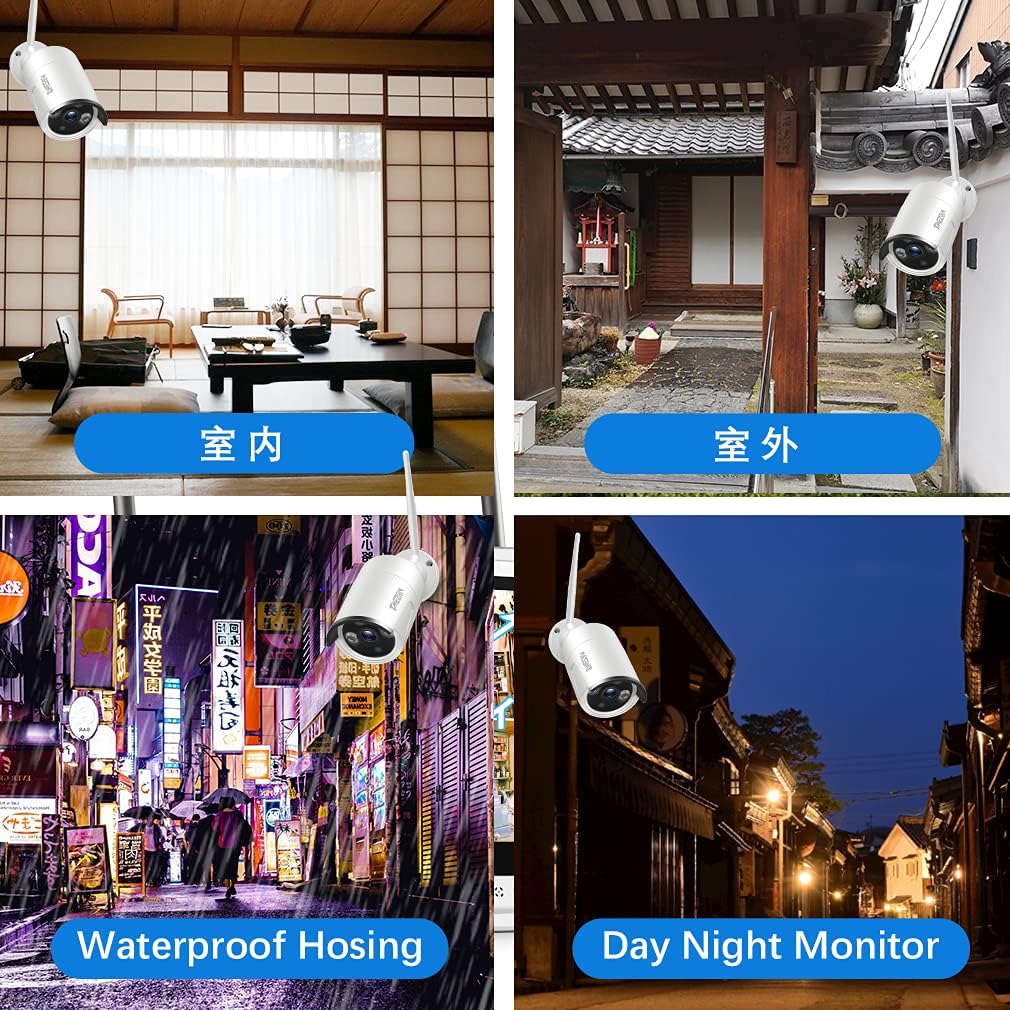
Bild: Examples of camera placement for both indoor and outdoor environments.
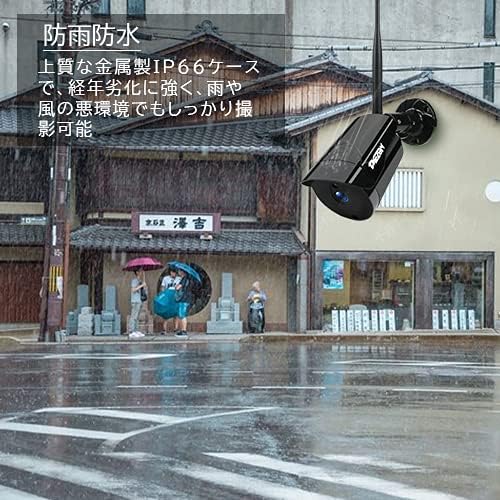
Image: A camera mounted outdoors, demonstrating its IP66 waterproof capability in a rainy setting.
3.3 Remote Access Setup (Mobile App)
Zu view your cameras remotely on a smartphone or PC, follow these steps:
- Download the 'IP PRO' app from the App Store (iOS) or Google Play Store (Android).
- Registrieren Sie ein neues Konto innerhalb der App.
- Scan the QR code on your NVR or manually enter the device ID to add your system to the app.
- Nach dem Hinzufügen können Sie view Live-Feeds, Wiedergabe von Aufnahmen und Verwaltung der Einstellungen von Ihrem Mobilgerät aus.

Image: Demonstrates remote access to the camera system from various devices including tablets, laptops, and smartphones.

Image: A visual guide showing the steps for easy remote access setup via the mobile application.
Video: General überview of the system's features and setup process.
4. Bedienungsanleitung
4.1 Live View und Aufzeichnung
After initial setup, the NVR will display live feeds from all connected cameras. You can navigate the interface using the USB mouse. The system is configured for continuous recording by default. You can adjust recording schedules and modes (e.g., motion-triggered) in the NVR settings.
4.2 Wiedergabe
Um zu review aufgenommenes footage:
- Right-click on the NVR interface to access the main menu.
- Wählen Sie „Wiedergabe“.
- Choose the desired camera, date, and time to view Aufnahmen.
4.3 Bewegungserkennung
The system supports motion detection, which can trigger recording and alerts. To configure:
- Access the NVR's main menu and go to 'Alarm' or 'Motion Detect' settings.
- Enable motion detection for specific cameras.
- Adjust sensitivity and define detection areas as needed.

Image: Highlights key features such as WiFi wireless connectivity, motion detection, night vision mode, IP66 waterproof rating, remote monitoring, and email alerts.
4.4 Nachtsicht
The cameras are equipped with infrared (IR) LEDs for automatic night vision, providing clear black and white video footage bei schwachen Lichtverhältnissen oder Dunkelheit.
4.5 E-Mail-Benachrichtigungen
You can configure the system to send email notifications when motion is detected:
- In the NVR settings, navigate to 'Network' then 'Email'.
- Enter your email server details and recipient email addresses.
- Enable email alerts for motion detection events.

Image: A smartphone screen displaying an instant email notification triggered by an alarm event, showing a person attempting to break in.
Video: Demonstrates various operational aspects of the security camera system.
5. Wartung
Regelmäßige Wartung gewährleistet optimale Leistung und Langlebigkeit Ihres Sicherheitssystems:
- Saubere Kameras: Reinigen Sie die Kameralinsen regelmäßig mit einem weichen Tuch.amp cloth to remove dust and dirt, ensuring clear image quality.
- Verbindungen prüfen: Ensure all power and network cables are securely connected to prevent signal loss.
- Firmware-Updates: Besuchen Sie die offizielle TMEZON-Website. website for any available firmware updates for your NVR and cameras to enhance features and security.
- Festplattenzustand: If your NVR has a hard drive, regularly check its status in the system settings to prevent recording failures.
6. Fehlerbehebung
Hier finden Sie Lösungen für häufig auftretende Probleme:
6.1 Kein Videosignal auf dem Monitor
- Überprüfen Sie die Leistung: Stellen Sie sicher, dass der NVR und der Monitor eingeschaltet und korrekt angeschlossen sind.
- Kabelverbindung: Verify the HDMI/VGA cable is securely connected between the NVR and monitor.
- Eingabequelle: Confirm the monitor's input source is set to the correct HDMI/VGA port.
6.2 Cameras Not Showing on NVR
- Kameraleistung: Ensure all cameras are powered on.
- Drahtlose Reichweite: Check if cameras are within the NVR's wireless range. Obstacles like thick walls can reduce signal strength.
- Manuelle Kopplung: If cameras do not automatically connect, you may need to manually pair them. Access the NVR's 'IPC Channel Config' or 'Wireless Add' menu and follow the on-screen instructions to add cameras.
6.3 Fernzugriff funktioniert nicht
- NVR-Internetverbindung: Ensure the NVR is connected to your router and has internet access. Check the network status in NVR settings.
- App-Anmeldung: Verify you are logged into the correct account on the mobile app.
- Gerät hinzugefügt: Confirm the NVR device has been successfully added to your app account.
- Router-Einstellungen: Ensure your router is not blocking the NVR's internet access.
6.4 Schlechte Bildqualität
- Linse reinigen: Clean the camera lens as described in the maintenance section.
- Auflösungseinstellungen: Check the camera's resolution settings in the NVR. Ensure it's set to 3MP (2048*1536P) for optimal clarity.
- Beleuchtung: Ensure adequate lighting for color images during the day. Night vision will be black and white.
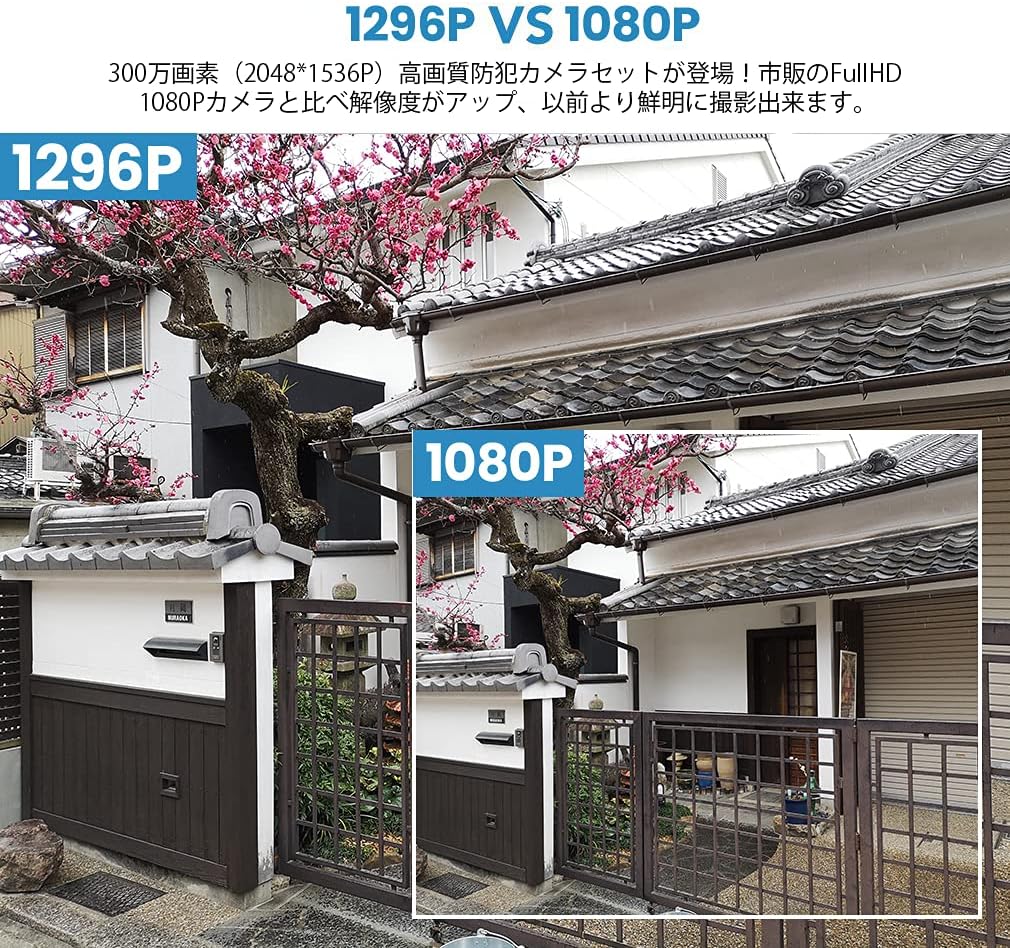
Image: A visual comparison demonstrating the improved clarity and detail of 1296P resolution compared to 1080P.

Image: A comparison showing the difference in image quality between 1080P and 720P resolutions, highlighting the superior detail of 1080P.
7. Spezifikationen
| Besonderheit | Spezifikation |
|---|---|
| Marke | TMEZON |
| Modellnummer | MZ-WF8430W |
| Konnektivitätstechnologie | Kabellos |
| Auflösung der Videoaufnahme | 1944p (3 Megapixel) |
| Besondere Merkmale | Wasserdicht (IP66) |
| Anzahl der Kanäle | 8 |
| Verpackungsabmessungen | 32 x 31.1 x 18.3 cm |
| Paketgewicht | 3.64 Kilogramm |
| Batterien erforderlich | NEIN |
8. Garantie und Support
TMEZON provides customer support for its products. For warranty information, technical assistance, or any questions not covered in this manual, please contact TMEZON customer service through their official website or the contact information provided with your purchase. Please have your model number (MZ-WF8430W) and purchase details ready when contacting support.


