Einführung
This manual provides comprehensive instructions for the Verbatim 2.4G Wireless Mini Travel Optical Mouse, Model 97471. It covers setup, operation, maintenance, and troubleshooting to ensure optimal performance and longevity of your device. This ultra-compact wireless mouse is designed for portability and ease of use with notebooks and netbooks.

Image: The Verbatim 2.4G Wireless Mini Travel Optical Mouse in blue, shown with its compact Nano receiver.
Packungsinhalt
Überprüfen Sie, ob alle Artikel im Paket vorhanden sind:
- Verbatim 2.4G Wireless Mini Travel Optical Mouse
- Nano USB Empfänger
- 1x AAA-Batterie
- Kurzanleitung
Systemanforderungen
The Verbatim 2.4G Wireless Mini Travel Optical Mouse is compatible with the following operating systems:
- Windows XP, Vista, Windows 7, and higher
- Mac OS X 10.1 und höher
- Linux-Kernel 2.6 und höher
A free USB 1.1 or 2.0 port is required for the Nano USB Receiver.
Installationsanweisungen
1. Installieren Sie die Batterie
- Suchen Sie die Abdeckung des Batteriefachs an der Unterseite der Maus.
- Schieben oder heben Sie den Deckel vorsichtig an, um das Fach zu öffnen.
- Insert the included AAA battery, ensuring the positive (+) and negative (-) terminals align correctly with the markings inside the compartment.
- Bringen Sie die Abdeckung des Batteriefachs wieder an, bis sie sicher einrastet.

Image: The underside of the mouse with the battery compartment open, showing the AAA battery and the Nano receiver stored inside.
2. Connect the Nano USB Receiver
- Remove the Nano USB receiver from its storage slot within the mouse's battery compartment (if stored there).
- Stecken Sie den Nano-USB-Empfänger in einen freien USB-Anschluss Ihres Computers.
- Ihr Computer sollte die benötigten Treiber automatisch erkennen und installieren. Dieser Vorgang kann einige Augenblicke dauern.
Bedienungsanleitung
Ein-/Ausschalten
The mouse typically powers on automatically when the receiver is connected and the mouse is moved. To conserve battery life, ensure the mouse is turned off when not in use. A power switch is usually located on the underside of the mouse.
Grundnutzung
- Linke Taste: Primary click function, used for selecting items, opening links, etc.
- Rechter Knopf: Sekundärklickfunktion, öffnet typischerweise Kontextmenüs.
- Scrollrad: Roll up or down to navigate documents and web Seiten. Das Scrollrad kann beim Drücken auch als mittlere Taste fungieren.
Wartung
Batteriewechsel
When the mouse performance degrades or stops responding, it is likely time to replace the AAA battery. Follow the battery installation steps outlined in the Setup section.
Reinigung
Reinigen Sie Ihre Maus mit einem weichen, trockenen und fusselfreien Tuch. Bei hartnäckigem Schmutz tupfen Sie die Maus leicht ab.ampen the cloth with water. Avoid using harsh chemicals, solvents, or abrasive cleaners, as these can damage the mouse's surface or internal components.
Fehlerbehebung
| Problem | Lösung |
|---|---|
| Maus reagiert nicht |
|
| Die Cursorbewegung ist unregelmäßig oder sprunghaft. |
|
| Receiver not detected by computer |
|
Technische Daten
| Besonderheit | Detail |
|---|---|
| Modellnummer | 97471 |
| Technische Daten | 3 x 2 x 1.25 Zoll (L x B x H) |
| Artikelgewicht | 2.4 Unzen |
| Konnektivitätstechnologie | 2.4GHz WLAN |
| Bewegungserkennungstechnologie | Optisch |
| Akku-Typ | 1x AAA (im Lieferumfang enthalten) |
| Schnittstelle | USB 2.0 (kompatibel mit USB 1.1) |

Bild: Draufsicht view of the Verbatim Mini Travel Mouse showing its approximate dimensions of 3 inches length and 2 inches width.
Garantieinformationen
Dieses Verbatim-Produkt ist durch eine 1 Jahr eingeschränkte Garantie from the date of purchase. This warranty covers defects in materials and workmanship under normal use. For full terms and conditions, please refer to the official Verbatim warranty documentation or contact customer support.
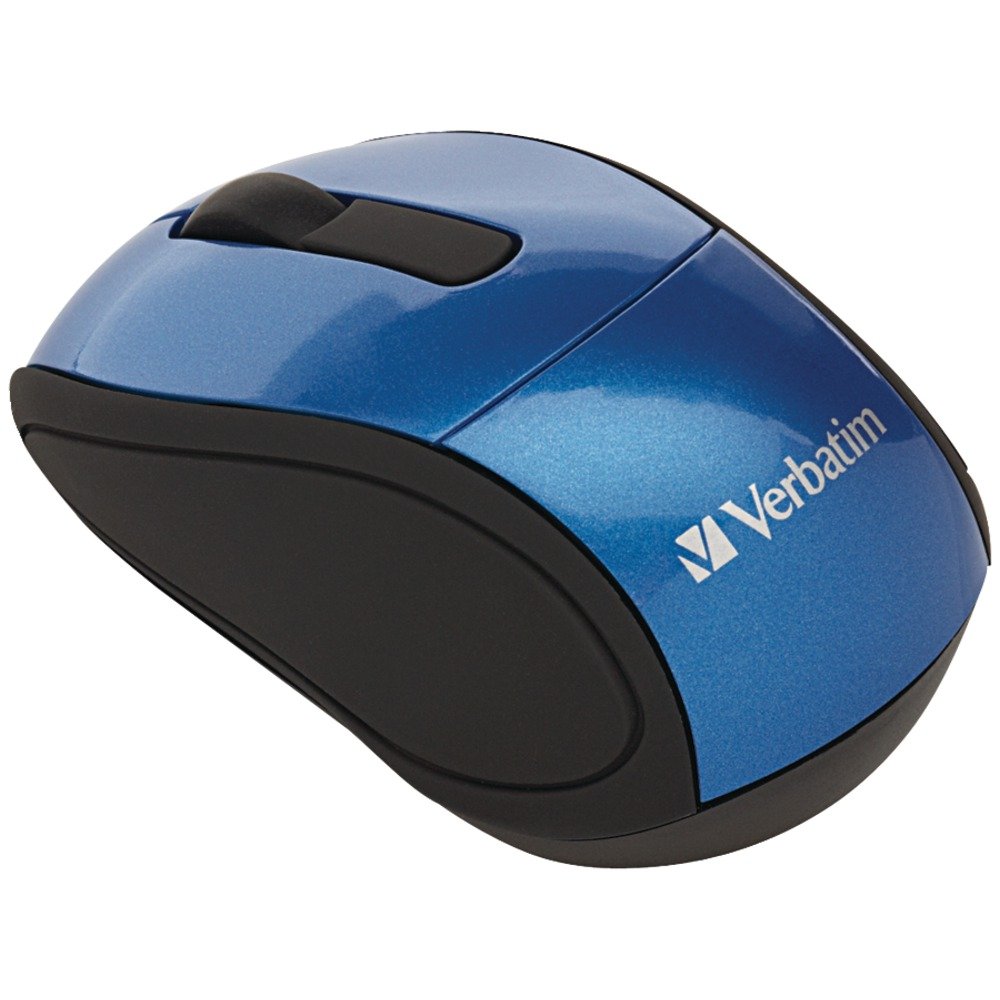
Image: A blue circular badge indicating a "1-Year Limited Warranty".
Unterstützung
For further assistance, technical support, or warranty claims, please visit the official Verbatim webWebsite oder kontaktieren Sie deren Kundendienst. Die Kontaktinformationen finden Sie in der Regel auf der Verbatim-Website. webauf der Website oder in der Kurzanleitung, die Ihrem Produkt beiliegt.


