1. Introduktion
The DNT Grabstar AV V2 is a video digitizer designed to convert analog video recordings from various sources, such as VHS, Video 8, and Betamax, into digital MP4 format. This manual provides detailed instructions for setting up, operating, and maintaining your device, along with troubleshooting tips and technical specifications.
2. Produktet er slutview
2.1 Nøglefunktioner
- Direct digitization from analog sources (camcorder, VHS, Video 8, Betamax).
- Records directly to SD/SDHC memory card or USB storage media (up to 512GB).
- Adjustable auto-stop recording function (60/90/120/150 min).
- S-video input with separate Y/C signal transmission (luminance/chrominance).
- Integrated 3.5-inch (8.9 cm) color display for monitoring and playback.
- HDMI output for TV connection.
- Indbygget højttaler til lydafspilning.
2.2 Pakkens indhold
Bekræft, at alle nedenstående varer er inkluderet i din pakke:
- DNT Grabstar AV V2 Video Digitizer
- USB strømforsyning
- USB-C ladekabel
- A/V Cable (RCA)
- Instruktionsmanual (dette dokument)

Image: Contents of the DNT Grabstar AV V2 retail package.

Billede: Forside view of the DNT Grabstar AV V2, highlighting the display and control panel.
3. Opsætning
3.1 Strømtilslutning
- Connect the USB-C charging cable to the USB-C port on the Grabstar AV V2.
- Connect the other end of the USB-C cable to the supplied USB power supply.
- Plug the USB power supply into a standard electrical outlet.
- Enheden tændes automatisk eller kan tændes ved hjælp af tænd/sluk-knappen.
3.2 Storage Media Insertion
The Grabstar AV V2 supports SD/SDHC memory cards and USB flash drives (up to 512GB) formatted in FAT32, NTFS, or exFAT.
- For SD/SDHC Card: Locate the SD/SDHC card slot on the side of the device. Insert the memory card with the contacts facing down until it clicks into place.
- For USB Flash Drive: Locate the USB port on the side of the device. Insert the USB flash drive firmly into the port.
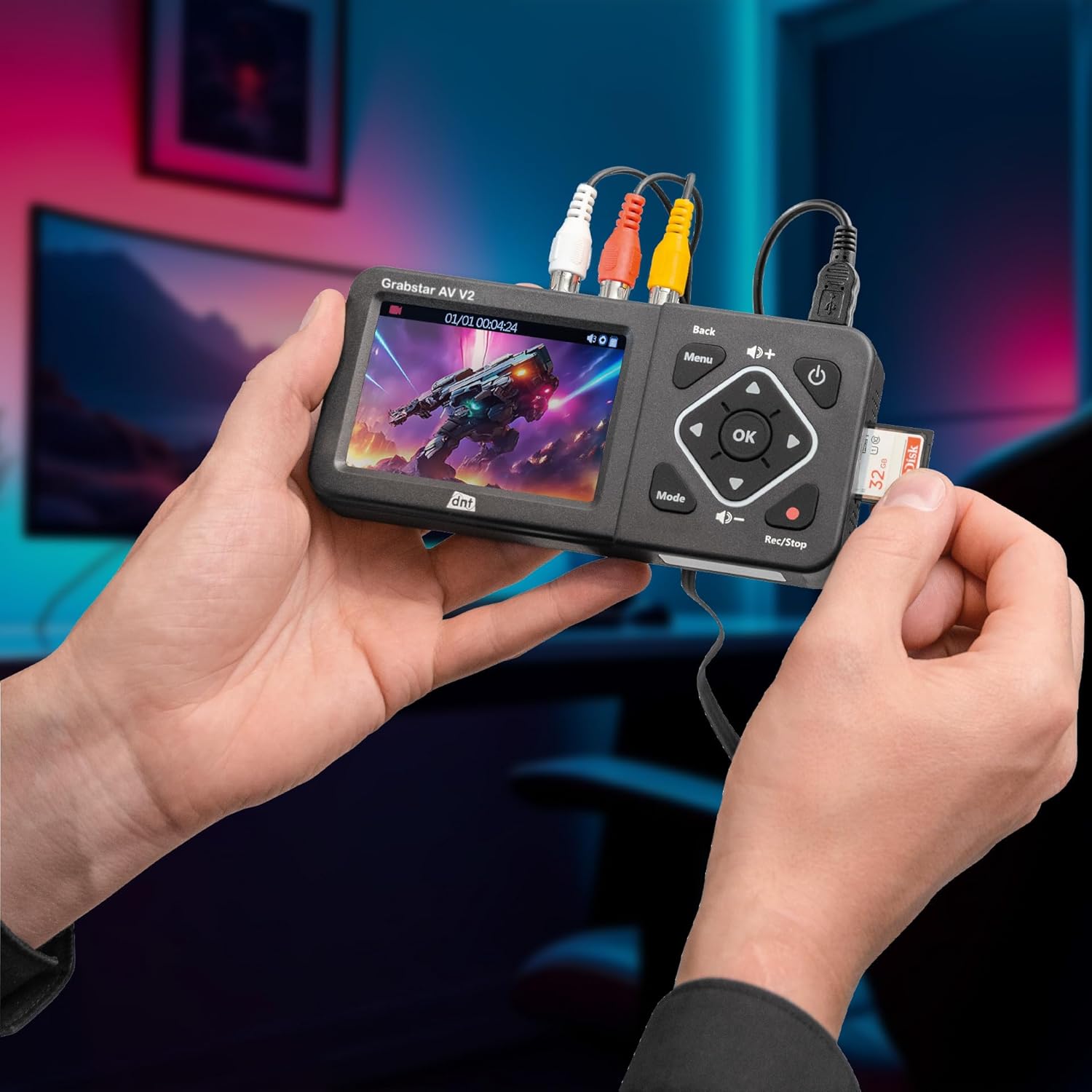
Image: Inserting an SD card into the Grabstar AV V2.

Image: Close-up of the SD card slot and speaker on the side of the device.
3.3 Connecting Analog Video Sources
The Grabstar AV V2 features RCA (composite video) and S-Video inputs.
- RCA-forbindelse: Connect the yellow RCA cable from your analog source (e.g., VCR, camcorder) to the yellow "VIDEO IN" port on the Grabstar AV V2. Connect the red and white RCA cables for audio to the corresponding "R" (right) and "L" (left) audio input ports.
- S-videoforbindelse: Connect an S-Video cable from your analog source to the "S-VIDEO" port on the Grabstar AV V2. For audio, use the red and white RCA cables connected to the "R" and "L" audio input ports.

Image: Input and output ports on the side of the Grabstar AV V2.

Image: Grabstar AV V2 connected to an analog video cassette recorder (VCR).
3.4 Tilslutning til et tv (valgfrit)
Til view the input source or recorded videos on a larger screen, connect an HDMI cable from the "HDMI OUT" port on the Grabstar AV V2 to an HDMI input on your television.
4. Betjeningsvejledning
4.1 Grundlæggende kontroller
The device features several control buttons:
- Power knap: Tænder/slukker enheden.
- Menu-knap: Giver adgang til hovedmenuen for indstillinger.
- Tilbage knap: Går tilbage til den forrige skærm eller afslutter en menu.
- Retningsknapper (op, ned, venstre, højre): Naviger gennem menuer og muligheder.
- OK knap: Bekræfter valg.
- Lydstyrkeknapper (+/-): Justerer afspilningslydstyrken.
- Mode knap: Switches between recording and playback modes.
- Rec/Stop Button: Starts and stops recording.
4.2 Recording Analog Video
- Ensure your analog video source is connected and playing.
- Power on the Grabstar AV V2. The display should show the live video feed from your source.
- Tryk på Rec/Stop button to begin recording. A red indicator light will illuminate, and a recording timer will appear on the screen.
- Tryk på for at stoppe optagelsen Rec/Stop button again. The recording will be saved to your inserted storage media.
4.3 Playback of Recorded Videos
- Tryk på Mode knappen for at skifte til afspilningstilstand.
- Use the directional buttons to navigate through your recorded video files.
- Tryk på OK button to start playback of the selected video.
- Use the volume buttons to adjust audio output.
- Tryk på Tilbage button to exit playback or return to the file liste.
4.4 Menuindstillinger
Tryk på Menu button to access settings such as:
- Optagelsesopløsning: Select from 720x576p, 720x480p, or 640x480p.
- Auto Stop Recording: Set recording duration to 60, 90, 120, or 150 minutes.
- Sprog: Adjust the device's display language.
- Dato og tid: Indstil den aktuelle dato og tid.
- Formatlagring: Format the inserted SD card or USB drive (this will erase all data).
Navigate through menu options using the directional buttons and confirm with the OK knap. Brug Tilbage button to exit menus.
5. Vedligeholdelse
- Rensning: Brug en blød, tør klud til at rengøre enhedens yderside. Brug ikke flydende rengøringsmidler eller opløsningsmidler.
- Opbevaring: Store the Grabstar AV V2 in a cool, dry place away from direct sunlight and extreme temperatures.
- Softwareopdateringer: Tjek producentens website for available software updates. Updates can typically be installed via USB or SD/SDHC memory card.
6. Fejlfinding
| Problem | Mulig årsag | Løsning |
|---|---|---|
| Enheden tænder ikke. | Ingen strømforsyning eller defekt forbindelse. | Ensure the USB-C cable and power supply are correctly connected and plugged into a working outlet. |
| No video signal on display. | Incorrect input connection or source not playing. | Verify analog cables (RCA/S-Video) are securely connected. Ensure the analog source (VCR, camcorder) is powered on and playing video. |
| Optagelsen mislykkes eller stopper uventet. | Storage media full, incompatible format, or faulty. | Check available space on SD card/USB drive. Ensure media is formatted correctly (FAT32, NTFS, exFAT). Try a different storage device. |
| Ingen lyd under afspilning. | Volume too low or audio cables not connected during recording. | Increase volume using the '+' button. Ensure red and white RCA audio cables were connected from the source during recording. |
| Display is frozen or unresponsive. | Midlertidig softwarefejl. | Tryk og hold tænd/sluk-knappen nede i 10 sekunder for at fremtvinge en genstart. |
7. Tekniske specifikationer
| Feature | Specifikation |
|---|---|
| Model | DNT000025 |
| Type | Video Digitizer (analog) |
| Farve Display | 3.5 tommer (8.9 cm) |
| Video standard | PAL, NTSC |
| Optagelsesopløsning | 720x576p, 720x480p, 640x480p |
| Optagelsesformat | MP4 (H.264) |
| Recording Size | Up to 150 MB/min |
| Stik | 1x FBAS/RCA (3x RC), 1x S-Video, 1x HDMI-out, 1x USB-C (power), 1x USB (storage), 1x SD/SDHC slot |
| Indbygget højttaler | 1W RMS |
| Supported Memory Types | SD/SDHC memory card, USB flash drive (up to 512GB) |
| Understøttet File Systemer | FAT32, NTFS, exFAT (max. 4 GB/File) |
| Forsyning Voltage | 5 VDC/1 A |
| Dimensioner (B x H x D) | 160 x 25 x 75 mm |
| Vægt | 156 g |
| Fabrikant | dnt Innovation GmbH |
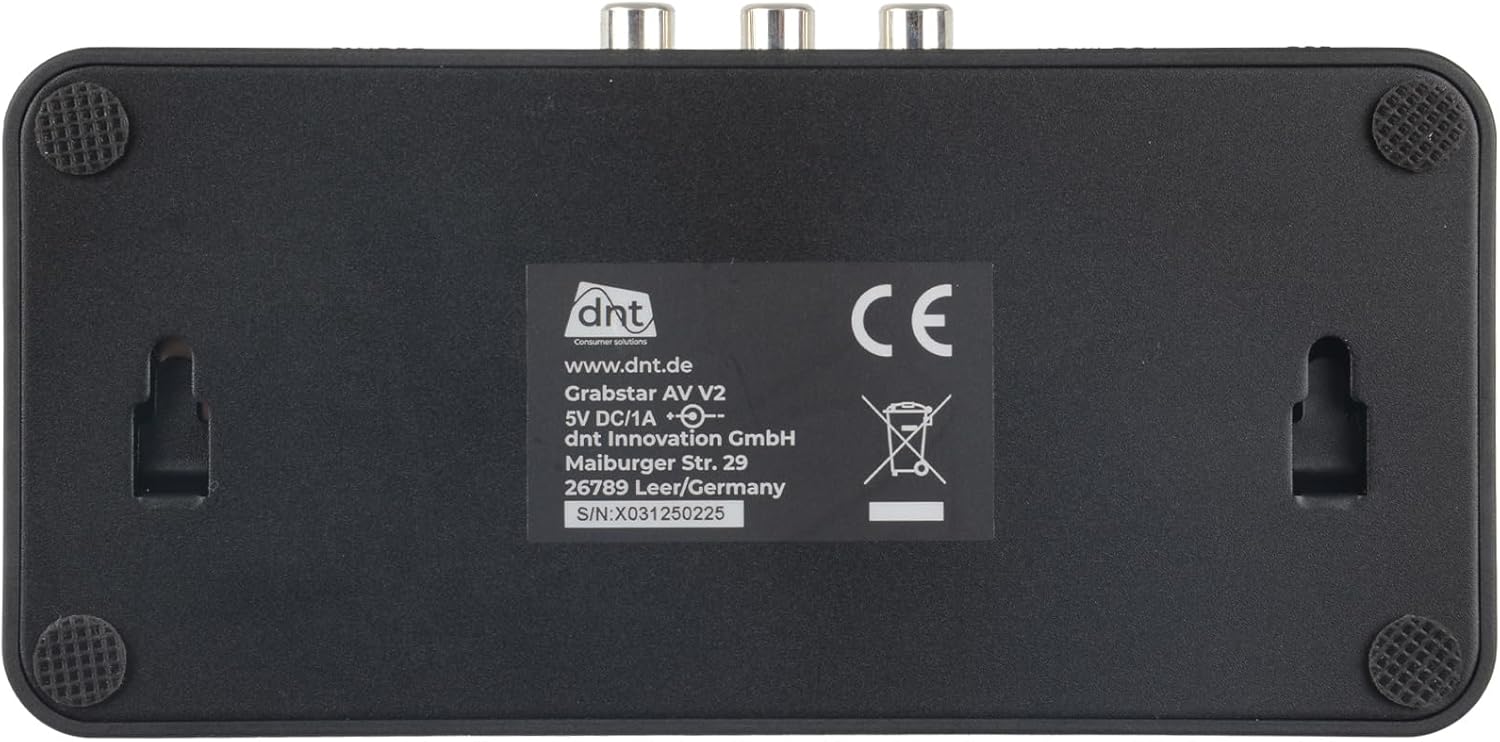
Image: Rear label of the Grabstar AV V2 with technical details.
8. Garanti og support
For warranty information and technical support, please refer to the documentation provided with your purchase or visit the official DNT webwebsted. Gem din købsbevis til garantikrav.
Manufacturer: dnt Innovation GmbH
Webwebsted: www.dnt.de


