1. Introduktion
Tak for købetasing the ZEBRONICS Zeb Vigor 100 Tower Speaker. This manual provides essential information for the safe and efficient operation of your device. Please read it thoroughly before use and retain it for future reference.
2. Sikkerhedsinstruktioner
- Udsæt ikke højttaleren for vand eller fugt.
- Åbn ikke højttaleren casing; overlad al service til kvalificeret personale.
- Hold højttaleren væk fra direkte sollys, varmekilder og åben ild.
- Sørg for tilstrækkelig ventilation omkring højttaleren for at forhindre overophedning.
- Use only the power cord supplied with the device.
- Undgå at lytte ved høje lydstyrker i længere perioder for at forhindre høreskader.
3. Pakkens indhold
Bekræft at alle varer er til stede i pakken:
- Trolley DJ Speaker: 1 Unit
- Fjernbetjening: 1 enhed
- Wireless Microphone: 1 Unit
- Strømledning: 1 enhed
- Input Cable (3.5mm): 1 Unit
- QR-kodevejledning: 1 enhed
4. Produktet er slutview
The ZEBRONICS Zeb Vigor 100 is a versatile tower speaker designed for various audio applications, featuring multiple connectivity options and a robust sound output.
Nøglefunktioner:
- Triple Full Range 20.32cm Drivers for comprehensive sound.
- 100W RMS Output for powerful audio delivery.
- TWS (True Wireless Stereo) Function for connecting two speakers.
- Karaoke & Mic Recording Function with included Wireless MIC.
- Multiconnectivity: Bluetooth v5.0, USB, mSD, AUX, FM.
- LED Display for easy navigation.
- Fjernbetjening til bekvem betjening.
- Carry Handle & Wheels for portability.
- RGB Lights for visual effects.
- Dual 6.3mm Microphone input.
- Indbygget genopladeligt batteri.
- Dedicated Control Buttons for intuitive use.
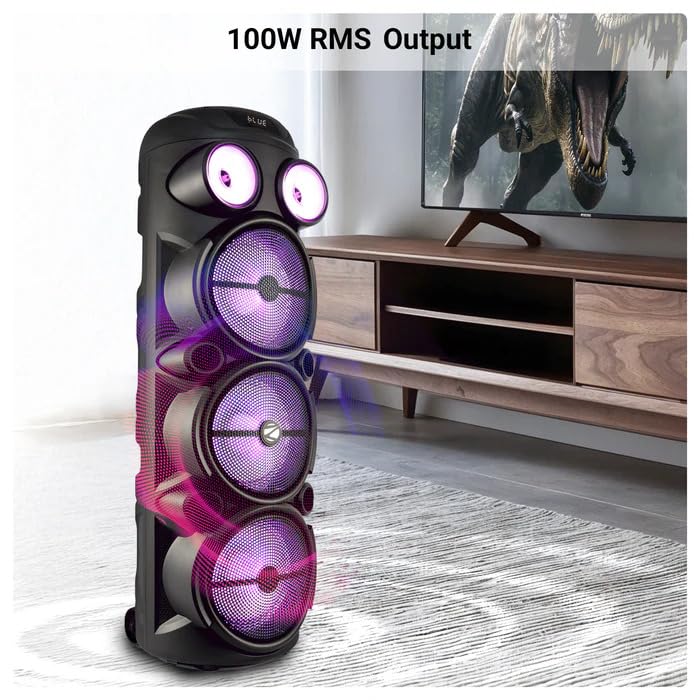
Image: The ZEBRONICS Zeb Vigor 100 Tower Speaker showcasing its 100W RMS output, positioned next to a television.
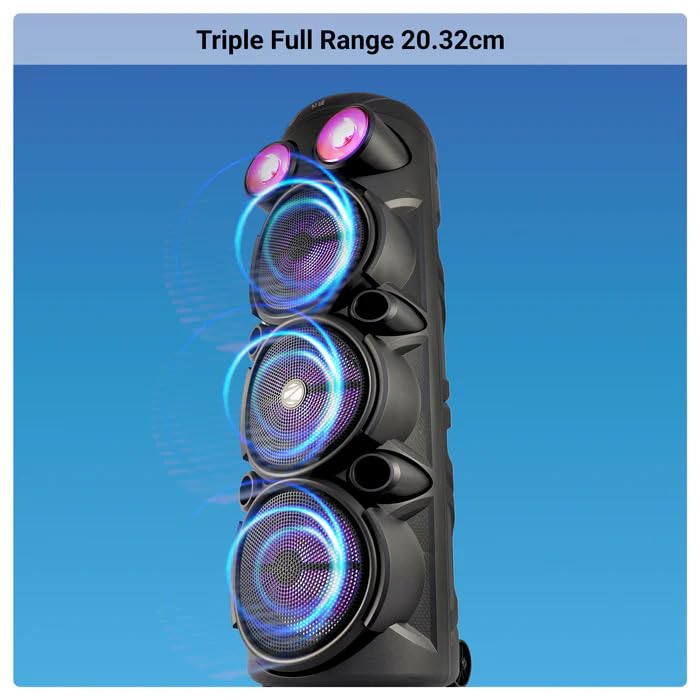
Billede: Nærbillede view of the ZEBRONICS Zeb Vigor 100 highlighting its triple full-range 20.32cm drivers.
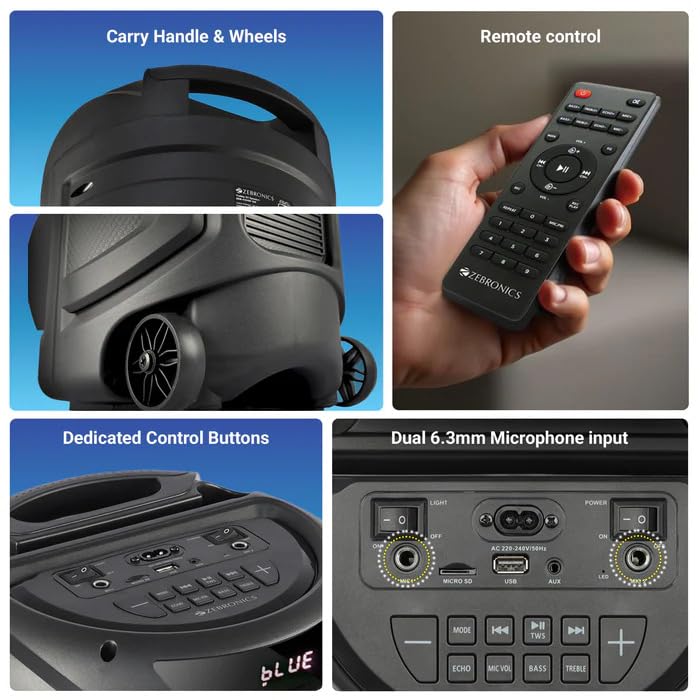
Image: A collage showing the speaker's carry handle and wheels for portability, the included remote control, the dedicated control buttons on the top panel, and the dual 6.3mm microphone inputs on the rear panel.
5. Opsætning
5.1 Opladning af højttaleren
Before initial use, fully charge the speaker. Connect the provided power cord to the speaker's AC input and a suitable power outlet. The charging time is approximately 9.8 hours. A full charge provides up to 5 hours of playback at 50% volume with LED lights off.
5.2 Tænd/sluk
Locate the power switch on the speaker's control panel. Toggle the switch to the 'ON' position to power on the speaker. Toggle to 'OFF' to power off.
6. Betjeningsvejledning
6.1 Bluetooth Connection (BT v5.0)
- Power on the speaker. The speaker will automatically enter Bluetooth mode or you can select it using the 'MODE' button.
- Aktivér Bluetooth på din mobilenhed eller computer.
- Søg efter available devices and select "ZEB-VIGOR 100" from the list.
- Når højttaleren er parret, vil den indikere en vellykket forbindelse, og du kan begynde at afspille lyd.
6.2 USB/mSD Playback
- Insert a USB flash drive or mSD card (up to 32GB) containing MP3 audio files ind i den respektive port.
- The speaker will automatically detect the storage device and begin playback. If not, press the 'MODE' button to select USB or mSD mode.
- Use the control buttons or remote to play, pause, skip tracks, or adjust volume.
6.3 AUX-indgang
- Connect one end of the 3.5mm input cable to the AUX port on the speaker.
- Tilslut den anden ende til lydudgangsstikket på din eksterne enhed (f.eks. smartphone, MP3-afspiller).
- Press the 'MODE' button to select AUX input.
- Control playback and volume from your external device or the speaker.
6.4 FM radio
- Press the 'MODE' button to select FM radio mode.
- Press the Play/Pause button to auto-scan and save available FM stations (frequency range 87.5 MHz - 108 MHz).
- Brug knapperne Forrige/Næste nummer til at navigere mellem gemte stationer.
6.5 Karaoke & Mic Recording Function
- Connect the wireless microphone or a wired microphone (not included) to one of the dual 6.3mm microphone inputs.
- Adjust the microphone volume and echo using the dedicated controls.
- To record, ensure a USB drive or mSD card is inserted. Press the 'REC' button (if available on the control panel/remote) to start recording. Press again to stop.
6.6 TWS (ægte trådløs stereo) funktion
To connect two Zeb Vigor 100 speakers for a stereo experience:
- Sørg for, at begge højttalere er tændt og i Bluetooth-tilstand.
- On one speaker (this will be the master), press and hold the 'TWS' button. The speaker will indicate it is searching for another TWS device.
- The two speakers will automatically pair. Once connected, they will function as a stereo pair.
- Connect your mobile device to the master speaker via Bluetooth as described in section 6.1.
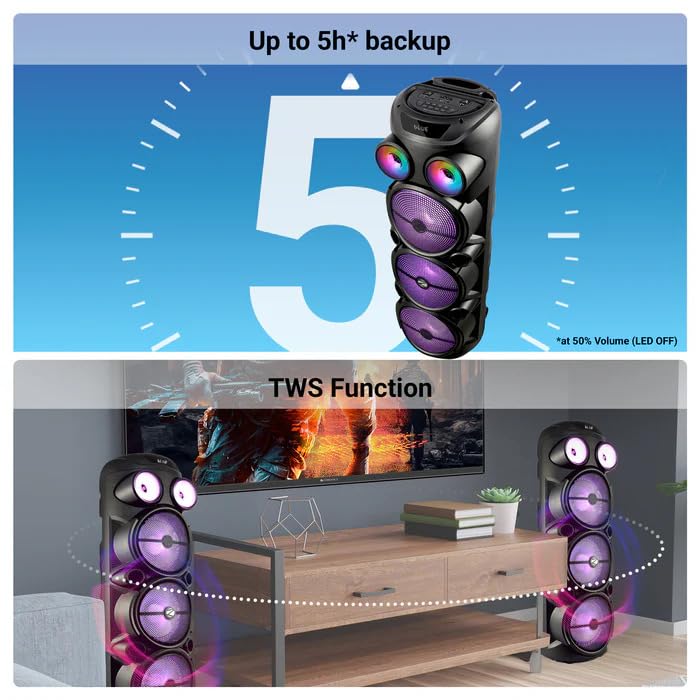
Image: The ZEBRONICS Zeb Vigor 100 speaker highlighting its up to 5-hour battery backup and the True Wireless Stereo (TWS) function, showing two speakers connected wirelessly.
6.7 RGB-lys
The speaker features dynamic RGB lights. Use the dedicated 'LIGHT' switch or button on the control panel or remote to cycle through different light modes or turn them off.
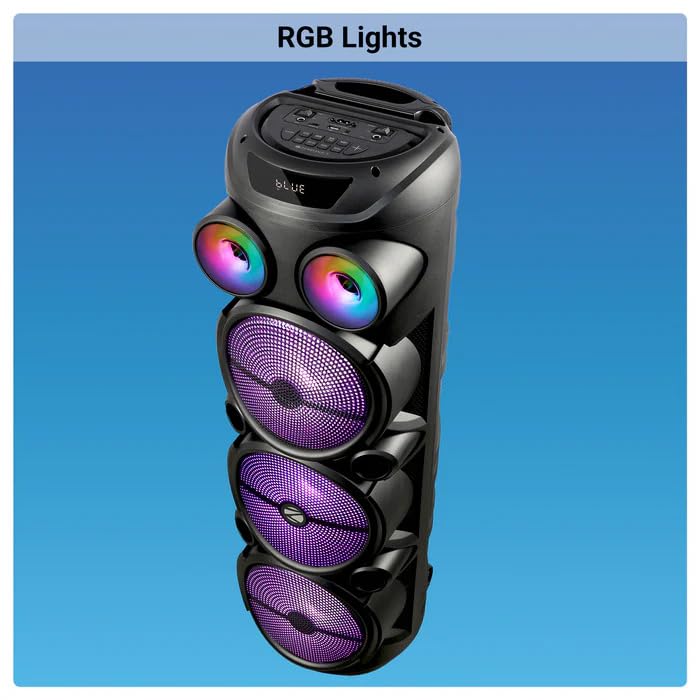
Image: The ZEBRONICS Zeb Vigor 100 Tower Speaker with its vibrant RGB lights illuminated.
6.8 Kontrolpanel og fjernbetjening
The speaker features a top-mounted control panel with buttons for mode selection, playback control, volume adjustment, microphone controls, and light control. A remote control is also provided for convenient operation from a distance.
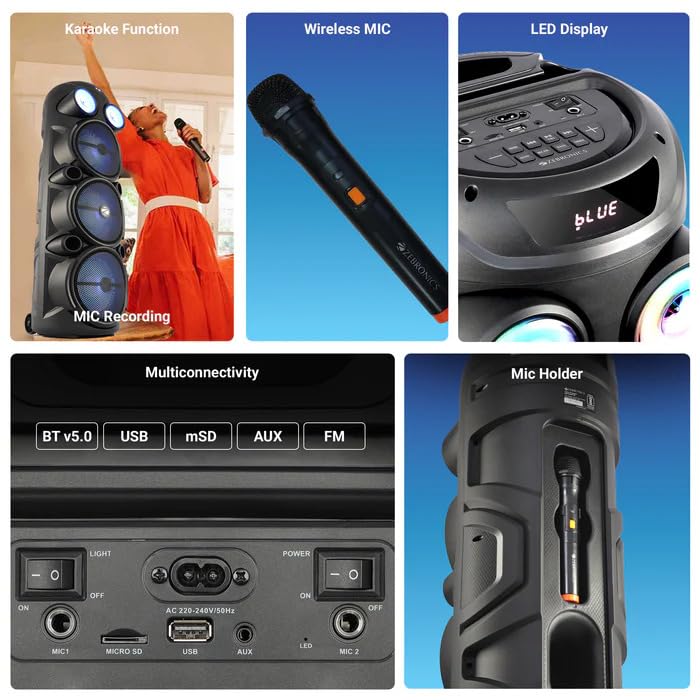
Billede: En detaljeret view of the ZEBRONICS Zeb Vigor 100's control panel, showing options for Bluetooth v5.0, USB, mSD, AUX, and FM connectivity, along with various control buttons.
7. Vedligeholdelse
- Rensning: Brug en blød, tør klud til at rengøre højttalerens yderside. Brug ikke slibende rengøringsmidler eller opløsningsmidler.
- Opbevaring: Når højttaleren ikke er i brug i længere perioder, skal den opbevares køligt og tørt, væk fra direkte sollys og ekstreme temperaturer.
- Batteripleje: For at forlænge batteriets levetid bør du undgå at aflade batteriet helt ofte. Oplad højttaleren regelmæssigt, selvom den ikke er i brug.
8. Fejlfinding
| Problem | Mulig årsag | Løsning |
|---|---|---|
| Højttaleren tænder ikke. | Batteriet er fladt, eller netledningen er ikke tilsluttet. | Oplad højttaleren, eller sørg for, at netledningen er korrekt tilsluttet. |
| Ingen lydudgang. | Volume is too low, incorrect mode selected, or device not properly connected. | Increase volume, select the correct input mode (BT, USB, AUX, FM), or re-establish connection. |
| Bluetooth-parring mislykkes. | Højttaleren er ikke i parringstilstand, eller enheden er for langt væk. | Ensure speaker is in Bluetooth mode, move device closer, or clear previous pairings on your device. |
| Mikrofon virker ikke. | Microphone not powered on, or volume too low. | Ensure wireless mic has batteries and is powered on. Adjust mic volume. |
9. Specifikationer
| Feature | Specifikation |
|---|---|
| Udgangseffekt (RMS) | 100W |
| Driver størrelse | Full range 20.32cm x 3, Tweeter 3.8cm |
| Impedans | Full range 4Ω x 1, 8Ω x 2; Tweeter 8Ω |
| Frekvensrespons | 65Hz-18kHz |
| S/N-forhold | ≥60dB |
| File Format Support (USB/SD) | MP3 |
| Linje input | 3.5 mm |
| Max Supported USB/SD Memory Size | 32 GB |
| FM frekvensområde | 87.5 MHz - 108 MHz |
| Opladningstid | 9.8 timer |
| Afspilningstid | 5 hours* (at 50% Volume, LED OFF) |
| Bluetooth navn | ZEB-VIGOR 100 |
| Bluetooth version | v5.0 |
| Produktdimension (B x D x H) | 28.6 x 28.5 x 90 cm |
| Nettovægt | 6.4 kg |
| Connector Type | Aux, USB |
| Antal kanaler | 2 |
| Lydindgang | Wired Microphone, Wireless Microphone, Line-Level Input |
| Farve | Sort |
| Kompatible enheder | Audio Player, DJ Mixer, DVD Player, Drum, Guitar, Headphone, Headset, Karaoke System, Keyboard, Laptop, MP3 Player, Microphone, Piano, Smartphone, Tablet, Television |
10. Garanti og support
10.1 Garantioplysninger
The ZEBRONICS Zeb Vigor 100 Tower Speaker comes with a 1 års garanti fra købsdatoen. Gem venligst din købskvittering i tilfælde af garantikrav. Garantien dækker fabrikationsfejl under normale brugsforhold.
10.2 Producent
Zebronics India Pvt Ltd.
13/7 Smith Road, Royapettah, Chennai, Tamil Nadu - 600 002, India
10.3 Kundesupport
For technical assistance, service, or warranty inquiries, please contact Zebronics customer support through their official website or the contact information provided in the QR code guide included in your package.


