1. Introduktion
This manual provides essential information for the proper use and maintenance of your XIAOMI Redmi 15 5G smartphone. Please read this guide thoroughly before operating your device to ensure optimal performance and longevity. The Redmi 15 5G is designed for reliable daily use, featuring a large display, powerful battery, and advanced camera system.
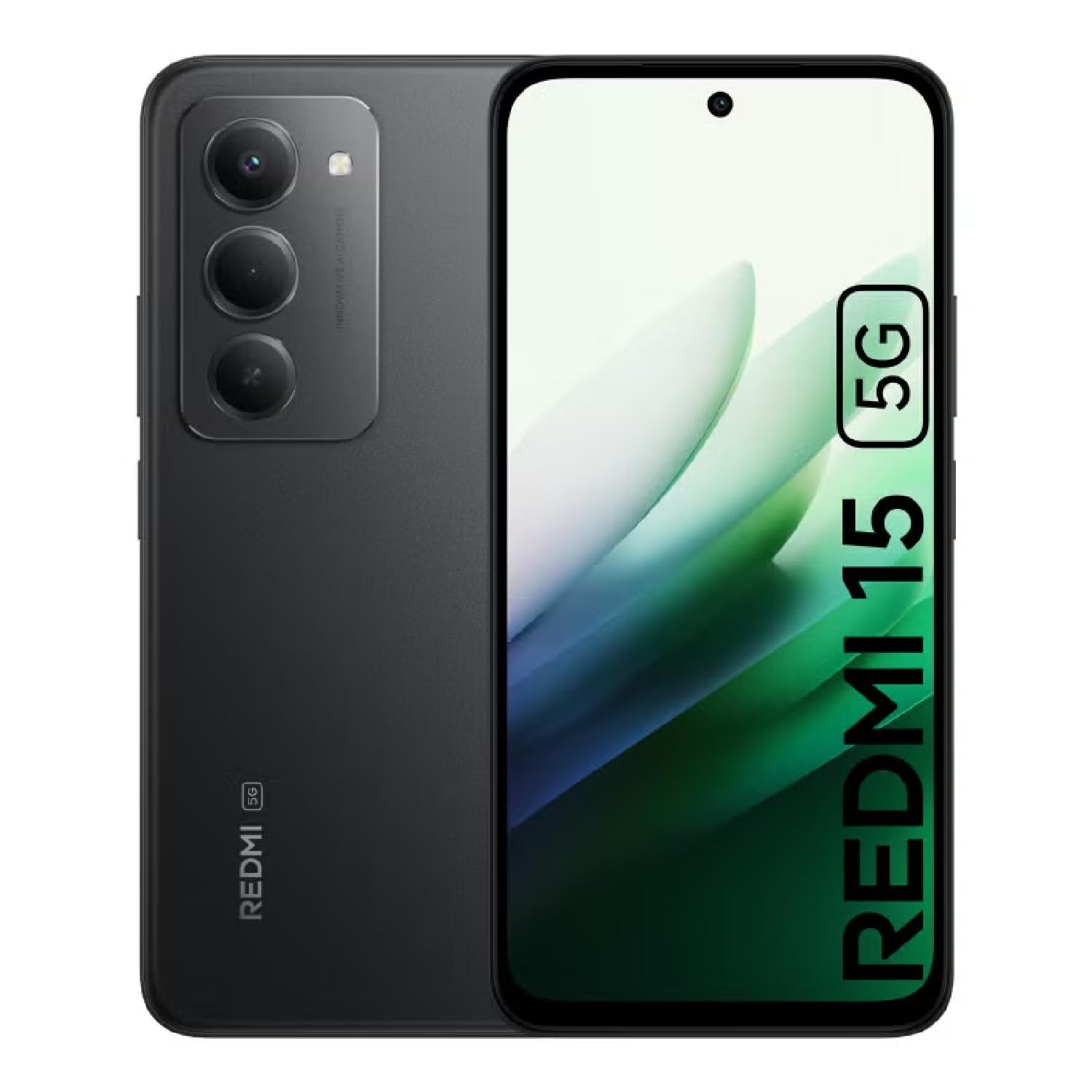
Image: The XIAOMI Redmi 15 5G smartphone, showcasing its design in multiple color options.
2. Hvad er der i æsken
- XIAOMI Redmi 15 5G Smartphone
- USB kabel
- Telefon etui
- SIM Ejector Tool (may be included with documentation)
- Hurtig startvejledning og garantioplysninger
3. Opsætning
3.1. Installation af SIM-kort og MicroSD-kort
- Find SIM-kortbakken på siden af din enhed.
- Sæt SIM-kortudkastningsværktøjet i det lille hul ved siden af bakken, og tryk forsigtigt, indtil bakken springer ud.
- Place your Nano-SIM card(s) and/or microSD card into the tray, ensuring they are correctly oriented. The Redmi 15 5G supports a hybrid SIM slot (SIM1 + SIM2 or SIM1 + microSD).
- Sæt forsigtigt bakken tilbage i telefonen.
3.2. Første opstart og konfiguration
- Tryk og hold tænd/sluk-knappen nede, indtil XIAOMI-logoet vises.
- Følg vejledningen på skærmen for at vælge dit sprog og din region og oprette forbindelse til et Wi-Fi-netværk.
- Sign in with your Google account or create a new one to access apps and services.
- Set up your preferred security methods, such as a PIN, pattern, password, fingerprint, or AI face unlock.
4. Betjeningsvejledning
4.1. Skærmfunktioner
The Redmi 15 5G features an immersive 6.9-inch FHD+ DotDisplay with a resolution of 2340 × 1080 pixels (374 PPI). Enjoy smooth visuals with a refresh rate of up to 144Hz and a touch sampling rate of up to 288Hz. The display offers a typical brightness of 700 nits (850 nits HBM) and a contrast ratio of 1400:1. It includes an all-day eye-care display with DC dimming and TÜV Rheinland certifications for low blue light, circadian friendly, and flicker-free viewing. The Wet Touch Technology 2.0 ensures accurate touch response even with wet fingers.
4.2. Kamerasystem
Capture high-quality photos and videos with the 50MP AI dual camera system. The main camera features a 5P lens with an f/1.8 aperture. Video recording supports 1080p (1920x1080) HD at 30 fps and 720p (1280x720) HD at 30 fps. The 8MP front camera (f/2 aperture) is ideal for selfies and video calls, offering features like filmCamera, HDR mode, soft-light ring, portrait mode, and time-lapse. Front camera video recording also supports 1080p and 720p HD at 30 fps.

Billede: Detaljeret view of the Redmi 15 5G's rear camera system.
4.3. Ydeevne og batteri
Powered by the Snapdragon® 6s Gen 3 5G Mobile Platform, built on an efficient 6nm process, the device offers smooth and reliable performance. The octa-core CPU (Kryo, up to 2.3GHz) and Adreno GPU ensure efficient multitasking and gaming. The phone comes with 8GB of RAM, expandable up to 16GB with Memory extension (utilizing ROM storage). A massive 7000mAh (typical) battery provides extended usage, offering up to 24 hours of talk time.
4.4. Forbindelse og sikkerhed
The Redmi 15 5G supports 5G connectivity (SA and NSA bands), 4G LTE, and 3G/2G networks. It includes NFC for contactless payments and data transfer, Wi-Fi for internet access, and comprehensive GPS support (GPS, Glonass, Galileo, Beidou). Security features include a side-mounted fingerprint sensor and AI face unlock for convenient and secure access.
5. Vedligeholdelse
- Rensning: Brug en blød, fnugfri klud til at rengøre skærmen og kabinettet. Undgå skrappe kemikalier.
- Softwareopdateringer: Søg regelmæssigt efter og installer systemopdateringer for at sikre optimal ydeevne, sikkerhed og adgang til nye funktioner.
- Batteripleje: For at forlænge batteriets levetid skal du undgå ekstreme temperaturer og ikke lade batteriet aflades helt for ofte.
- Lagerstyring: Ryd periodisk unødvendigt fileog apps for at opretholde enhedens hastighed og frigøre lagerplads.
6. Fejlfinding
- Enheden tænder ikke: Sørg for, at batteriet er opladet. Tilslut enheden til opladeren, og vent et par minutter, før du forsøger at tænde den igen.
- Apps Freezing or Lagging: Close background applications. Clear app cache or data if the issue persists with a specific app. Restarting the device can also resolve temporary performance issues.
- Dårlig netværksforbindelse: Check if your SIM card is properly inserted. Ensure mobile data is enabled and you are within network coverage. For Wi-Fi issues, restart your router and phone.
- Batteriet aflades hurtigt: Reduce screen brightness, disable unnecessary features like GPS or Bluetooth when not in use, and close power-intensive background apps.
- Fingeraftrykssensor virker ikke: Sørg for, at din finger er ren og tør. Registrer dine fingeraftryk igen, hvis problemet fortsætter.
7. Specifikationer
| Feature | Specifikation |
|---|---|
| Modelnavn | 25057RN09E |
| Skærmstørrelse | 6.9 tommer |
| Opløsning | 2340 x 1080 |
| Opdateringshastighed | 144 Hz |
| Processor | Snapdragon 6s Gen 3 mobilplatform (octa-core, op til 2.3 GHz) |
| VÆDDER | 8 GB (expandable up to 16GB with Memory extension) |
| Lagerkapacitet | 256 GB (kan udvides op til 2 TB med microSD) |
| Hovedkamera | 50 MP AI dobbeltkamera |
| Forreste kamera | 8 MP |
| Batterikapacitet | 7000 mAh |
| Operativsystem | Xiaomi HyperOS baseret på Android 15 |
| Forbindelse | 5G, Wi-Fi, NFC, GPS |
| Sikkerhed | Sidefingeraftrykssensor, AI-ansigtslåsning |
| Dimensioner | 6.74 x 3.23 x 0.34 tommer |
| Vægt | 7.9 ounces (224 gram) |
8. Garanti og support
For warranty information, please refer to the warranty card included in your product packaging or visit the official XIAOMI website. If you encounter any issues not covered in this manual, please contact XIAOMI customer support for assistance. Keep your proof of purchase for warranty claims.


