1. Introduktion
This manual provides essential information for the proper setup, operation, and maintenance of your KOORUI G2721X 27-inch 1440p QHD Gaming Monitor. Please read this manual thoroughly before using the product to ensure optimal performance and safety. Keep this manual for future reference.

Figur 1.1: Forside view of the KOORUI G2721X monitor, showcasing dens slanke rammer og stativ.
2. Pakkens indhold
Verify that all items are present in the package. If any items are missing or damaged, please contact your retailer or KOORUI customer support.
- KOORUI G2721X Monitor (x1)
- Monitor Base (x1)
- Instruktionsmanual (x1)
- DisplayPort (DP) Cable (x1)
- Strømadapter (x1)
3. Produktet er slutview
3.1 Nøglefunktioner
- Vise: 27-inch QHD (2560x1440) resolution for crisp visuals.
- Opdateringshastighed: Up to 260Hz (supports 240Hz) for smooth gameplay.
- Svartid: 1ms (GTG) for minimal motion blur.
- Paneltype: Fast IPS for vibrant colors and wide viewing vinkler.
- HDR-understøttelse: HDR400 for enhanced contrast and brightness.
- Adaptiv synkronisering: Eliminerer skærmrivning og hakken.
- Farveskala: 99% sRGB and 90% DCI-P3 for accurate color reproduction.
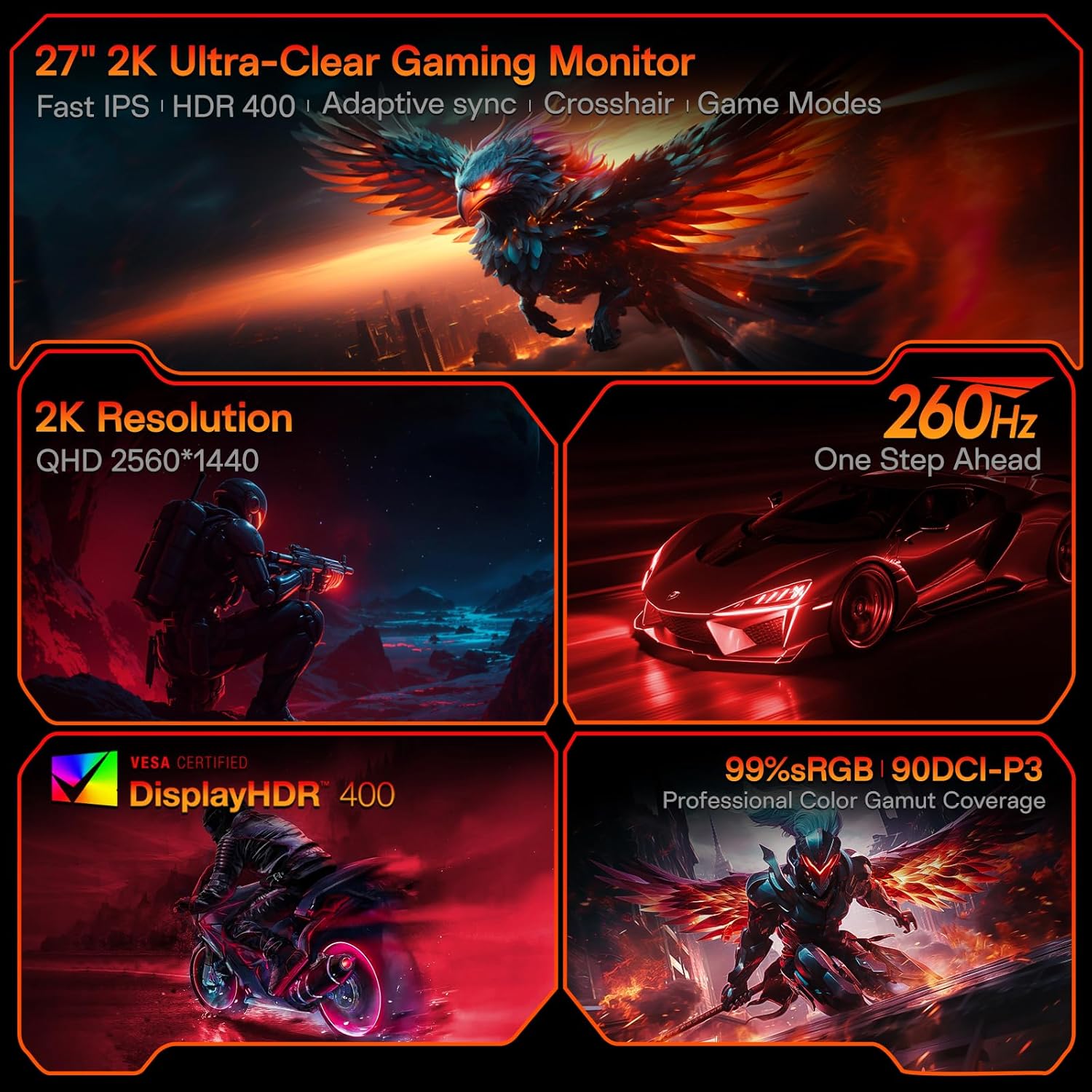
Figure 3.1: Visual representation of the monitor's core features.
3.2 Porte og kontroller
The monitor features a variety of input and output ports for versatile connectivity, along with an intuitive control system.
- Videoindgange: Two HDMI 2.0 ports, one DisplayPort 1.4 port.
- Lydudgang: One 3.5mm audio jack.
- Strømindgang: One DC power port.
- Kontrollere: A 5-way joystick located on the rear for On-Screen Display (OSD) navigation.
- Design: Hawk-wing backplate with integrated cooling stripes for efficient heat dissipation.

Figur 3.2: Bagside view of the monitor detailing port locations and physical adjustments.
4. Opsætning
4.1 Montering af stativ
- Tag forsigtigt skærmen og foden ud af emballagen.
- Align the monitor stand with the slot on the back of the monitor.
- Gently push the stand into the slot until it clicks into place, indicating a secure connection.
- Placer den samlede skærm på en stabil, plan overflade.
4.2 Kabelforbindelser
- Connect the provided DisplayPort (DP) cable from your computer's graphics card to the DP 1.4 port on the monitor. Alternatively, use an HDMI cable to connect to one of the HDMI 2.0 ports.
- Connect the power adapter to the DC power port on the monitor, then plug the other end into a power outlet.
- If using external speakers or headphones, connect them to the 3.5mm Audio Out port.
4.3 Video Guide: Installation and Features
Watch this video for a visual guide on installing the monitor stand and an overview af dens funktioner.
Video 4.1: A detailed demonstration of the KOORUI G2721X monitor's assembly and key functionalities. This video covers the physical setup, port connections, and highlights features such as the 260Hz refresh rate, QHD resolution, and Adaptive Sync technology.
5. Betjeningsvejledning
5.1 Navigation på skærmen (OSD)
The monitor's settings can be adjusted using the 5-way joystick located on the back of the display. Press the joystick to open the OSD menu, then move it up/down/left/right to navigate and select options.
5.2 Motion Performance
The G2721X offers an ultra-smooth 260Hz refresh rate, crucial for competitive gaming. It also features 3-level Overdrive settings to optimize response time:
- Normal: 5 ms responstid.
- Hurtig: 3 ms responstid.
- Ekstrem: 1 ms responstid.
Adjust these settings via the OSD menu to find the optimal balance for your gaming experience.

Figure 5.1: Illustrates the visual difference in motion clarity between 260Hz and 120Hz refresh rates.
5.3 Color Performance
The monitor covers 99% sRGB and 90% DCI-P3 color gamuts, displaying 16.7 million colors (8-bit). This wide color range enhances in-game visuals and provides accurate color reproduction for various applications.

Figure 5.2: Demonstrates the monitor's extensive color capabilities.
5.4 Adaptiv synkronisering
Adaptive Sync technology synchronizes the monitor's refresh rate with your graphics card's frame rate, effectively eliminating screen tearing and stuttering during fast-paced action. Ensure Adaptive Sync is enabled in both the monitor's OSD and your graphics card's control panel for optimal performance.
5.5 HDR400-understøttelse
With HDR400 support, the monitor delivers brighter colors, deeper blacks, and enhanced contrast, providing a more immersive visual experience in compatible content.
5.6 spiltilstande
The G2721X includes dedicated game display modes to enhance your gaming experience:
- Hårkors: Giver et trådkors på skærmen for forbedret sigtepræcision.
- Timer: Displays an on-screen timer for managing game events.
- FPS: Optimized settings for First-Person Shooter games.
- RCG: Optimized settings for Racing games.
- RPG: Optimized settings for Role-Playing Games.

Figur 5.3: Eksamples of the monitor's dedicated game modes.
6. Specifikationer
| Feature | Specifikation |
|---|---|
| Modelnummer | G2721X |
| Skærmstørrelse | 27 tommer |
| Paneltype | Næsten IPS |
| Opløsning | 2560 x 1440 (QHD) |
| Opdateringshastighed | 260Hz (supports 240Hz) |
| Svartid | 1 ms (GTG) |
| Lysstyrke | 350 cd/m² (Nit) |
| HDR-understøttelse | HDR400 |
| Farveskala | 99 % sRGB, 90 % DCI-P3 |
| Farvedybde | 16.7 millioner farver (8-bit) |
| Pixeltæthed | 109 PPI |
| Aspektforhold | 16:9 |
| Forbindelse | 2x HDMI 2.0, 1x DisplayPort 1.4, 1x Audio Out, 1x DC Power |
| VESA-kompatibilitet | 75x75 mm |
| Tilt justering | -5° til 20° |
| Produktmål (B x D x H) | 24 x 8.46 x 18.59 tommer |
| Varens vægt | 10.83 pund |
7. Vedligeholdelse
Korrekt vedligeholdelse sikrer din skærms levetid og optimale ydeevne.
- Rengøring af skærmen: Brug en blød, fnugfri klud lidt dampened with water or a specialized screen cleaner. Do not use alcohol-based cleaners or abrasive materials.
- Rengøring af Casing: Tør skærmen c afasinmed en blød, tør klud. Undgå at bruge stærke rengøringsmidler eller opløsningsmidler.
- Ventilation: Ensure the monitor's ventilation slots are clear and not obstructed to prevent overheating.
- Sluk: Sluk altid skærmen og tag stikket ud af stikkontakten, før du rengør den, eller hvis den ikke skal bruges i en længere periode.
8. Fejlfinding
Hvis du støder på problemer med din skærm, kan du se følgende almindelige fejlfindingstrin:
- Ingen strøm:
- Sørg for, at strømkablet er korrekt tilsluttet til både skærmen og stikkontakten.
- Verify the power outlet is functioning correctly by plugging in another device.
- Intet signal:
- Check that the video cable (DP or HDMI) is securely connected to both the monitor and your computer's graphics card.
- Sørg for, at den korrekte inputkilde er valgt på skærmen via OSD-menuen.
- Test med et andet videokabel eller en anden port, hvis tilgængelig.
- Flimrende skærm:
- Kontroller videokablet for skader eller løse forbindelser.
- Juster opdateringshastigheden i din computers skærmindstillinger.
- Deaktiver midlertidigt Adaptiv synkronisering for at se, om problemet fortsætter.
- Problemer med billedkvalitet (slørede, forvrængede farver):
- Ensure the monitor's resolution is set to its native 2560x1440 in your computer's display settings.
- Reset the monitor to factory settings via the OSD menu.
- Adjust color settings (brightness, contrast, color temperature) in the OSD.
9. Garanti og support
Your KOORUI G2721X monitor is backed by a 1-year panel warranty og 3-year accessory coverage. Please note that terms and conditions apply to the warranty. For detailed warranty information or technical assistance, please refer to the official KOORUI webwebstedet eller kontakt deres kundesupport direkte.
If you have any questions or require further assistance, please do not hesitate to reach out to KOORUI customer support.


