Scosche CPD32LT

Scosche FoundIT Charge 32W Car Charger Instruction Manual

Model: CPD32LT

Produkt overview

The Scosche FoundIT Charge is a dual-port car charger designed for your vehicle's 12V cigarette lighter socket. It features 32W total power output, including a 20W USB-C Power Delivery port and a 12W USB-A port. A key feature is its built-in locator, compatible with Apple Find My and Android Find Hub, allowing users to track the charger's location. The device includes an internal rechargeable battery to maintain locator functionality even when unplugged.

Nøglefunktioner:

  • Built-in Locator: Compatible with Apple Find My and Android Find Hub for tracking.
  • Dual-Port opladning: One 20W USB-C PD port and one 12W USB-A port for simultaneous charging.
  • Samlet output: 32W combined power output.
  • Internt batteri: Maintains locator function when unplugged or vehicle is off.
  • Beskyttelse af personlige oplysninger: Encrypted location data, visible only to authorized users.
  • Automatisk tænding: Activates when connected to the vehicle's 12V socket.
Scosche FoundIT Charge 32W Car Charger with phone displaying locator map and a car in the background
Image 1: Scosche FoundIT Charge 32W Car Charger. This image displays the charger alongside a smartphone showing its location tracking capabilities, with a car in the background, illustrating its primary function as a car charger with an integrated locator.

Opsætning og installation

  1. Insert into 12V Socket: Plug the Scosche FoundIT Charge directly into your vehicle's 12V cigarette lighter socket. The charger will power on automatically.
  2. Download Locator App:
    • For Apple devices: Download the Apple Find My app from the App Store.
    • For Android devices: Download the Android Find Hub app from the Google Play Store.
  3. Par enhed: Follow the on-screen instructions within the chosen locator app to pair your Scosche FoundIT Charge. The app will guide you through the connection process, typically involving a prompt when the device is first detected.
  4. Bekræft forbindelsen: Once paired, confirm that the charger's location is visible within the app.
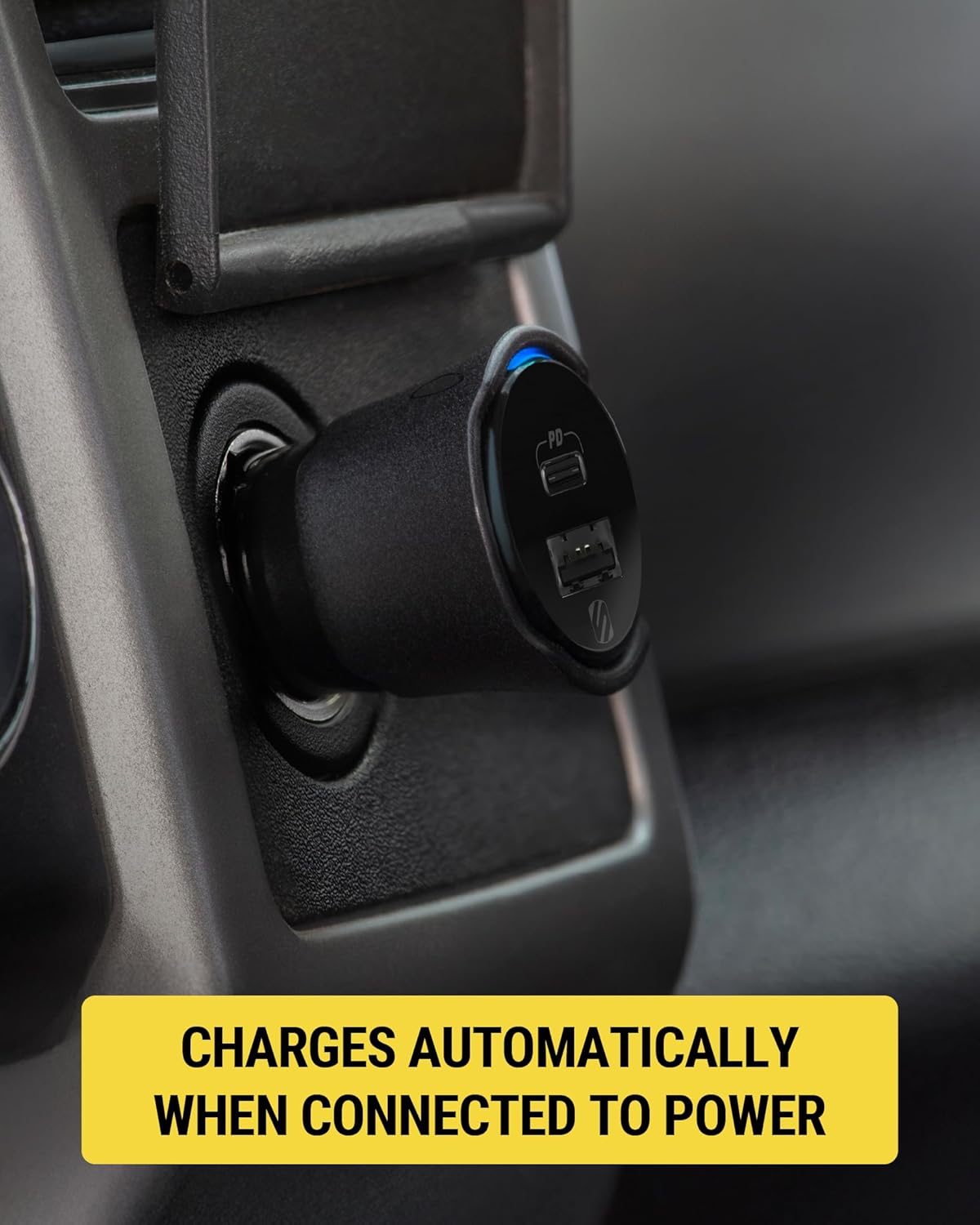
Scosche FoundIT Charge 32W Car Charger plugged into a vehicle's 12V power outlet
Image 2: The Scosche FoundIT Charge securely inserted into a car's 12V power outlet, ready for use. This demonstrates the physical installation step.
Close-up of the Scosche FoundIT Charge 32W Car Charger in a vehicle's 12V power outlet, showing a blue indicator light
Billede 3: Et nærbillede view of the charger in the 12V socket, highlighting the illuminated blue indicator light, which signifies that the device is powered on and operational.

Betjeningsvejledning

Opladningsenheder:

  • USB-C PD Port (20W): Use this port with a compatible USB-C cable for fast charging of modern smartphones (e.g., iPhone 12 series and newer, Samsung Galaxy S23/S24/S25) and tablets.
  • USB-A Port (12W): Use this port with a compatible USB-A cable to charge other accessories such as older smartphones, headphones, or GPS units.
  • Samtidig opladning: Both ports can be used simultaneously to charge two devices. The total output is 32W.
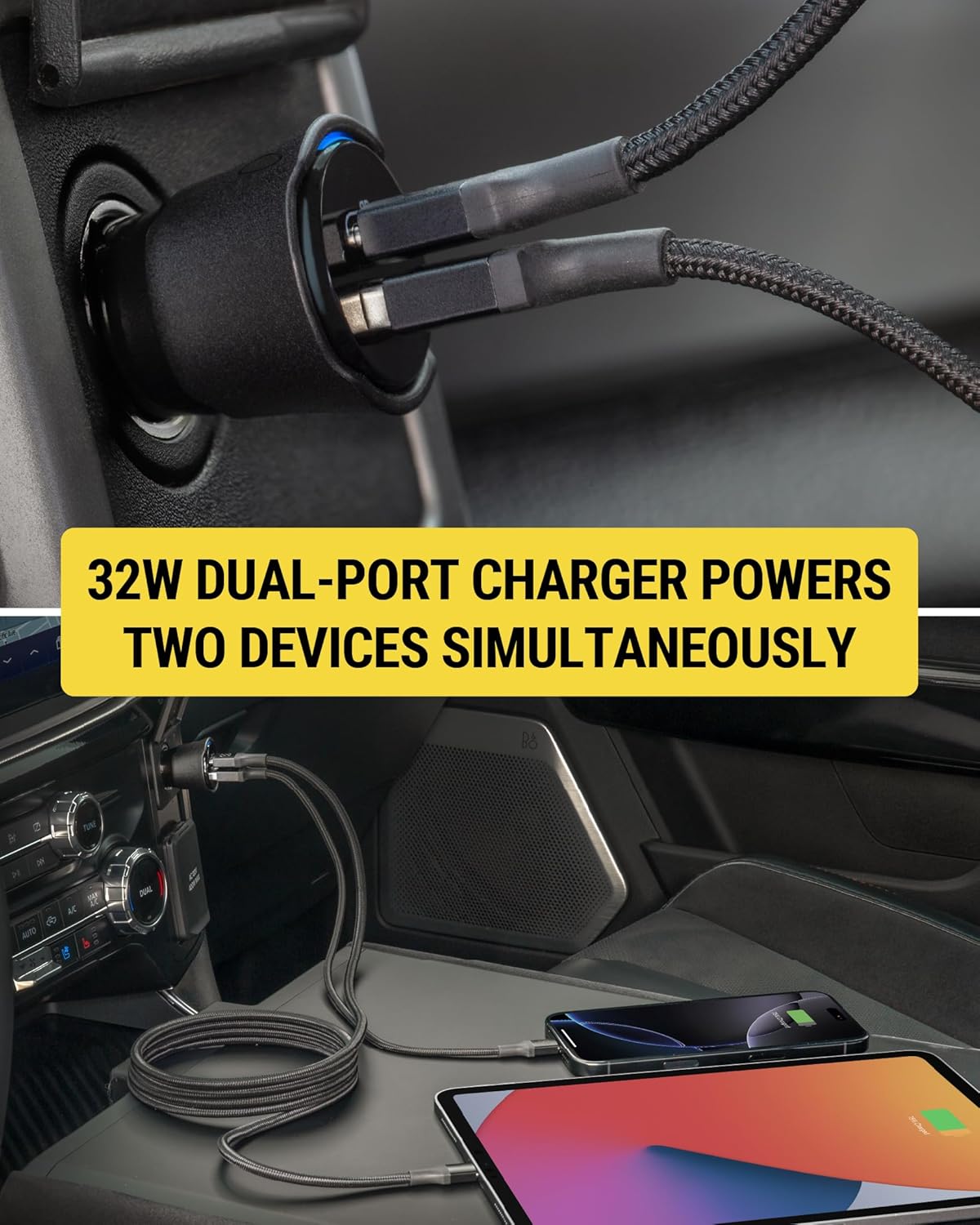
Scosche FoundIT Charge 32W Car Charger simultaneously charging a smartphone and a tablet
Image 4: The dual-port charger actively charging both a smartphone and a tablet, demonstrating its capability to power multiple devices concurrently.

Using the Locator Function:

  • Locate Your Charger: Open the Apple Find My or Android Find Hub app on your paired device. The app will display the last known location of your FoundIT Charge.
  • Afspil lyd: If within Bluetooth range, you can use the app to make the charger emit a sound, helping you pinpoint its exact location.
  • Få rutevejledning: The app can provide directions to the charger's location, useful for finding your parked vehicle or a misplaced charger.
  • Del placering: You can share the charger's location with trusted individuals through the app.
Smartphone screen displaying the Apple Find My app with the Scosche FoundIT Charge's location and options to play sound or get directions
Image 5: A smartphone screen showing the Find My app interface, with the Scosche FoundIT Charge's location marked on a map, along with options to play a sound or receive directions.

Officiel produktvideo:

Video 1: Official product video demonstrating the features and functionality of the Scosche FoundIT Charge, including its dual-port charging and built-in item locator.

Opretholdelse

  • Internt batteri: The FoundIT Charge contains an internal rechargeable battery that powers the locator function. This battery recharges automatically when the charger is plugged into a live 12V socket. It can maintain the locator function for up to 3 months between charges. Regular use in your vehicle will keep the internal battery charged.
  • Rensning: Brug en tør, blød klud til at rengøre opladerens yderside. Undgå at bruge flydende rengøringsmidler eller opløsningsmidler.
  • Opbevaring: Når opladeren ikke er i brug i længere perioder, skal den opbevares et køligt og tørt sted.

Fejlfinding

ProblemMulig årsagLøsning
Enheden oplader ikke.
  • Loose connection in 12V socket.
  • Defekt ladekabel.
  • Vehicle's 12V socket is not powered.
  • Device incompatibility or excessive power draw.
  • Ensure the charger is firmly seated in the 12V socket.
  • Prøv et andet opladningskabel.
  • Verify the vehicle's 12V socket is active (e.g., by testing with another device).
  • Ensure your device is compatible with USB-C PD or standard USB-A charging.
Locator not updating or found.
  • Charger's internal battery is depleted.
  • Problem med Bluetooth-forbindelse.
  • App not properly configured or updated.
  • Plug the charger into a 12V socket in a running vehicle to recharge its internal battery.
  • Ensure Bluetooth is enabled on your phone and the charger is within range.
  • Check for updates to the Apple Find My or Android Find Hub app. Re-pair the device if necessary.
Langsom opladningshastighed.
  • Brug af et ikke-hurtigopladningskabel.
  • Enheden understøtter ikke hurtigopladning.
  • Flere enheder bruger strøm samtidigt.
  • Use a high-quality USB-C to USB-C or USB-C to Lightning cable for fast charging.
  • Confirm your device supports 20W USB-C Power Delivery.
  • Charging two devices simultaneously may distribute power, potentially reducing individual charging speeds.

Specifikationer

  • Model: CPD32LT (FoundIT Charge)
  • Input: 12 Volts (from vehicle's 12V socket)
  • Produktion:
    • USB-C PD Port: 20W
    • USB-A Port: 12W
    • Samlet ydelse: 32W
  • Forbindelse: Bluetooth (for locator function)
  • Vægt: Cirka 3.2 ounce
  • Dimensioner: Approximately 2.55 inches (length) x 1.21 inches (diameter)
  • Materiale: Plast
  • Særlige funktioner: Fast Charging, Multi-Device Charging, Built-in Locator (Apple Find My & Android Find Hub compatible)
Diagram showing the dimensions and port types of the Scosche FoundIT Charge 32W Car Charger
Image 6: A detailed diagram illustrating the physical dimensions and the specific output wattage for both the 20W USB-C and 12W USB-A ports on the charger.

Relaterede dokumenter - CPD32LT

Preview Scosche FoundIT™ Charge: 32W Dual-Port Car Charger with Apple Find My Locator
Brugermanual og produkt overview for the Scosche FoundIT™ Charge, a 32W dual-port USB car charger featuring a built-in item locator compatible with Apple Find My and Android Find Hub networks. Learn how to set up, use, and troubleshoot.
Preview Scosche DoubleUP DCLSP402SW 12V biladapter med USB-C PD - Brugervejledning
Lær, hvordan du bruger Scosche DoubleUP DCLSP402SW, en alsidig 12V biladapter med to 12V-porte, en 12V hjælpeport og to 20W USB-C strømforsyningsporte. Inkluderer opsætning og funktioner overview.
Preview Scosche PowerUp 32K bærbar strømforsyning brugermanual
Brugermanual til Scosche PowerUp 32K Portable Power Hub, der beskriver dens funktioner, opsætning og betjening, herunder opladning, strømudgang og lommelygtefunktioner.
Preview Scosche OBD2QC3 OBDII/USB-A bilopladeradapter med Qualcomm hurtigopladning - brugermanual
Brugermanual til Scosche OBD2QC3, en OBDII/USB-A bilopladeradapter med Qualcomm Quick Charge-teknologi. Denne vejledning indeholder installationsvejledning, funktioner og supportoplysninger til strømforsyning af dashkameraer og andre USB-enheder.
Preview Scosche BTFM8 Bluetooth FM-sender og biloplader brugermanual
Detaljeret brugermanual til Scosche BTFM8 Bluetooth FM-senderen. Lær, hvordan du konfigurerer, parrer, streamer musik, foretager opkald, bruger stemmeassistenter og oplader enheder med denne biladapter.
Preview Scosche GoBat 10K Powerbank brugermanual og specifikationer
Brugermanual og specifikationer til Scosche GoBat 10K bærbar 10,000 mAh powerbank. Lær, hvordan du oplader dine enheder og powerbanken. view tekniske detaljer og forstå overholdelsesoplysninger.