1. Introduktion
This manual provides essential information for the safe and efficient use of your Samsung 50-Inch Class 4K Crystal UHD DU8000 Series Smart TV (UN50DU8000) and the accompanying Samsung B63C 5.1ch Soundbar. Please read these instructions thoroughly before operating your devices and retain them for future reference. This guide covers setup, operation, maintenance, and troubleshooting for both your television and soundbar system.
2. Sikkerhedsoplysninger
Always follow basic safety precautions when using electrical appliances to reduce the risk of fire, electric shock, and injury. Keep this manual accessible for quick reference.
2.1 Generel sikkerhed
- Do not expose the TV or Soundbar to rain or moisture.
- Do not block ventilation openings. Ensure adequate space around the devices for proper airflow.
- Anbring ikke genstande fyldt med væske, såsom vaser, på apparatet.
- Rengør kun med en tør klud.
- Tag stikket ud af apparatet under tordenvejr, eller når det ikke skal bruges i længere perioder.
2.2 Power Safety
- Brug kun den strømledning, der er leveret af producenten.
- Sørg for, at strømstikket er sat helt i stikkontakten.
- Overbelast ikke stikkontakter eller forlængerledninger.
- Rør ikke ved netledningen med våde hænder.
3. Pakkens indhold
Verify that all items are included in your package. If any items are missing or damaged, contact your retailer.
3.1 Samsung 50-Inch Crystal UHD DU8000 Series Smart TV
- Samsung 50-Inch Crystal UHD DU8000 Series Smart TV (UN50DU8000)
- Fjernbetjening med batterier
- Strømledning
- Komponenter til tv-bord (hvis relevant)
- Brugervejledning (dette dokument)
3.2 Samsung B63C 5.1ch Soundbar
- Samsung B63C 5.1ch Soundbar
- Trådløs subwoofer
- Soundbar Power Cord
- Subwoofer strømledning
- Fjernbetjening med batterier
- Wall Mount Kit (optional, may be included or sold separately)
4. Opsætning
4.1 TV Setup (UN50DU8000)
- Udpakning: Carefully remove the TV from its packaging. It is recommended to have two people for this process due to the size and weight of the TV.
- Montering af stativ (valgfrit): If using the included stand, attach the stand components to the TV according to the instructions provided in the separate stand assembly guide. Ensure all screws are securely tightened.
- Vægmontering (valgfrit): If wall-mounting, refer to the wall mount kit instructions. Ensure the wall mount is compatible with VESA standards for your TV model and installed by a qualified professional. The wall mount kit is sold separately.
- Tilslutning af strøm: Connect the TV power cord to the TV's power input, then plug the other end into a wall outlet.
- Tilslutning af eksterne enheder: Connect your cable box, Blu-ray player, gaming console, or other devices to the HDMI ports on the back of the TV.
- Første opstart: Press the Power button on the remote control or the TV to turn it on. Follow the on-screen instructions to complete the initial setup, including language selection, network connection, and channel scanning.
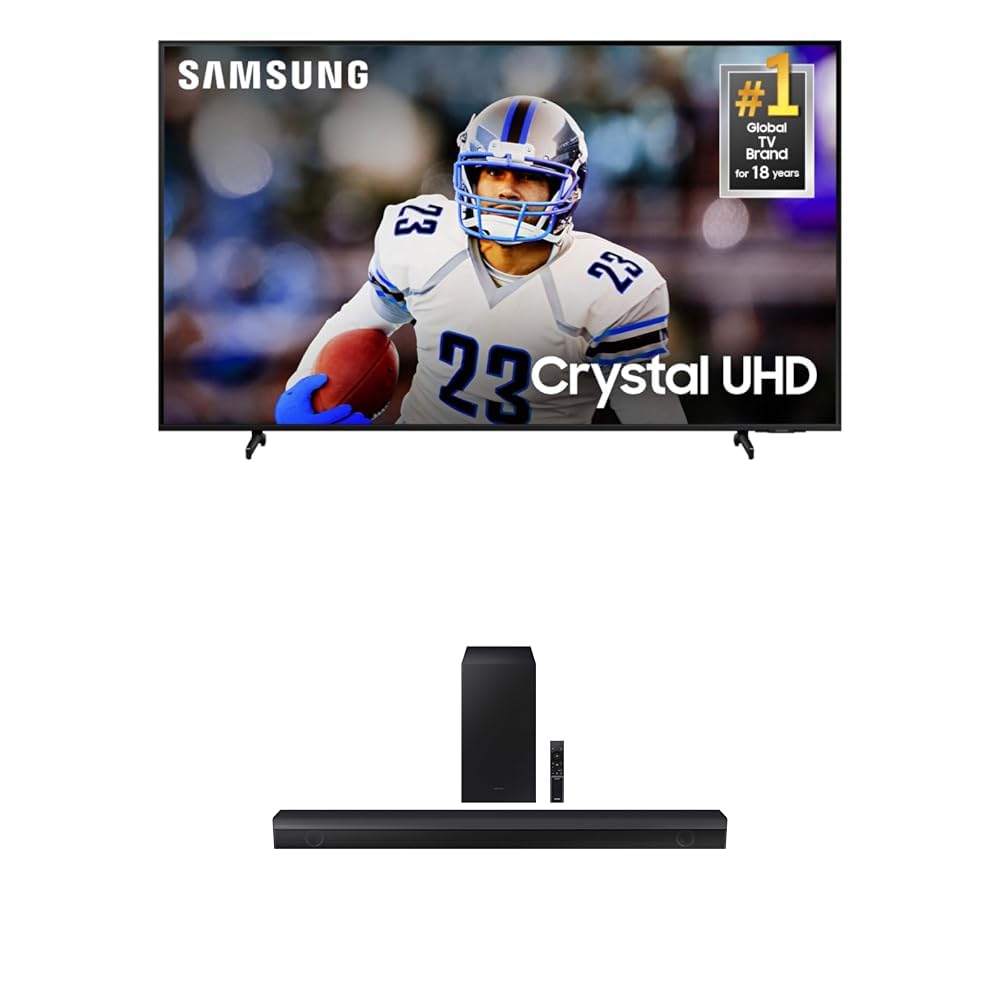
Image: Samsung 50-Inch Crystal UHD DU8000 Series Smart TV. This image shows the front view of the television, illustrating its slim bezel and overall design, which is part of the AirSlim feature.
4.2 Soundbar Setup (B63C)
- Placering: Place the soundbar directly in front of your TV, centered, on a stable surface. Position the wireless subwoofer in a location that provides optimal bass response, typically near the soundbar or in a corner of the room.
- Tilslutning af strøm: Connect the soundbar power cord to the soundbar and a wall outlet. Connect the subwoofer power cord to the subwoofer and a wall outlet. The subwoofer should automatically pair with the soundbar. If not, refer to the troubleshooting section.
- Connecting to TV (Bluetooth TV Connection):
- Tænd for både tv'et og soundbaren.
- On the soundbar remote, press the Kilde button until 'BT' or 'Bluetooth' appears on the soundbar display.
- På dit Samsung TV skal du navigere til Settings > Sound > Sound Output and select your soundbar from the list of available Bluetooth devices.
- The soundbar and TV will connect wirelessly.
- Connecting to TV (HDMI ARC):
- Connect an HDMI cable (not included) from the HDMI OUT (TV-ARC) porten på soundbaren til HDMI (ARC) port på dit tv.
- Ensure the TV's Anynet+ (HDMI-CEC) feature is enabled in the TV settings.
- The TV sound will automatically output through the soundbar.
5. Betjening
5.1 TV Operation (UN50DU8000)
Your Samsung Smart TV offers a wide range of features for an enhanced viewoplevelse.
- Fjernbetjening: Use the included remote control to navigate menus, adjust volume, change channels, and access Smart Hub features. Familiarize yourself with the button layout.
- Smart Hub: Tryk på Hjem button on your remote to access the Smart Hub, which provides access to streaming apps, live TV, connected devices, and settings.
- Billedindstillinger: Adjust picture modes (e.g., Standard, Dynamic, Movie) and fine-tune settings like brightness, contrast, sharpness, and color. The Dynamisk krystalfarve feature provides a billion shades of color for greater detail, while Mega kontrast automatically adjusts brightness and contrast for improved object definition.
- Motion Xcelerator: This feature improves motion clarity between frames, reducing lag and blur for a smoother picture, especially during fast-paced scenes.
- Spiltilstand: For an optimized gaming experience, activate Game Mode. This setting synchronizes directional audio with on-screen action and minimizes input lag.
- 4K opskalering: Your TV automatically enhances lower-resolution content to near-4K quality, improving clarity and detail for various shows and videos.
5.2 Soundbar Operation (B63C)
The B63C Soundbar enhances your audio experience with powerful sound and advanced features.
- Tænd/sluk: Use the Power button on the soundbar remote or the soundbar itself. If connected via HDMI ARC, the soundbar may power on/off automatically with the TV.
- Valg af input: Tryk på Kilde button on the remote to cycle through available inputs (e.g., HDMI, Bluetooth, Optical).
- Lydstyrkekontrol: Juster mastervolumen ved hjælp af Volumen +/- buttons. You can also adjust the subwoofer level independently.
- Lydtilstande: Select various sound modes (e.g., Standard, Surround, Game, Adaptive Sound) to optimize audio for different content.
- Dolby Digital 5.1 / DTS Virtual:X: The soundbar supports Dolby Digital 5.1 for realistic surround sound and DTS Virtual:X for an expanded, immersive listening experience without additional speakers.
- Indbygget centerhøjttaler: The dedicated center speaker ensures clear dialogue, making conversations easy to understand even with intense background audio.
- Bluetooth-parring: To pair a new Bluetooth device, press the Kilde button until 'BT Pairing' appears, then select the soundbar from your device's Bluetooth settings.
6. Vedligeholdelse
Proper care ensures the longevity and optimal performance of your TV and soundbar.
- Rengøring af skærmen: Tør forsigtigt skærmen af med en blød, tør mikrofiberklud. Tør forsigtigt af genstridige pletter.ampRengør kluden med vand eller en specialiseret skærmrens (spray ikke direkte på skærmen).
- Rengøring af kabinettet: Wipe the TV and soundbar cabinets with a soft, dry cloth. Avoid using abrasive cleaners, waxes, or solvents.
- Ventilation: Ensure that the ventilation openings on the TV and soundbar are not blocked by dust or debris. Periodically clean them with a soft brush or vacuum cleaner.
- Strømledning: Regularly check the power cords for any signs of damage. If damaged, replace them immediately with manufacturer-approved cords.
7. Fejlfinding
If you encounter issues with your TV or soundbar, refer to the following common problems and solutions before contacting service.
7.1 TV Troubleshooting
| Problem | Mulig løsning |
|---|---|
| Ingen strøm | Ensure the power cord is securely plugged into the TV and the wall outlet. Test the outlet with another device. |
| Intet billede, men der er lyd | Check the input source. Ensure all video cables are securely connected. Try a different HDMI port. |
| Fjernbetjening virker ikke | Udskift batterierne. Sørg for, at der ikke er nogen forhindringer mellem fjernbetjeningen og tv'ets IR-sensor. |
| Dårlig billedkvalitet | Check the cable connections. Adjust picture settings (brightness, contrast, sharpness). Ensure the input source is providing a high-quality signal. |
| Kan ikke oprette forbindelse til Wi-Fi | Genstart din router og dit modem. Indtast Wi-Fi-adgangskoden igen. Sørg for, at tv'et er inden for rækkevidde af dit Wi-Fi-netværk. |
7.2 Soundbar Troubleshooting
| Problem | Mulig løsning |
|---|---|
| Ingen lyd fra soundbar | Ensure the soundbar is powered on and the correct input source is selected. Check the volume level. Verify TV sound output is set to the soundbar. |
| Subwooferen producerer ikke lyd | Ensure the subwoofer is powered on and its power indicator light is solid. Re-pair the subwoofer with the soundbar (refer to soundbar manual for specific steps). |
| Problemer med Bluetooth-forbindelse | Ensure the soundbar is in Bluetooth pairing mode. Delete the soundbar from your device's Bluetooth list and try pairing again. Move devices closer together. |
| Lydforvrængning | Reduce the volume. Check audio cables for damage. Try a different audio source. |
8. Specifikationer
Key technical specifications for your Samsung TV and Soundbar system.
8.1 Samsung 50-Inch Crystal UHD DU8000 Series Smart TV (UN50DU8000)
- Mærke: Samsung
- Opløsning: 4K UHD (3840 x 2160)
- Aspektforhold: 16:9
- Forbindelse teknologi: Bluetooth, Wi-Fi, HDMI, USB
- Billedkontrastforhold: >3000:1
- Monteringstype: Vægmontering (VESA-kompatibel)
- År: 2024 model
8.2 Samsung B63C 5.1ch Soundbar
- Mærke: Samsung
- Speaker Description: 5.1 channel with built-in center speaker and wireless subwoofer
- Lydindgang: Bluetooth, HDMI ARC, Optisk
- Lydfunktioner: Dolby Digital 5.1, DTS Virtual:X
9. Garanti og support
Your Samsung TV and Soundbar are covered by a limited warranty. For detailed warranty information, please refer to the warranty card included in your product packaging or visit the official Samsung website. For technical support, product registration, or service inquiries, please visit Samsung support eller kontakt Samsungs kundeservice direkte.


