Brother MFC-L8390CDW Multifunction Color LED Printer User Manual
Model: MFC-L8390CDW
1. Introduktion
The Brother MFC-L8390CDW is a high-performance multifunction color LED printer designed for efficient printing, scanning, copying, and faxing. This device offers fast print speeds, advanced duplex capabilities, and versatile connectivity options to meet various office and home office needs.
- Udskrivningshastigheder på op til 30 sider i minuttet (ppm).
- Duplex printing at up to 12 sides per minute.
- Single-pass duplex scanning up to 56 frames per minute.
- Features a 3.5-inch color touchscreen for intuitive control.
- Connectivity includes Gigabit Ethernet, 5GHz WiFi, and USB.
- Equipped with 512 MB of internal memory.
2. Opsætning
Follow these steps to set up your Brother MFC-L8390CDW printer.
2.1 Udpakning og første placering
Carefully remove the printer from its packaging. Place the printer on a stable, level surface with adequate space for ventilation and access to power and network connections.
2.2 Installing Toner Cartridges and Drum Unit
The printer requires the installation of toner cartridges and a drum unit. Refer to the quick setup guide for detailed instructions on how to correctly install these components.
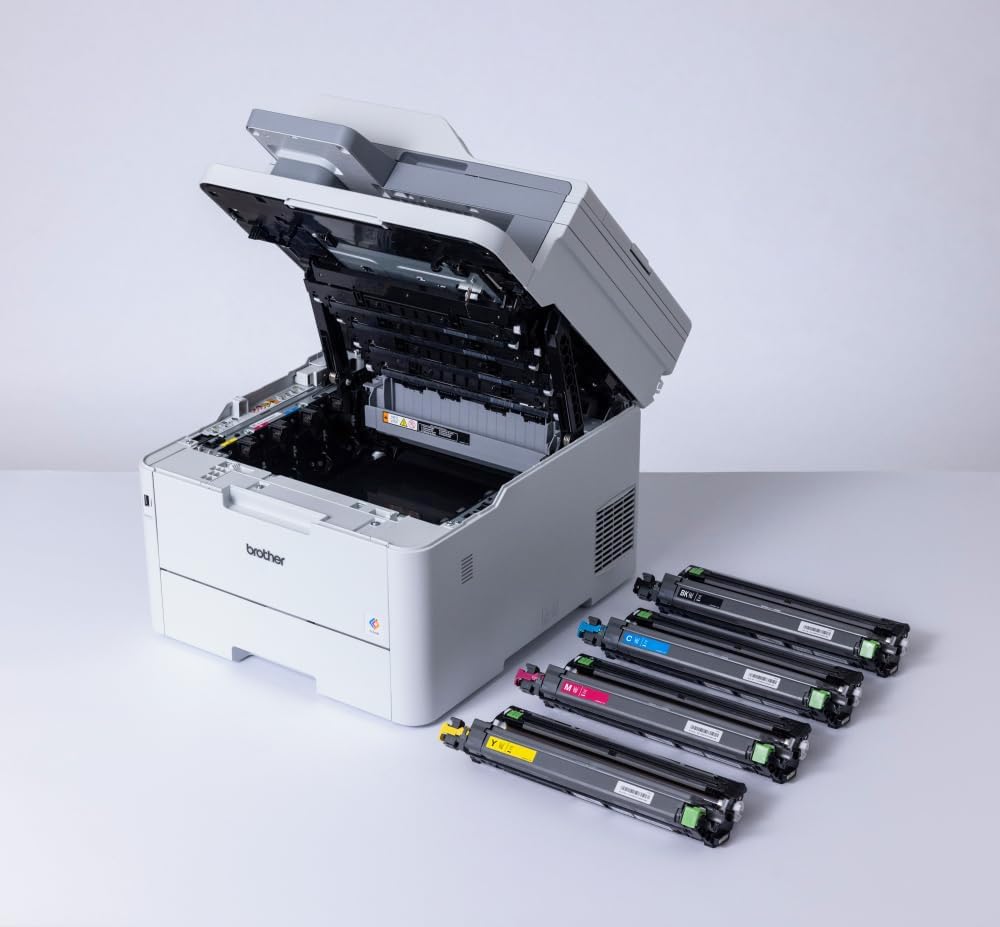
Image: The printer with its top cover open, showing the toner and drum area. Separate toner cartridges are displayed, ready for installation.
2.3 Ilægning af papir
Open the paper tray and adjust the paper guides to fit your paper size. Load the paper stack into the tray, ensuring it is flat and below the maximum fill line.
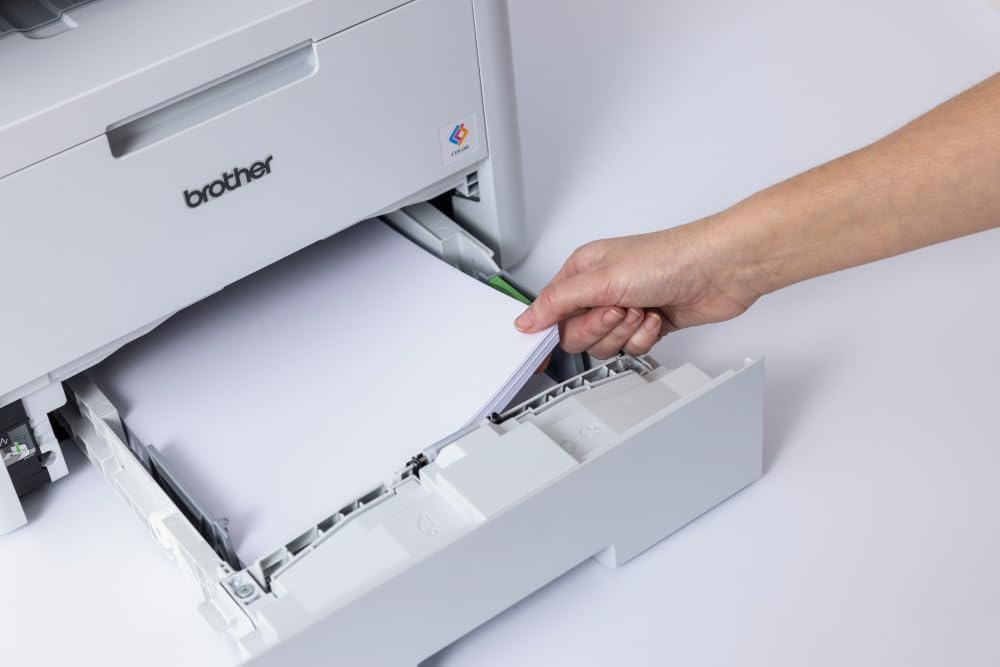
Image: A hand loading paper into the printer's paper tray.
2.4 Tilslutning til strøm og netværk
Connect the power cord to the printer and then to a power outlet. For network connectivity, you can use an Ethernet cable for a wired connection or configure the 5GHz WiFi connection through the printer's control panel. Alternatively, connect directly via USB to a computer.
3. Betjeningsvejledning
This section provides guidance on using the various functions of your multifunction printer.
3.1 Using the Touchscreen Control Panel
The 3.5-inch color touchscreen allows you to navigate menus, select functions, and adjust settings. Tap icons to access different features like Print, Scan, Copy, and Fax.

Image: A hand operating the printer's touchscreen control panel.
3.2 Udskrivning af dokumenter
To print, ensure the printer is connected to your device. Select the print option from your application and choose the Brother MFC-L8390CDW. You can configure settings such as color/monochrome, single-sided/duplex, and paper type. The printer supports various media, including A4, Legal, and Labels, with a maximum media size of A3.

Image: The printer in operation, with a document being printed.
3.3 Scanning af dokumenter
Place your document on the scanner glass or in the automatic document feeder (ADF) for single-pass duplex scanning. Use the touchscreen to select the 'Scan' function and choose your desired destination (e.g., computer, email, network folder).

Image: A hand placing a document on the scanner glass.
3.4 Kopiering af dokumenter
Place the document on the scanner glass or in the ADF. Select 'Copy' from the touchscreen, adjust settings like number of copies, color/monochrome, and duplex options, then press Start.
4. Vedligeholdelse
Regelmæssig vedligeholdelse sikrer optimal ydeevne og levetid for din printer.
4.1 Replacing Toner Cartridges and Drum Unit
When a toner cartridge or the drum unit reaches the end of its life, the printer will display a notification. Follow the instructions on the touchscreen or in the detailed user guide to replace these consumables. Always use genuine Brother replacement parts.
4.2 Rengøring af printeren
Periodically clean the exterior of the printer with a soft, lint-free cloth. For internal cleaning, refer to the comprehensive user manual for specific instructions on cleaning the scanner glass, corona wire, and other components.
5. Fejlfinding
If you encounter issues with your printer, consider the following common troubleshooting steps:
- Ingen strøm: Sørg for, at netledningen er korrekt tilsluttet både printeren og en fungerende stikkontakt.
- Papirstop: Follow the on-screen instructions to clear any paper jams. Open all access covers to locate and gently remove jammed paper.
- Problemer med udskriftskvalitet: Check toner levels and drum unit life. Perform a print quality test from the printer's menu and clean the print head if necessary.
- Problemer med netværksforbindelse: Verify network cable connections or Wi-Fi settings. Restart your router and the printer.
- Fejlmeddelelser: Consult the detailed user manual or Brother's support website for specific error code explanations and solutions.
For more complex issues, contact Brother customer support or visit their official website for detailed troubleshooting guides and FAQs.
6. Specifikationer
| Feature | Specifikation |
|---|---|
| Produktdimensioner (DxBxH) | 46.2D x 40.1B x 41H cm |
| Controller type | Touchskærm |
| Maksimal mediestørrelse | A3 (for scanning), A4/Legal (for printing) |
| Inkluderede komponenter | Machine, toner, drum, transfer belt, toner receptacle, power cord, quick setup guide, warranty card. (PC interface cable not included) |
| Support til trykte medier | Labels, Standard Paper (up to 163g/m²) |
| Scanner type | Arkfodret |
| Max input arkkapacitet | 530 ark |
| Maksimal kopieringshastighed (sort/hvid) | 30 ppm |
| Kompatible enheder | Smartphones, computere |
| Max Print Resolution (Color/B&W) | 600 x 600 dpi |
| Farvedybde | 24 bpp |
| Dobbeltsidet udskrivning | Ja |
| Maksimalt antal kopier pr. kørsel | 99 |
| Wattage | 50 watt |
| Forbindelsesteknologi | Ethernet, USB, 5GHz WiFi |
| Udskrivningsteknologi | Laser |
| Særlige funktioner | Netværksklar |
| Printer output | Farve |
| Maksimal udskrivningshastighed (farve) | 30 ppm |
| Maksimal sort/hvid udskrivningshastighed | 30 ppm |
| Varens vægt | 21.9 kilo |
| Intern hukommelse | 512 MB |
7. Garanti og support
Your Brother MFC-L8390CDW printer comes with a warranty. Please refer to the warranty card included in the packaging for details on coverage and terms. For technical support, driver downloads, and additional resources, visit the official Brother support webwebsted.
Online support: www.brother.com


