1. Introduktion
Tak for købetasing the AVIOS Wireless Call Button, model ape590. This device is designed to work seamlessly with AVIOS 3-digit and 8-digit display receiver monitors, providing a reliable and efficient calling system for various applications, particularly in hospitality settings. Its compact, stylish, and waterproof design ensures durability and ease of use.
This manual provides essential information on how to set up, operate, and maintain your call button to ensure optimal performance and longevity.
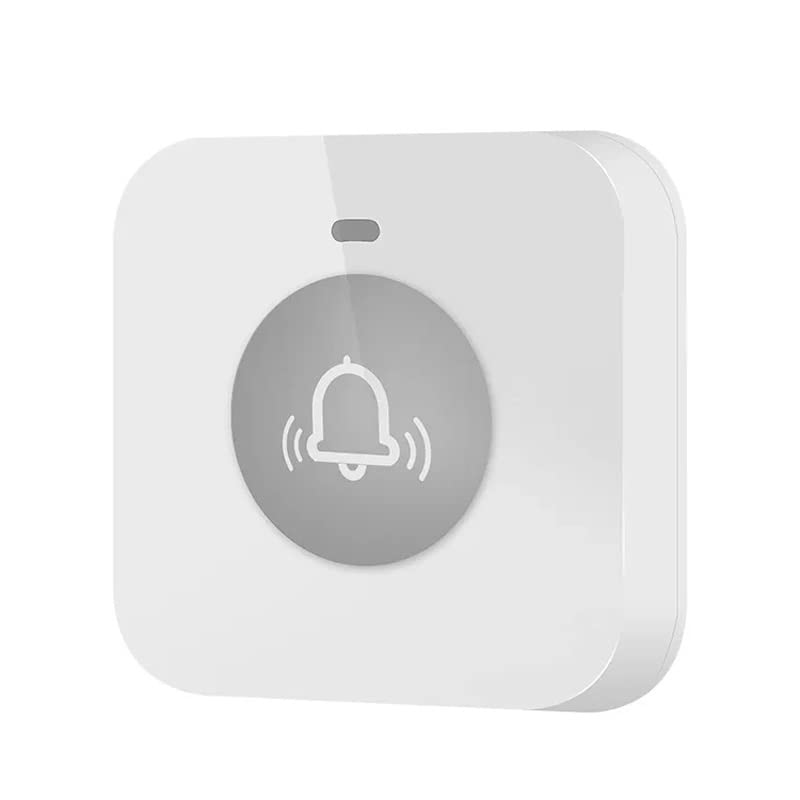
Billede: Forside view of the AVIOS Wireless Call Button.
2. Funktioner
- Kompatibilitet: Designed for use with AVIOS 3-digit and 8-digit display receiver monitors.
- Udvidelsesmuligheder: Supports up to 199 units with 3-digit display receivers and up to 660 units with 8-digit display receivers.
- Holdbart materiale: Constructed from high-quality ABS for long-lasting performance.
- Vandtæt Design: Features a waterproof construction, allowing for easy cleaning and alcohol disinfection.
- Kompakt størrelse: Measures 52mm x 52mm x 15mm, making it unobtrusive and easy to place.
- Strømkilde: Operates on a single 23A 12V dry cell battery.
- LED-indikator: An LED illuminates when the button is pressed, confirming signal transmission.
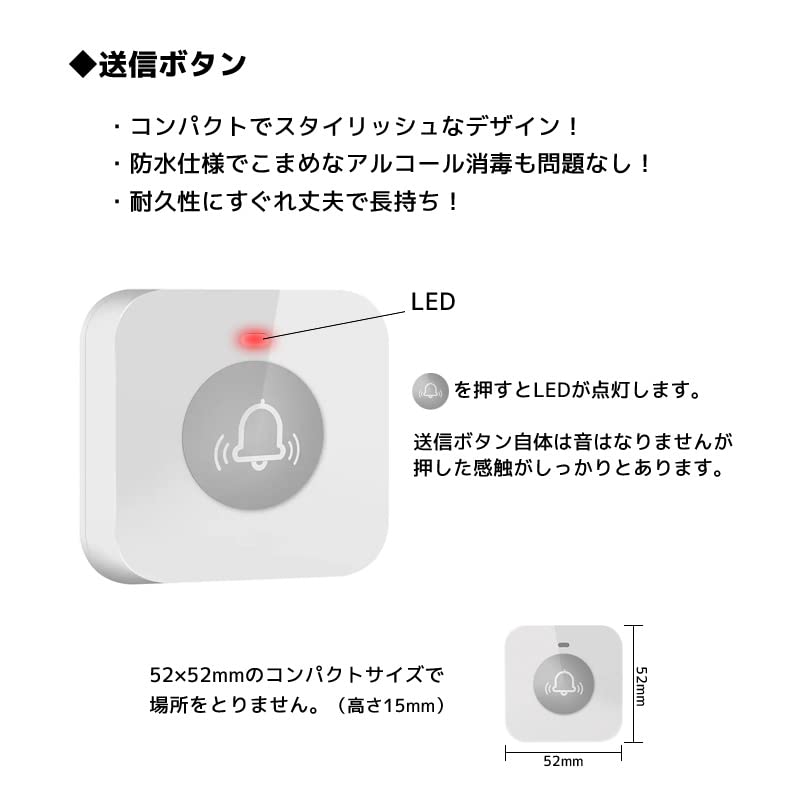
Image: Features and dimensions of the AVIOS Wireless Call Button, highlighting the LED indicator and compact size.
3. Opsætning
3.1 Batteriinstallation
- Locate the battery compartment on the back of the call button.
- Åbn forsigtigt dækslet til rummet.
- Insert one 23A 12V dry cell battery, ensuring correct polarity (+/-).
- Luk batterirummets dæksel forsvarligt.
3.2 Parring med modtager
The call button must be paired with a compatible AVIOS receiver monitor before use. The pairing process typically involves a specific sequence on the receiver. Please refer to the instruction manual of your AVIOS receiver monitor (e.g., 400D or HCM4300) for detailed pairing instructions.
3.3 Placering
Place the call button on a flat, stable surface or mount it using the designated mounting points on the back. Ensure the button is within the operational range of your receiver monitor. Avoid placing it near large metal objects or other sources of interference that might obstruct the wireless signal.

Billede: Forside og bagside view of the AVIOS Wireless Call Button, showing mounting points on the rear.
4. Betjening
Once the call button is paired with your receiver monitor, operation is straightforward:
- To send a call signal, simply press the button firmly.
- The LED indicator on the button will illuminate briefly, confirming that a signal has been transmitted.
- The call button itself does not produce any sound; the signal is received and audibly indicated by the paired receiver monitor.
5. Vedligeholdelse
5.1 Rengøring
Due to its waterproof design, the call button can be easily cleaned. Use a soft, damp cloth with mild soap or an alcohol-based disinfectant to wipe the surface. Do not use abrasive cleaners or immerse the entire unit in water.
5.2 Udskiftning af batteri
If the LED indicator does not light up when the button is pressed, or if the signal is not consistently received by the monitor, the battery may need replacement. Follow the battery installation steps in Section 3.1 to replace the 23A 12V dry cell battery.
5.3 Opbevaring
When not in use for extended periods, store the call button in a cool, dry place away from direct sunlight and extreme temperatures. Consider removing the battery if storing for a very long time to prevent leakage.
6. Fejlfinding
- Button not responding / LED not lighting up:
- Kontroller batteriet. Udskift det om nødvendigt.
- Sørg for, at batteriet er isat med den korrekte polaritet.
- Receiver not receiving signal:
- Verify that the call button is properly paired with the receiver. Refer to your receiver's manual for re-pairing instructions.
- Ensure the call button is within the operational range of the receiver.
- Check for any obstructions (e.g., thick walls, large metal objects) between the button and the receiver.
- Sørg for, at modtageren er tændt og fungerer korrekt.
- Interferens:
- If experiencing intermittent signals, try relocating the call button or receiver to minimize interference from other wireless devices.
7. Specifikationer
| Attribut | Detalje |
|---|---|
| Fabrikant | AVIOS |
| Modelnummer | ape590 |
| ASIN | B0C3ZTC2WK |
| Aktuator type | Tryk knap |
| Materiale | ABS |
| Vandtæt | Ja |
| Dimensioner (L x B x H) | 52 mm x 52 mm x 15 mm |
| Batteritype | 23A 12V Dry Cell Battery |
| Nominel strøm | 23 Amperes |
| Oprindelsesland | Kina |
| Første ledige dato | 1. maj 2023 |
8. Garanti og support
For warranty information, technical support, or any inquiries regarding your AVIOS Wireless Call Button, please contact AVIOS customer service through the retailer or the official AVIOS website. Please have your model number (ape590) and purchase details ready when contacting support.


