1. Introduktion
Tak for købetasing the SHIDU H8 25W Voice Amplifier with UHF Wireless Microphone. This portable PA system is designed to provide clear and powerful sound amplification for various applications, including teaching, presentations, public speaking, and outdoor activities. Please read this manual carefully before use to ensure proper operation and to maximize the product's lifespan.
2. Sikkerhedsoplysninger
- Udsæt ikke enheden for vand, fugt eller ekstreme temperaturer.
- Undgå at tabe eller udsætte enheden for kraftige stød.
- Forsøg ikke selv at skille enheden ad eller reparere den. Kontakt kvalificeret servicepersonale.
- Opbevares utilgængeligt for børn.
- Brug kun det medfølgende opladningskabel og adapter for at undgå skader.
3. Pakkens indhold
Tjek venligst pakken for følgende varer:
- SHIDU H8 Voice Amplivligere
- UHF trådløs headsetmikrofon
- Charging Cable (for amplivligere)
- Data Line (USB)
- Audio Line (AUX)
- linning
- Fjernbetjening
- Brugermanual

Image: Contents of the SHIDU H8 Voice Amplifer-pakke.
4. Produktet er slutview
Familiarize yourself with the components and controls of your SHIDU H8 Voice Amplifier and UHF Wireless Microphone.
Video: En overview of the SHIDU H8 Voice Amplifier and its UHF Wireless Microphone, showcasindens design og funktioner.
4.1 Amplifier Layout and Dimensions

Billede: Forside og bagside view af amplifier with dimensions: 6.45 inches (width), 9.44 inches (height), 3.6 inches (depth).
4.2 Kontrolpanel
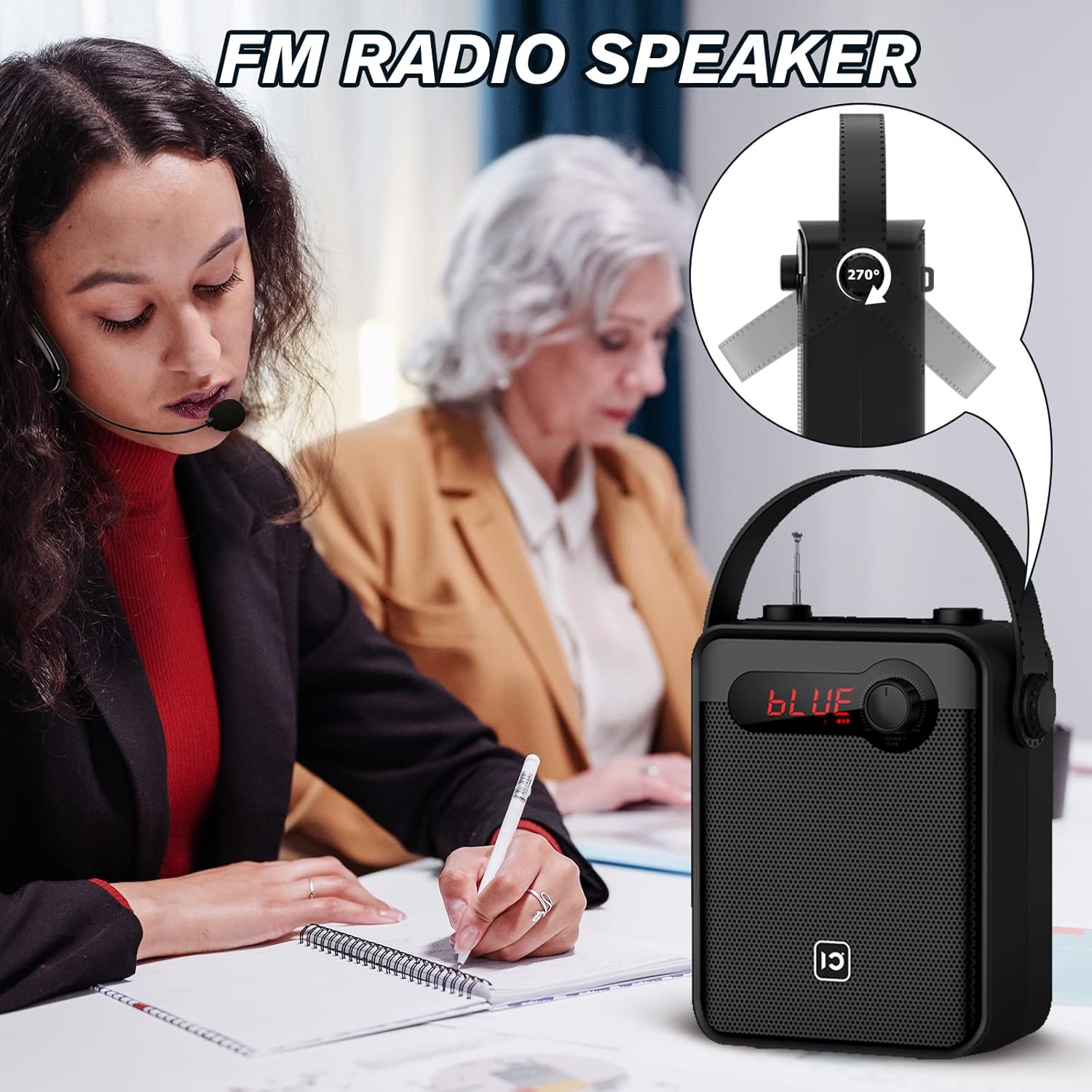
Image: Top panel controls including Microphone Volume, Bluetooth/UHF switch, Echo control, and One-Key Recording button.
4.3 Input/output porte
Image: Side panel ports for TF Card, U Disk, AUX, OUT, and MIC.
4.4 Trådløs mikrofon

Image: UHF Wireless Headset Microphone showing volume buttons and one-key pairing button.
5. Opsætning
5.1 Opladning af Amplivligere
- Tilslut ladekablet til ampliferens opladningsport.
- Plug the other end into a standard USB power adapter (not included) or a computer's USB port.
- LED-indikatoren viser opladningsstatus. En fuld opladning tager typisk 4-6 timer.
5.2 Charging the Wireless Microphone
- Connect the data line (USB) to the microphone's charging port.
- Sæt den anden ende i en USB-strømkilde.
- The indicator light will show charging status. A full charge typically takes 2-3 hours and provides 3-5 hours of use.
5.3 Wearing the Wireless Microphone

Image: Visual guide on how to properly wear the UHF wireless headset microphone.
- Place the headset over your ear, ensuring a comfortable fit.
- Adjust the microphone boom so the microphone is positioned close to your mouth, about 1-2 cm away.
- Ensure the microphone is facing towards your mouth for optimal sound pickup.
6. Betjeningsvejledning
6.1 Tænd/sluk
- For at tænde for amplifier, rotate the Volume knob clockwise until the display lights up.
- To power off, rotate the Volume knob counter-clockwise until it clicks off.
- For the wireless microphone, press and hold the power button until the indicator light turns on/off.
6.2 Lydstyrkekontrol
- AmpLifier Volumen: Use the main Volume knob on the amplifier to adjust the overall output volume.
- Microphone Volume (MIC.VOL): Use the dedicated MIC.VOL knob on the amplifier to adjust the microphone input volume independently.
- Microphone Volume (Headset): Use the volume buttons on the wireless headset microphone for fine-tuning.
6.3 Pairing the UHF Wireless Microphone
- Turn on both the amplifer og den trådløse mikrofon.
- Press the 'One Key Pairing' button on the wireless microphone (refer to Product Overview for placering).
- De amplifier should automatically connect to the microphone. A successful connection is usually indicated by a stable light on the microphone or a specific display on the amplivligere.
- If you encounter difficulties pairing, please refer to the troubleshooting section or contact SHIDU customer support for a pairing method video.
6.4 Bluetooth-tilstand

Billede: Den amplifier connected via Bluetooth to various devices.
- Tænd for amplivligere.
- Press the 'Mode' button (or cycle through modes using the Selection/LED button) until 'BLUE' appears on the display, indicating Bluetooth mode.
- On your external device (smartphone, tablet, PC), enable Bluetooth and search for 'SHIDU H8' (or similar).
- Select the device to pair. Once paired, you can play audio from your device through the amplivligere.
6.5 USB/TF Card/U Disk Playback
- Insert a USB flash drive or TF card into the corresponding port on the amplivligere.
- De amplifier will automatically switch to USB/TF card mode and begin playing audio files.
- Use the control buttons (e.g., Play/Pause, Next/Previous) on the amplifier or remote control to manage playback.
6.6 FM radio

Billede: Den amplifier with its extendable antenna for FM radio reception.
- Press the 'Mode' button (or cycle through modes) until FM radio mode is activated.
- Forlæng antennen for bedre modtagelse.
- Use the tuning buttons to scan for available radio stations.
6.7 Optagelse med én knap
- Sørg for, at der er sat et USB-flashdrev eller et TF-kort i amplivligere.
- Press the 'One-Key Recording' button to start recording.
- Press it again to stop recording. The recording will be saved to the inserted storage device.
6.8 TWS Pairing (True Wireless Stereo)
This feature allows you to pair two SHIDU H8 amplifiers for a true wireless stereo sound experience.
Billede: To amplifiers connected for True Wireless Stereo (TWS) pairing.
- Turn on both SHIDU H8 amplivførere.
- Ensure both are in Bluetooth mode and not connected to any other device.
- On one amplifier, press and hold the TWS button (refer to product overview or manual for exact button). The amplifier will search for another TWS-compatible device.
- Once paired, one amplifier will act as the left channel and the other as the right, providing stereo sound.
6.9 Brug af fjernbetjeningen
The included remote control allows for convenient operation from a distance. Functions include power, mode selection, volume adjustment, track control, and digital selection for FM radio or track numbers.
7. Vedligeholdelse
- Rensning: Brug en blød, tør klud til at rengøre overfladen amplifier and microphone. Do not use abrasive cleaners or solvents.
- Opbevaring: Når enheden ikke er i brug i længere perioder, skal den opbevares køligt og tørt, væk fra direkte sollys.
- Batteripleje: To prolong battery life, fully charge the device before first use and recharge it at least once every three months if not used regularly.
8. Fejlfinding
| Problem | Mulig årsag | Løsning |
|---|---|---|
| Ingen lyd fra amplivligere | Low battery; Volume too low; Incorrect mode; Microphone not paired. | Oplad amplifier; Increase volume; Select correct mode (e.g., MIC, Bluetooth); Pair microphone. |
| Wireless microphone not connecting/pairing | Microphone not powered on; Out of range; Pairing error; Interference. | Ensure microphone is charged and powered on; Move closer to amplifier; Re-attempt one-key pairing; Try pairing in a different location. If issues persist, contact SHIDU support for a pairing method video. |
| Bluetooth-enhed parrer ikke | Amplifier not in Bluetooth mode; Device Bluetooth off; Amplifier already paired to another device. | Skifte amplifier to Bluetooth mode; Enable Bluetooth on your device; Disconnect from other devices and try again. |
| Dårlig FM-radiomodtagelse | Antenne ikke strakt ud; Svagt signal; Interferens. | Fully extend the antenna; Try moving to a different location; Rescan for stations. |
9. Specifikationer
| Feature | Detalje |
|---|---|
| Udgangseffekt | 25W |
| Højttaler størrelse | 4 tommer |
| Amplifier batteri | 2000mAh lithium batteri |
| Amplifier Charge Time | 4-6 timer |
| Microphone Battery Use Time | 3-5 timer |
| Forbindelse | Bluetooth, UHF Wireless, USB, TF Card, AUX |
| Funktioner | Stemme Amplification, Bluetooth Speaker, FM Radio, One-Key Recording, TWS Pairing |
| Dimensioner (Amplivligere) | Ca. 6.45 x 9.44 x 3.6 tommer |
| Vægt | 3.89 pund |
10. Garanti og support
SHIDU provides a 12 måneders garanti for this product from the date of purchase. We also offer lifetime technical support to ensure your satisfaction.
If you have any questions, require assistance with setup, operation, or encounter any issues with your SHIDU H8 Voice Amplifier, please do not hesitate to contact our customer service team. Refer to the contact information provided with your product or visit the official SHIDU webwebsted for supportdetaljer.


