1. Introduktion
Tak for købetasing the KEPLUG Sunrise Alarm Clock. This device is designed to enhance your waking and sleeping experience with its unique features, including sunrise and sunset simulations, dual alarms, FM radio, and various natural sounds. Please read this manual carefully to ensure proper use and optimal performance.
Pakkeindhold:
- 1 x KEPLUG Sunrise Alarm Clock
- 1 x Micro USB-kabel
- 1 x vægadapter
- 1 x brugermanual
2. Produktet er slutview
Familiarize yourself with the main components and controls of your KEPLUG Sunrise Alarm Clock.

Billede 2.1: Front view of the KEPLUG Sunrise Alarm Clock, showing the digital time display and the illuminated light panel. The clock face is round with a white base.
Kontrolknapper og porte:
Refer to the diagram below for button identification (exact button layout may vary slightly by model, but functions are consistent).
- Tidsindstillingsknap: Bruges til at gå ind i tidsindstillingstilstand.
- Alarm 1 knap: Bruges til at indstille og aktivere Alarm 1.
- Alarm 2 knap: Bruges til at indstille og aktivere Alarm 2.
- FM-radioknap: Activates and controls FM radio functions.
- Lys knap: Controls the light brightness and color modes.
- Lydstyrke +/- knapper: Justerer lydstyrken.
- Op/Ned knapper: Navigerer i menuer og justerer værdier.
- Snooze/Sleep Aid Button: Activates snooze during an alarm or sleep aid function.
- USB opladningsport: Til opladning af eksterne enheder.
- Micro USB strømindgang: Tilsluttes strømadapteren.
3. Opsætning
3.1 Strømtilslutning
- Connect the micro USB cable to the power input port on the back of the alarm clock.
- Sæt vægadapteren i en almindelig stikkontakt.
- Displayet lyser op, hvilket indikerer, at enheden er tændt.
The clock includes a built-in backup battery to retain settings during power outages or disconnections.
3.2 Indstilling af klokkeslæt
- Tryk på Tidsindstillingsknap (often represented by a clock icon). The hour display will start flashing.
- Brug Op / Ned-knapper for at justere timen.
- Tryk på Tidsindstillingsknap again to confirm the hour and move to minute setting. The minute display will flash.
- Brug Op / Ned-knapper for at justere minutterne.
- Tryk på Tidsindstillingsknap a third time to confirm the minutes.
- For at skifte mellem 12-timers og 24-timers format skal du trykke på Op / Ned-knapper while the time is flashing during setup, or refer to the specific instructions in your manual for a dedicated time format button.
3.3 Time Display Brightness
The time display offers three brightness settings: High, Low, and Off. This can typically be adjusted by repeatedly pressing a dedicated display brightness button or by holding the Time Setting button. Refer to your specific model's instructions for exact control.
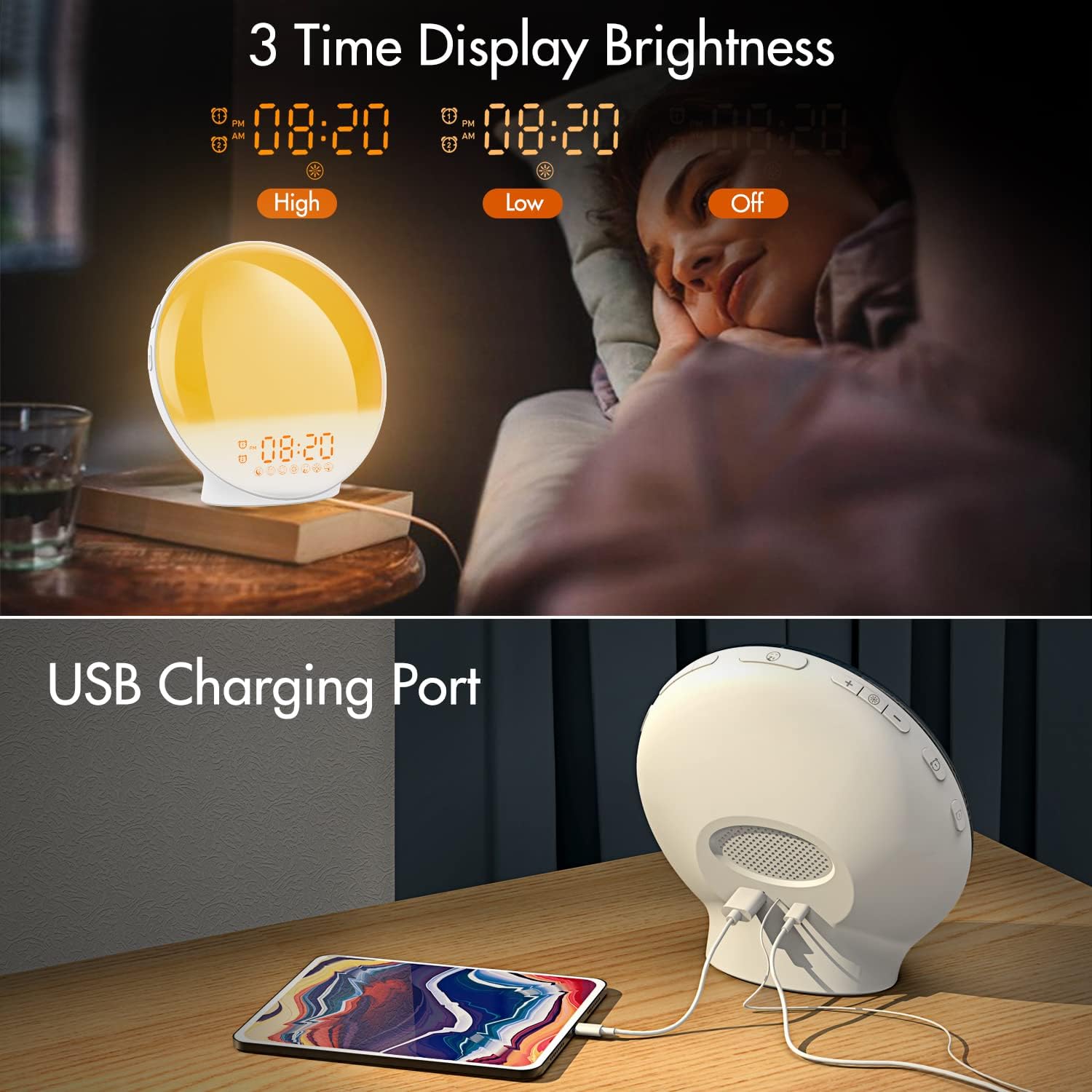
Billede 3.1: Illustration of the three time display brightness options: High, Low, and Off, allowing users to customize visibility for different times of day or night.
4. Betjeningsvejledning
4.1 Indstilling af alarmer (Alarm 1 og Alarm 2)
The clock features two independent alarms, allowing for separate wake-up times (e.g., weekday and weekend).

Billede 4.1: Depiction of the dual alarm functionality, allowing users to set different alarms for weekdays and weekends, along with the snooze feature.
- Tryk på Alarm 1 knap (eller Alarm 2 knap) to activate and enter alarm setting mode. The alarm time will flash.
- Brug Op / Ned-knapper for at indstille den ønskede alarmtime.
- Tryk på Alarmknap again to confirm the hour and set the minutes.
- Brug Op / Ned-knapper for at indstille de ønskede alarmminutter.
- Tryk på Alarmknap again to select the wake-up sound. Use Op / Ned-knapper to cycle through 7 nature sounds or FM radio.
- Tryk på Alarmknap again to set the volume level (1-16) for the alarm sound. Use Op / Ned-knapper at justere.
- Tryk på Alarmknap one last time to confirm all settings and activate the alarm. An alarm icon will appear on the display.
4.2 Snooze -funktion
Når en alarm lyder, skal du trykke på Udsæt knap (often the large button on top or front) to pause the alarm for 9 minutes. This can be repeated up to 5 times.
4.3 Solopgangssimulering
The sunrise simulation gradually brightens the light before your alarm time, mimicking a natural sunrise.

Billede 4.2: Visual representation of the sunrise simulation feature, where the light intensifies gradually over a set period before the alarm, designed for a gentle wake-up.
- When setting an alarm, after selecting the sound and volume, you will typically be prompted to set the sunrise duration.
- Brug Op / Ned-knapper to choose a duration between 10 to 60 minutes. The light will gradually increase from 0% to the set brightness level (0-20) during this period.
- The light color will transition from deep red to bright yellow, simulating a natural sunrise.
4.4 Sunset Simulation / Sleep Aid
The sunset simulation gradually dims the light and can play soothing sounds to help you fall asleep.

Billede 4.3: Illustration of the sunset simulation, where the light gradually dims over a period of 10 to 120 minutes, accompanied by optional sleep sounds like rain, forest, river, or FM radio.
- Tryk på Snooze/Sleep Aid Button (or a dedicated Sleep Aid button) to activate the sleep aid function.
- Brug Op / Ned-knapper to select a duration for the dimming process (10-120 minutes).
- You can also select a natural sound (Rain, Forest, River) or FM radio to play during this period.
- The light will gradually dim from 100% to 0% over the selected duration, and the sound will fade out.
4.5 FM radio
The built-in FM radio allows you to listen to your favorite stations or use them as an alarm sound.

Billede 4.4: Overview of the 7 available alarm sounds and the FM radio option, providing diverse choices for waking up.
- Tryk på FM-radioknap for at tænde/slukke for radioen.
- Hold FM-radioknap for automatisk at scanne og gemme tilgængelige stationer.
- Brug Op / Ned-knapper to manually tune to a specific frequency or cycle through saved stations.
- Juster lydstyrken ved hjælp af Lydstyrke +/- knapper.
4.6 Night Light / Color Light
The clock can function as a night light with various color options and adjustable brightness.

Billede 4.5: Display of the 7 color atmosphere light options and 20 brightness levels, highlighting the clock's versatility as a mood light or reading lamp.
- Tryk på Lys knap at tænde lyset.
- Tryk på Lys knap repeatedly to cycle through 7 static colors (e.g., Red, Green, Blue, Yellow, Indigo, Purple, White) or an automatic color-changing mode.
- Brug Op / Ned-knapper to adjust the brightness level (0-20) of the selected color or white light.
- Hold Lys knap at slukke lyset.
4.7 USB-opladningsport
A 5V/2.4A USB port is located on the back of the device, allowing you to charge your smartphone or other small electronic devices.
Billede 4.6: Bag view of the alarm clock showing the USB charging port in use, connected to a tablet for charging.
5. Vedligeholdelse
- Rensning: Tør enheden af med en blød, tør klud. Brug ikke slibende rengøringsmidler eller opløsningsmidler.
- Opbevaring: Opbevar enheden et køligt og tørt sted, når den ikke er i brug i længere perioder.
- Magt: Always use the provided power adapter to prevent damage.
6. Fejlfinding
| Problem | Mulig årsag | Løsning |
|---|---|---|
| Uret tænder ikke. | Strømadapteren er ikke tilsluttet eller defekt. | Sørg for, at strømadapteren er korrekt tilsluttet både uret og en fungerende stikkontakt. Prøv en anden stikkontakt. |
| Alarmen lyder ikke. | Alarmen er ikke aktiveret, eller lydstyrken er for lav. | Check if the alarm icon is displayed. Re-set the alarm and ensure the volume is set to an audible level. |
| Solopgangssimuleringen virker ikke. | Sunrise duration not set during alarm setup. | Ensure you have set a sunrise duration (10-60 minutes) when configuring the alarm. |
| Statisk eller dårlig modtagelse af FM-radio. | Svagt signal eller antenneposition. | Extend the antenna wire fully. Reposition the clock to improve reception. Perform an auto-scan for stations. |
| USB-opladning virker ikke. | Enheden er ikke kompatibel, eller kablet er defekt. | Ensure the device you are charging is compatible with 5V/2.4A USB charging. Try a different USB cable. |
7. Specifikationer
- Mærke: KEPLUG
- Model: B09FRY71NH
- Produktdimensioner: 16 x 16 x 6.1 cm
- Varens vægt: 481 g
- Voltage: 5 volt
- Strømkilde: Battery Powered (with AC adapter)
- Skærmtype: Digital
- Særlige funktioner: Charging Port, Dimmable Light, Sunrise/Sunset Simulation, Dual Alarm, FM Radio, Nature Sounds
- Dato først tilgængelig: 12. november 2021
8. Garanti og support
For warranty information or technical support, please refer to the contact details provided with your purchase documentation or visit the official KEPLUG webwebstedet. Behold din købskvittering som købsbevis.