1. Introduktion
This manual provides detailed instructions for the Delton 10X Bluetooth Computer Headset. This wireless headset is designed for clear communication and extended use, featuring Bluetooth 5.0 connectivity, a noise-canceling microphone, and a USB dongle for versatile compatibility. Please read this manual thoroughly to ensure proper setup and operation of your device.

Billede 1.1: The Delton 10X Bluetooth Computer Headset and its accompanying USB dongle. This image displays the headset's over-the-head design, single ear cup, adjustable microphone boom, and the compact USB dongle.
2. Pakkens indhold
Bekræft at alle varer er til stede i din pakke:
- Delton 10X Bluetooth Headset
- USB dongle
- Ladekabel
- Brugervejledning (dette dokument)
3. Produktfunktioner
The Delton 10X headset offers a range of features designed for optimal performance and user comfort:
- Bluetooth 5.0-forbindelse: Sikrer en stabil og effektiv trådløs forbindelse på op til 30 meter.
- Støjreducerende mikrofon: Reducerer baggrundsstøj for klar stemmeoverførsel.
- 270° roterbar mikrofon: Allows for flexible positioning and use on either ear.
- Forlænget batterilevetid: Up to 15 hours talk time, 18 hours play time, and 160 hours standby time.
- Hurtig opladning: Fuldt opladet på cirka 1.5 timer.
- Adjustable Headband & Plush Ear Cushion: Provides comfort for prolonged wear.
- Ear Gripper T-Pad: Ensures secure fit during movement.
- Universal kompatibilitet: Works with smartphones, tablets, desktop PCs, laptops, and supports iOS and Windows platforms.

Billede 3.1: A visual summary of the Delton 10X headset's key features, including 15 hours talk time, Bluetooth 5.0, adjustable headband, high fidelity sound, noise-canceling mic, rotatable mic, long battery backup, voice assistant support, and plush cushions.
3.1 Batteriydelse
The Delton 10X headset is equipped with a long-lasting battery to support your daily communication needs.
- Taletid: Op til 15 timer
- Spilletid: Op til 18 timer
- Standby tid: Op til 160 timer
- Opladningstid: Cirka 1.5 timer
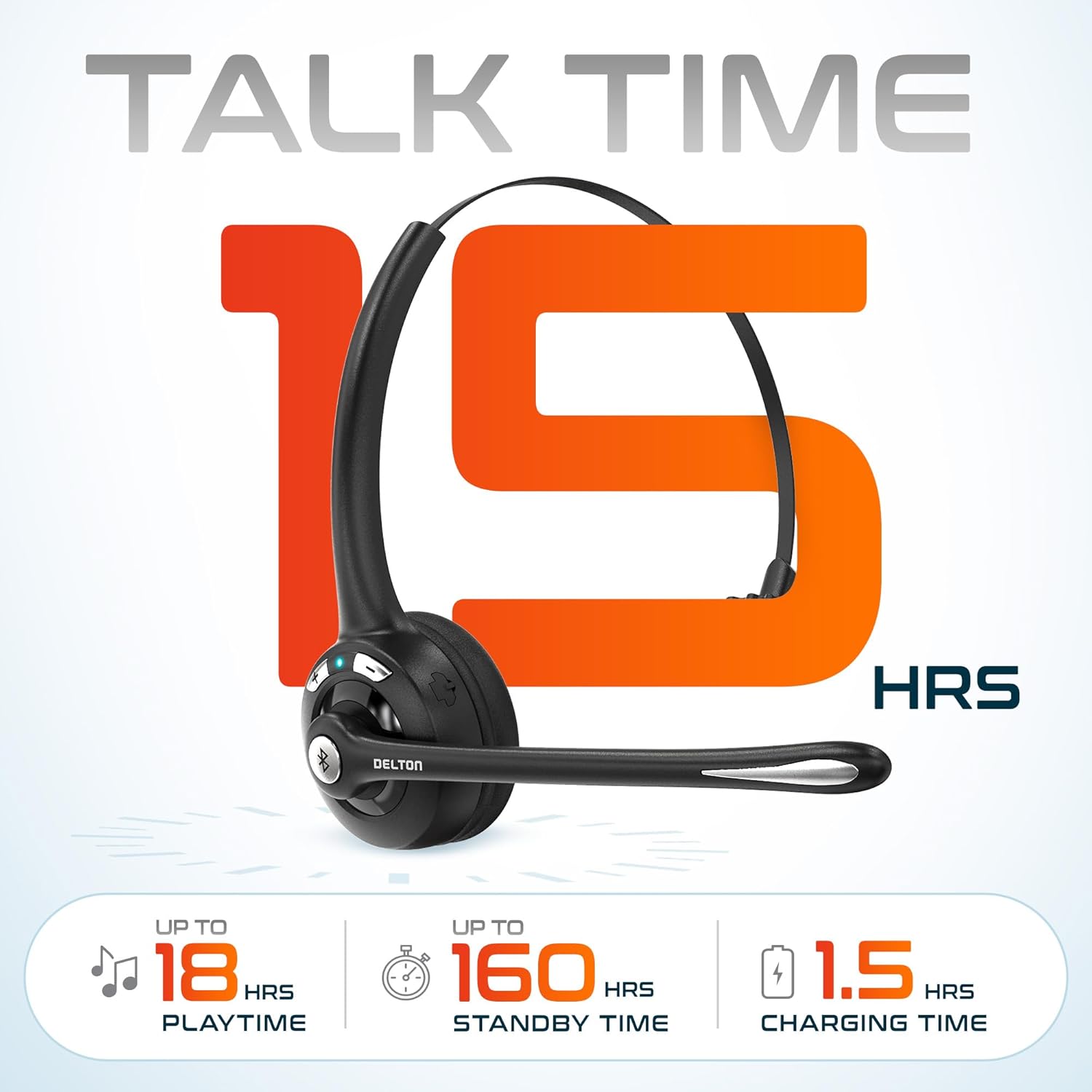
Billede 3.2: An infographic detailing the battery performance of the Delton 10X headset, highlighting 15 hours of talk time, 18 hours of play time, 160 hours of standby time, and a 1.5-hour charging time.
3.2 Avanceret teknologi
The headset incorporates an advanced chipset for seamless connectivity and improved power efficiency.

Billede 3.3: Et nærbillede view of the headset's internal components, illustrating the advanced Bluetooth 5.0 chipset. This image emphasizes the technology that reduces outside noise, improves power efficiency, and provides seamless connectivity up to 30 feet.
4. Opsætning
4.1 Opladning af headsettet
- Tilslut det medfølgende opladningskabel til opladningsporten på headsettet.
- Sæt den anden ende af kablet i en USB-strømkilde (f.eks. en computers USB-port eller en vægadapter).
- LED-indikatoren viser opladningsstatus. En fuld opladning tager cirka 1.5 timer.
4.2 Tænd/sluk
- For at tænde: Press and hold the Multi-Function Button (MFB) until the LED indicator flashes blue.
- For at slukke: Press and hold the MFB until the LED indicator flashes red and then turns off.
4.3 Bluetooth Pairing (Direct)
To connect the headset directly to a Bluetooth-enabled device (e.g., smartphone, tablet):
- Sørg for, at headsettet er slukket.
- Press and hold the MFB for approximately 5-7 seconds until the LED indicator flashes red and blue alternately, indicating pairing mode.
- Aktiver Bluetooth på din enhed, og søg efter tilgængelige enheder.
- Select "Delton 10X" from the list of found devices.
- Når der er forbindelse, blinker LED-indikatoren på headsettet langsomt blåt.
4.4 USB-dongleforbindelse
For computers without native Bluetooth or for a more stable connection, use the included USB dongle. The dongle provides instant auto-pairing.
- Plug the USB dongle into an available USB port on your computer. The dongle's LED will blink.
- Power on your Delton 10X headset.
- The headset and dongle will automatically pair. The dongle's LED will turn solid blue, and the headset's LED will flash blue slowly once connected.
- Ensure the Delton 10X is selected as the audio input and output device in your computer's sound settings.

Billede 4.1: A visual representation of the USB dongle being inserted into a laptop's USB port. The image highlights the 'Auto-Pair USB Dongle' feature and 'Plug & Play' functionality, indicating no driver installation is required.
4.5 Kompatibilitet
The Delton 10X headset is designed for broad compatibility:
- Enheder: Smartphones, Tablets, Desktop PCs, Laptops.
- Operativsystemer: iOS, Windows, Linux, Mac.
- Ansøgninger: MS Teams, Zoom, Google Meet, Slack, Skype.

Billede 4.2: En illustrationsudstillingasing the wide compatibility of the Delton 10X headset with various devices, including phones, tablets, iOS & Windows laptops, and desktop computers/iMacs. This emphasizes its versatility across different platforms.
5. Betjeningsvejledning
5.1 Headset-kontroller
Headsettet har intuitive kontroller til håndtering af opkald og lydafspilning:
- Multifunktionsknap (MFB):
- Press once to Answer/End Call.
- Press and hold for 2 seconds to Redial.
- Tryk én gang for at afspille/pause musik.
- Knap til lydstyrke op (+):
- Tryk én gang for at øge lydstyrken.
- Press and hold for 2 seconds for Next Track.
- Knap til lydstyrke ned (-):
- Tryk én gang for at sænke lydstyrken.
- Press and hold for 2 seconds for Previous Track.

Billede 5.1: A detailed diagram of the Delton 10X headset's controls, showing the Volume Down (-), Volume Up (+), and Multi-Function Button (MFB) with their respective functions for call management, track control, and power.
5.2 Brug af mikrofon
The microphone is designed for clear voice pickup and can be adjusted for optimal positioning.
- Justering af mikrofonen: The microphone boom can rotate 270 degrees. Position the microphone approximately 1-2 inches from your mouth for best voice clarity.
- Støjreduktion: The integrated noise-canceling technology helps filter out ambient sounds, ensuring your voice is heard clearly by others.
5.3 Sådan bærer du headsettet
The Delton 10X headset is designed for comfort and can be worn on either ear.
- Justerbart pandebånd: Extend or retract the headband to fit your head size comfortably.
- Ear Gripper T-Pad: This feature helps secure the headset in place.
- Left or Right Ear: Rotate the microphone boom to position the ear cup on your preferred ear.

Billede 5.2: An image illustrating the comfort and adjustability features of the Delton 10X headset. It shows the adjustable headband, the Ear Gripper T-Pad, the plush ear cushion, and the 270° rotation of the flexible microphone, demonstrating its usability on both left and right ears.
6. Vedligeholdelse
Korrekt vedligeholdelse sikrer dit headsets lange levetid og optimale ydeevne.
- Rensning: Brug en blød, tør klud til at rengøre headsettet. For ørepuder, en let tør kludamp klude kan bruges, men sørg for, at de er helt tørre før brug. Undgå barske kemikalier eller slibende materialer.
- Opbevaring: Opbevar headsettet et køligt, tørt sted væk fra direkte sollys og ekstreme temperaturer.
- Batteripleje: For at forlænge batteriets levetid bør du undgå at aflade headsettet helt ofte. Oplad det regelmæssigt, selvom det ikke er i brug i længere perioder.
- Undgå vand: Headsettet er ikke vandtæt. Undgå kontakt med væsker.
7. Fejlfinding
If you encounter issues with your Delton 10X headset, refer to the following common solutions:
| Problem | Mulig årsag | Løsning |
|---|---|---|
| Headsettet tænder ikke. | Lav eller ingen batteriopladning. | Oplad headsettet i mindst 1.5 time. |
| Kan ikke parres med enheden. | Headsettet er ikke i parringstilstand; Bluetooth er slået fra på enheden; enheden er for langt væk. | Ensure headset is in pairing mode (flashing red/blue). Turn on device Bluetooth. Move headset closer to device (within 30 feet). Try using the USB dongle. |
| Poor microphone audio quality (others cannot hear me clearly). | Microphone position; computer audio settings; environmental noise. | Adjust the microphone closer to your mouth (1-2 inches). Check your computer's sound settings to ensure the Delton 10X is selected as the input device and microphone volume is adequate. Ensure the noise-canceling mic is facing the correct direction. |
| No sound or low sound from headset. | Headset volume too low; device volume too low; incorrect audio output device. | Increase headset volume using the '+' button. Increase volume on your connected device. Verify that the Delton 10X is selected as the audio output device in your computer's sound settings. |
| Forbindelsen falder ofte fra hinanden. | Uden for rækkevidde; interferens. | Ensure you are within 30 feet of the connected device or USB dongle. Minimize obstacles between the headset and device. |
8. Specifikationer
Detailed technical specifications for the Delton 10X Bluetooth Computer Headset:
| Feature | Specifikation |
|---|---|
| Modelnavn | 10X Monoaural Headset + Dongle |
| Forbindelsesteknologi | Trådløs (Bluetooth 5.0) |
| Bluetooth rækkevidde | Op til 30 fod |
| Støjkontrol | Sound Isolation (Noise-Canceling Mic) |
| Frekvensrespons | 20 Hz - 20,000 Hz |
| Batterilevetid (taletid) | Op til 15 timer |
| Batterilevetid (spilletid) | Op til 18 timer |
| Batterilevetid (Standby) | Op til 160 timer |
| Opladningstid | 1.5 timer |
| Hovedtelefonstik | USB (til opladning) |
| Kontroltype | Call Control, Volume Control, Track Control |
| Varens vægt | 1.5 ounce |
| Produktdimensioner | 6 x 6 x 2 tommer |
| Materiale | Plast |
| Øreplacering | Over Ear (Monoaural) |
9. Garanti og support
For warranty information or technical assistance, please contact Delton customer support. Details can typically be found on the official Delton website or through your purchase documentation. Please retain your proof of purchase for warranty claims.


