1. Introduktion
Thank you for choosing the Dahle Vantage 50 Rotary Trimmer. This German-engineered paper cutter is designed for precision and durability, making it ideal for trimming paper, photographs, and cardstock. This manual provides essential information for the safe and effective use, maintenance, and troubleshooting of your new rotary trimmer.
2. Produktet er slutview
Nøglefunktioner
- Selvslibende blad: The rotary blade cuts in both directions and is encased in a protective housing for user safety.
- Automatisk Clamp: Securely holds your work in place, preventing shifting and ensuring even cuts.
- Robust metalbund: Provides a stable and durable cutting surface that resists warping or cracking.
- Screened Guides: Features clear inch, metric, and angled guides for accurate alignment.
- Kapacitet på 5 ark: Capable of trimming up to 5 sheets of standard paper at once.

Komponenter
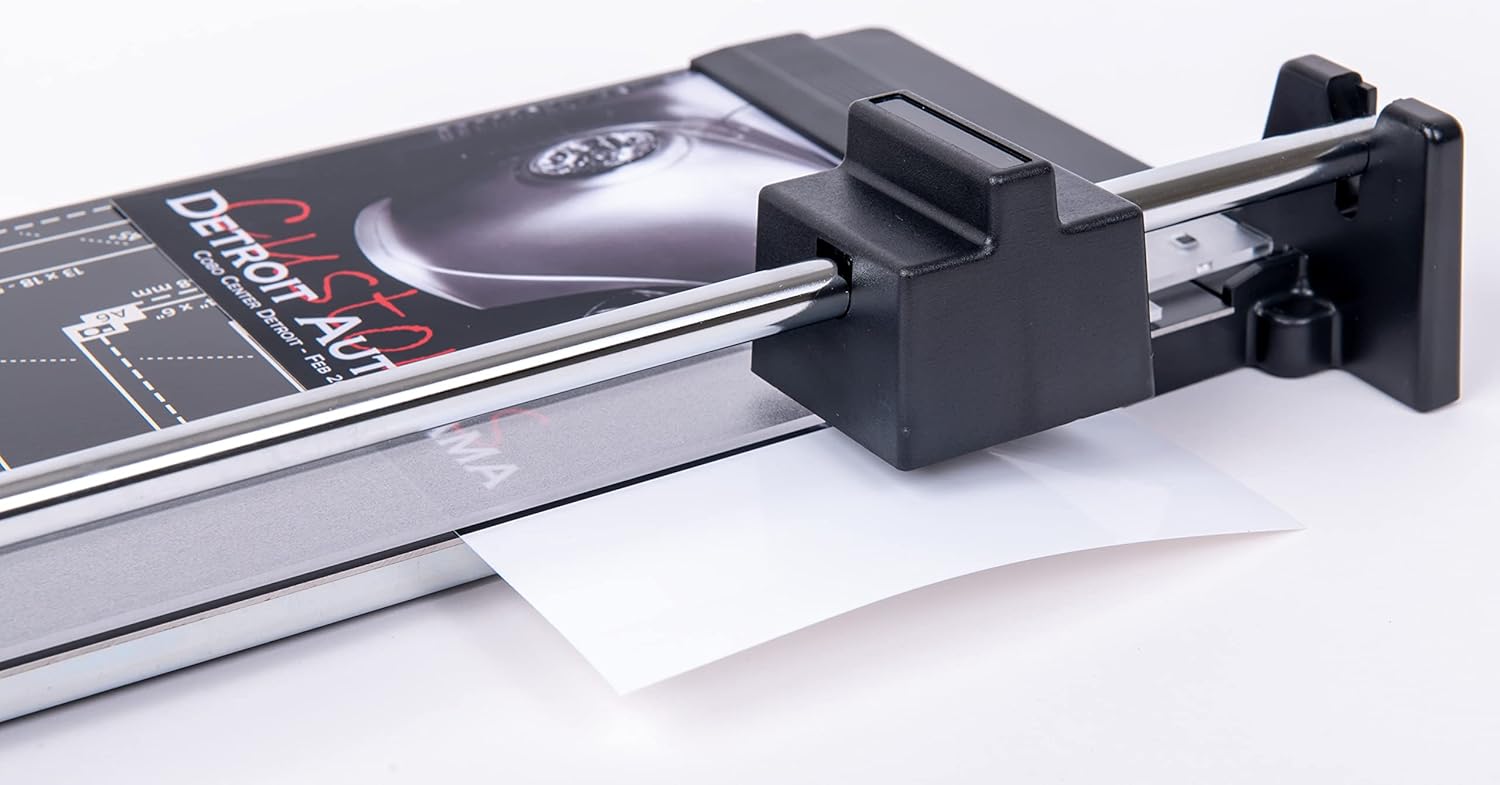
The Dahle Vantage 50 Rotary Trimmer consists of a durable metal base with integrated measurement guides, a self-sharpening rotary blade housed within a carriage, and an automatic clamping bar to secure materials during cutting.

3. Opsætning
The Dahle Vantage 50 Rotary Trimmer requires minimal setup before use.
- Pakker ud: Carefully remove the trimmer from its packaging.
- Placering: Place the trimmer on a stable, flat surface. Ensure there is adequate space around the trimmer for safe operation and to accommodate the material being cut.
- Inspicere: Before first use, inspect the trimmer for any signs of damage. Ensure the rotary blade carriage moves smoothly along the guide bar.
4. Betjeningsvejledning
Basic Trimming
- Forbered materiale: Place the paper, photo, or cardstock onto the trimmer base.
- Juster: Use the screened guides (inch, metric, or angled) on the base to align your material precisely for the desired cut. Ensure the edge to be cut is positioned directly under the cutting line.
- Engage Clamp: Gently lower the automatic clamp bar onto the material. The clamp will hold the material firmly in place, preventing movement during the cut.
- Execute Cut: Hold the rotary blade carriage and slide it firmly along the guide bar, from one end of the material to the other. The self-sharpening blade will cut cleanly in either direction.
- Fjern materiale: Once the cut is complete, lift the automatic clamp and remove the trimmed material.

Cutting Multiple Sheets
The Dahle Vantage 50 can cut up to 5 sheets of standard 20 lb bond paper. For best results and to maintain blade sharpness, avoid exceeding this capacity. When cutting multiple sheets:
- Stack the sheets evenly, ensuring all edges are aligned.
- Place the stack under the automatic clamp, making sure it is held securely.
- Udfør snittet med en jævn, ensartet bevægelse.

5. Vedligeholdelse
Bladpleje
The Dahle Vantage 50 features a self-sharpening rotary blade. This design ensures the blade remains sharp with regular use, eliminating the need for frequent blade replacements or manual sharpening. To maximize blade life, avoid cutting materials thicker than the recommended capacity.

Rensning
To ensure optimal performance and longevity of your trimmer, regular cleaning is recommended:
- Wipe the cutting surface and guide bar with a soft, dry cloth to remove paper dust and debris.
- Do not use abrasive cleaners or solvents, as these can damage the surface or markings.
- Ensure no paper scraps are lodged in the blade carriage mechanism.
6. Fejlfinding
If you encounter issues with your Dahle Vantage 50 Rotary Trimmer, refer to the table below for common problems and solutions.
| Problem | Mulig årsag | Løsning |
|---|---|---|
| Ujævne eller takkede snit | Material not properly aligned or secured; cutting too many sheets. | Ensure material is flush against guides and held firmly by the automatic clamp. Reduce the number of sheets being cut. |
| Blade not cutting through material completely | Exceeding sheet capacity; debris in blade path. | Reduce the number of sheets. Clean the blade path and carriage. Ensure a firm, consistent stroke when cutting. |
| Blade carriage difficult to move | Accumulation of paper dust or debris on the guide bar. | Clean the guide bar thoroughly with a dry cloth. Do not apply lubricants. |
7. Specifikationer
Detailed specifications for the Dahle Vantage 50 Rotary Trimmer:
| Feature | Detalje |
|---|---|
| Modelnummer | 40050-20059 |
| Klip længde | 12 tommer |
| Arkkapacitet | 5 sheets (standard 20 lb bond paper) |
| Driftstilstand | Manuel |
| Bladtype | Selvslibende roterende kniv |
| Materiale | Metal base, plastic components |
| Farve | Sort |
| Produktdimensioner | 16.7" D x 7.3" B x 2" H |
| Varens vægt | 2.3 pund |
8. Garanti og support
Garantioplysninger
The Dahle Vantage 50 Rotary Trimmer comes with a 1-year warranty against defects in materials and workmanship. This warranty covers normal use and does not apply to damage resulting from misuse, abuse, or unauthorized modifications. Please retain your proof of purchase for warranty claims.
Kundesupport
For further assistance, technical support, or warranty inquiries, please contact Dahle customer service. Refer to the official Dahle webwebstedet eller produktemballagen for de mest aktuelle kontaktoplysninger.


