1. Vigtige sikkerhedsoplysninger
Please read all instructions carefully before operating your Thomson RR 68 M clock. Keep this manual for future reference.
- Udsæt ikke uret for ekstreme temperaturer, direkte sollys eller høj luftfugtighed.
- Undgå at tabe uret eller udsætte det for hårde stød.
- Forsøg ikke at skille uret ad eller ændre det. Dette vil ugyldiggøre garantien.
- Brug kun den angivne batteritype. Sørg for korrekt polaritet, når du isætter batterierne.
- Fjern batterierne, hvis uret ikke skal bruges i længere tid, for at forhindre lækage.
2. Produktet er slutview
Familiarize yourself with the components of your Thomson RR 68 M clock.
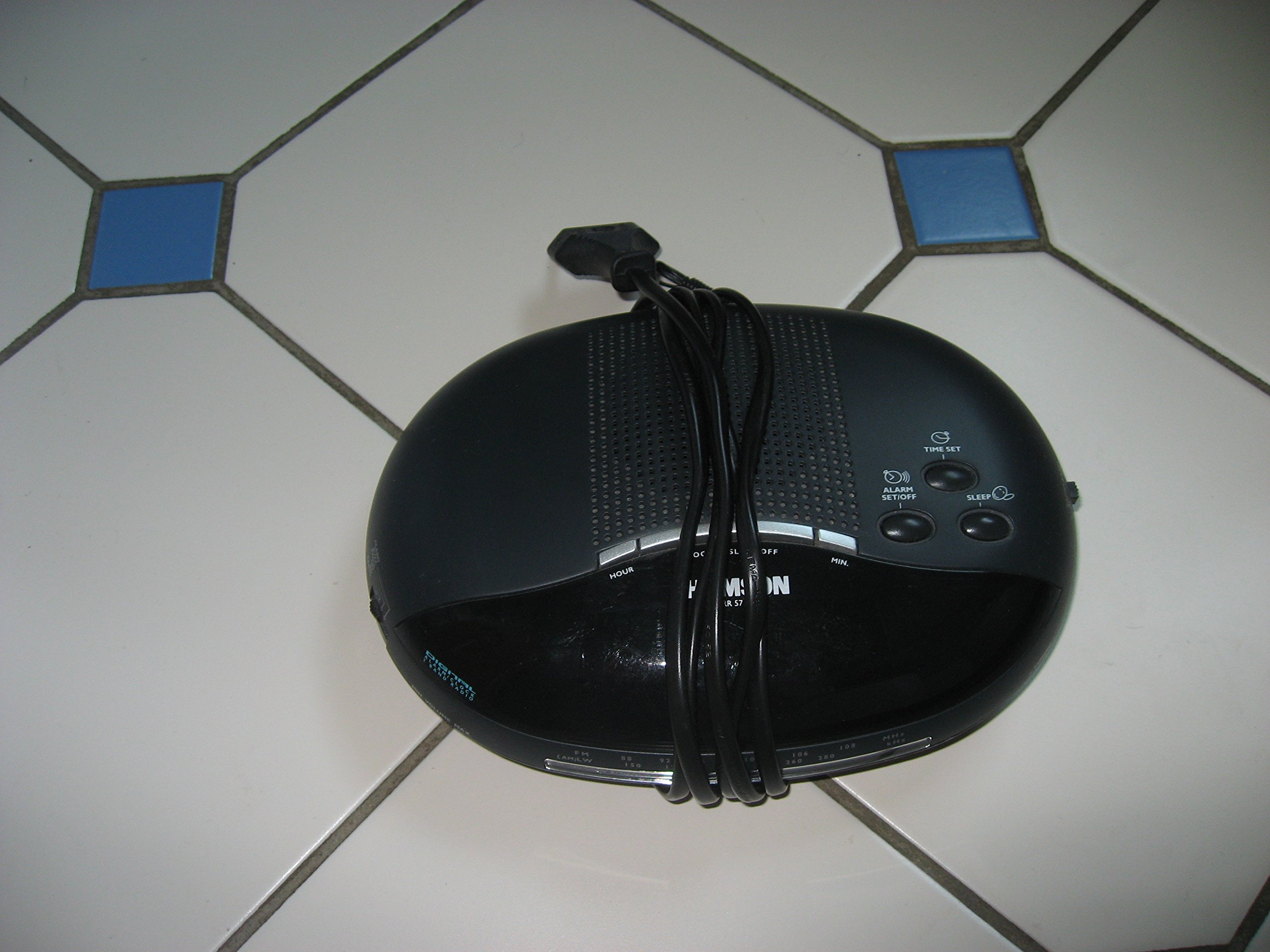
Billede 1: Front view of the Thomson RR 68 M clock, showing the digital display and control buttons. This image illustrates the compact design suitable for tabletop placement.
2.1 Pakkens indhold
- Thomson RR 68 M Clock Unit
- Brugervejledning (dette dokument)
3. Opsætning
3.1 Tænd/sluk uret
The Thomson RR 68 M clock operates on batteries (not included). Ensure you have the correct type and quantity of batteries before proceeding.
- Find batteridækslet på bagsiden eller undersiden af uret.
- Remove the battery compartment cover by sliding or unlatching it.
- Insert the required batteries, paying close attention to the polarity markings (+ and -) inside the compartment.
- Replace the battery compartment cover securely. The clock display should now illuminate.
4. Betjeningsvejledning
4.1 Indstilling af klokkeslæt
To set the current time on your Thomson RR 68 M clock:
- Locate the 'SET' or 'MODE' button, usually on the back or side of the clock. Press and hold this button for a few seconds until the hour digits begin to flash.
- Use the '+' or 'HOUR' button to adjust the hour. Press repeatedly to advance the hour.
- Press the 'SET' or 'MODE' button again. The minute digits will begin to flash.
- Use the '+' or 'MINUTE' button to adjust the minutes. Press repeatedly to advance the minutes.
- Press the 'SET' or 'MODE' button one last time to confirm the time setting and exit the setting mode. The display will stop flashing.
Note: This model does not feature an alarm function.
5. Vedligeholdelse
5.1 Rengøring
Sådan bevarer du dit urs udseende:
- Tør urets yderside af med en blød, tør klud.
- Brug ikke slibende rengøringsmidler, opløsningsmidler eller kemiske spraymidler, da disse kan beskadige overfladen.
5.2 Udskiftning af batteri
When the display dims or the clock stops functioning, it is time to replace the batteries. Follow the steps in Section 3.1 to replace the old batteries with new ones. Dispose of used batteries responsibly according to local regulations.
6. Fejlfinding
If you encounter issues with your Thomson RR 68 M clock, refer to the following common problems and solutions:
6.1 Clock Display is Blank or Dim
- Tjek batterier: Ensure batteries are inserted correctly with the correct polarity. Replace with fresh batteries if necessary.
- Batterirum: Kontroller, at batteridækslet er forsvarligt lukket.
6.2 Tidspunktet er forkert
- Nulstil tid: Follow the instructions in Section 4.1 to manually set the time.
- Batteristrøm: If the time frequently resets or loses accuracy, the batteries may be low and require replacement.
7. Specifikationer
| Modelnummer | RR 68 M |
| Mærke | THOMSON |
| Monteringstype | Bordplade |
| Strømkilde | Batterier (medfølger ikke) |
| Alarm funktion | Ingen |
8. Garantioplysninger
Specific warranty details for the Thomson RR 68 M clock are not provided within this user manual. Please refer to the product packaging, the point of purchase, or the official Thomson webhjemmeside for omfattende garantivilkår.
9. Kundesupport
For further assistance, technical support, or inquiries regarding your Thomson RR 68 M clock, please visit the official Thomson webwebstedet eller kontakt deres kundeserviceafdeling. Kontaktoplysninger findes typisk på producentens webwebsted eller produktemballage.


