
1. Rhagymadrodd
This manual provides comprehensive instructions for the Huawei P Smart Plus 2019 smartphone. It covers essential information regarding product features, setup, operation, maintenance, and troubleshooting to ensure optimal use of your device. Please read this manual thoroughly before using your smartphone.
2. Cynnyrch Drosview
Familiarize yourself with the physical components of your Huawei P Smart Plus 2019 smartphone.
Ffigur 2.1: Cefn view of the Huawei P Smart Plus 2019 smartphone, showing the triple camera module, fingerprint sensor, and HUAWEI branding.
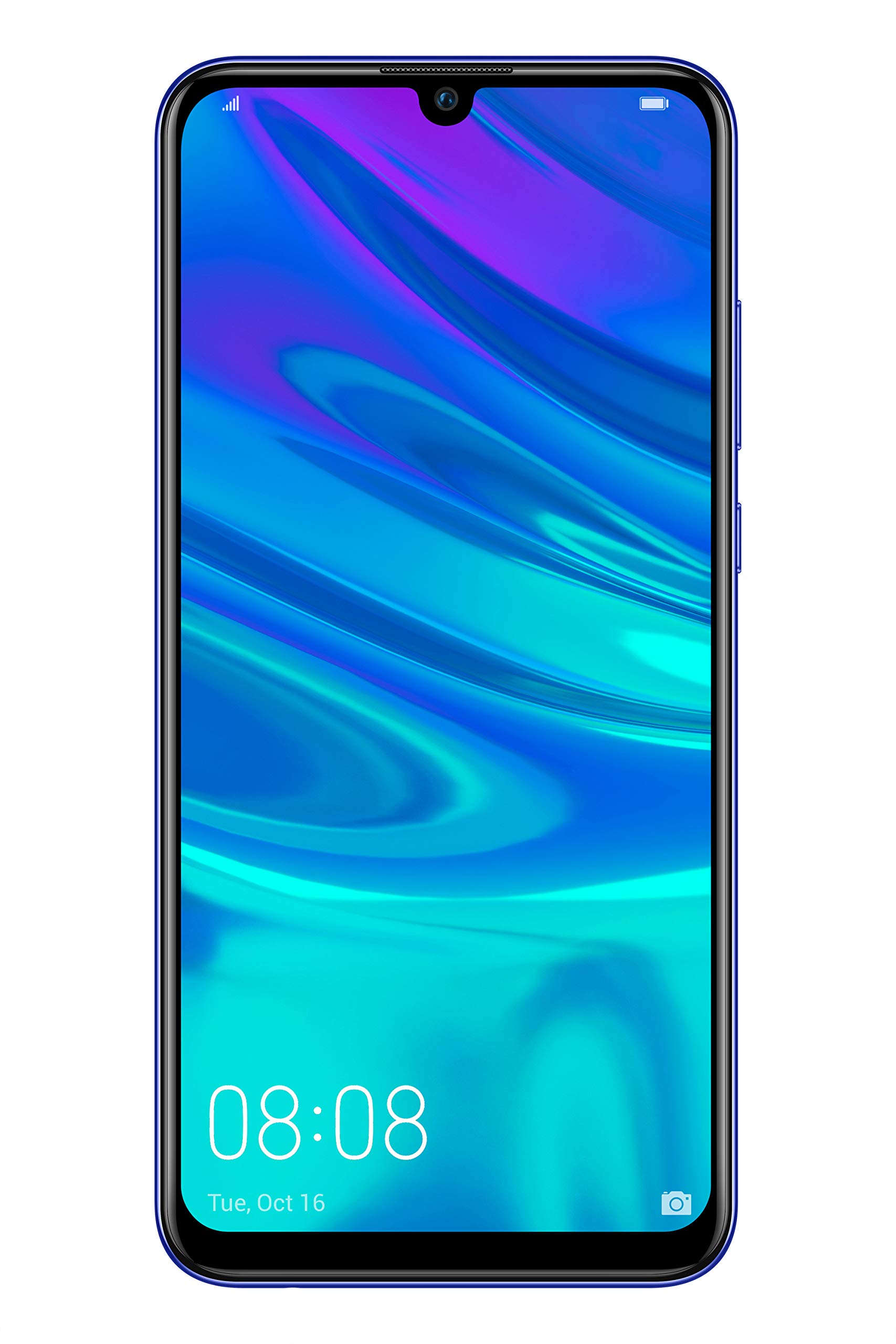
Ffigur 2.2: Blaen view of the Huawei P Smart Plus 2019 smartphone, displaying the 6.21-inch screen with a small notch for the front camera.

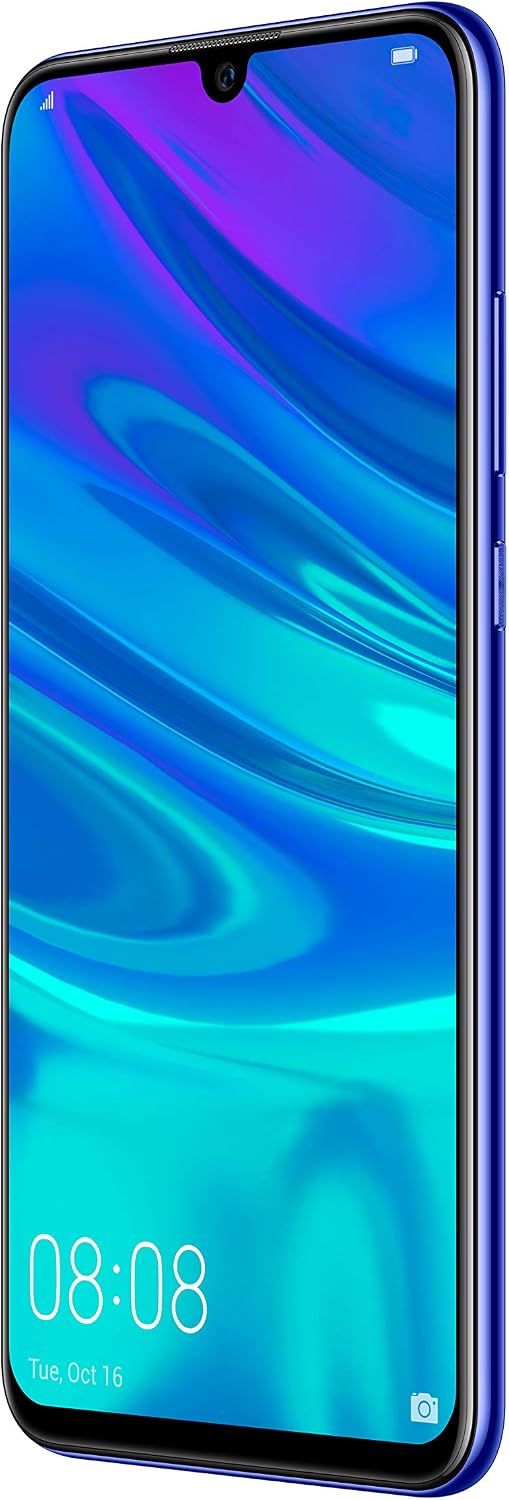
Ffigur 2.3: Ochr view of the Huawei P Smart Plus 2019 smartphone, highlighting the power and volume buttons.
Cydrannau Allweddol:
- Arddangos: 6.21-inch FHD+ LCD screen.
- Camera blaen: Located in the display notch.
- Camerâu Cefn: Triple camera module on the back.
- Synhwyrydd Olion Bysedd: Circular sensor on the rear panel.
- Botwm Pŵer: On the right side of the device.
- Botymau Cyfrol: Above the power button on the right side.
- Slot Cerdyn SIM/MicroSD: Typically on the left side or top edge.
- Porth Codi Tâl: USB Type-C, usually at the bottom.
- Siaradwr / Meicroffon: Located at the bottom.
3. Gosod
3.1 Mewnosod Cardiau SIM a MicroSD
- Lleolwch y hambwrdd cerdyn SIM ar ochr eich dyfais.
- Mewnosodwch yr offeryn alldaflu SIM i'r twll bach wrth ymyl y hambwrdd i'w agor.
- Place your Nano-SIM card(s) and/or microSD card into the tray, ensuring correct orientation as indicated on the tray. This device supports Dual SIM functionality and expandable storage up to 512GB.
- Gwthiwch yr hambwrdd yn ôl i'r slot yn ofalus nes ei fod yn wastad â'r ddyfais.
3.2 Pŵer Ymlaen a Gwefru Cychwynnol
- To power on, press and hold the Power button until the HUAWEI logo appears.
- Dilynwch yr awgrymiadau ar y sgrin i gwblhau'r gosodiad cychwynnol, gan gynnwys dewis iaith, cysylltiad Wi-Fi, a gosod cyfrif Google.
- Before first use, it is recommended to fully charge the device. Connect the provided USB Type-C cable to the phone's charging port and the other end to a power adapter.
4. Cyfarwyddiadau Gweithredu
4.1 Swyddogaethau Sylfaenol
- Power On/Off/Restart: Press and hold the Power button. Select the desired option from the menu.
- Cloi/Datgloi Sgrin: Press the Power button to lock/unlock the screen. Use Face Recognition or the Fingerprint Sensor for secure unlocking.
- Galwadau a Negeseuon: Use the Phone and Messaging applications for communication.
- Cysylltedd Rhwydwaith: Access Wi-Fi settings from the Quick Settings panel or Settings app. Enable mobile data for internet access via your SIM card.
4.2 Defnyddio'r Camera
The Huawei P Smart Plus 2019 features a versatile camera system.
- Camera Cefn: The triple camera setup includes a 24MP main sensor, a 16MP ultra-wide sensor, and a 2MP bokeh sensor. Open the Camera app and select modes like Automatic, Portrait, or Sport.
- Camera blaen: An 8MP front camera is available for selfies and video calls. Switch to the front camera within the Camera app.
- Nodweddion AI: The camera utilizes AI to optimize scene recognition and enhance photo quality.
4.3 Storio a Chof
Your device comes with 64GB of internal storage, which can be expanded up to 512GB using a microSD card. It has 3GB of RAM for smooth multitasking.
4.4 Rheoli Batri
The device is equipped with a 3400 mAh Lithium-Polymer battery. To optimize battery life, manage background apps, adjust screen brightness, and utilize power-saving modes available in the Settings app.
4.5 System Weithredu
The smartphone runs on Android 9 (Pie) with Huawei's EMUI 9 interface, offering a range of features and customization options.
5. cynnal
5.1 Glanhau Eich Dyfais
Use a soft, lint-free cloth to gently wipe the screen and body of your phone. Avoid using harsh chemicals or abrasive materials, which can damage the device's finish or screen coating.
5.2 Diweddariadau Meddalwedd
Regularly check for and install software updates to ensure your device has the latest features, security patches, and performance improvements. You can usually find this option in Settings > System > Software update.
5.3 Gofal Batri
To prolong battery lifespan, avoid extreme temperatures. Do not leave the phone fully charged or fully discharged for extended periods. Use only approved chargers and cables.
5.4 Gwneud copi wrth gefn o ddata
Gwnewch gopi wrth gefn o'ch data pwysig (lluniau, cysylltiadau, dogfennau) yn rheolaidd i wasanaeth cwmwl neu gyfrifiadur i atal colli data.
6. Datrys Problemau
This section addresses common issues you might encounter with your Huawei P Smart Plus 2019.
6.1 Dyfais Ddim yn Troi Ymlaen
- Gwnewch yn siŵr bod y batri wedi'i wefru. Cysylltwch y gwefrydd ac aros ychydig funudau cyn ceisio ei droi ymlaen.
- Pwyswch a daliwch y botwm Pŵer am o leiaf 10-15 eiliad i orfodi ailgychwyn.
6.2 Bywyd Batri Gwael
- Cau cymwysiadau nas defnyddir sy'n rhedeg yn y cefndir.
- Lleihau disgleirdeb y sgrin a gosod amser terfyn sgrin byrrach.
- Analluogwch Wi-Fi, Bluetooth, a GPS pan nad ydynt yn cael eu defnyddio.
- Gwiriwch y defnydd o fatri yn y Gosodiadau i nodi apiau sy'n llwglyd o ran pŵer.
6.3 Network Issues (No Signal/Wi-Fi Disconnection)
- Ailgychwyn eich dyfais.
- Ensure your SIM card is correctly inserted and your mobile data plan is active.
- For Wi-Fi, try restarting your router. Forget the network on your phone and reconnect.
6.4 Apiau'n Chwalu neu'n Rhewi
- Gorfodwch gau'r ap a'i ailagor.
- Cliriwch storfa a data'r ap yn Gosodiadau > Apiau.
- Gwnewch yn siŵr bod yr ap wedi'i ddiweddaru i'w fersiwn ddiweddaraf.
- Os yw'r broblem yn parhau, ystyriwch ddadosod ac ailosod yr ap.
6.5 Ailosodiad Ffatri (Dewis Olaf)
If other troubleshooting steps fail, a factory reset may resolve persistent issues. Rhybudd: This will erase all data on your device. Back up your data before proceeding. Go to Settings > System > Reset > Factory data reset.
7. manylebau
| Nodwedd | Manylyn |
|---|---|
| Rhif Model | POT-LX1T, 51093RVX |
| Arddangos | 6.21 inches, LCD, FHD+ (2340 x 1080 pixels), 415 PPI |
| Prosesydd | Kirin 710 Octa-core (4 x 2.2 GHz, 4 x 1.7 GHz) |
| HWRDD | 3 GB |
| Storio Mewnol | 64 GB |
| Storfa Ehangadwy | MicroSD hyd at 512 GB |
| Camera Cefn | Triple: 24 MP (main) + 16 MP (ultra-wide) + 2 MP (bokeh) |
| Camera blaen | 8 AS |
| Batri | 3400 mAh Lithiwm-Polymer |
| System Weithredu | Android 9 (Pie) with EMUI 9 |
| Math Cerdyn SIM | Nano-SIM (Dual SIM support) |
| Cysylltedd | LTE, GSM, Wi-Fi, Bluetooth, USB Type-C |
| Diogelwch Biometrig | Fingerprint Sensor, Face Recognition |
| Dimensiynau | 8 x 155 x 73 mm |
| Pwysau | 160 gram |
| Bywyd Batri Cyfartalog | 25 awr |
8. Gwybodaeth Diogelwch
Dilynwch y canllawiau diogelwch canlynol i atal anaf neu ddifrod i'ch dyfais:
- Peidiwch ag amlygu'r ddyfais i dymheredd eithafol, golau haul uniongyrchol, na lleithder.
- Defnyddiwch wefrwyr ac ategolion cymeradwy yn unig.
- Osgowch ollwng y ddyfais neu roi effaith ddifrifol iddi.
- Peidiwch â cheisio dadosod na thrwsio'r ddyfais eich hun. Cyfeiriwch at bersonél gwasanaeth awdurdodedig.
- Cadwch y ddyfais i ffwrdd o ddyfeisiau meddygol i osgoi ymyrraeth.
- Gwaredu'r ddyfais a'i batri yn gyfrifol yn unol â rheoliadau lleol.
9. Gwarant a Chefnogaeth
Your Huawei P Smart Plus 2019 smartphone is covered by a limited warranty. For detailed warranty terms and conditions, please refer to the warranty card included in the product packaging or visit the official HUAWEI websafle.
For technical support, service, or further assistance, please contact HUAWEI customer service or visit an authorized service center. Contact information can typically be found on the official HUAWEI support websafle.


