Zavedení
This manual provides essential information for setting up, operating, and maintaining your HP 17.3" FHD Laptop. Designed for productivity and connectivity, this laptop features an Intel Core i3-N305 processor, a Full HD IPS anti-glare display, and runs on Windows 11 Pro. Please read this manual thoroughly to ensure proper use and to maximize your laptop's performance.
Co je v krabici
Ověřte, zda jsou v balení přítomny všechny položky:
- 1 x HP 17.3" FHD Laptop
- 1 x napájecí adaptér
- 1 x Návod k obsluze (tento dokument)
- 1 x Accessory Kit (includes 32GB USB Flash Drive, Bluetooth Earbuds, Electronic Cleaning Kit, USB-C Hub, 3-in-1 Charging Cable, USB-C Cable)
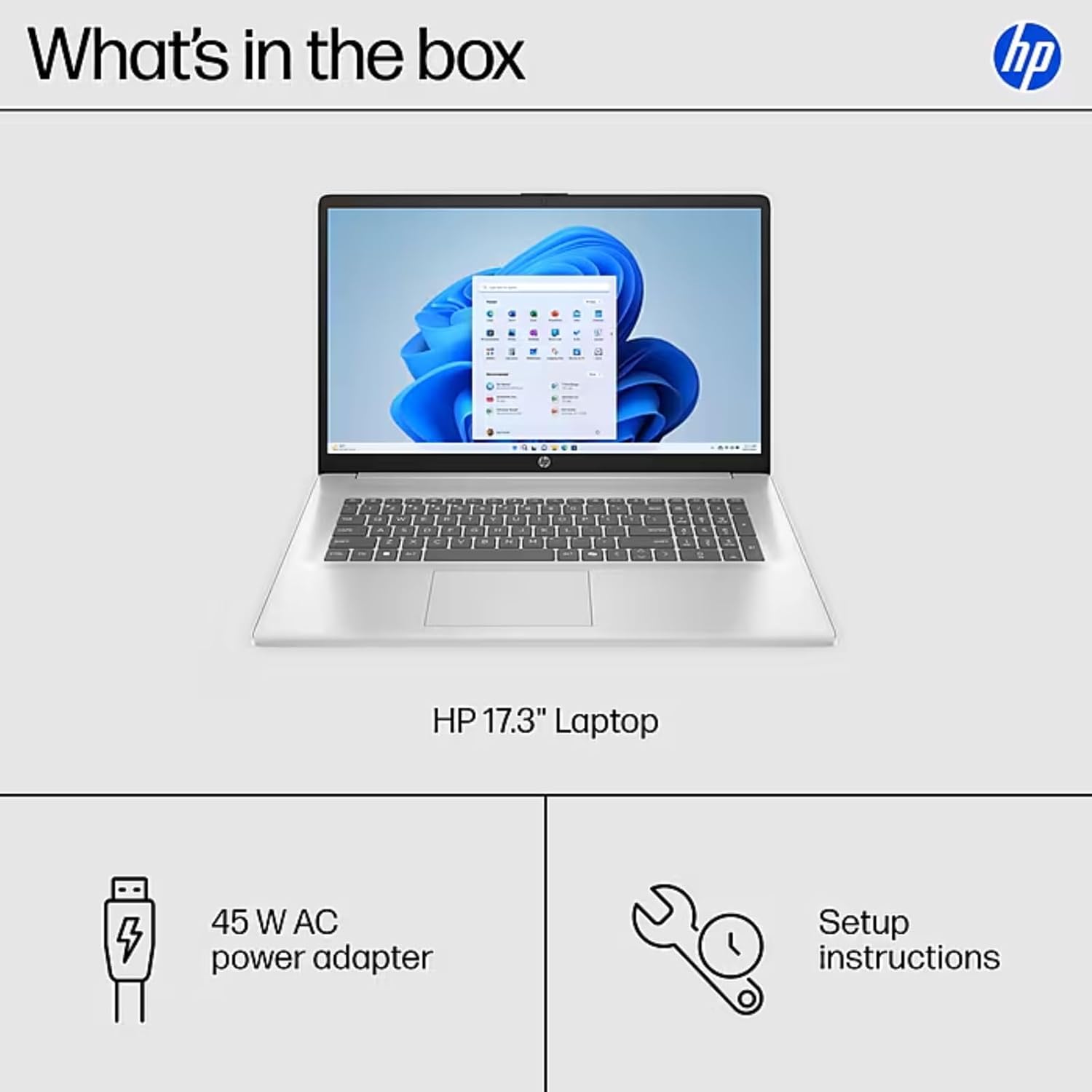
Image: The contents of the HP 17.3" Laptop box, including the laptop, power adapter, and a separate accessory kit.
Nastavení
- Rozbalení notebooku: Opatrně vyjměte notebook a veškeré příslušenství z obalu.
- Připojte napájení: Plug the power adapter into the laptop's AC Smart Pin port and then into a power outlet. Allow the battery to charge for at least 30 minutes before initial use.
- Počáteční spuštění: Open the laptop lid and press the power button. The laptop will guide you through the Windows 11 Pro setup process. Follow the on-screen instructions to configure your language, region, network, and user account.
- Připojení k Wi-Fi: During the initial setup, you will be prompted to connect to a wireless network. Select your network and enter the password.
- Instalovat aktualizace: After setup, it is recommended to check for and install any available Windows updates to ensure optimal performance and security.
Ovládání notebooku
Funkce displeje
The HP 17.3" laptop features a Full HD (1920 x 1080) IPS anti-glare display. This screen provides vibrant colors and wide 178° viewing angles, reducing reflections for comfortable viewing in various lighting conditions. The large screen size is ideal for multitasking, document review, and media consumption.
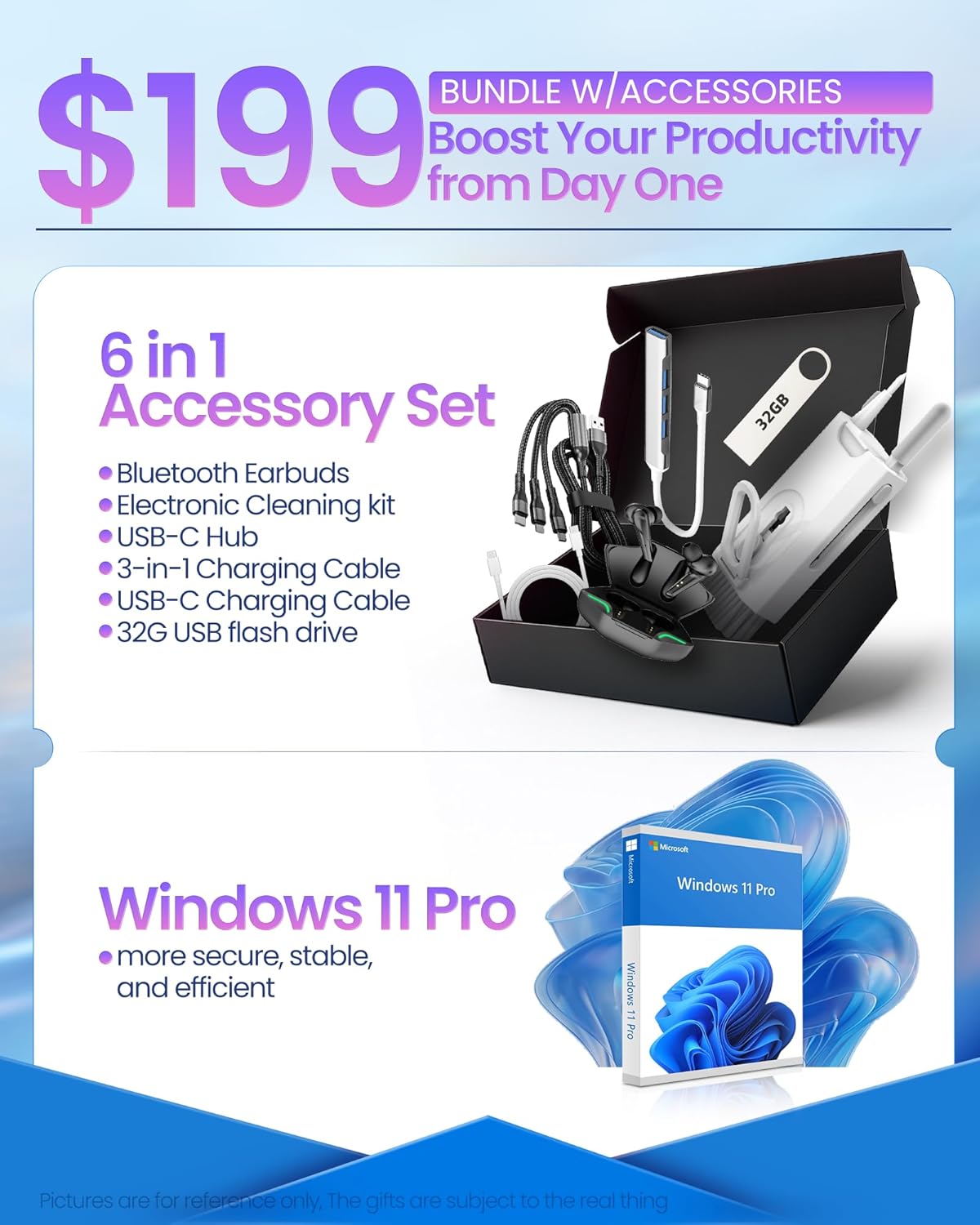
Image: The HP 17.3" laptop showcasing its Full HD display.
Procesor a výkon
Equipped with an Intel Core i3-N305 processor (8 cores, up to 3.9 GHz turbo) and Intel UHD Graphics, this laptop delivers efficient performance for daily tasks, schoolwork, and business applications. The 32GB DDR4 RAM ensures smooth multitasking, while the 2TB NVMe SSD provides fast storage access and quick boot times.

Image: The HP laptop running multiple applications, illustrating its multitasking performance.
Copilot AI Key
The dedicated Copilot AI Key provides instant access to AI-powered productivity tools within Windows 11 Pro. Press this key to quickly get assistance with writing, brainstorming, or finding information, streamlining your workflow.

Obrázek: Detailní záběr view of the Copilot key on the HP laptop keyboard.
Porty a konektivita
Notebook nabízí řadu portů pro připojení periferií a externích displejů:
- 1x USB 2.0 Type-A
- 1 x USB 3.2 Gen 1 Type-A
- 1 x USB 3.2 Gen 1 Type-C (5 Gbps)
- 1x HDMI 1.4b
- 1 x Headphone/Mic Combo Jack
- 1 x AC Smart Pin
For wireless connectivity, the laptop supports Wi-Fi 6 and Bluetooth 5.4.

Obrázek: Podrobný view bočních portů notebooku.
Konec produktuview Video
Video: Úředník u konceview of the HP 17.3" HD Laptop for Student & Business with Windows 11 Pro, highlighting its features and benefits.
Údržba
- Čištění: K čištění obrazovky a vnějšího povrchu použijte měkký hadřík, který nepouští vlákna. V případě odolných skvrn lehceampOtřete hadřík vodou nebo čisticím prostředkem na obrazovky. Vyhněte se agresivním chemikáliím.
- Péče o baterie: Pro prodloužení životnosti baterie se vyhněte extrémním teplotám. Doporučuje se baterii občas vybít pod 20 % a poté ji plně nabít.
- Aktualizace softwaru: Regularly install operating system and driver updates to ensure security and optimal performance.
- Správa úložiště: Pravidelně odstraňujte nepotřebné files and applications to maintain sufficient free storage space on your SSD.
- Fyzická ochrana: Transport your laptop in a protective sleeve or bag to prevent scratches and damage.
Odstraňování problémů
If you encounter issues with your HP laptop, consider the following common solutions:
- Notebook se nezapíná:
- Ujistěte se, že je napájecí adaptér bezpečně připojen k notebooku i k funkční zásuvce.
- Zkontrolujte, zda je zásuvka funkční, zapojením jiného zařízení.
- Zkuste podržet tlačítko napájení po dobu 15-20 sekund, abyste provedli tvrdý reset.
- Screen Issues (No Display, Flickering):
- Připojte externí monitor k portu HDMI a zkontrolujte, zda je problém s displejem nebo grafickým výstupem notebooku.
- Restartujte notebook.
- Ensure display drivers are up to date via Windows Update or HP Support Assistant.
- Problémy s připojením Wi-Fi:
- Toggle Wi-Fi off and on in Windows settings.
- Restartujte router a modem.
- Ensure Wi-Fi drivers are updated.
- Zapomeňte na síť a znovu se připojte.
- Pomalý výkon:
- Zavřete nepotřebné aplikace běžící na pozadí.
- Zkontrolujte Správce úloh, zda neobsahuje procesy spotřebovávající vysokou kapacitu procesoru nebo paměti RAM.
- Ujistěte se, že systém Windows a ovladače jsou aktuální.
- Spusťte čištění disku, abyste uvolnili místo v úložišti.
For more advanced troubleshooting or persistent issues, please refer to the HP support webnebo kontaktujte zákaznický servis.
Specifikace
| Značka | HP |
| Název modelu | HP 17 inch Laptop (B5RH2UA#ABA) |
| Operační systém | Windows 11 Pro |
| Velikost obrazovky | 17.3 palců |
| Rozlišení obrazovky | 1920 x 1080 pixelů (Full HD) |
| Typ zobrazení | IPS, Anti-glare, LED, 178° wide viewing úhly |
| Procesor | Intel Core i3-N305 (8 cores, up to 3.9 GHz) |
| Grafika | Integrovaná grafika Intel UHD Graphics |
| BERAN | 32GB DDR4 (3200 MHz) |
| Skladování | 2TB NVMe SSD |
| Bezdrátové připojení | Wi-Fi 6, Bluetooth 5.4 |
| Porty | 1x USB 2.0 Type-A, 1x USB 3.2 Gen 1 Type-A, 1x USB 3.2 Gen 1 Type-C, 1x HDMI 1.4b, 1x Headphone/Mic Combo, 1x AC Smart Pin |
| Životnost baterie | Up to 9.5 hours (Average: 9 hours) |
| Rozměry (D x Š x V) | 15.78 cm x 10.15 cm x 0.78 cm |
| Hmotnost | 4.6 liber |
| Barva | Stříbro |
Záruka a podpora
Your HP 17 FHD Laptop comes with a standard manufacturer's warranty. For detailed information regarding warranty terms, coverage, and duration, please refer to the warranty card included with your product or visit the official HP support webmísto.
For technical assistance, driver downloads, and frequently asked questions, please visit the HP Support webmísto: support.hp.com. You can also contact HP customer service directly for personalized support.