1. Úvod
Thank you for choosing the SPYMINNPOO S966 Electric Bike LCD Display. This device serves as a comprehensive cycling computer for electric bikes, providing essential ride data, smart meter functions, and secure NFC-based power control. This manual provides detailed instructions for installation, operation, and maintenance to ensure optimal performance and longevity of your display.
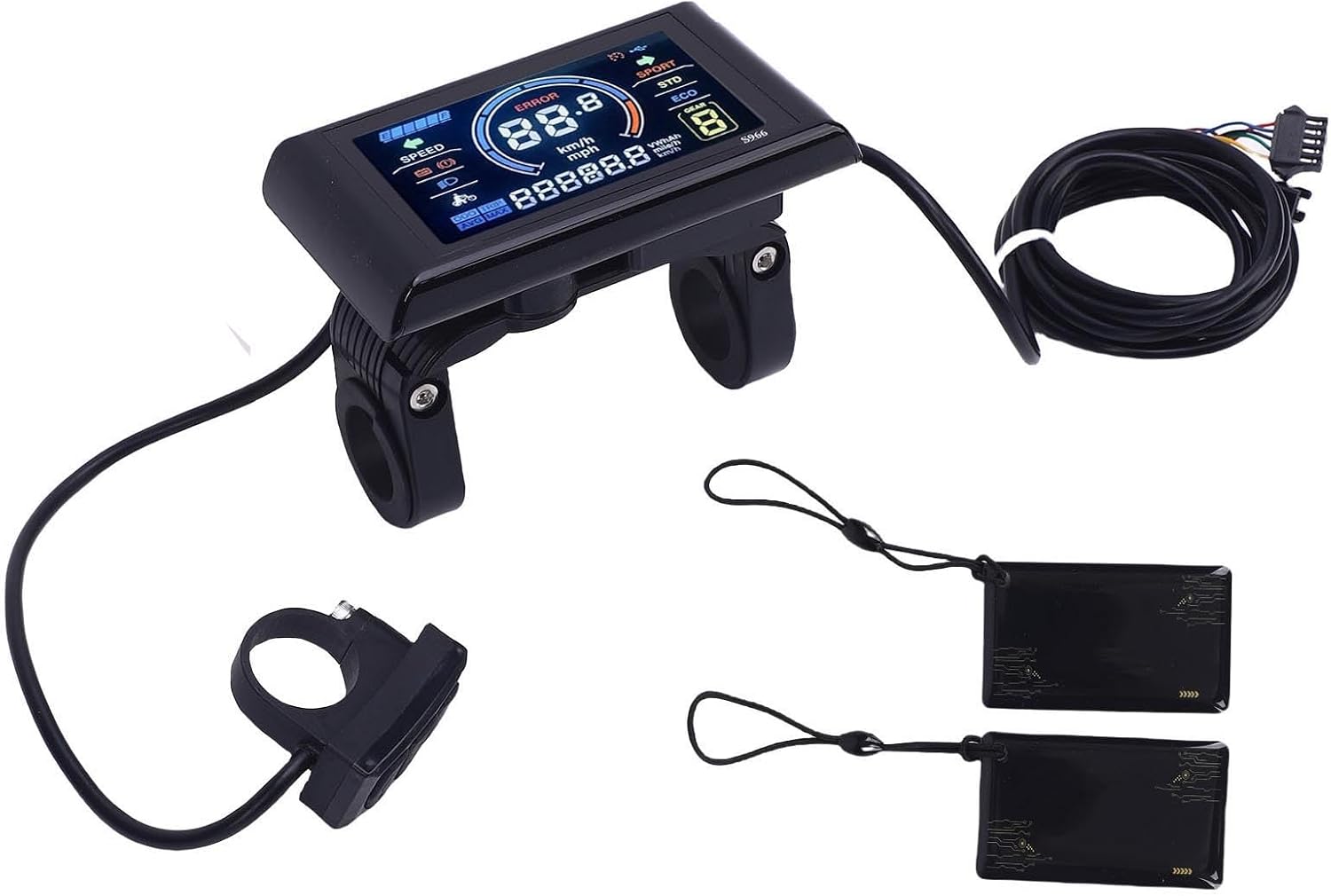
Obrázek 1.1: Konecview of the SPYMINNPOO S966 Electric Bike LCD Display package contents. Shown are the main display unit, a separate control button unit, the connecting wiring harness, and two NFC cards.
2. Obsah balení
Prosím, ověřte, zda jsou v balení přítomny všechny položky:
- 1 x SPYMINNPOO S966 Electric Bike LCD Display Unit
- 1 x Control Button Unit (integrated with wiring)
- 1 x Wiring Harness (pre-attached to display and control unit)
- 2 x NFC karty
- 1 x Uživatelská příručka (tento dokument)
3. Specifikace
| Funkce | Specifikace |
|---|---|
| Název modelu | S966 |
| svtage Kompatibilita | DC24V, DC36V, DC48V |
| Materiál | ABS |
| Typ zobrazení | LCD, Color Display |
| Hmotnost položky | 275 gramů |
| Konektivita | NFC |
| Typ montáže | Držák na řídítka |
| Vstup lidského rozhraní | Tlačítka |
| Hydroizolace | Designed for wet conditions |

Image 3.1: The S966 display unit with key dimensions indicated: 100mm (3.93in) length, 61.5mm (2.42in) height, and 22.2mm (0.87in) handlebar clamp průměr.
4. Bezpečnostní informace
Please read and understand all safety instructions before installing and operating the display. Failure to do so may result in damage to the product or personal injury.
- Doporučená profesionální instalace: If you are unsure about the installation process, seek assistance from a qualified bicycle technician.
- Power Off Before Connection: Always ensure the e-bike's power is turned off before connecting or disconnecting any components.
- Správný svtage: Verify that your e-bike's battery voltage (24V, 36V, or 48V) matches the display's compatibility.
- Bezpečná montáž: Ensure the display and control unit are securely mounted to the handlebar and do not obstruct steering or braking.
- Integrita kabeláže: Check all wiring connections for proper seating and ensure no wires are pinched or exposed.
- Voděodolnost: While the display is designed to be waterproof, avoid submerging it in water or using high-pressure washers directly on the unit.
5. Nastavení
5.1. Instalace
- Vyberte místo montáže: Select a suitable position on your e-bike's handlebar for the display unit and the control button unit. Ensure they are easily accessible and do not interfere with other controls.
- Montáž displeje: Loosen the screws on the display's handlebar clamp. Position the display on the handlebar and tighten the screws until it is secure. Do not overtighten.
- Namontujte řídicí jednotku: Similarly, mount the control button unit on the handlebar in a comfortable position for your thumb.

Image 5.1: The S966 display and control unit installed on an electric bicycle handlebar, with the bike parked in the background.
5.2. Připojení vodičů
The S966 display connects to your e-bike's controller via a multi-pin SM connector. It is crucial that your controller supports the same communication protocol as the S966 display.
- Identify Controller Port: Locate the corresponding display port on your e-bike's controller.
- Připojte kabelový svazek: Carefully align the pins of the display's wiring harness connector with the controller's port. Push firmly until the connector is fully seated and secured.
- Správa kabelů: Route the cables neatly along the bike frame, securing them with cable ties to prevent snagging or damage.
6. Návod k obsluze
6.1. Power On/Off with NFC Card
The S966 display utilizes NFC technology for secure power activation. To turn the display on or off:
- Zapnutí: Hold one of the provided NFC cards near the designated NFC sensing area on the display. The display will power on, and you may hear a 'click' sound indicating successful card sensing.
- Vypnutí: Repeat the process by holding the NFC card near the sensing area. The display will power off.
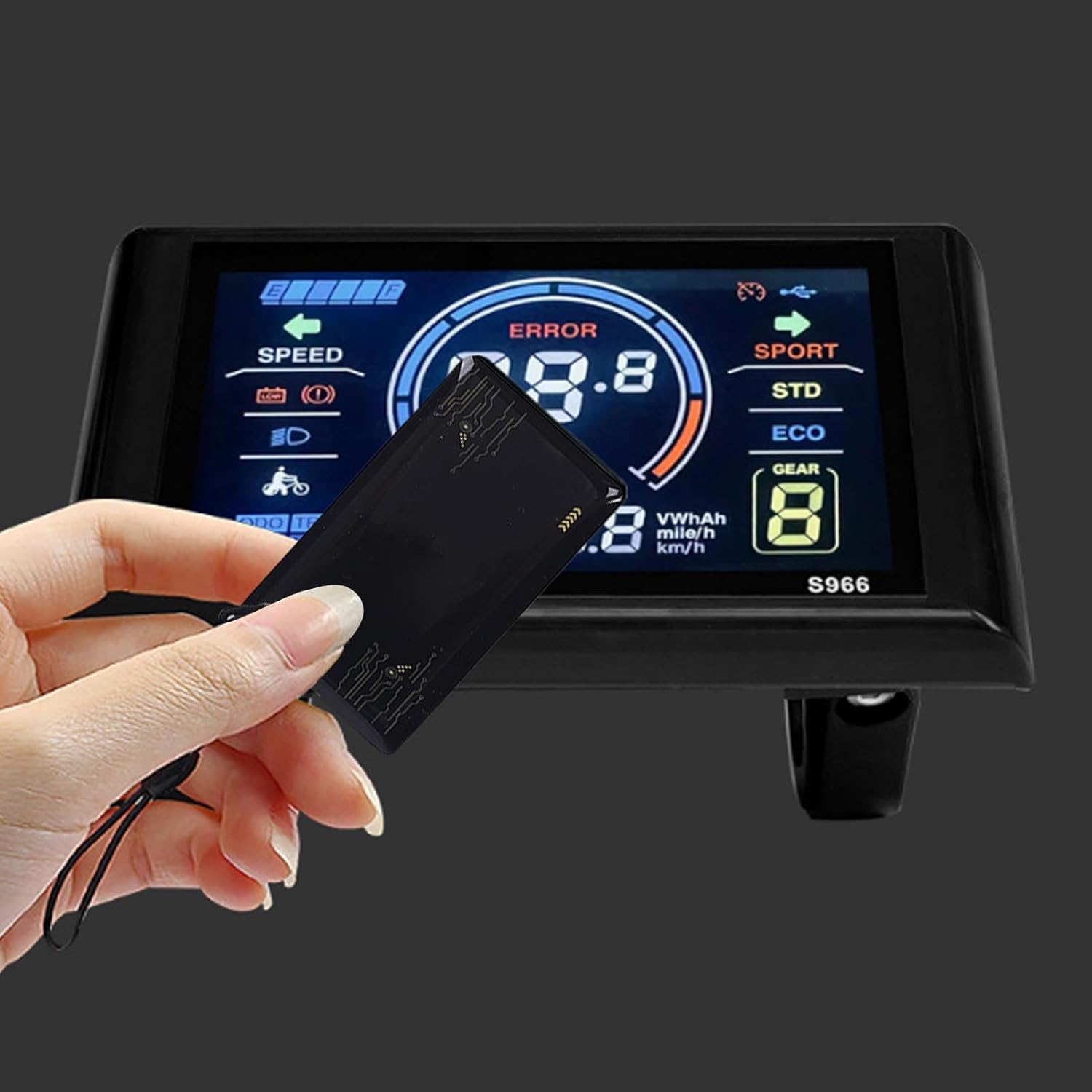
Image 6.1: A hand demonstrating the use of an NFC card to interact with the S966 display, likely for power activation.
6.2. Zobrazit přesview
The high-resolution LCD screen provides clear and comprehensive information at a glance.

Obrázek 6.2: Podrobný view of the S966 display screen, showing various indicators such as speed, battery level, error messages, and riding modes.
Key indicators typically include:
- Rychlost: Current riding speed (km/h or mph).
- Úroveň baterie: Grafické znázornění zbývajícího nabití baterie.
- Indikátor chyby: Displays error codes if a system fault occurs.
- Assistance Level/Gear: Current pedal assist level (e.g., ECO, STD, SPORT, or numerical gear).
- Počítadlo kilometrů (ODO): Celková ujetá vzdálenost.
- Trip Distance (TRIP): Ujetá vzdálenost během aktuální jízdy.
- Průměrná rychlost (AVG): Průměrná rychlost aktuální jízdy.
- Maximum Speed (MAX): Maximum speed achieved during the current ride.
- Indikátor světlometů: Shows if the e-bike's headlights are on.
6.3. Funkce tlačítek
The separate control unit typically features three buttons for navigating the display and adjusting settings:

Image 6.3: The S966 display connected to its wired control unit, which features three buttons for operation.
- Tlačítko nahoru (▲): Typically used to increase pedal assist level, scroll up through menus, or increase values in settings.
- Tlačítko dolů (▼): Typically used to decrease pedal assist level, scroll down through menus, or decrease values in settings.
- Mode/Menu Button (M): Used to cycle through display information (e.g., ODO, TRIP, AVG, MAX), enter/exit settings menus, or confirm selections. A long press often activates specific functions or enters the settings menu.
6.4. Nastavení parametrů
To access and adjust various parameters (e.g., wheel size, speed unit, backlight brightness), typically:
- Zadejte nastavení: With the display on, press and hold the 'M' button for a few seconds until the settings menu appears.
- Navigovat: Use the Up (▲) and Down (▼) buttons to scroll through the available settings options.
- Select/Adjust: Press the 'M' button briefly to select a setting. Use the Up (▲) and Down (▼) buttons to adjust the value.
- Confirm/Exit: Press the 'M' button again to confirm the adjustment. To exit the settings menu, typically a long press of the 'M' button or navigating to an 'Exit' option is required.
7. Údržba
Proper maintenance ensures the longevity and reliability of your S966 display.
- Čištění: Otřete displej a tělo měkkým hadříkemamp hadříkem. Nepoužívejte abrazivní čisticí prostředky, rozpouštědla ani agresivní chemikálie, protože by mohly poškodit obrazovku neboasing.
- Vystavení vodě: Although designed to be waterproof, prolonged exposure to heavy rain or direct high-pressure water jets should be avoided. Ensure the connector is dry before powering on after wet conditions.
- Skladování: When not in use for extended periods, store the e-bike and display in a dry, cool place away from direct sunlight.
- Kontrola kabelů: Periodically check all cables and connectors for signs of wear, fraying, or damage. Ensure connections remain secure.
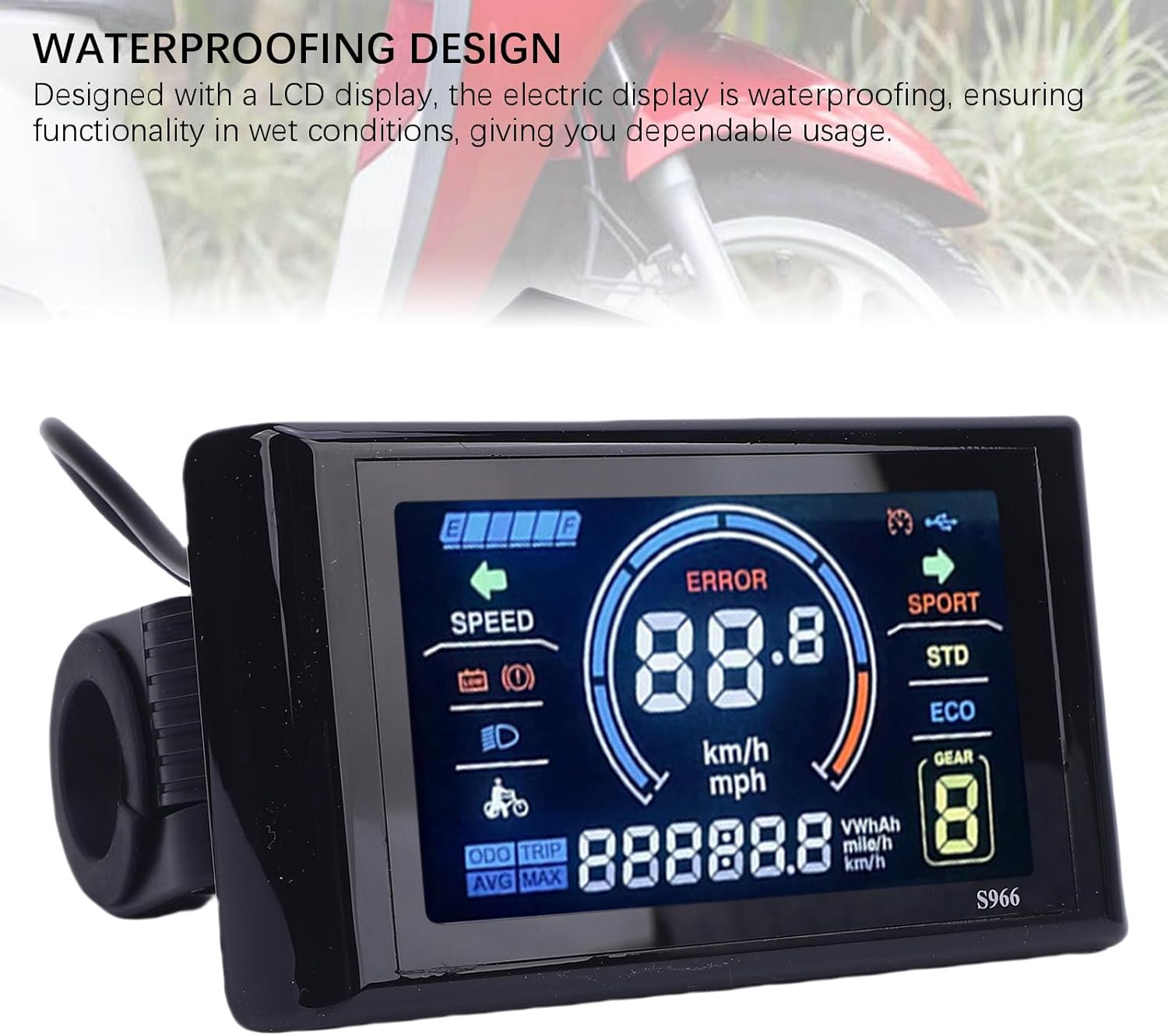
Image 7.1: The S966 display unit, highlighting its waterproof design, suitable for use in various weather conditions.
8. Řešení problémů
If you encounter issues with your S966 display, refer to the following common problems and solutions:
| Problém | Možná příčina | Řešení |
|---|---|---|
| Displej se nezapne | NFC card not detected, loose connection, no power from controller | Ensure NFC card is correctly presented. Check all wiring connections to the controller. Verify e-bike battery is charged and powered on. |
| Error Code 10 displayed | Communication error between display and controller | This error typically indicates a communication issue. First, power off the e-bike and display, then check all wiring connections between the display and the controller for looseness or damage. Ensure the controller is compatible with the display's communication protocol. If the issue persists, contact customer support. |
| Inaccurate speed/distance readings | Incorrect wheel size setting, faulty speed sensor | Access the settings menu to verify and adjust the wheel size parameter. Check the speed sensor for proper installation and function. |
| Tlačítka nereagují | Loose connection, internal fault | Check the connection of the control button unit. If the issue persists, contact customer support. |
9. Záruka a podpora
The SPYMINNPOO S966 Electric Bike LCD Display comes with a manufacturer's warranty of 90 dní od data nákupu. Tato záruka se vztahuje na vady materiálu a zpracování při běžném používání.
For warranty claims, technical support, or any questions not covered in this manual, please contact your retailer or the SPYMINNPOO customer service department. Please have your purchase receipt and product model information ready when contacting support.

