1. Úvod
The LS W40C is a high-performance professional curved panel light designed for various applications including live streaming, commercial shooting, scene photography, TV, and video productions. Its unique curved shape provides an ultra-wide 190-degree light-emitting surface, ensuring broad and even illumination. This manual provides essential information for the safe and effective use of your LS W40C light.
Key features include a 45W maximum power output, a wide color temperature range of 2700K-10000K, 19 built-in light effects, and support for app control via Bluetooth. The light also offers versatile power supply options and a detachable control box for flexible operation.

The LS W40C RGB Curved Panel Light, featuring its unique curved design, detachable control box, and flexible octopus stand.
2. Co je v krabici
Zkontrolujte prosím, zda jsou v balení obsaženy všechny následující položky:
- 1x Lamp body (LS W40C)
- 1 x Octopus stand
- 1 x napájecí adaptér
3. Nastavení
3.1 Attaching the Octopus Stand
- Locate the mounting screw on the top of the octopus stand.
- Align the screw with the mounting hole at the bottom of the LS W40C lamp tělo.
- Otočte lamp body clockwise onto the stand until securely fastened. Do not overtighten.
3.2 Možnosti napájení
The LS W40C supports four power supply modes:
- Nabíječka: Connect the provided power adapter to the DC input port on the lamp body and plug it into a wall outlet.
- Camera Lithium Battery: The light is compatible with standard camera lithium batteries (not included). Insert the battery into the designated battery slot on the rear of the lamp.
- PD2.0 Mobile Power Supply: Use a compatible PD2.0 power bank (not included) connected via the USB-C port.
- Rukojeť baterie: Attach a compatible battery handle (not included) to the lamp for portable power.
3.3 Attaching/Detaching the Control Box
The control box can be attached directly to the back of the lamp body via magnetic adsorption for integrated control, or detached for remote operation.
- To attach: Align the control box with the magnetic contacts on the back of the lamp body until it snaps into place.
- To detach: Gently pull the control box away from the lamp tělo.

The rear of the LS W40C panel light, demonstrating how the control box attaches magnetically for integrated or remote operation.
4. Návod k obsluze
4.1 Zapnutí/vypnutí
Press and hold the power button on the control box for approximately 2 seconds to turn the light on or off.
4.2 Používání ovládací jednotky
The control box features a display and several dials/buttons for adjusting light parameters:
- Nastavení jasu: Rotate the designated dial to increase or decrease the light intensity.
- Nastavení teploty barev: Rotate the color temperature dial to change the color temperature from 2700K (warm) to 10000K (cool).
- RGB Mode/Light Effects: Press the mode button to cycle through different lighting modes, including RGB full-color mode and 19 pre-programmed light effects (e.g., lightning, police car, fire). Use the corresponding dial to adjust parameters within these modes.
- Výběr kanálu: Use the 'CH' button to select a control channel for multi-light setups.

The detachable control box for the LS W40C, showing its display interface for adjusting light parameters such as brightness and color temperature.
4.3 Ovládání aplikací (Bluetooth)
The LS W40C can be controlled wirelessly via a dedicated mobile application using Bluetooth connectivity.
- Download the official LS lighting app from your device's app store.
- Ujistěte se, že je na vašem mobilním zařízení povoleno Bluetooth.
- Open the app and follow the on-screen instructions to pair with your LS W40C light.
- Once connected, you can adjust brightness, color temperature, RGB values, and select light effects directly from your phone.

A user demonstrating the remote control capability of the LS W40C by holding its detached control box, allowing for flexible adjustments.
5. Údržba
5.1 Čištění
- Ensure the light is powered off and disconnected from all power sources before cleaning.
- K otření l použijte měkký, suchý hadříkamp body and control box.
- Na odolné nečistoty lehce damphadřík vodou. Nepoužívejte agresivní chemikálie ani abrazivní čisticí prostředky.
- Do not spray cleaning liquids directly onto the light.
5.2 Skladování
When not in use, store the LS W40C in a cool, dry place, away from direct sunlight and extreme temperatures. If storing for an extended period, remove any installed batteries.
6. Řešení problémů
| Problém | Možná příčina | Řešení |
|---|---|---|
| Světlo se nerozsvítí | No power supply; Battery depleted; Loose connection | Check power adapter connection; Recharge or replace battery; Ensure all connections are secure. |
| App cannot connect to light | Bluetooth off; Light not in pairing mode; App issue | Ensure Bluetooth is enabled on your device; Restart the light and app; Try re-pairing the device. |
| Incorrect color/brightness output | Settings misconfigured; Light effect active | Adjust settings via control box or app; Ensure you are in the desired mode (e.g., CCT mode for color temperature). |
7. Specifikace
| Funkce | Detail |
|---|---|
| Model | W40C |
| Značka | LS |
| Výkon | 45W (max.) |
| Rozsah teploty barev | 2700K - 10000K |
| Úhel paprsku | 190° |
| Světelné efekty | 19 vestavěných efektů |
| Konektivita | Bluetooth (App Control) |
| Režimy napájení | Charger, Camera Lithium Battery, PD2.0 Mobile Power, Battery Handle |
| ASIN | B0DBTPRZQ5 |
| Datum první dostupnosti | 1. srpna 2024 |

The LS W40C panel light showcasing its expansive 190-degree wide-angle light distribution, designed for broad and even coverage.
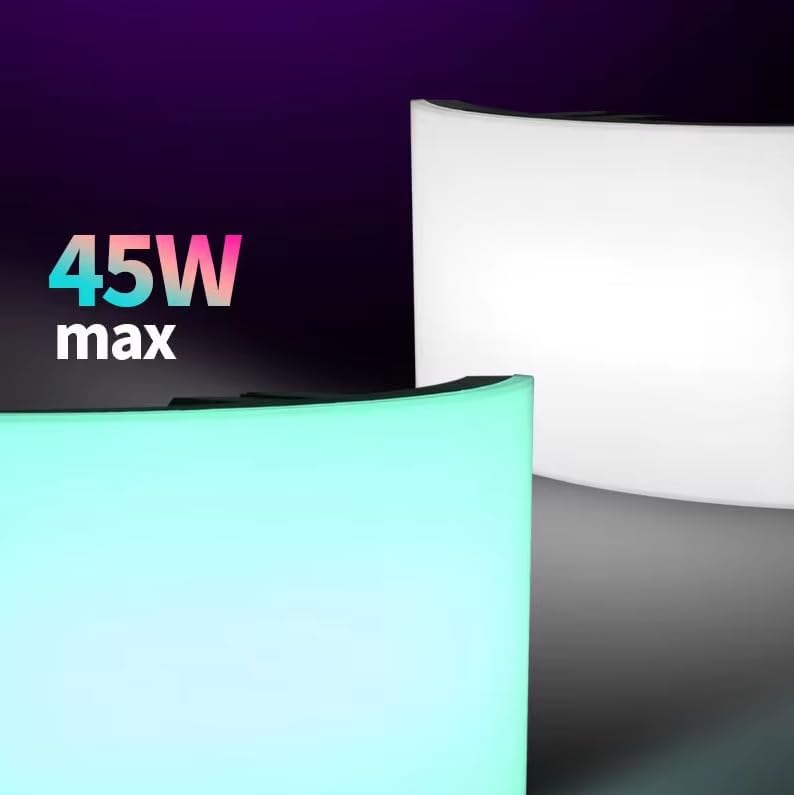
An image emphasizing the 45W maximum power output of the LS W40C panel light, indicating its capacity for bright illumination.
8. Záruka a podpora
For warranty information and technical support, please refer to the official LS webnebo se obraťte na autorizovaného prodejce. Uschovejte si účtenku jako doklad o koupi pro případné reklamace.