1. Přesview
This manual provides essential information for setting up, operating, maintaining, and troubleshooting your HP 14-dq5009nr laptop. Designed for productivity and entertainment, this thin and light laptop offers reliable performance for everyday tasks.

Figure 1: HP 14-dq5009nr Laptop in Natural Silver.
Klíčové vlastnosti:
- Micro-Edge HD Display: Enjoy an ultra-wide viewing experience with minimal bezel.
- Intel Core i3-1215U Processor: 12th Generation Intel Core processor with 6 cores for multitasking.
- Grafika Intel UHD: Smooth streaming of 4K content and casual gaming.
- Úložiště a paměť: 256 GB PCIe NVMe M.2 SSD for fast performance and 8 GB DDR4 RAM for enhanced multitasking.
- Windows 11 Home v režimu S: Secure operating system with fast boot times and protection against malware.

Obrázek 2: Přesview of the HP 14-dq5009nr Laptop's main features including display, processor, graphics, storage, and memory.
2. Nastavení
2.1 První zapnutí
- Vybalte notebook a veškeré příslušenství z krabice.
- Připojte napájecí adaptér k nabíjecímu portu notebooku a poté do elektrické zásuvky.
- Otevřete víko notebooku. Notebook se může zapnout automaticky, nebo může být nutné stisknout tlačítko napájení umístěné v pravém horním rohu klávesnice.
- Follow the on-screen instructions to complete the Windows 11 Home in S Mode setup, including selecting your region, language, and connecting to a Wi-Fi network.

Figure 3: The HP laptop screen showing the Windows 11 Start Menu, indicating successful initial setup.
2.2 Připojení k Wi-Fi
During the initial setup, you will be prompted to connect to a wireless network. If you need to connect later or change networks:
- Klikněte na Ikona sítě (usually a Wi-Fi symbol) in the bottom-right corner of the taskbar.
- Vyberte ze seznamu požadovanou síť Wi-Fi.
- Klikněte Připojit a v případě potřeby zadejte bezpečnostní klíč sítě (heslo).
3. Operating Your HP Laptop
3.1 Klávesnice a touchpad
The laptop features a full-sized keyboard and an integrated precision touchpad with multi-touch support. The touchpad supports gestures for smooth scrolling, zooming, and navigation.
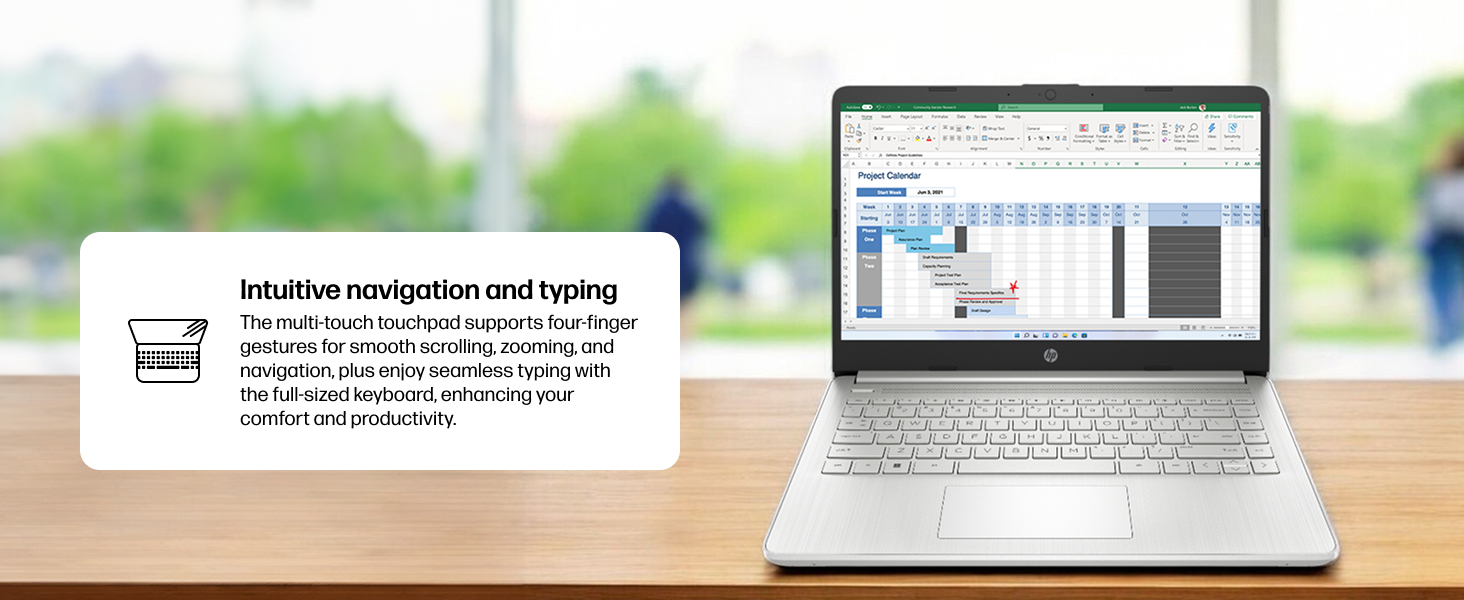
Figure 4: Demonstrating intuitive navigation and typing with the multi-touch touchpad and full-sized keyboard.
3.2 Displej a grafika
Your HP laptop is equipped with a 14-inch HD micro-edge display and Intel UHD Graphics, providing vibrant visuals for various tasks, from web browsing to multimedia consumption.
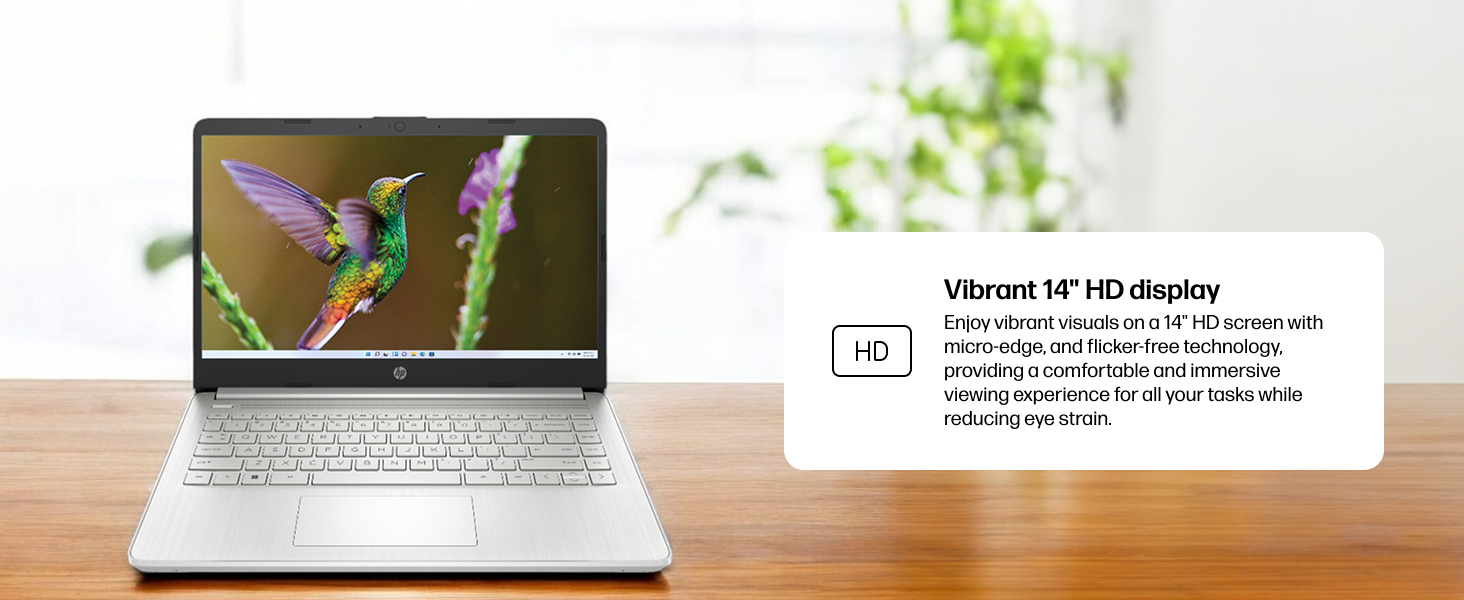
Obrázek 5: Zobrazení obrazovky notebookuasing vivid visuals powered by Intel UHD graphics.
3.3 Porty a konektivita
The laptop offers a range of ports for connecting peripherals and external devices:
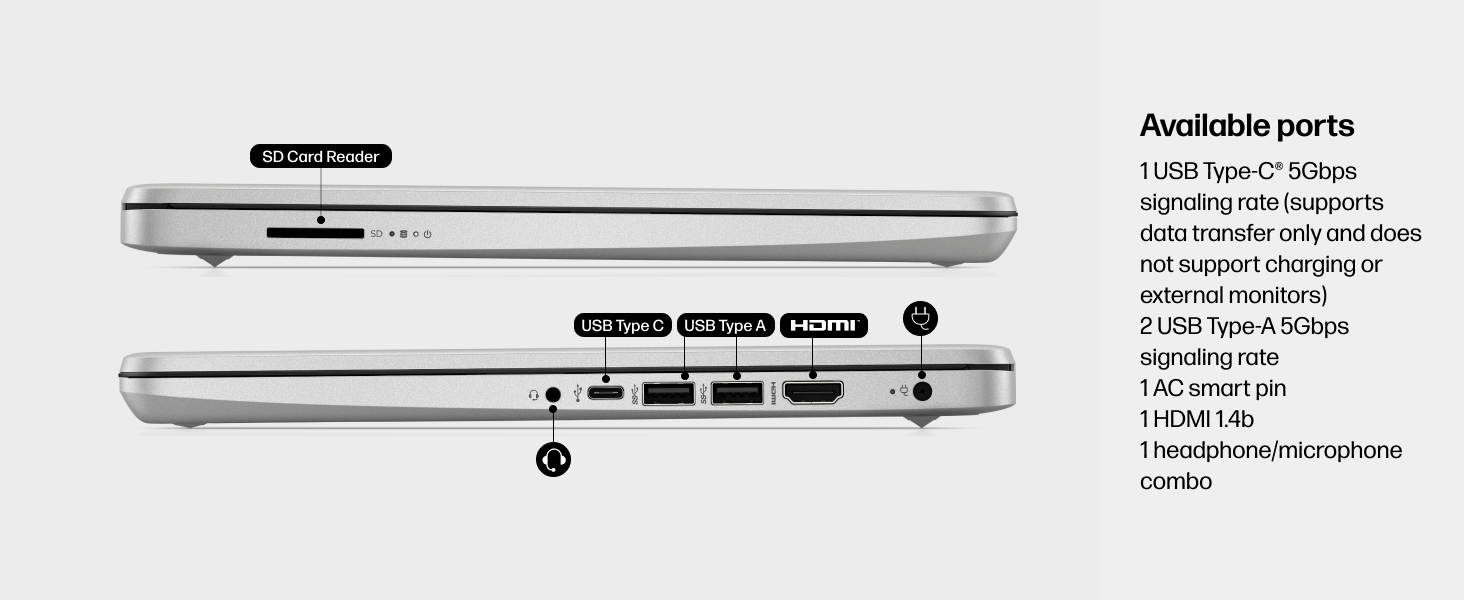
Obrázek 6: Detailní view of the available ports on the HP 14-dq5009nr laptop.
- 1 USB Type-C® 5Gbps signaling rate (supports data transfer only, no charging or external monitors)
- 2 Signalizační rychlost USB Type-A 5 Gb/s
- 1 AC smart pin (for power adapter)
- 1 HDMI 1.4b
- 1 Kombinovaný konektor pro sluchátka/mikrofon
- 1 SD Card Reader
4. Údržba
4.1 Péče o baterii
The HP 14-dq5009nr features a long-lasting battery and HP Fast Charge technology, allowing you to charge from 0 to 50% in approximately 45 minutes. To maximize battery lifespan:
- Vyhněte se extrémním teplotám.
- Pravidelně baterii úplně nevybíjejte.
- Store the laptop with a partial charge if not used for extended periods.
4.2 Pokyny pro čištění
- Použijte měkký hadřík, který nepouští vlákna dampDisplej opláchněte vodou nebo čističem obrazovek.
- Na klávesnici a šasi použijte měkký hadřík. Nepoužívejte agresivní chemikálie.
4.3 Aktualizace softwaru
Ensure your Windows 11 operating system and drivers are regularly updated for optimal performance and security. Windows Update typically handles this automatically.
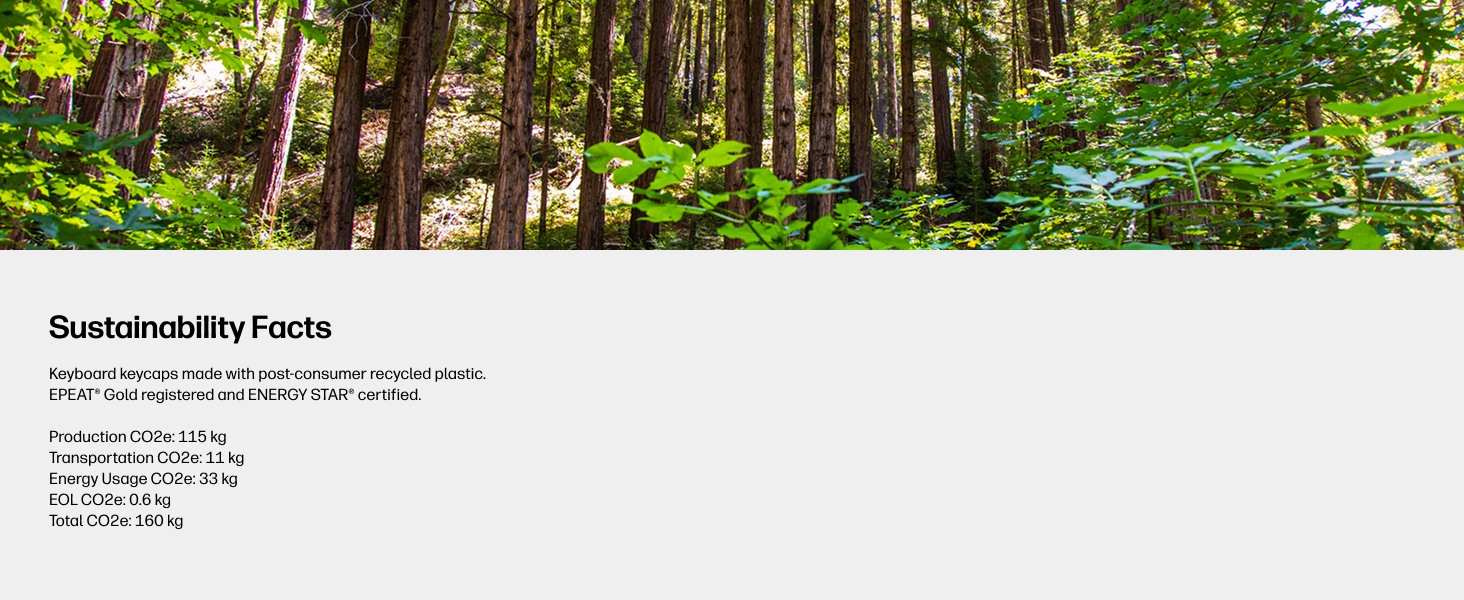
Figure 7: The laptop's keyboard keycaps are made from post-consumer recycled plastic, reflecting HP's commitment to sustainability.
5. Řešení problémů
5.1 Problémy s napájením
- Notebook se nezapíná: Ensure the power adapter is securely connected and the battery has sufficient charge. Try pressing and holding the power button for 15 seconds.
- Baterie se nenabíjí: Zkontrolujte, zda napájecí adaptér a kabel nejsou poškozené. Zkuste jinou zásuvku.
5.2 Problémy se zobrazením
- Prázdná obrazovka: Connect an external monitor to check if the display is the issue. Try adjusting screen brightness using the function keys (F2/F3 or similar, look for sun icons).
- Blikající obrazovka: Aktualizujte ovladače grafiky.
5.3 Problémy s připojením
- Nelze se připojit k Wi-Fi: Ensure Wi-Fi is enabled in Windows settings. Restart your router and modem.
- Zařízení Bluetooth se nespáruje: Ujistěte se, že je na obou zařízeních povoleno Bluetooth a že jsou v režimu párování.
6. Specifikace
| Funkce | Specifikace |
|---|---|
| Velikost stálé obrazovky | 14 palce |
| Rozlišení obrazovky | 1366 x 768 pixelů (HD) |
| Procesor | Intel Core i3-1215U (4.4 GHz) |
| BERAN | 8 GB DDR4 (2400 MHz) |
| Pevný disk | 256GB SSD (PCIe NVMe M.2) |
| Grafický koprocesor | Grafika Intel UHD |
| Operační systém | Windows 11 Home v režimu S |
| Bezdrátový typ | 802.11a/b/g/n/ac, Bluetooth |
| Hmotnost položky | 3.24 libry |
| Rozměry produktu | 12.76 x 0.71 x 8.86 palce |
| Barva | Stříbro |
7. Záruka a podpora
7.1 Informace o záruce
Your HP 14-dq5009nr laptop comes with a 1letá omezená záruka na hardwareNavíc, 90denní omezená technická podpora for software and initial setup is provided when the product is shipped from and sold by Amazon.
7.2 Technická podpora
For technical assistance, please refer to the official HP support channels. Web support is available 24 hours a day, 7 days a week. You can also visit the Obchod HP na Amazonu pro více informací a zdrojů.