Zavedení
This manual provides essential information for the proper use and care of your GameSir USB-A to USB-C Cable. Please read these instructions carefully before use to ensure optimal performance and longevity of the product.
The GameSir USB-A to USB-C cable is designed for connecting GameSir controllers and other compatible USB-C devices to a USB-A port for data transfer and charging.
Vlastnosti produktu
- Typ konektoru: USB-A na USB-C
- Délka kabelu: 1.8 metrů (5.9 stop)
- Materiál: Durable PVC outer jacket
- Funkčnost: Přenos dat a nabíjení
- Kompatibilita: Compatible with all GameSir controllers that support wired connection, and other USB Type-C devices.

Obrázek: Detail view of the USB-A and USB-C connectors of the GameSir cable.

Image: The GameSir USB-A to USB-C cable with "GAMESIR PVC CABLE" branding, highlighting its material.

Image: The GameSir USB-A to USB-C cable coiled, illustrating its 1.8-meter (5.9-foot) length.
Nastavení
- Identifikace portů: Locate the USB-A port on your computer, gaming console, or power adapter, and the USB-C port on your GameSir controller or other compatible device.
- Připojení USB-A: Insert the USB-A end of the cable into the USB-A port of your host device (e.g., PC, console).
- Připojení USB-C: Insert the USB-C end of the cable into the USB-C port of your GameSir controller or other compatible device. Ensure the connection is firm.
- Plug and Play: The cable is designed for plug-and-play functionality. Your device should automatically recognize the connection for data transfer or charging.

Image: The GameSir USB-A to USB-C cable connected to various GameSir controllers, demonstrating wired connection support.
Návod k obsluze
Once connected, the GameSir USB-A to USB-C cable facilitates two primary functions:
- Přenos dat: For GameSir controllers, this enables a wired connection to your gaming platform, reducing input lag and ensuring a stable connection for gameplay. For other compatible devices, it allows for data synchronization.
- Nabíjení: When connected to a power source (e.g., a USB wall adapter or a powered USB port on a computer/console), the cable will charge your compatible USB-C device.
Ensure your device's drivers are up-to-date if experiencing connectivity issues with a computer.
Údržba a péče
To ensure the longevity and optimal performance of your GameSir USB-A to USB-C cable, follow these maintenance guidelines:
- Skladování: Kabel skladujte na chladném a suchém místě mimo dosah přímého slunečního záření a extrémních teplot. Zabraňte silnému svíjení nebo ohýbání kabelu v ostrých úhlech.
- Čištění: Kabel a konektory jemně otřete měkkým, suchým hadříkem. Nepoužívejte agresivní chemikálie ani abrazivní čisticí prostředky.
- Zacházení: Always grasp the connector head when plugging or unplugging the cable. Avoid pulling directly on the cable itself, as this can damage the internal wires.
- Trvanlivost: The cable features a clean and durable PVC outer jacket, rigorously tested for durability through plugging, suspension, and bending simulations. However, excessive force or improper handling can still cause damage.
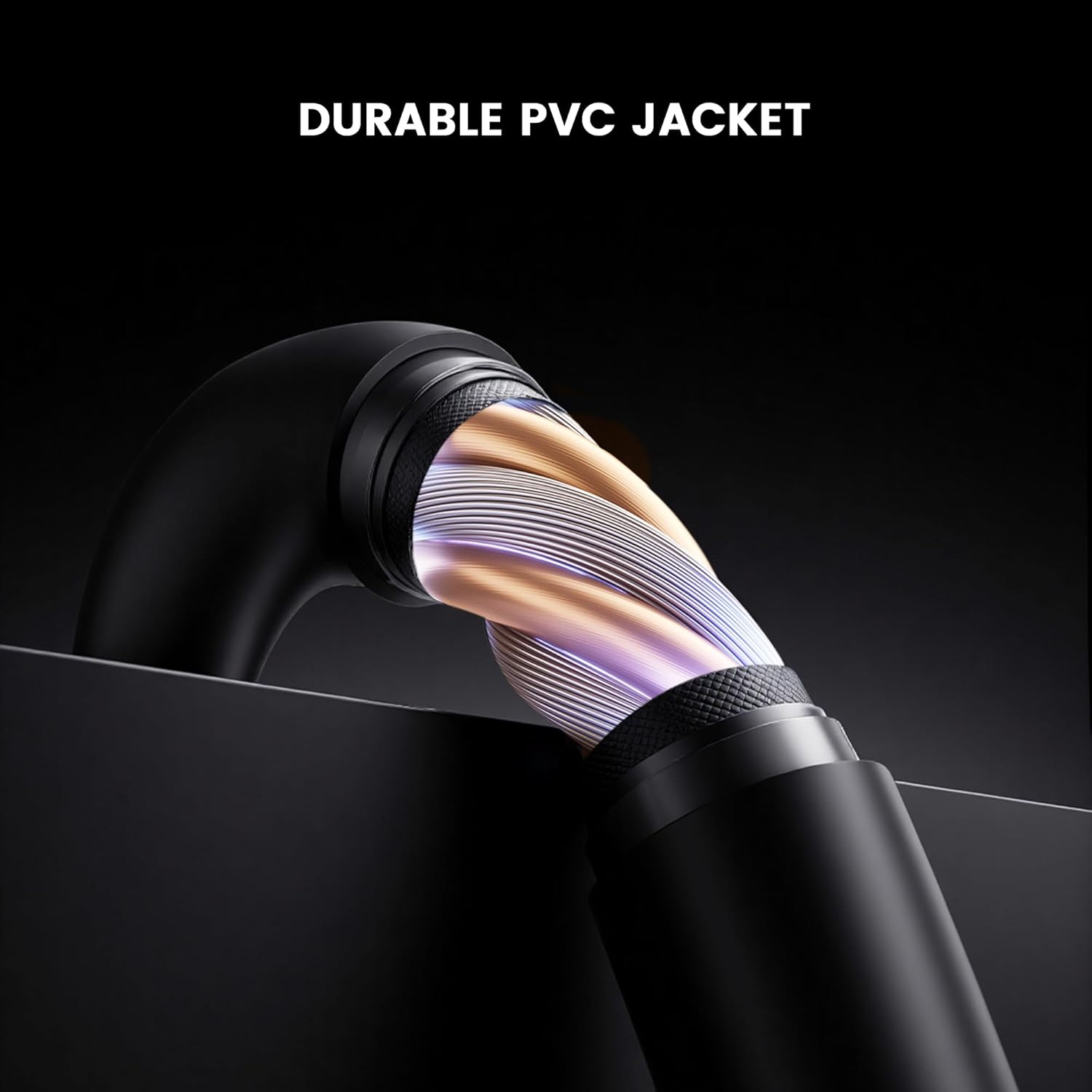
Obrázek: Průřez view of the GameSir USB-A to USB-C cable, highlighting its durable PVC jacket and internal construction.
Odstraňování problémů
If you encounter issues with your GameSir USB-A to USB-C cable, refer to the following common troubleshooting steps:
- Zařízení nebylo rozpoznáno:
- Ujistěte se, že oba konce kabelu jsou bezpečně připojeny k příslušným portům.
- Try connecting the cable to a different USB-A port on your host device.
- Test the cable with another compatible USB-C device to rule out an issue with the original device.
- If connecting to a computer, ensure necessary drivers for your GameSir controller or device are installed and up-to-date.
- Pomalé nabíjení nebo žádné nabíjení:
- Verify that the power source (e.g., wall adapter, computer USB port) is providing sufficient power.
- Ensure the cable is fully inserted into both the power source and the device.
- Try a different power source or wall adapter.
- Přerušované připojení:
- Zkontrolujte, zda kabel nebo konektory nejsou viditelně poškozené.
- Ensure there is no dust or debris in the USB ports of your devices or the cable connectors.
- Avoid bending or stressing the cable during use.
Specifikace
| Značka | GameSir |
| Číslo modelu | 6936685221581 |
| Typ konektoru | USB Type C (Male) to USB Type A (Male) |
| Typ kabelu | USB |
| Délka kabelu | 1.8 metrů (5.9 stop) |
| Barva | Černý |
| Kompatibilní zařízení | GameSir Gaming Consoles/Controllers, other USB Type-C devices |
| Speciální funkce | Přenos dat |
| Materiál vnějšího pláště | PVC |
| Vnitřní/venkovní použití | Krytý |
| Hmotnost položky | 1.76 unce |
Záruka a podpora
Informace o záruce a technickou podporu získáte na oficiálních stránkách GameSir. website or contact GameSir customer service directly. Keep your purchase receipt for warranty claims.
GameSir Official Store US: Informace o prodejci


