1. Úvod
This manual provides essential information for the safe and efficient use of your Cecotec A2 Series ALU20065Z 65-inch 4K UHD Smart TV. This television features Android 11, a frameless design, a central base, MEMC technology, Dolby Vision, Dolby Atmos, HDR10, and two integrated 10W speakers, offering an immersive viewing a zvukový zážitek.
1.1. Obsah balení
- 1 x Cecotec A2 Series ALU20065Z 65-inch 4K UHD Smart TV
- 2 x AAA baterie
- 1 x Dálkové ovládání
- 1 x Uživatelská příručka

2. Bezpečnostní informace
Before operating the television, please read all safety instructions carefully. Keep this manual for future reference.
- Elektrická bezpečnost: Nevystavujte televizor dešti ani vlhkosti. Ujistěte se, že napájecí kabel není poškozený nebo skřípnutý. Odpojte napájecí kabel ze zásuvky během bouřek nebo pokud jej nebudete delší dobu používat.
- Větrání: Ensure adequate ventilation around the TV. Do not block ventilation openings. Avoid placing the TV on soft surfaces that may block airflow.
- Umístění: Place the TV on a stable, level surface. Avoid direct sunlight, heat sources, or extreme temperatures. Keep away from water and high humidity.
- Čištění: Před čištěním televizor odpojte ze zásuvky. Použijte měkký, suchý hadřík. Nepoužívejte tekuté ani aerosolové čisticí prostředky.
- Zacházení: Handle the TV with care. Two people are recommended for lifting and moving the 65-inch model.
3. Nastavení
3.1. Vybalování
Carefully remove the TV from its packaging. Retain the packaging materials for potential future transport or service.
3.2. Instalace stojanu
To install the central stand:
- Umístěte televizor displejem dolů na měkký, rovný povrch, abyste zabránili poškození obrazovky.
- Zarovnejte stojan s montážními otvory na spodní straně televizoru.
- Zajistěte stojan pomocí dodaných šroubů. Ujistěte se, že je pevně upevněn.

3.3. Montáž na stěnu (volitelné)
If you choose to wall mount your TV, ensure you use a VESA-compatible wall mount kit (not included) appropriate for the TV's size and weight. Professional installation is recommended to ensure safety and proper mounting.
3.4. Připojení periferií
Připojte svá zařízení k televizoru pomocí dostupných portů:
- Moc: Připojte napájecí kabel k televizoru a poté do zásuvky ve zdi.
- HDMI: Use HDMI cables to connect external devices such as Blu-ray players, game consoles, or set-top boxes. This TV features 3 HDMI ports.
- Síť: Connect to your home network via Wi-Fi for Smart TV functionalities.
4. Návod k obsluze
4.1. První nastavení
Upon first power-on, the TV will guide you through the initial setup process. This includes selecting your language, connecting to Wi-Fi, and signing in with your Google account to access Android TV features and the Google Play Store.

4.2. Základní funkce televizoru
- Zapnutí/vypnutí: Stiskněte tlačítko napájení na dálkovém ovladači nebo na televizoru.
- Ovládání hlasitosti: Použijte tlačítka pro zvýšení/snížení hlasitosti na dálkovém ovladači.
- Výběr kanálu: Use the Channel Up/Down buttons or the numeric keypad.
- Vstupní zdroj: Press the 'Source' button on the remote to switch between HDMI inputs, TV tuner, and other connected devices.
4.3. Funkce chytré televize
Your Cecotec Smart TV offers advanced features for an enhanced entertainment experience:
- Android 11: Access a vast library of apps, games, and streaming services through the Google Play Store.
- Vestavěný Chromecast: Snadno přenášejte obsah ze svého chytrého telefonu, tabletu nebo počítače přímo do televizoru.
- Dolby Vision a HDR10: Experience stunning visuals with enhanced contrast, brightness, and color accuracy.


- Dolby Atmos: Enjoy immersive, multi-dimensional audio that flows around you.

- MEMC (Odhad pohybu, Kompenzace pohybu): Reduces motion blur and image judder, especially in fast-paced scenes, for smoother viewIng.

5. Údržba
Správná údržba zajistí dlouhou životnost a optimální výkon vašeho televizoru.
- Čištění obrazovky: Jemně otřete obrazovku měkkým hadříkem, který nepouští vlákna. V případě odolných skvrn lehceampOtřete hadřík vodou nebo specializovaným čističem obrazovek (nikdy nestříkejte přímo na obrazovku).
- Čištění těla: Wipe the TV's frame and back panel with a soft, dry cloth.
- Odstranění prachu: Pravidelně otírejte prach z větracích otvorů, abyste zabránili přehřátí.
- Dálkové ovládání: Replace batteries when the remote's response becomes sluggish. Ensure correct polarity when inserting new batteries.
6. Řešení problémů
Pokud narazíte na problémy s televizorem, podívejte se do níže uvedené tabulky, kde najdete běžné problémy a jejich řešení.
| Problém | Možná příčina | Řešení |
|---|---|---|
| TV se nezapne | Žádné napájení | Zkontrolujte, zda je napájecí kabel bezpečně zapojený do televizoru a zásuvky. Vyzkoušejte zásuvku s jiným zařízením. |
| Žádný obraz, ale zvuk je přítomný | Incorrect input source or faulty cable | Press the 'Source' button on the remote to select the correct input. Check HDMI or other video cables for secure connection and damage. |
| Žádný zvuk, ale obraz je přítomen | Volume muted or external audio system issue | Check if the volume is muted or too low. If using external speakers, ensure they are properly connected and powered on. |
| Dálkové ovládání nefunguje | Vybité baterie nebo překážka | Vyměňte baterie AAA. Ujistěte se, že mezi dálkovým ovladačem a infračerveným senzorem televizoru nejsou žádné překážky. |
| Problémy s připojením Wi-Fi | Router problem or incorrect password | Restart your Wi-Fi router. Re-enter the Wi-Fi password in the TV's network settings. Ensure the TV is within range of the router. |
| Aplikace pro chytré televizory se nenačítají | Network issue or app malfunction | Check your internet connection. Try restarting the TV. If the issue persists for a specific app, try clearing its cache or reinstalling it. |
7. Specifikace
Key technical specifications for the Cecotec A2 Series ALU20065Z 65-inch 4K UHD Smart TV:
| Funkce | Hodnota |
|---|---|
| Značka | Cecotec |
| Velikost obrazovky | 65 palce |
| Technologie displeje | LED |
| Rezoluce | 4K Ultra HD (3840 2160 x XNUMX XNUMX) |
| Obnovovací frekvence | 60 Hz |
| Operační systém | Android 11 |
| Speciální funkce | Chromecast Built-in, Dolby Vision, Dolby Atmos, HDR10, MEMC |
| Konektivita | Wi-Fi, 3 porty HDMI |
| Zvukový výstup | 2x 10W reproduktory |
| Rozměry produktu (D x Š x V) | 145.2 x 7.2 x 90.6 cm (s podstavcem) |
| Hmotnost | 33 kg |
| Číslo modelu | 02614 |
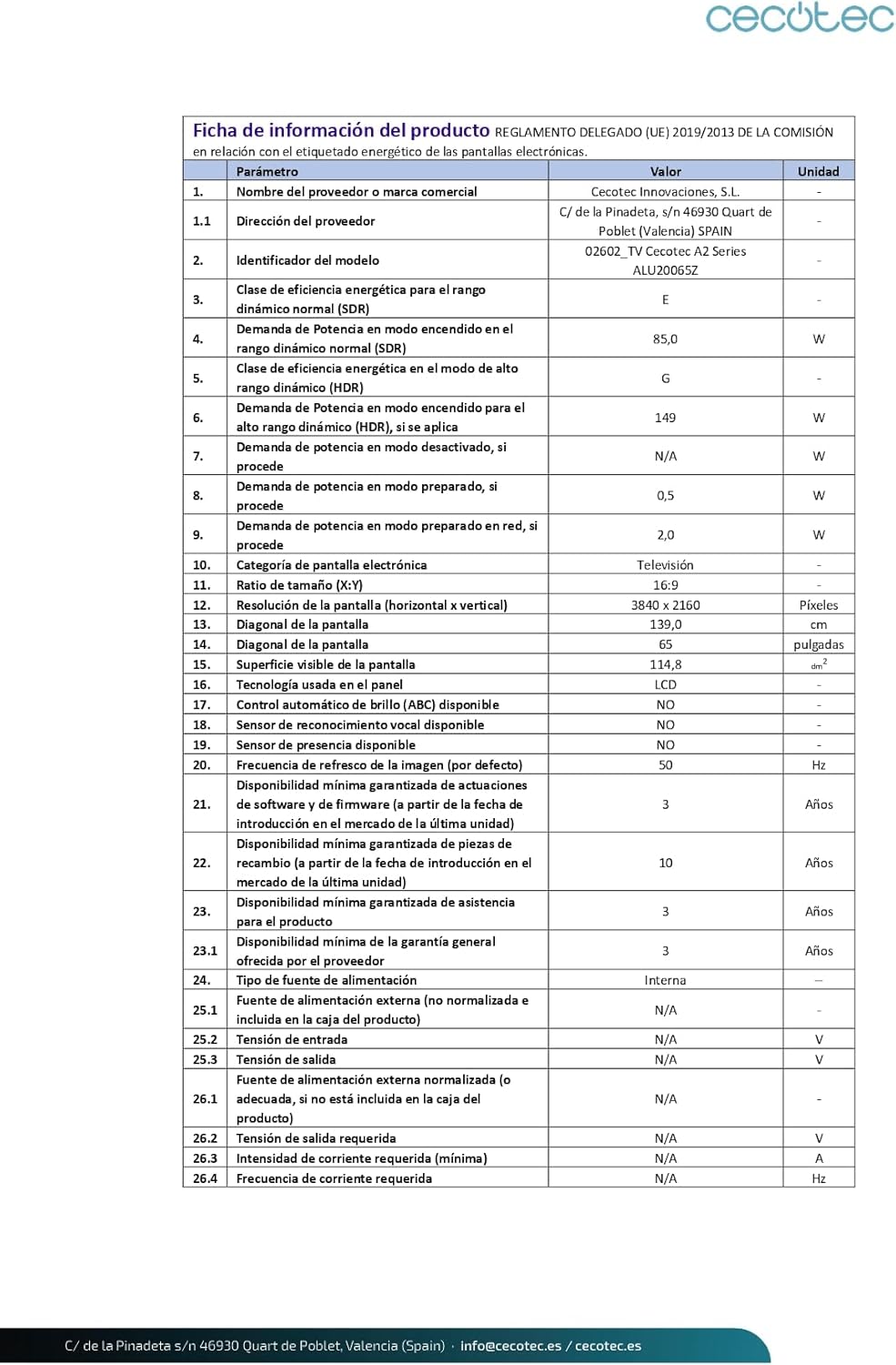
| Třída energetické účinnosti | E |
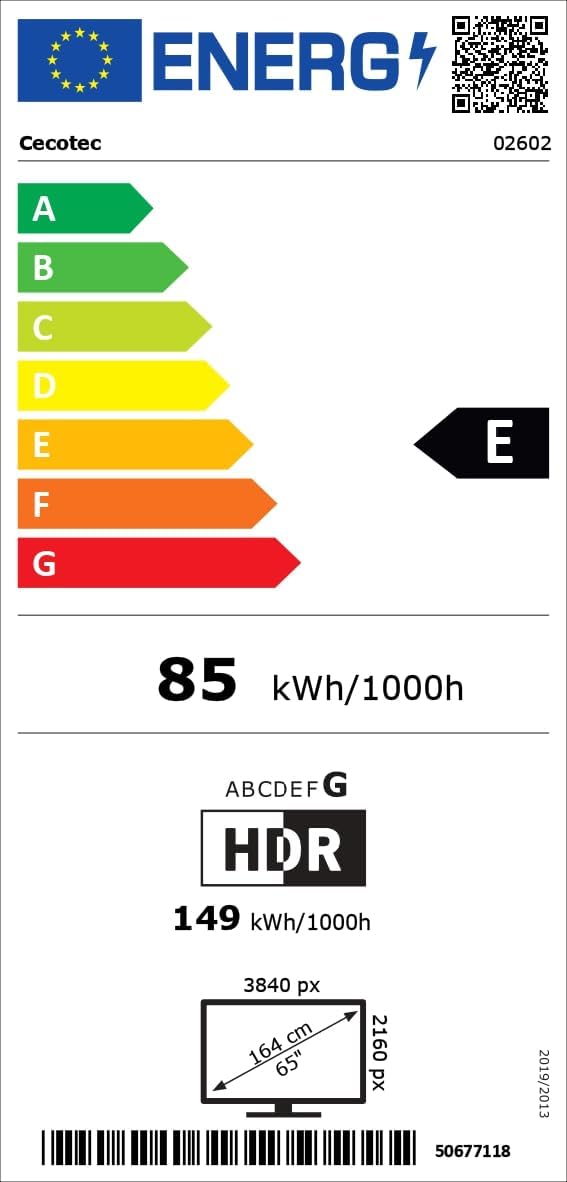
Podrobné informace o energii naleznete v databázi EPREL: https://eprel.ec.europa.eu/qr/1483852
8. Záruka a podpora
Your Cecotec A2 Series ALU20065Z 65-inch 4K UHD Smart TV comes with a 3letá záruka výrobce. Additionally, spare parts are available for a period of 10 roky od data nákupu.
For further assistance, technical support, or to explore other Cecotec products, please visit the official Cecotec store on Amazon: Obchod Cecotec na Amazonu.


