1. Úvod
The Hama MW-650 is a versatile 6-button optical wireless mouse designed for multi-device use. It offers flexible connectivity options via a 2.4 GHz USB-A receiver and Bluetooth, allowing seamless switching between up to three devices. The optical sensor provides precise cursor control, and adjustable DPI settings cater to various user preferences. This manual provides detailed instructions for setup, operation, maintenance, and troubleshooting to ensure optimal performance of your device.
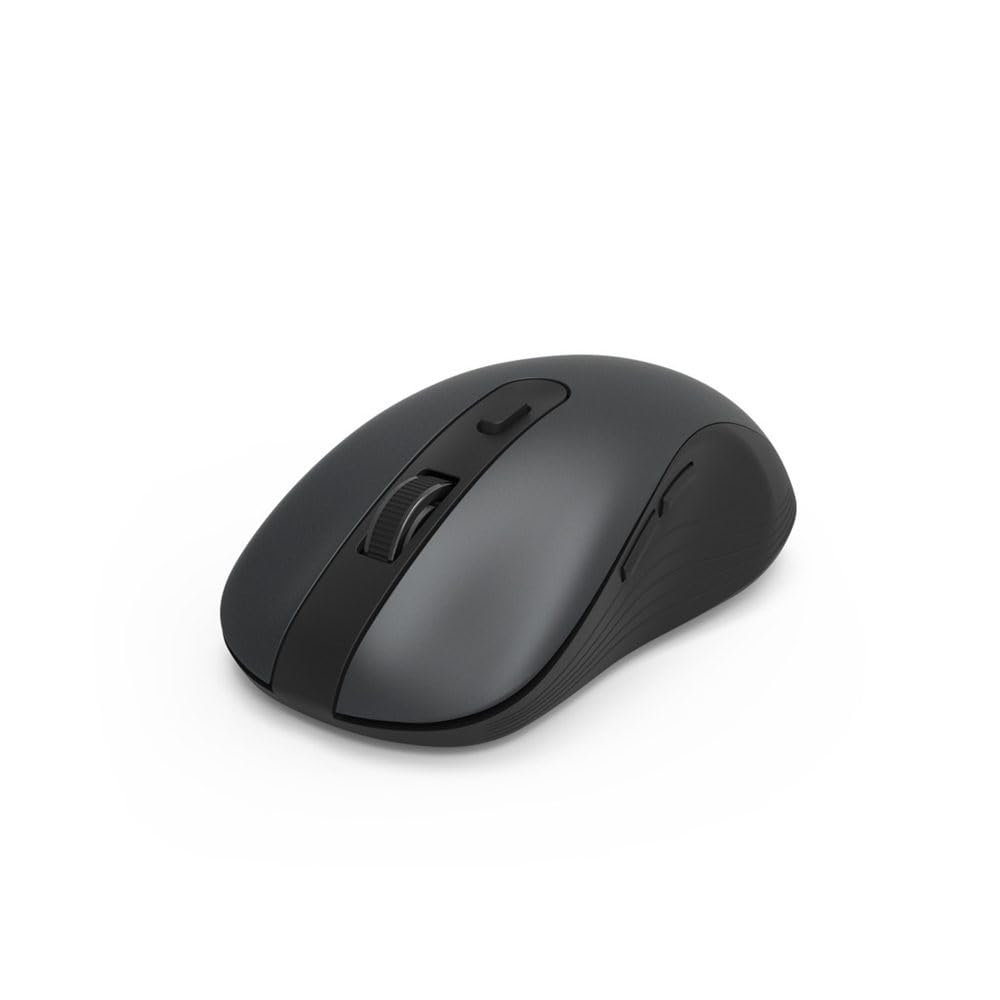
Image 1.1: Hama MW-650 Wireless Mouse (Top View)
2. Obsah balení
Zkontrolujte prosím balení, zda neobsahuje následující položky:
- 1 x Hama MW-650 6-Button Optical Wireless Mouse
- 1x USB-A přijímač
- 2 x AA Mignon Batteries
- 1 x Návod k obsluze (tento dokument)

Image 2.1: Hama MW-650 Product Packaging
3. Nastavení
3.1. Instalace baterie
- Najděte přihrádku na baterie na spodní straně myši.
- Otevřete kryt bateriového prostoru.
- Vložte dvě baterie typu AA Mignon a dbejte na správnou polaritu (+/-).
- Bezpečně zavřete kryt bateriového prostoru.
3.2. Zapnutí/vypnutí
On the underside of the mouse, slide the ON/OFF switch to the 'ON' position to power on the mouse. Slide it to 'OFF' when not in use to conserve battery life.

Image 3.1: Underside of Hama MW-650 Mouse with ON/OFF Switch and Receiver
3.3. Možnosti připojení
The Hama MW-650 mouse supports two wireless connection methods: 2.4 GHz via USB-A receiver and Bluetooth.
3.3.1. 2.4 GHz USB-A Receiver Connection
- Remove the USB-A receiver from its storage slot on the underside of the mouse.
- Plug the USB-A receiver into an available USB-A port on your computer or laptop.
- Operační systém by měl automaticky detekovat a nainstalovat potřebné ovladače.
- The mouse will connect automatically. The LED indicator for BT1/BT2 will not be lit when using the USB receiver.
3.3.2. Připojení Bluetooth
The mouse can connect to two separate Bluetooth devices (BT1 and BT2).
- Ujistěte se, že je myš zapnutá.
- Press the 'BT1' or 'BT2' button on the underside of the mouse to select the desired Bluetooth channel. The corresponding LED will flash slowly.
- To enter pairing mode, press and hold the selected 'BT1' or 'BT2' button for approximately 3 seconds until the LED flashes rapidly.
- Na svém zařízení (počítač, notebook, tablet, chytrý telefon) povolte Bluetooth a vyhledejte nová zařízení.
- Select "Hama MW-650" from the list of available devices to pair.
- Once successfully paired, the LED will stop flashing and remain steadily lit for a few seconds before turning off.
4. Návod k obsluze
4.1. Základní funkce myši
The Hama MW-650 features 6 buttons and a scroll wheel:
- Levé tlačítko myši: Primary function, typically for selecting items or opening links.
- Kliknutí pravým tlačítkem: Secondary function, typically for context menus.
- Rolovací kolečko: For scrolling up and down documents or web pages. Can also be pressed for a middle-click function.
- Tlačítko DPI: Nachází se za rolovacím kolečkem a slouží k nastavení citlivosti kurzoru.
- Tlačítka vpřed/vzad: Located on the side of the mouse, typically used for navigating web stránky nebo složky.
4.2. Přepínání mezi zařízeními
The MW-650 mouse allows you to switch between three connected devices (one via USB receiver, two via Bluetooth).
- To switch to a Bluetooth-connected device, press the 'BT1' or 'BT2' button on the underside of the mouse. The corresponding LED will light up briefly.
- To switch to the device connected via the USB receiver, press the 'USB' button (or the button without a BT label) on the underside of the mouse.

Image 4.1: Multi-Device Connectivity Example

Image 4.2: Multi-Device Setup with Monitor
4.3. DPI Sensitivity Adjustment
The mouse offers adjustable DPI (Dots Per Inch) settings to control cursor speed and sensitivity. Press the DPI button located behind the scroll wheel to cycle through the available sensitivities:
- 800 DPI
- 1200 DPI (výchozí)
- 1600 DPI
- 2000 DPI
- 2400 DPI
Each press of the DPI button will change the sensitivity, allowing you to find the setting that best suits your task or preference.
5. Řízení spotřeby
The Hama MW-650 mouse is designed with intelligent power management features to conserve battery life:
- Automatický pohotovostní režim: The mouse will automatically enter a standby mode after a period of inactivity. To wake it up, simply move the mouse or click any button.
- Vypínač: For extended periods of non-use, slide the ON/OFF switch on the underside of the mouse to the 'OFF' position to completely power down the device and maximize battery life.
6. Péče a údržba
6.1. Čištění
Pro zachování výkonu a vzhledu myši:
- Před čištěním se ujistěte, že je myš vypnutá.
- K otření povrchu myši použijte měkký, suchý hadřík, který nepouští vlákna.
- Pro odolnou špínu lehceampOtřete hadřík vodou nebo jemným čisticím roztokem. Vyhněte se agresivním chemikáliím nebo abrazivním materiálům.
- Pravidelně čistěte oblast optického senzoru na spodní straně myši vatovým tamponem, abyste zajistili přesné sledování.
6.2. Výměna baterie
When the mouse's performance degrades or it stops responding, it may be time to replace the batteries.
- Power off the mouse using the ON/OFF switch.
- Otevřete přihrádku na baterie na spodní straně.
- Remove the old AA batteries and dispose of them according to local regulations.
- Insert new AA Mignon batteries, observing correct polarity.
- Zavřete přihrádku na baterie.
7. Řešení problémů
If you encounter issues with your Hama MW-650 mouse, please refer to the following common solutions:
| Problém | Možné řešení |
|---|---|
| Myš nereaguje. |
|
| Pohyb kurzoru je nepravidelný nebo pomalý. |
|
| Nelze přepínat mezi zařízeními. |
|
| Párování Bluetooth selhalo. |
|
8. Technické specifikace
| Číslo modelu | 00182617 (MW-650) |
| Technologie připojení | 2.4GHz RF (USB-A Receiver), Bluetooth 5.0 |
| Technologie detekce pohybu | Optický |
| Citlivost DPI | 800 / 1200 / 1600 / 2000 / 2400 DPI (adjustable) |
| Počet tlačítek | 6 (including scroll wheel) |
| Form Factor | Pravá ruka |
| Zdroj napájení | 2 x AA baterie Mignon (součástí balení) |
| Životnost baterie | Až 288 dní (v závislosti na používání) |
| Kompatibilní operační systémy | Windows 11/10/8/7, Android 4.3 or higher, macOS 10.10 or higher, iOS 13 or higher |
| Rozměry produktu (D x Š x V) | 11.3 x 6.3 x 4 cm (4.41 x 2.48 x 1.57 palce) |
| Hmotnost položky | 3.62 unce |
| Barva | Černý |
9. Záruka a podpora
Informace o záruce a technickou podporu získáte od oficiálního prodejce Hama. webnebo se obraťte přímo na jejich zákaznický servis. Uschovejte si doklad o koupi pro případné reklamace.
- Výrobce: Hama GmbH & Co KG
- Webmísto: www.hama.com


