1. Úvod
This manual provides detailed instructions for the setup, operation, and maintenance of your Eyoyo EY-8800 Desktop 1D 2D QR Barcode Scanner. Please read this manual thoroughly before using the device to ensure proper functionality and longevity.

Image 1: Eyoyo EY-8800 Desktop Barcode Scanner. This image shows the black and orange desktop scanner from a front-side angle, highlighting its scanning window and compact design.
The Eyoyo EY-8800 is a versatile, hands-free barcode scanner designed for efficiency in various environments. It supports scanning of both 1D and 2D barcodes from paper and digital screens, offering a plug-and-play experience with broad operating system compatibility.

Image 2: Scanner Applications. This image illustrates various environments where the scanner can be used, including supermarkets, warehouses, bookstores, and retail stores.
2. Nastavení
The Eyoyo EY-8800 scanner is designed for simple plug-and-play installation. No additional software or drivers are typically required.
2.1 Obsah balení
- Eyoyo Desktop Scanner (EY-8800)
- USB kabel
- Návod k použití
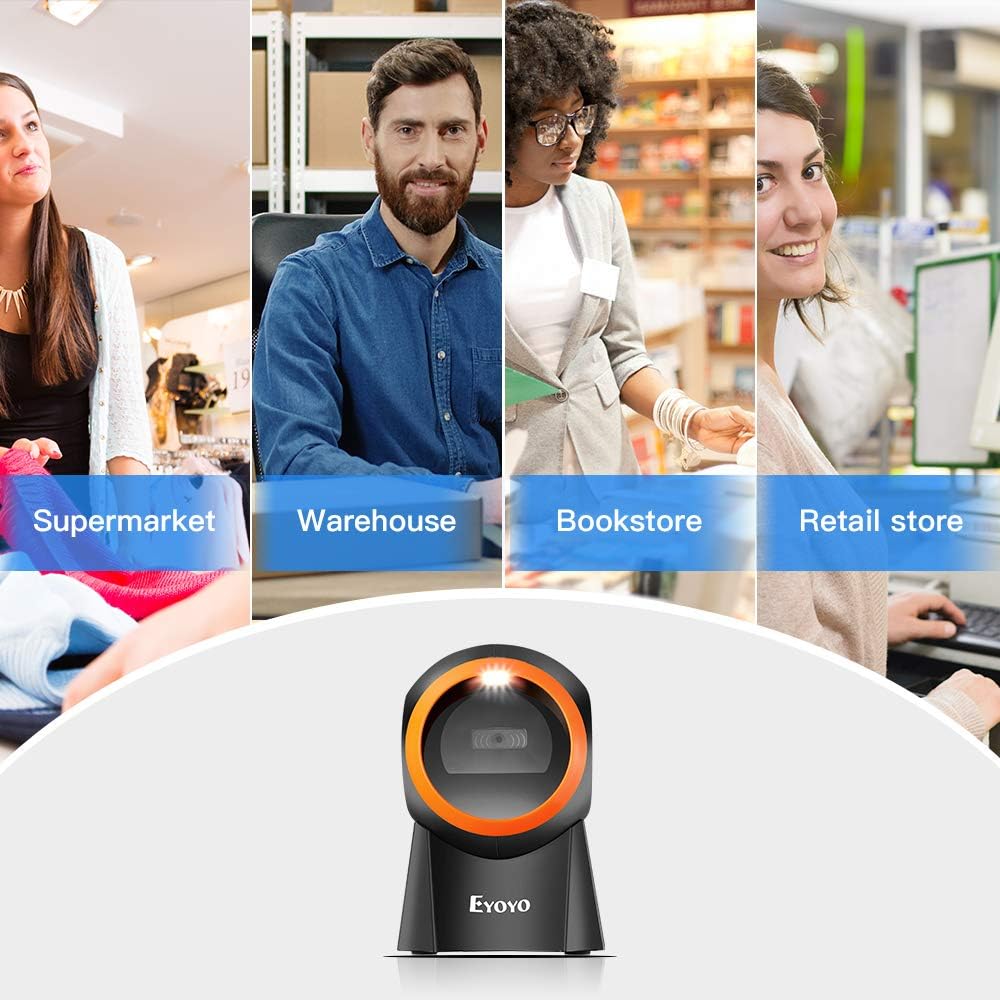
Image 3: Package Contents. This image displays the Eyoyo desktop scanner, a USB cable, and the instruction manual, illustrating what is included in the box.
2.2 Připojení skeneru
- Connect one end of the provided USB cable to the USB port on the back of the Eyoyo EY-8800 scanner.
- Connect the other end of the USB cable to an available USB port on your computer (PC, laptop, or tablet).
- The scanner will automatically power on and install necessary generic drivers. A successful connection is usually indicated by a beep and/or an indicator light.

Image 4: Plug and Play Setup. This image demonstrates connecting the USB cable from the scanner to a laptop, illustrating the simple plug-and-play installation process.
The scanner is compatible with Windows XP, 7, 8, 10, Mac OS, and Linux operating systems.
3. Návod k obsluze
The EY-8800 is a hands-free desktop scanner designed for ease of use.
3.1 Hands-free Scanning
- Place the scanner on a flat surface, such as a desk or counter.
- Umístěte čárový kód do pole skeneru view. The scanner will automatically detect and read the barcode.
- This hands-free operation allows you to handle items without needing to pick up the scanner, improving efficiency for scanning heavy or large objects.

Image 5: Hands-free Barcode Scanning. This image shows the scanner on a counter next to a package, demonstrating how users can scan items without holding the device. It also shows incorrect scanning methods (holding item to scanner, holding scanner to item) with red crosses.
3.2 Podporované symboliky čárových kódů
The scanner supports a wide range of 1D and 2D barcode types:
- 1D čárové kódy: UPC/EAN, UPC-A, UPC-E, Code39, ISBN, Interleaved 2 of 5, Code93, Code 128, Codabar.
- 2D čárové kódy: PDF417, QR Code, Data Matrix, Maxicode.

Image 6: Supported Barcode Types. This image illustrates various 1D and 2D barcode symbologies that the scanner can decode, including QR Code, Data Matrix, Maxicode, PDF417, Code 93, EAN13, Code 128, UPC-E, and UPC-A.
3.3 Screen Barcode Scanning
The EY-8800 can scan barcodes directly from digital displays, including mobile phones, tablets, and computer monitors.
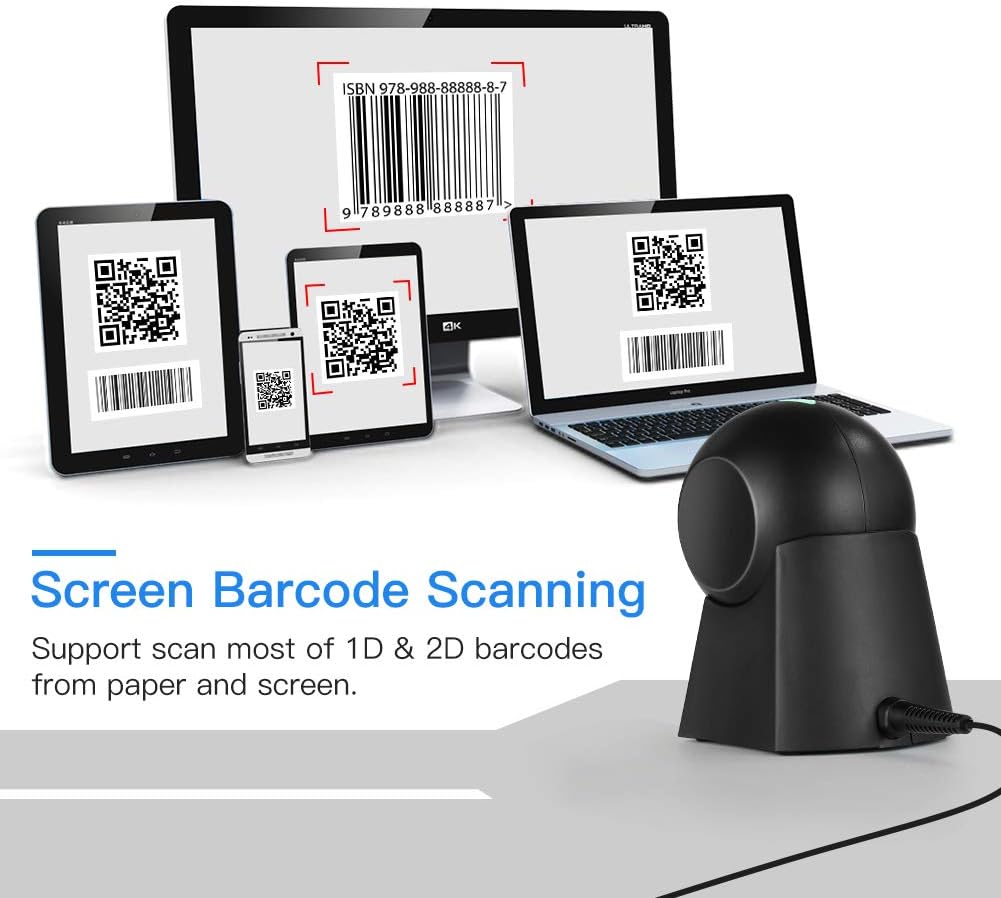
Image 7: Screen Barcode Scanning. This image shows the scanner successfully reading barcodes displayed on a desktop monitor, laptop, tablet, and smartphone, demonstrating its capability to scan from various screen types.
3.4 Nastavitelný úhel
The scanner features a 15° adjustable head, allowing you to set the most convenient scanning angle for your specific needs and workspace.
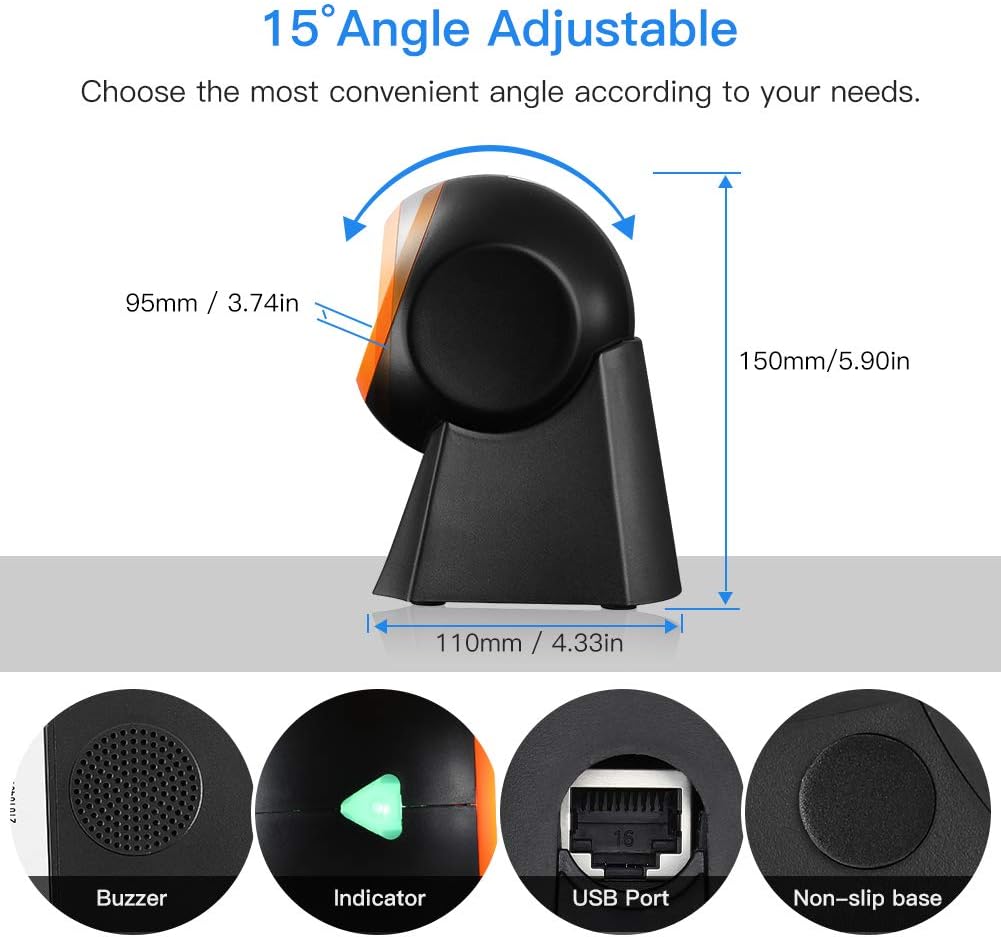
Image 8: Adjustable Angle and Components. This image highlights the 15° adjustable scanning angle and points out key components: Buzzer, Indicator light, USB Port, and Non-slip base.
4. Specifikace
| Funkce | Detail |
|---|---|
| Značka | Eyoyo |
| Číslo modelu | EY-8800 |
| Technologie připojení | USB |
| Kompatibilní operační systémy | Windows XP/7/8/10, Mac OS, Linux |
| Kompatibilní zařízení | Desktop computer, Laptop, Tablet |
| Rychlost skenování | 1 sekunda |
| Rozměry produktu | 12.5P x 15d x 9V centimetrů |
| Provozní svtage | 5 voltů |
| Nemovitý Viewúhel | 30 stupňů |
| Zdroj napájení | Elektrický kabel |
5. Údržba
To ensure optimal performance and longevity of your Eyoyo EY-8800 scanner, follow these maintenance guidelines:
- Čištění: Regularly clean the scanning window with a soft, lint-free cloth. For stubborn smudges, slightly dampen the cloth with water or a mild, non-abrasive cleaner. Avoid harsh chemicals or abrasive materials that could scratch the window.
- Skladování: Pokud skener nepoužíváte, skladujte jej v čistém a suchém prostředí mimo dosah přímého slunečního záření a extrémních teplot.
- Péče o kabely: Avoid bending or twisting the USB cable excessively. Ensure the cable is not pinched or placed under heavy objects to prevent damage.
- Podmínky prostředí: Operate the scanner within recommended temperature and humidity ranges to prevent damage to internal components.
6. Řešení problémů
If you encounter issues with your Eyoyo EY-8800 scanner, refer to the following common problems and solutions:
- Skener nereaguje:
- Ujistěte se, že je kabel USB bezpečně připojen ke skeneru i k počítači.
- Zkuste připojit skener k jinému portu USB na počítači.
- Restartujte počítač.
- Verify that the scanner's indicator light is on. If not, check the USB connection again.
- Čárový kód se neskenuje:
- Ujistěte se, že čárový kód je čistý, nepoškozený a jasně viditelný.
- Adjust the distance and angle of the barcode relative to the scanner's window.
- Zkontrolujte, zda skener podporuje symboliku čárového kódu (viz kapitola 3.2).
- For screen barcodes, ensure the screen brightness is adequate and there is no glare.
- Nesprávný výstup dat:
- Verify that your computer's keyboard layout matches the expected output. For specific keyboard layouts (e.g., French, German), you may need to scan configuration barcodes provided in the full manual or contact support.
- Ujistěte se, že žádná jiná vstupní zařízení neruší.
- Scanner Freezes or Becomes Unresponsive:
- Disconnect and reconnect the USB cable to reset the scanner.
- Pokud problém přetrvává, požádejte o další pomoc zákaznickou podporu.
7. Záruka a podpora
Eyoyo is committed to providing high-quality products and customer satisfaction.
- Záruka výrobce: The Eyoyo EY-8800 scanner comes with a 2-year manufacturer's warranty.
- Technická podpora: Eyoyo offers lifetime technical support for all its products.
- For any technical issues, questions, or warranty claims, please contact Eyoyo customer service. Refer to the contact information provided in the product packaging or on the official Eyoyo webmísto.


