1. Úvod
The Aqara Camera Hub G2H is an indoor security camera that integrates with Apple HomeKit Secure Video, offering 1080P HD video, night vision, and two-way audio. It also functions as a Zigbee hub, allowing connection and automation with other Aqara smart home devices. This manual provides instructions for setup, operation, and maintenance of your Camera Hub G2H.
2. Obsah balení
- 1x Camera Hub G2H
- 1x Uživatelská příručka
- 1x USB napájecí kabel
- 1x napájecí adaptér
- 1x 3M Double-Sided Tape
- 1x Metal Plate for Magnetic Installation
- 1x resetovací pin

Image: The Aqara Camera Hub G2H shown with its retail packaging, illustrating the compact design of the camera and the branding.
3. Nastavení
3.1 Příprava
- Stáhněte a nainstalujte Aplikace Aqara Home z App Store nebo Google Play.
- Ujistěte se, že je váš chytrý telefon připojen k Síť Wi-Fi 2.4 GHz. The Camera Hub G2H requires a secured 2.4 GHz Wi-Fi connection.
- (Optional) Insert a Micro SD card (not included) into the card slot at the bottom of the device for local storage before powering on.
3.2 Zapnutí
- Connect the USB power cord to the Camera Hub G2H and the power adapter.
- Zapojte napájecí adaptér do elektrické zásuvky.
- The red indicator light will illuminate when the device system is starting up and will flash after startup is complete, indicating it's ready for connection.
Video: Official installation guide for the Aqara Camera Hub G2H, demonstrating the power-on sequence and initial setup steps.
3.3 Adding to Aqara Home App and HomeKit
- Otevřete aplikaci Aqara Home.
- Tap the "+" icon in the upper right corner of the Home page to enter the "Add Accessory" page.
- Select "Camera Hub G2H" from the list of devices.
- Follow the in-app instructions to reset the camera (if necessary) and connect it to your network.
- Scan the HomeKit QR code located on the camera or its packaging when prompted.
- Follow the remaining prompts to bind the device and synchronize it with Apple HomeKit.

Image: Screenshot of the Aqara Home app interface, demonstrating the process of adding the Camera Hub G2H and integrating it with HomeKit.
4. Provozní funkce
4.1 HomeKit Secure Video
The Camera Hub G2H supports Apple HomeKit Secure Video, allowing you to control the camera through the Apple Home app. This feature provides cloud encryption protection, enhancing privacy. Video clips can be stored in iCloud (requires a paid iCloud storage plan) or on a Micro SD card (not included). You can also stream live video to the Aqara Home app.

Image: A laptop screen showing the HomeKit Secure Video interface with a live feed from the Aqara Camera Hub G2H.
4.2 Local Control Center (Zigbee Hub)
The G2H functions as a Zigbee hub, enabling it to connect with other Aqara Zigbee child-devices. This allows for seamless integration with Aqara sensors and home automation devices, facilitating home guard functions, data reporting, and smart control within your smart home ecosystem.
Obrázek: Přehlídka kuchyňského prostíráníasing the Aqara G2H camera acting as a local control center, connected to other Aqara devices like motion sensors and door/window sensors.
4.3 Obousměrný zvuk
Equipped with a microphone for noise reduction, the Camera Hub G2H supports HomeKit-enabled two-way audio. This feature allows you to make voice calls while viewing real-time video images remotely, with a recording distance of up to 5 meters.

Image: The Aqara Camera Hub G2H positioned on a shelf, illustrating its two-way audio capability for remote communication.
4.4 Night Vision & 1080P HD
The G2H provides ultra-clear 1080p high-definition video quality. Its 140-degree wide-angle lens and latest image sensor offer high sensitivity. The night vision function allows clear viewing in low-light conditions without distracting red LED lights, unlike many other cameras.
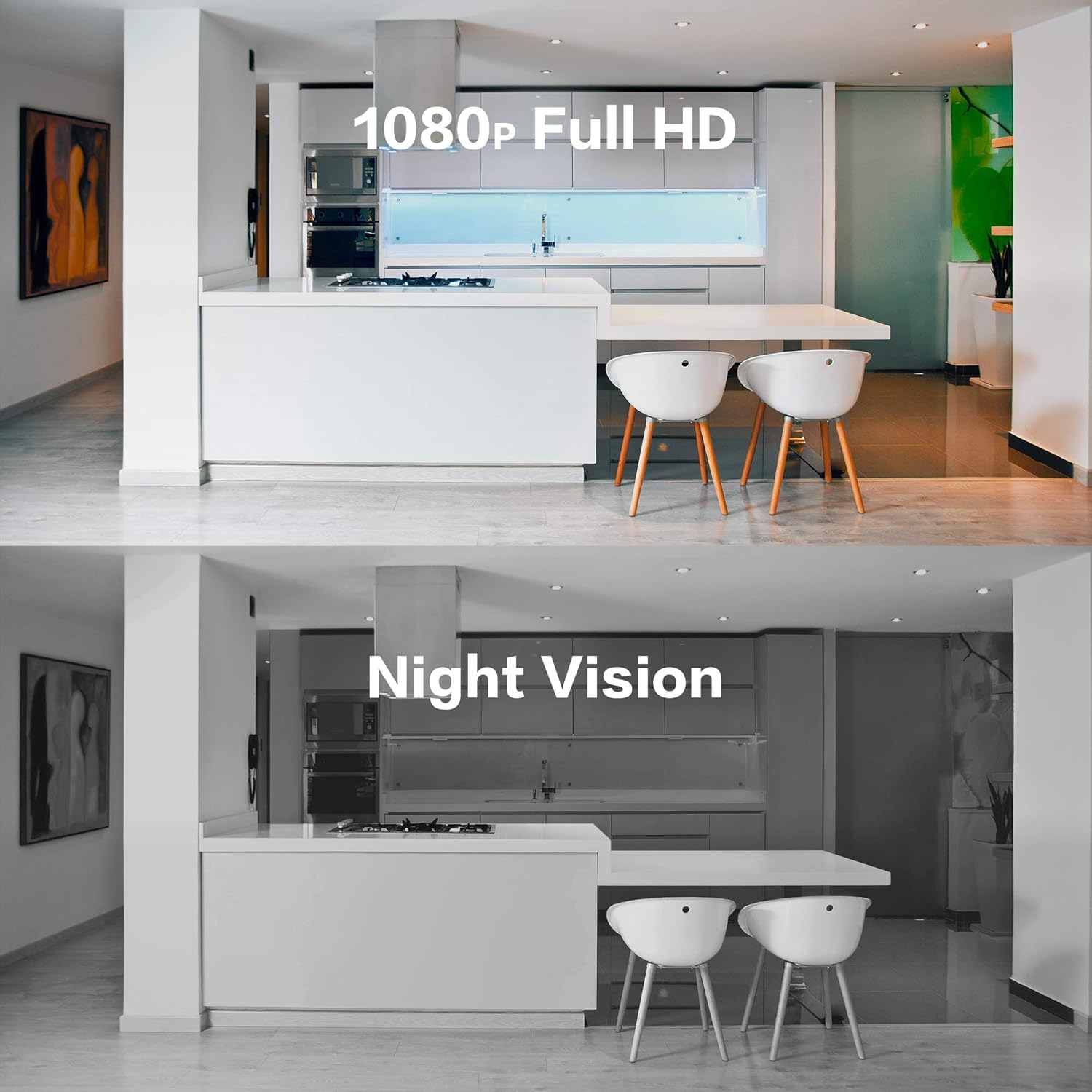
Image: A split image demonstrating the difference between 1080p Full HD daytime video and clear night vision footage captured by the Aqara G2H camera.
Video: An official Aqara video highlighting the HomeKit Secure Video features and the ability to save important moments captured by the camera.
5. Instalace
The base of the G2H contains a built-in magnet, allowing it to be placed on metal surfaces. The package includes an installation kit that supports various mounting methods:
- Horizontální umístění: Umístěte fotoaparát na rovný povrch, jako je stůl nebo polička.
- Nástěnný nástavec: Use the included 3M double-sided tape and metal plate to attach the camera to a wall.
- Flip Installation: Mount the camera upside down on a ceiling or under a cabinet using the magnetic base and metal plate.
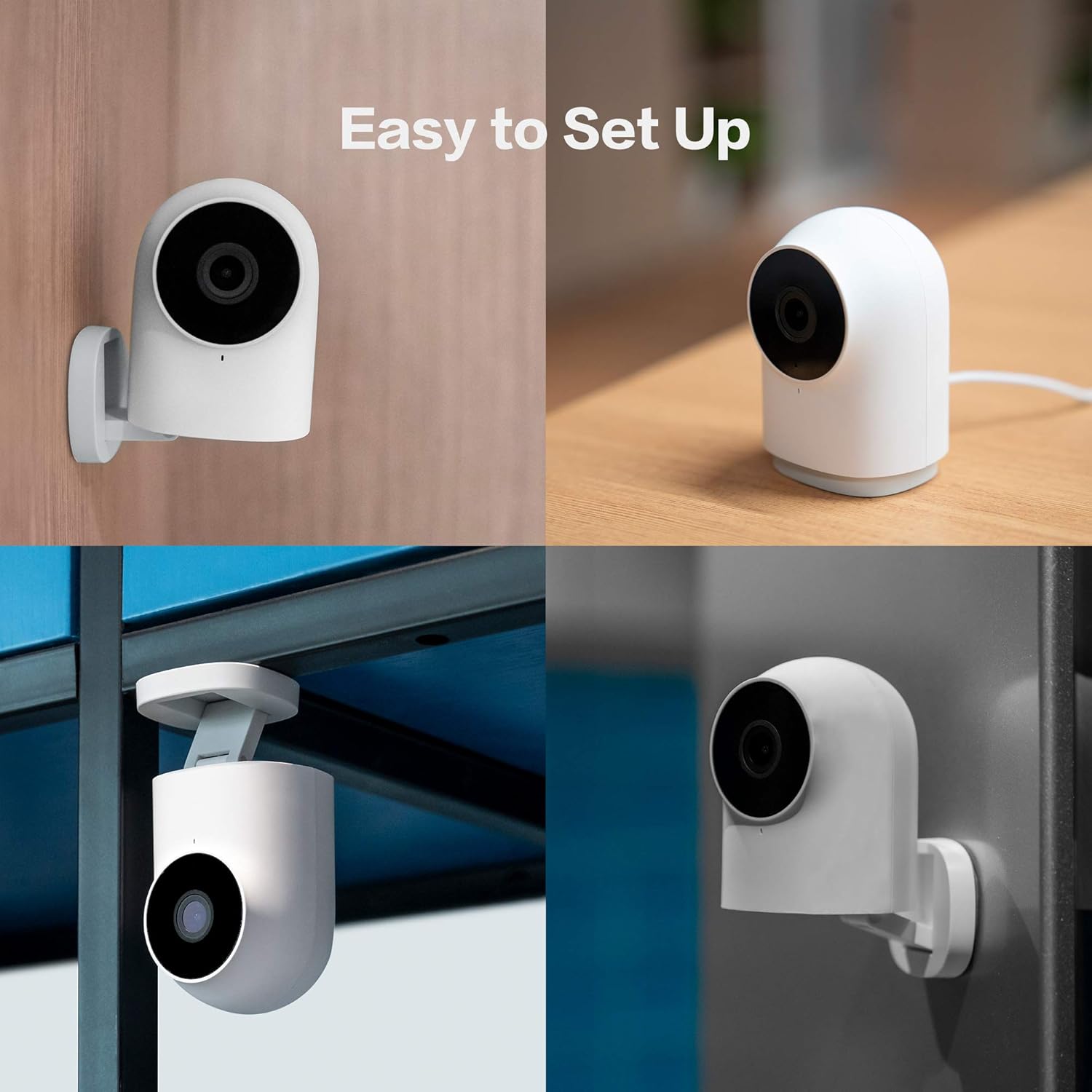
Image: A collage showing four different ways to install the Aqara Camera Hub G2H: on a table, mounted on a wall, inverted from a ceiling, and attached to a vertical surface.
6. Údržba
- Keep the camera clean by gently wiping the lens and body with a soft, dry cloth. Avoid using harsh chemicals or abrasive materials.
- Ensure the camera is placed in a location with good Wi-Fi signal strength for optimal performance.
- Regularly check for firmware updates through the Aqara Home app to ensure your device has the latest features and security enhancements.
- If using a Micro SD card, periodically check its status and ensure sufficient storage space.
7. Řešení problémů
- Kamera nereaguje: Check the power connection and Wi-Fi signal. Try restarting the camera by unplugging and re-plugging it. If the issue persists, perform a factory reset using the reset pin (refer to the app instructions for the reset process).
- Špatná kvalita videa: Ensure a stable Wi-Fi connection. Check if the camera lens is clean and free from obstructions.
- Failed to Connect to Wi-Fi: Verify that your Wi-Fi network is 2.4 GHz. Ensure the camera is within range of your router. Re-enter your Wi-Fi password carefully during setup.
- HomeKit Integration Issues: Ensure your Apple Home hub (HomePod, Apple TV, or iPad) is online and updated. Check HomeKit settings in the Apple Home app.
8. Specifikace
| Číslo modelu | CH-H01 |
| Vnitřní/venkovní použití | Krytý |
| Zdroj napájení | Elektrický s kabelem (5 voltů, 5 wattů) |
| Protokol připojení | Zigbee, Wi-Fi |
| Rozlišení záznamu videa | 1080p |
| Viewúhel | 140 stupňů |
| Rozsah nočního vidění | 8 metrů |
| Rozměry položky (D x Š x V) | 3.24 x 2.24 x 1.99 palce |
| Hmotnost položky | 0.58 libry (9.3 unce) |
| UPC | 192784000403 |
9. Záruka a podpora
The Aqara Camera Hub G2H comes with a 1letá záruka výrobce.
For technical support, troubleshooting assistance, or any questions regarding your product, please contact Aqara customer support.
Kontaktní údaje: podpora@aqara.com