Introduzione
This manual provides instructions for the Sudio K2 Pro Wireless Headphones. Please read this manual carefully before using the product to ensure proper operation and to maximize your listening experience.
The Sudio K2 Pro headphones feature Active Noise Cancelling (ANC) technology, Bluetooth 5.4 connectivity, and a lightweight over-ear design for comfort. They offer up to 65 hours of playtime and support USB-C charging and 3.5mm audio input.
Chì ci hè in u Box
- Sudio K2 Pro Wireless Headphones
- Cavu di carica USB-C
- Cavo audio da 3.5 mm
- Casu protettivu
- Manuale d'uso (stu documentu)
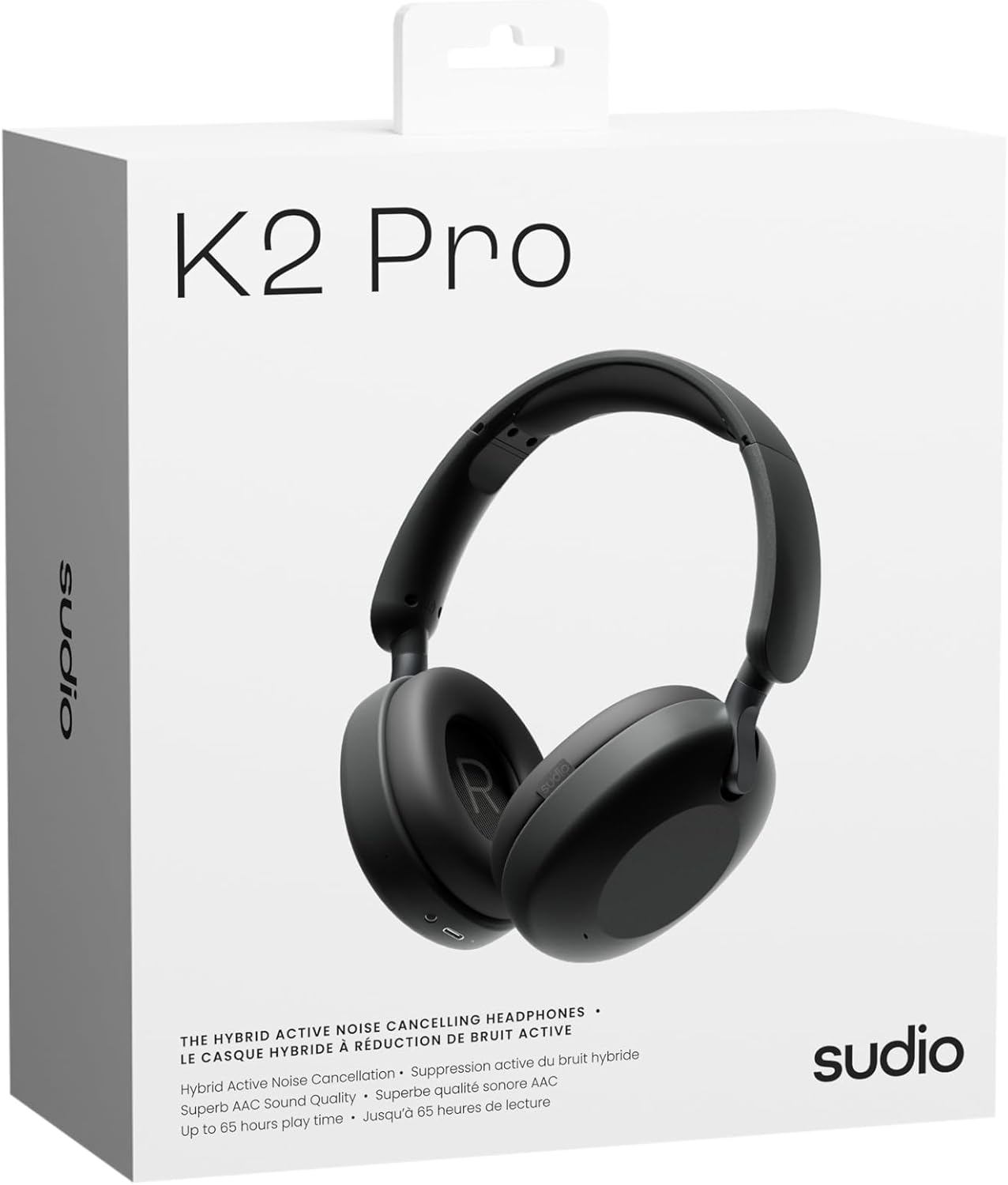
Image: Sudio K2 Pro packaging and included items.
Istituisci
1. Carica iniziale
Before first use, fully charge your Sudio K2 Pro headphones. Connect the provided USB-C charging cable to the headphone's charging port and to a compatible USB power source. The LED indicator will show charging status.

Image: USB-C charging port on the Sudio K2 Pro headphones.
2. Powering On / Off
- Power On: Tenite premutu u buttone di accensione per circa 3 secondi finu à chì l'indicatore LED s'illumina.
- Spegnimentu: Appughjà è tene premutu u buttone di accensione per circa 3 secondi finu à chì l'indicatore LED si spegne.
3. Abbinamentu Bluetooth
- Assicuratevi chì l'auriculare sò spenti.
- Press and hold the Power button for 5-7 seconds until the LED indicator flashes blue and red, indicating pairing mode.
- Nant'à u vostru apparechju (smartphone, tableta, urdinatore), attivate Bluetooth è cercate l'apparechji dispunibili.
- Select "Sudio K2 Pro" from the list of devices.
- Once paired, the LED indicator will turn solid blue or flash blue slowly.
4. Cunnessione Wired
For a wired connection, plug one end of the 3.5mm audio cable into the headphone's audio input jack and the other end into your audio source. The headphones will automatically switch to wired mode.
Istruzzioni di funziunamentu
Cuntrolli Overview

Imagine: Dettagliata view di i cuntrolli di e cuffie.
- Pulsante di putenza: Accensione/spegnimentu, riproduzione/pausa, risposta/termine di chjamate.
- Volume Up / Next Track: Appughjà brevemente per aumentà u vulume, appughjà longu per a traccia dopu.
- Volume Down/Traccia Precedente: Appughjà brevemente per calà u vulume, appughjà longu per a traccia precedente.
- Pulsante ANC: Toggle Active Noise Cancelling (ANC) on/off.
Cancellazione attiva di rumore (ANC)
Press the ANC button to activate or deactivate the Active Noise Cancelling feature. When ANC is active, the headphones will reduce ambient background noise, providing a more immersive audio experience.
Fà è riceve chjamate
- Rispondi / Finisce a chjama: Pulsà u buttone Power una volta.
- Reject Call: Press è mantene u buttone Power per 2 seconde.
Mantenimentu
- Pulizia: Aduprate un pannu dolce è asciuttu per pulisce l'auricolari. Ùn aduprate micca detergenti abrasivi o solventi.
- Conservazione: When not in use, store the headphones in the provided protective case to prevent damage.
- Cura di a batteria: Per prulungà a durata di a batteria, evitate di scaricà cumpletamente l'auricolari spessu. Caricateli regularmente.
- Temperature : Evitate d'espone l'auricolari à temperature estreme (caldu o fretu) o à alta umidità.

Image: Sudio K2 Pro headphones stored in their protective case.
Risoluzione di prublemi
- Nisun putere: Assicuratevi chì l'auricolari sianu cumpletamente cariche. Cunnetteli à una fonte di alimentazione è verificate l'indicatore di carica.
- Ùn si pò micca accoppià via Bluetooth:
- Assicuratevi chì l'auricolari sianu in modalità di accoppiamentu (LED lampeggiante blu/rossu).
- Attivate è disattivate u Bluetooth nant'à u vostru dispusitivu.
- Avvicinate l'auricolari à u vostru dispositivu.
- Sguassate e cunnessione Bluetooth precedenti nant'à u vostru dispusitivu è pruvate à accoppià torna.
- Nisun sonu:
- Verificate u livellu di vulume sia nantu à l'auricolari sia nantu à u vostru dispositivu cunnessu.
- Ensure the headphones are properly paired or the 3.5mm cable is securely connected.
- If using a wired connection, ensure the Bluetooth is off on the headphones.
- ANC ùn funziona micca: Press the ANC button to ensure it is activated.
Specificazioni
| Feature | Detail |
|---|---|
| Nome di mudellu | Sudio K2 Pro |
| Numero di mudellu | SD-2601 |
| Controlu di u rumore | Annullamentu di u Rumore Attivu (ANC) |
| Tecnulugia di cunnessione | Bluetooth 5.4, Wired (3.5mm) |
| U tempu di ghjocu | Finu à 65 ore |
| Tempu di carica | minuti 90 |
| Portu di carica | USB-C |
| Pesu di l'articulu | 245 grammi (8.6 once) |
| Impedenza | 32 Ohm |
| Funzioni spiciali | Microphone Included, Noise Cancellation, Touch Control, Volume Control |
Garanzia è Supportu
For warranty information and customer support, please refer to the official Sudio websitu o cuntattate direttamente u so serviziu clienti. Conservate a vostra prova d'acquistu per e richieste di garanzia.
Produttore: Sudio
Websitu: www.sudio.com
Video di u produttu
When you have Sudio K2 Pro in your everyday life
Video: This video showcases the Sudio K2 Pro headphones in various daily scenarios, highlighting their comfort and style.
Unboxing Sudio K2 Pro
Video: This video demonstrates the unboxing experience of the Sudio K2 Pro headphones, showing the contents of the package.
Introducing Sudio K2 Pro
Video: A brief introduction to the Sudio K2 Pro headphones, highlighting key features and design.


