📘 StarBoard manuals • Free online PDFs
StarBoard logo

StarBoard Manuals & User Guides

StarBoard specializes in interactive technology, offering advanced digital boards, interactive flat panel displays, and complementary educational software.

Tip: include the full model number printed on your StarBoard label for the best match.

About StarBoard manuals on Manuals.plus

StarBoard Interactive Technologies

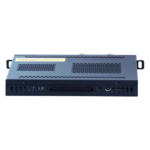
StarBoard is a leading provider of interactive technology solutions tailored for educational and corporate environments. Their product lineup includes cutting-edge Interactive Flat Panel Displays (IFPDs), digital blackboards, and plug-in OPS modules designed to modernize traditional teaching and collaboration methods. From high-definition LCD touch monitors to versatile digital green boards, StarBoard equips users with the tools necessary to bridge the gap between multimedia technology and classic classroom interaction.

In addition to robust hardware, StarBoard integrates powerful software features like synchronous note-recording, digital ink, dual-screen modes, and quick QR-code file sharing. Built with a focus on quality, value, and innovation, StarBoard products ensure that presentations, teamwork, and classroom lessons are immersive, widely accessible, and easy to manage for both educators and professionals.

StarBoard manuals

Latest manuals from manuals+ curated for this brand.

StarBoard Digital Board User Guide

March 24, 2023
StarBoard Digital Board Introduction Product introduction For better connect the traditional blackboard and developing multimedia technology , we have developed the digital blackboard scheme, which mainly solves the organic combination…

StarBoard QS & YL – F8 Series LCD User Manual

March 20, 2023
StarBoard QS & YL - F8 Series LCD *This manual is for reference only; actual device maybe has some differences with this manual. Issue date: 2021.11.20 Version: 1.0 IMPORTANT INFORMATION…

StarBoard video guides

Watch setup, installation, and troubleshooting videos for this brand.

StarBoard support FAQ

Common questions about manuals, registration, and support for this brand.

  • How do I install the OPS module on my StarBoard display?

    Always ensure the interactive panel is completely powered off before installation. Unscrew the cover, insert the OPS module into the slot with the power button on the bottom, secure it with the screws, and attach the Wi-Fi antenna.

  • How do I share digital blackboard notes from my StarBoard?

    You can easily share notes using the QR Code function. In the StarBoard software menu, click 'Share' to upload the notes as a picture to the cloud. A QR code will be generated that users can scan to view the files.

  • What is the recommended viewing distance for a StarBoard LCD monitor?

    The ideal viewing distance between the user's eyes and the screen is typically 5 to 7 times the screen diagonal for optimal safe viewing.

  • How do I contact StarBoard technical support?

    For tech support regarding StarBoard interactive panels and software, you can contact their support line at 1-800-615-9855 or email them directly at help@starboard-solution.com.