Smart Kit Manuals & User Guides
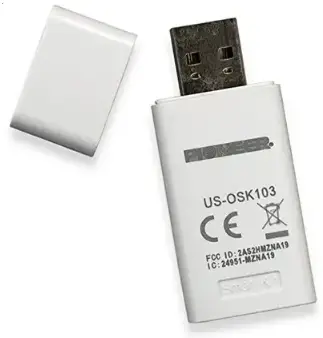
Smart Kit provides wireless modules and accessories that enable smart home connectivity and remote control for compatible air conditioners and home appliances.
About Smart Kit manuals on Manuals.plus
Smart Kit provides innovative wireless modules that enable smart home connectivity for a variety of air conditioners and home appliances.
Using companion apps like NetHome Plus, these plug-and-play modules allow users to easily control operation modes, set temperatures, adjust fan speeds, and create custom schedules directly from their mobile devices. Whether via Bluetooth scanning or manual network configuration, Smart Kit modules seamlessly integrate into compatible units to upgrade them with full Wi-Fi remote functionality.
Smart Kit manuals
Latest manuals from manuals+ curated for this brand.
IMMERGAS EU-OSK105 Wireless Thor Smart Kit User Manual
Midea EU-SK108, US-SK108 Smart Kit User Manual
MaxiCool WIFI USB 01 WiFi Smart Kit Owner’s Manual
Ventilationland LMD WiFi Smart Kit Owner’s Manual
Godox Studio Packs Smart Kit Instruction Manual
Bluefin EU-OSK105 Smart Kit User Manual
Midea SK110 Smart Kit User Guide
CREALITY 3401010705_PJ-SM-000 Nebula Smart Kit Instruction Manual
GD Midea EU-SK105 Smart Kit User Manual
Smart Kit User Manual: Installation, Configuration, and Operation
Smart Kit User Manual: Installation and Operation Guide
Smart Kit User Manual: Installation, Setup, and Operation
Smart Kit support FAQ
Common questions about manuals, registration, and support for this brand.
-
What is a Smart Kit wireless module?
A Smart Kit wireless module is a plug-in accessory that connects to compatible air conditioning units, allowing them to connect to your local Wi-Fi network and be controlled remotely via a smartphone app.
-
Which app do I need to use with the Smart Kit?
Depending on your specific air conditioner model, you typically need to download the NetHome Plus app (or the app specified in your manual), which is available on both iOS and Android app stores.
-
How do I reset the Smart Kit to factory settings?
To reset the Smart Kit to factory settings, locate the reset button on the device and press and hold it for 10 seconds until the LED indicators flash.
-
Can I control multiple Smart Kits with a single app?
Yes, you can control multiple Smart Kits using a single app. Make sure each Smart Kit is properly connected to the same Wi-Fi network as your mobile device during the initial setup.