📘 PCWork manuals • Free online PDFs
PCWork logo

PCWork Manuals & User Guides

PCWork offers electronic test instruments, DC power supplies, soldering stations and tools for users working on electronics projects, testing and maintenance.

Tip: include the full model number printed on your PCWork label for the best match.

About PCWork manuals on Manuals.plus

PCWork offers electronic test instruments, DC power supplies, soldering stations and tools for electronics work. It is an in-house brand of P+C Schwick GmbH in Germany.

Browse PCWork manuals for model-specific setup, operating instructions, specifications and safety guidance. Available models include the PCW07A power supply, PCW06A AC voltage detector and PCW06B socket tester.

Check the model number on your device and read all safety instructions before use. Visit the PCWork website for current digital manuals.

PCWork manuals

Selected manuals from manuals+ curated for this brand.

PCWork PCW07A DC Power Supply User Manual

March 21, 2022
PCW07A DC Power Supply User Manual DC laboratory power supply Instruction manual DC laboratory power supply (DC POWER SUPPLY) Quick guide The PCWork PCW07A variable power supply is a very…

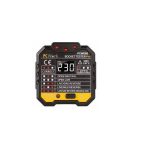
PCWork PCW06A AC Voltage Detector User Manual

March 19, 2022
PCWork PCW06A AC Voltage Detector Safety Instructions The instrument is designed according to the requirements of the international electrical safety standard IEC61010-1, which defines the safety requirements for electronic testing…

PCWork PCW06B Socket Tester User Manual

March 2, 2022
PCWork PCW06B Socket Tester Please check www.pcworktools.com for the latest manual and the digital version. Copyright Statement In accordance with international copyright law, you are not allowed to copy the…

PCW01A Digital Multimeter User Manual

User Manual
User manual for the PCWork PCW01A Digital Multimeter, detailing its features, operation, safety instructions, and technical specifications for accurate electrical measurements.

PCWork support FAQ

Common questions about manuals, registration, and support for this brand.

  • Where can I find PCWork user manuals?

    Browse this category by model number. PCWork manuals also direct users to https://pcworktools.com/ for the latest digital instructions.

  • How do I choose the correct manual?

    Match the model number on your device to the manual title, such as PCW07A, PCW06A or PCW06B. Instructions and safety limits differ between models.

  • Who can I contact about my PCWork product?

    The manuals list P+C Schwick GmbH as the importer and distributor, with the contact email info@schwick.de.

  • What should I check before using PCWork electrical testing equipment?

    Read the model-specific safety instructions, inspect the device for damage and follow its stated measurement limits. The tester manuals require checking functionality on a known circuit before use.

  • Where can I confirm warranty coverage?

    Ask your seller or P+C Schwick GmbH about coverage for your product. The manuals describe exclusions for misuse, unauthorized modifications and failure to follow safety instructions, but do not establish a warranty duration.