šŸ“˜ NavTool manuals • Free online PDFs
NavTool logo

NavTool Manuals & User Guides

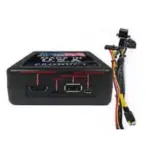
NavTool makes automotive video interfaces that add camera inputs, HDMI, smartphone mirroring, Apple CarPlay and Android Auto to compatible factory vehicle screens.

Tip: include the full model number printed on your NavTool label for the best match.

About NavTool manuals on Manuals.plus

NavTool makes automotive video interfaces that add HDMI, camera inputs, smartphone mirroring, Apple CarPlay and Android Auto to compatible factory screens and navigation systems.

Browse user manuals and installation guides for wiring, configuration, input switching and troubleshooting. Check your interface part number, vehicle year and factory equipment to select the correct guide. Installation by a certified technician is recommended.

For technical assistance, visit NavTool's official website or call +1-877-628-8665.

NavTool manuals

Selected manuals from manuals+ curated for this brand.

NavTool support FAQ

Common questions about manuals, registration, and support for this brand.

  • How do I choose the correct NavTool manual?

    Match the interface part number with your vehicle model, year and factory screen or navigation equipment. Harnesses and installation steps vary by application.

  • How can I contact NavTool technical support?

    Call +1-877-628-8665 or email techsupport@navtool.com. The push-button manual also lists text support at +1-646-933-2100.

  • How do I configure a NavTool HDMI interface?

    For the documented 6.0-AR2-HDMI interfaces, connect the supplied USB configuration cable to a computer and visit https://config.navtool.com using the browser specified in your manual. No separate application download is required.

  • Should I install a NavTool interface myself?

    NavTool recommends a certified technician. Installation involves vehicle wiring and electronics, and incorrect connections can damage equipment or affect safety systems.

  • Why is there no HDMI audio through my vehicle speakers?

    For the documented HDMI interfaces, the audio output must be connected to the vehicle's AUX input and the radio set to AUX. Consult your model-specific connection guide.