📘 Key-Disp manuals • Free online PDFs
Key-Disp logo

Key-Disp Manuals & User Guides

Key-Disp manufactures intelligent LCD and TFT display systems and motor controllers for electric bicycles and scooters.

Tip: include the full model number printed on your Key-Disp label for the best match.

About Key-Disp manuals on Manuals.plus

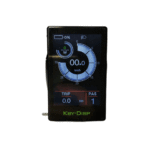
Key-Disp, also known as Key-Display, is a specialized manufacturer based in Tianjin, China, focusing on electronic components for light electric vehicles. The company primarily produces intelligent display meters (LCD and TFT) and motor controllers used by various electric bicycle brands as original equipment (OEM). Key-Disp displays serve as the control hub for e-bikes, providing riders with real-time analytics such as speed, battery life, trip distance, and error diagnostics.

Popular models like the KD986, KD718, and KD21C offer customizable interface settings, allowing users to adjust pedal assist levels, wheel size configurations, and speed limits. These robust, weather-resistant units are designed to integrate seamlessly with standard e-bike motor systems, ensuring a reliable riding experience.

Key-Disp manuals

Latest manuals from manuals+ curated for this brand.

Key-Disp KD986 Electric Bike Display User Manual

May 5, 2022
The bike Display KD986 Product model Intelligent TFT display for eBike: model: KD986 Specifications 36V148V Power Supply Rated working current: 50mA Maximum working current: 200mA Off leakage current: <1pA Operating…

Key-DISP KD51C The Ebike Display User Manual

May 4, 2022
The eBike Display Users Manual KD51C Product Name and Model Intelligent LCD display for E-bike; model: KD51C. Specifications 24V/36V/48V Power Supply Rated working current: 10mA The maximum working current: 30mA…

Key-Disp KD21C Electric Bike Display User Manual

December 18, 2021
Electric Bike Display KD21C User Manual Product name and model Intelligent LCD display of eBike; model: KD21C. Specifications 24V/36V/48V Power Supply Rated working current: 10mA The maximum working current: 30mA…

Key-Disp KD218 Electric Bike Display User Manual

December 18, 2021
Electric Bike Display KD218 User Manual Product name and Model E-bike Intelligent LCD display Model: KD218 Specifications 36V/48V Power Supply Rated working current: 10mA The maximum working current: 30mA Off-state…

KD59E E-bike Display User's Manual - Key-Disp

User Manual
User's manual for the Key-Disp KD59E Electric Bicycle Intelligent LED Display. Provides detailed information on specifications, operation, button functions, error codes, connection layout, and warranty.

Key-DiSP KD386 eBike Display User Manual

User Manual
Comprehensive user manual for the Key-DiSP KD386 eBike Intelligent TFT Color LCD display, covering specifications, functions, operation, settings, and warranty information.

Key-Disp KD21C eBike Display User Manual

User Manual
Comprehensive user manual for the Key-Disp KD21C eBike Intelligent LCD Display, covering installation, general operations, settings, troubleshooting, specifications, and warranty information. Learn how to install, configure, and use your eBike…

KD21C eBike Display User Manual - KEY-DISP

User Manual
Comprehensive user manual for the KEY-DISP KD21C intelligent LCD eBike display. Covers specifications, operation, button functions, display interface, general and personalized settings, error codes, warranty, and connection layout.

Key-Disp KD21C eBike Display User Manual

User Manual
User manual for the Key-Disp KD21C eBike Intelligent LCD Display, covering installation, operation, settings, specifications, error codes, and warranty information.

KEY-DISP KD21C eBike Display User Manual

manual
Comprehensive user manual for the KEY-DISP KD21C eBike Display, covering specifications, operation, settings, troubleshooting, and warranty information for electric bicycles.

Key-Disp manuals from online retailers

KD986 E-Bike Computer LCD Display User Manual

KD986 • 1 PDF • July 2, 2026
Comprehensive instruction manual for the KEY DISP KD986 E-Bike Computer LCD Display, covering installation, operation, settings, maintenance, troubleshooting, and specifications for electric bicycles.

KEY DISP KD21C LCD Display User Manual

KD21C • June 21, 2026
Comprehensive user manual for the KEY DISP KD21C LCD Display, an intelligent monitor for electric bicycles. Includes installation, operation, maintenance, and specifications.

KEY DISP KD21C LCD Display User Manual

KD21C • May 11, 2026
Comprehensive instruction manual for the KEY DISP KD21C LCD Display, an intelligent computer panel for electric bikes, covering installation, operation, specifications, and troubleshooting.

KD58C Electric Bike LCD Display User Manual

KD58C • May 4, 2026
Comprehensive user manual for the KEY-DISP KD58C Electric Bike LCD Display, covering installation, operation, specifications, and troubleshooting for 24V, 36V, and 48V e-bikes.

KD26E EBike LED Display User Manual

KD26E • 1 PDF • April 19, 2026
Comprehensive user manual for the KD26E EBike LED Display, including specifications, installation instructions, operation guide, maintenance tips, and warranty information.

KD716 Electric Bike LCD Display User Manual

KD716 • March 27, 2026
Comprehensive user manual for the KD716 Electric Bike LCD Display, including installation, operation, specifications, and troubleshooting for 36V/48V e-bikes.

Ebike LCD Display Screen Meter KD51C User Manual

KD51C • 1 PDF • March 19, 2026
Comprehensive instruction manual for the KEY-DISP KD51C Ebike LCD Display Screen Meter, covering setup, operation, settings, troubleshooting, and specifications.

Community-shared Key-Disp manuals

Have a user manual for a Key-Disp display or controller? Share it here to support fellow e-bike riders.

Key-Disp support FAQ

Common questions about manuals, registration, and support for this brand.

  • How do I enter the settings menu on my Key-Disp display?

    On most Key-Disp models (such as the KD986 or KD718), you can enter the settings menu by holding the '+' and '-' buttons simultaneously for about 2 seconds while the display is powered on.

  • What do the error codes on my Key-Disp screen mean?

    Error codes indicate specific system faults. Common codes include 21 (Current Abnormality), 23 (Motor Phase Abnormality), and 30 (Communication Abnormality). Refer to your specific model's manual for a full definition list, as codes can vary.

  • How do I reset the trip distance?

    To reset the Trip distance, enter the display settings menu and navigate to 'Trip Reset'. Select 'Yes' to clear the current trip data. Some models may require a specific button combination found in the user manual.

  • Can I charge my phone with the computer display?

    Certain Key-Disp models, such as the KD986, are equipped with a USB port that allows you to charge external devices like smartphones while the e-bike system is powered on.

  • How do I switch between Kilometers and Miles?

    Enter the settings menu by holding the '+' and '-' buttons, then navigate to the 'Unit' or 'Toggle Unit' option. From there, you can select 'Metric' (km) or 'Imperial' (mile).