📘 iSimulate manuals • Free online PDFs
iSimulate logo

iSimulate Manuals & User Guides

iSimulate provides advanced clinical simulation technology, utilizing mobile devices to create realistic patient monitor simulators and CPR feedback systems for medical training.

Tip: include the full model number printed on your iSimulate label for the best match.

About iSimulate manuals on Manuals.plus

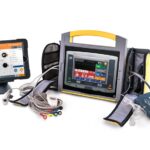
iSimulate is a leader in clinical education technology, offering modular simulation ecosystems designed to enhance medical training. Their flagship product, REALITi 360, incorporates patient simulation, CPR feedback, and video debriefing into a single system.

By leveraging current mobile technology, iSimulate creates solutions that are realistic, cost-effective, and simpler to use than traditional simulation mannequins. Their products are widely used by healthcare professionals and educators to simulate emergency scenarios and improve patient care skills.

iSimulate manuals

Latest manuals from manuals+ curated for this brand.

Guide d'installation CTGi - iSimulate

Installation Guide
Guide d'installation complet pour le système de simulation médicale iSimulate CTGi. Apprenez les étapes de préparation des iPads, l'activation de la licence, et découvrez des conseils supplémentaires pour une configuration…

REALITi 360 Setup Guide - iSimulate

Setup Guide
Setup guide for the REALITi 360 medical simulation system by iSimulate. Learn how to prepare iPads, activate your license, and access additional resources for optimal system use.

iSimulate support FAQ

Common questions about manuals, registration, and support for this brand.

  • How do I know when the iSimulate CPR Module battery needs charging?

    The battery status indicators on the device will display a red light indicating the battery is below 10% and requires charging.

  • Can I use the CPR Module without the REALITi 360 system?

    While technically possible to power on, the CPR Module is designed to work with REALITi 360 for optimal functionality and it is recommended to use them together.

  • How do I connect the CPR sensor to the REALITi 360 monitor?

    Ensure Bluetooth is activated on the monitor tablet, open the CPR connection menu by swiping from the right, and select 'CPR Sensor' from the list of devices.