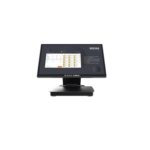
IMachine Manuals & User Guides
IMachine offers smart commercial devices, including desktop and handheld POS terminals, thermal receipt printers and PC-based scales for everyday business use.
About IMachine manuals on Manuals.plus
IMachine offers smart commercial equipment, including desktop and handheld POS terminals, portable thermal receipt printers and PC-based scales.
Browse user manuals and operating instructions, including the A2 Smart Desktop Terminal guide, for setup, power controls, peripheral connections and safety information. Match the manual to your device model and configuration before use.
For repair requests, keep your device serial number and proof of purchase available. Consult your model's manual and sales contract for applicable warranty terms.
IMachine manuals
Selected manuals from manuals+ curated for this brand.
Intelligent Data Terminal PD01-PLUS Quick Start Guide
IMachine support FAQ
Common questions about manuals, registration, and support for this brand.
-
Which IMachine manual is available in this category?
The available guide includes the IMachine A2 Smart Desktop Terminal User Manual, covering installation, power controls, safety and warranty terms.
-
How do I connect the A2 desktop terminal?
Connect the supplied power adapter to the device's power port and an AC outlet. Connect network, USB, serial and other peripherals to their corresponding ports as needed. Interfaces may vary by configuration.
-
What warranty terms does the A2 manual describe?
The A2 manual states a 12-month host warranty and three months for spare parts, subject to the sales contract. Coverage concerns qualifying material or production defects under normal use. Keep the device serial number and proof of purchase for repairs.
-
What should I do if my IMachine terminal overheats or malfunctions?
The A2 manual advises unplugging the power adapter and stopping use if there is unusual odor, overheating, discoloration or deformation. Do not disassemble the device; consult the after-sales service provider for testing and repair.
-
Can I install an unofficial operating system on the A2?
The A2 manual specifies official operating system upgrades only and warns that users are responsible for security risks and losses caused by installing unofficial systems.