📘 EasyLog manuals • Free online PDFs

EasyLog Manuals & User Guides

User manuals, setup guides, troubleshooting help, and repair information for EasyLog products.

Tip: include the full model number printed on your EasyLog label for the best match.

About EasyLog manuals on Manuals.plus

EasyLog-logo

EasyLog, harnesses the power of IoT to automate data logging, with instant notifications that keep you in touch. All data is held in secure storage and can be accessed 24/7 from any internet-connected device. Features include user and location management, so the system scales easily and is perfect for compact systems with only a few loggers as well as corporate solutions with thousands of devices in locations worldwide. Their official website is EasyLog.com.

A directory of user manuals and instructions for EasyLog products can be found below. EasyLog products are patented and trademarked under the brand Biocorp Production.

Contact Info:

Address: 3910 Park Avenue, Unit 7 Edison, NJ 08820
Phone: 732-632-6400

EasyLog manuals

Latest manuals from manuals+ curated for this brand.

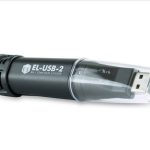
EasyLog EL-USB Simple Low Cost Data Logging User Guide

March 9, 2022
EL-USB Quick Start Guide DOWNLOAD AND INSTALL SOFTWARE Windows™ 7/8/10 (32 & 64bit) Visit www.lascarelectronics.com/software and click ‘Download’. USING THE SOFTWARE Insert the data logger into an available USB port…

LASCAR EasyLog EL-WiFi-TPX+ Data Logger User Guide

December 27, 2021
LASCAR EasyLog EL-WiFi-TPX+ Data Logger User Guide Features Temperature measurement range -40 to +125 °C (-40 to +257 °F) Configurable alarm levels with on-board warning light and sounder Digital calibratable…

LASCAR EL-WiFi-DULT Data Logger User Guide

December 27, 2021
LASCAR EL-WiFi-DULT Data Logger Dual Channel Ultra Low Temperature Cryogenic Vaccine WiFi Data Logger Measurement range -100 to +100°C (-148 to +212°F) T-type probe on 1m cable Dual channel recording…

EasyLog WiFi Sensor FAQ Guide

guide
A comprehensive FAQ guide for EasyLog WiFi data logging sensors, covering topics such as battery life, storage, charging, cloud server settings, software removal, WEP encryption, and detailed specifications.