šŸ“˜ EasyBadges manuals • Free online PDFs
EasyBadges logo

EasyBadges Manuals & User Guides

EasyBadges provides professional ID card printing systems, badge design software, and supplies. They offer lifetime support for businesses creating secure photo IDs.

Tip: include the full model number printed on your EasyBadges label for the best match.

About EasyBadges manuals on Manuals.plus

EasyBadges is a specialized provider of identification solutions, offering a comprehensive range of ID card printers, supplies, and software accessories. Based in Portland, Oregon, the company focuses on simplifying the badge creation process for schools, small businesses, and large enterprises.

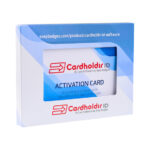
Their flagship software, Cardholdir ID, is designed for compatibility with both Windows and Mac operating systems, allowing users to easily design and print professional credentials. EasyBadges is known for bundling free lifetime support with their systems, ensuring customers can maintain secure and efficient identification protocols.

EasyBadges manuals

Latest manuals from manuals+ curated for this brand.

EasyBadges 1.7.x Cardholdir ID Card Software User Guide

June 8, 2023
QUICK START GUIDE easybadges.com/product/cardholdir-id-software INSTALL . WINDOWS VERSION WELCOME After download Cardholdir ID, doubleclick on Cardholdir ID executable fileĀ and the Installation Wizard will run,Ā the Welcome view is displayed whereĀ you can…

EasyBadges support FAQ

Common questions about manuals, registration, and support for this brand.

  • How do I install EasyBadges Cardholdir software on Windows?

    Download the Cardholdir ID executable file, double-click to run the Installation Wizard, select your language, and follow the prompts to finish the installation.

  • Is EasyBadges software compatible with Mac?

    Yes. For the Mac version, download the Cardholdir_ID.dmg file, agree to the license, and drag the application icon into your Applications folder.

  • How do I activate my license?

    In the software menu, choose 'Cardholdir ID license', select 'Activation Code', and enter the code provided with your purchase.

  • Where can I find help within the software?

    You can access the full embedded manual by going to the HELP MENU and selecting Index.