📘 Delta Controls manuals • Free online PDFs
Delta Controls logo

Delta Controls Manuals & User Guides

Delta Controls is a market leader in Building Automation Systems (BAS), offering native BACnet controllers, smart sensors, and HVAC control solutions.

Tip: include the full model number printed on your Delta Controls label for the best match.

About Delta Controls manuals on Manuals.plus

Delta Controls Inc. is a global leader in the design and manufacture of Building Automation Systems (BAS). Headquartered in Surrey, British Columbia, the company has been a pioneer in native BACnet open-protocol solutions since 1987. Delta Controls provides a complete range of HVAC, lighting, and access control products designed to create smart, energy-efficient environments.

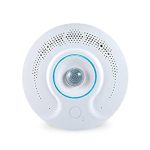
Key product lines include the Red5 family of native BACnet VAV controllers and the O3 Sense and O3 Edge standalone multi-sensors, which utilize sensor fusion technology to enhance occupant comfort and operational efficiency. The company serves a global network of partners and customers, delivering scalable solutions for buildings of all sizes.

Delta Controls manuals

Latest manuals from manuals+ curated for this brand.

Delta CONTROLS Delta Air Compressor Valve User Manual

February 27, 2026
Delta CONTROLS Delta Air Compressor Valve Product Specifications Maximum Pressure: Limited by transducer; currently 2 inches of water column Valve Type: Blade damper solution Fast-Acting Valves: Not currently available, under…

Delta Controls Red5 Room Controller User Guide

April 2, 2025
Red5 EDGE VAV Room Controller User Guide Redefining Building Automation The Red5-EDGE-V440/V100 is a fully integrated, programmable, and IoT based Native BACnet VAV controller. The Red5-EDGE supports a BACnet Ethernet/CyP…

eZV-440 Application Guide: Configuration and Operation

Application Guide
Comprehensive guide to the Delta Controls eZV-440 BACnet controller, covering configuration, operation, VAV applications, and integration with enteliZONE systems. Learn about setup, programming, and advanced features.

Delta BACstat II Network Sensor Thermostat Application Guide

Application Guide
This application guide provides detailed information on Delta Controls' BACstat II Network Sensor Thermostats (models DNS-24, DNT-T103, and DNT-T221), covering product description, setup, configuration, programming, control functions, and OWS functions…

enteliWEB v4.0 Deployment Planning Guide | Delta Controls

Deployment Planning Guide
This Deployment Planning Guide for enteliWEB v4.0 by Delta Controls provides essential information for planning system deployments. It covers site sizing, hardware and software requirements for physical servers and virtual…

eZNT-Wi Programmable Wi-Fi Thermostat Application Guide

Application Guide
Comprehensive application guide for the Delta Controls eZNT-Wi Programmable Wi-Fi Thermostat, detailing its features, Wi-Fi configuration, setup, troubleshooting, and integration within the enteliZONE product line.

Delta Controls support FAQ

Common questions about manuals, registration, and support for this brand.

  • How do I reboot the O3 Sense hub?

    To reboot the O3 Sense, open the O3 Setup app, select the icon in the upper right corner, choose 'Reboot hub', and confirm by selecting 'Yes, reboot hub'.

  • What are the power requirements for the Delta Controls O3 Edge?

    The O3 Edge requires a 24 VDC power supply and typically draws 2W, with a maximum draw of 10W. It should be connected to a Class 2 power source.

  • How should the O3 Sense be mounted for best performance?

    The device should be mounted 2.4 to 4.6 m (8 to 15 ft) off the floor, ideally in the center of the room, at least 2.1 m (7 ft) away from windows, and 1.3 m (4 ft) away from airflow sources.

  • What does the Reduced Cable Length warning mean when using the bypass switch?

    While O3 devices can be daisy-chained up to 100 meters, using the bypass switch to relay data during a power failure reduces the maximum allowable cable length by 15 meters (50 ft) for each bypassed device.

  • How do I update the firmware on my Delta Controls device?

    Using the O3 Setup app, connect to the device, go to the settings menu in the upper right, select 'Upgrade firmware', choose the version from the list, and apply. Ensure the device remains powered during the process.