📘 CSLP manuals • Free online PDFs
CSLP logo

CSLP Manuals & User Guides

CSLP offers smart door locks with keypad, fingerprint and app-based access, helping users manage entry with installation guides and model-specific setup instructions.

Tip: include the full model number printed on your CSLP label for the best match.

About CSLP manuals on Manuals.plus

Find manuals and setup instructions for CSLP smart door locks, including the iLock 402C and 402C Wi-Fi models.

Guides cover installation, administrator setup, keypad and fingerprint access, app pairing and door sensor configuration. Select the manual matching your exact lock version, as features and control sequences vary.

For return and warranty inquiries, the iLock 402C manual lists support@hjmansion.com. Check your purchase documentation for applicable warranty terms.

CSLP manuals

Selected manuals from manuals+ curated for this brand.

CSLP iLock 402C Smart Lock Instruction Manual

November 17, 2023
Smart Lock iLock 402C Exterior Assembly 1. Fingerprint Sensor2. Card Reader3. Confirm4. Cylinder5. Return6. Keypad Keypad: Used to enter the code and unlock from outside. Fingerprint Sensor: Used to press…
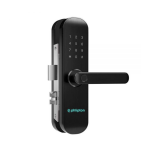
CSLP 402C Wi-Fi Smart Lock User Guide

January 8, 2022
Wi-Fi Smart Lock ilock 402 Network Edition Operational Guide Product Function Description Can realize fingerprint, password, remote dynamic password, mechanical key and other ways to open the door. Physical Structure…

CSLP manuals from online retailers

CSLP support FAQ

Common questions about manuals, registration, and support for this brand.

  • Which CSLP manual should I use?

    Match the model and version on your lock or packaging to the manual. The iLock 402C and 402C Wi-Fi guides contain different pairing and control instructions.

  • How do I connect my CSLP lock to an app?

    The iLock 402C manual describes Tuya Smart pairing through Lock (BLE), while the Wi-Fi guide describes a Wi-Fi pairing process. Follow the instructions for your exact version.

  • What should I check if my iLock 402C will not lock?

    The manual recommends checking the left- or right-opening direction setting. Also follow its installation checks for free deadbolt movement and strike alignment.

  • Who can I contact about warranty coverage?

    The iLock 402C manual lists support@hjmansion.com for return and warranty inquiries and describes a one-year replacement policy subject to conditions. Confirm applicable terms with support.

  • What can I do if the iLock 402C batteries are depleted?

    The manual describes using the mechanical backup key or connecting a power bank to the emergency power port beneath the keypad. Replace the batteries after gaining access.