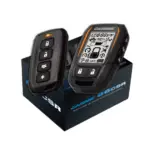
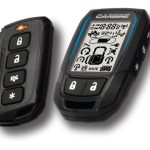
CARBINE Manuals & User Guides
Carbine, a brand of Magnadyne Corporation, specializes in advanced 2-way vehicle security, remote start systems, and keyless entry solutions.
About CARBINE manuals on Manuals.plus
CARBINE Vehicle Security Systems
Carbine, a premier brand under Magnadyne Corporation, specializes in developing advanced vehicle security and remote start systems. Their product lineup includes keyless entry systems, programmable remote starters, and comprehensive auto alarm systems designed to offer maximum protection and convenience for vehicle owners. With decades of industry experience, Carbine products are engineered for professional installation and reliable daily performance.
CARBINE manuals
Latest manuals from manuals+ curated for this brand.
CARBINE 68SL Remote Start with Security and Keyless Entry System Installation Guide
CARBINE 66CSR Remote Start with Security and Keyless Entry System Installation Guide
Carbine 46CR Remote Start with Keyless Entry System Owner’s Manual
CARBINE CARF-AM2 Remote Control System Instructions
CARBINE 32cs Security System with Keyless Entry Owner’s Manual
CARBINE 44CR Remote Start with Keyless Entry System Owner’s Manual
CARBINE 34cs Security System with Keyless Entry Owner’s Manual
CARBINE 55CSR Remote Start with Security and Keyless Entry System Installation Guide
CARBINE 66CSR Remote Start Installation Guide
Carbine 32cs Security System Owner's Manual
Carbine START2-PLUS Remote Control Auto Starter Installation Manual
Carbine CEL 3in1 Touchscreen Locks RFID Compatibility Guide
Carbine 44CR Remote Start with Keyless Entry System Owner's Manual
Carbine 32cs Security System with Keyless Entry Owner's Manual
Carbine 66CSR Remote Start and Security System: Quick Reference Installation Guide
Carbine 34cs Security System with Keyless Entry: Quick Reference Install Guide
CARBINE manuals from online retailers
CARBINE 34CS | 2-Way 1/4 Mile Security & Keyless Entry System User Manual
CARBINE support FAQ
Common questions about manuals, registration, and support for this brand.
-
How do I pair a new replacement remote control to my Carbine system?
Open the driver's door, turn the ignition key ON, and press and hold the valet button for 1.5 seconds until the LED flashes and the horn chirps. Press the programming button on your new remote 5 times, wait for the LED to flash steadily, then press the assignment button again to pair.
-
Why is my Carbine remote starter immediately shutting down the engine?
The remote starter will automatically shut down as a safety measure if the foot brake is pressed, the hood is open, the system is actively in Valet Mode, or the engine over-rev detection is triggered.
-
How do I enter Valet Mode on my Carbine remote?
Open the driver's door and press the designated button sequence on your remote (often Lock, then Panic, then Lock depending on the model). The status LED will turn on solid when Valet Mode has been successfully activated.
-
What kind of battery do Carbine remote controllers use?
Most Carbine remote controls are powered by a standard CR2032 Lithium battery. You can open the remote's casing carefully using a small flat-blade screwdriver or a coin to swap out the battery.