DisplayPort Manuals & User Guides
DisplayPort is a high-performance digital display interface standard developed by VESA, widely used for high-resolution video and audio connections.
About DisplayPort manuals on Manuals.plus
DisplayPort (DP) is a high-performance digital interface commonly used to connect video sources to display devices such as monitors and TVs.
Developed by the Video Electronics Standards Association (VESA), DisplayPort provides robust audio and video transmission capabilities over a single cable, natively supporting advanced features like high refresh rates, high-resolution multi-monitor setups, and USB-C integration.
In addition to the official standard, various generic networking and display devices, such as DisplayPort KVM switches, hubs, and adapters, are categorized under the DisplayPort identifier. Find essential user manuals, setup guides, and operational instructions for your DisplayPort devices here.
DisplayPort manuals
Latest manuals from manuals+ curated for this brand.
DP S1 Slimline Digital Piano User Manual
DP E161.CAN 7 Dealer User Manual
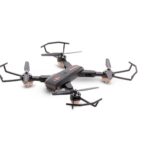
dp REMOS9 RC DRONE User Manual
dp WIFIS9 RC DRONE User Manual
DisplayPort support FAQ
Common questions about manuals, registration, and support for this brand.
-
What is DisplayPort?
DisplayPort is a digital interface developed by VESA used primarily to connect a video source to a display device like a computer monitor. It can carry digital audio, USB, and other types of data over a single connection.
-
Do DisplayPort KVM switches require drivers?
Typically, standard DisplayPort KVM switches operate as plug-and-play devices and do not require manual driver installations, as modern operating systems automatically configure basic USB and display hardware.
-
Does DisplayPort support audio and video on one cable?
Yes, similar to HDMI, DisplayPort is designed to transmit both high-definition video and high-resolution audio over a single cable connection.
-
Can you connect DisplayPort to an HDMI monitor?
Yes, DisplayPort to HDMI adapters or cables are widely available. An active or passive adapter can easily conversion the video signal to be compatible with an HDMI display.