


max sensor MX-51 Programming Diagnostic Tool
 Eina de diagnòstic TPMS que comprova els sensors de control de la pressió dels pneumàtics, captura dades dels sensors i reaprèn els sistemes de control de la pressió dels pneumàtics. També programa sensors del mercat de recanvis i moltes altres funcions. Complement perfecte per a un taller o tècnic que realitza diagnòstics TPMS.
Informació de l'eina


Introducció
MX-51
When testing sensors, position the MX-51 antenna on the sidewall of the tire near the valve. Press the Trigger button to trigger the sensor.

MX-51_OBD
For some models, need OBDII relearn, and diagnostic need to be performed. For these applications, the MX-51_OBD will connect to the vehicle.

Descarregar
- Scan this QR code and download MAX SENSOR TPMS

- Choose to download the app depending on your mobile system.

- The QR code is scanned again for app download.

- Feu clic a "Instal·la".
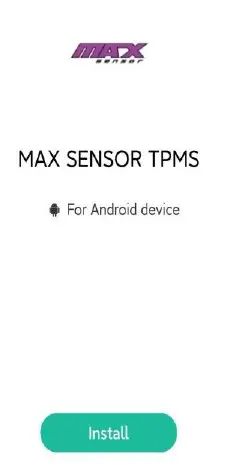
- Scroll down to find about MAX SENSOR TPMS and click Install.
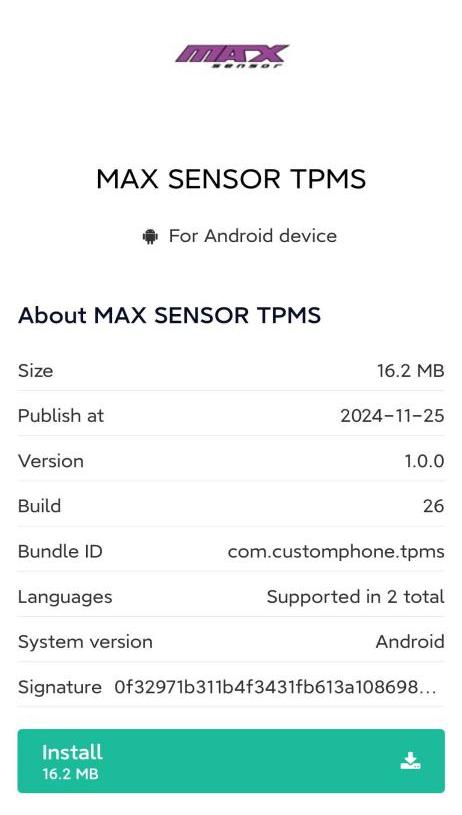
- Click Install anyway.

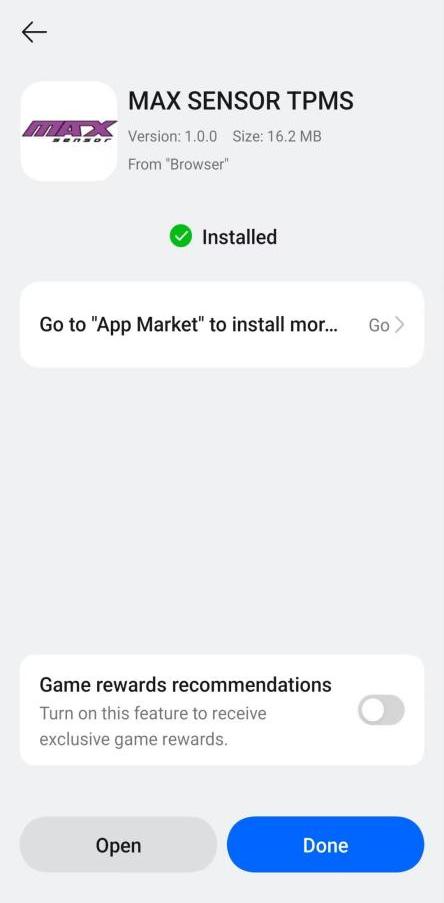
- instal·lació completa.
Registre i inici de sessió
- Click to enter MAX SENSOR TPMS, and then click Register in the top right corner to register an account.Follow the prompts to complete the information below, then click Register, the account registration is complete.

- After you have completed your account registration, go back to the login screen, enter your account number and password, check the box “I have read and agree to the User Agreement and Privacy Policy”, and click Sign in.

Connecteu dispositius Bluetooth
After entering the trigger interface of any vehicle type, click the Bluetooth icon in the upper right corner to enter the Bluetooth connection interface. Click Scan device, find the corresponding MX-51, and click Connect. When the signal icon changes color from gray to green, the device is connected successfully. Return to the trigger screen again, the Bluetooth icon in the upper right corner will also change to the icon of successful connection.


Comprensió de la informació del TPMS

Funcionalitat principal del TPMS
- Sensor de disparador
The trigger sensor is selected by default when entering the TPMS function. From here, using the trigger button on the tool or clicking the trigger icon on the MAX SENSOR TPMS, located on the vehicle icon, the tool will trigger the TPMS sensor and display all TPMS information.
- Torna a aprendre
When replacing a sensor, or altering sensor locations, a TPMS relearn is required. The Relearn function displays all necessary steps to put a vehicle into a “relearn” mode, to relearn the sensors to the ECU. If applicable, an OBDII relearn can be performed with the OBDII Cable included with the tool. The MAX SENSOR TPMS will display OBDII port locations and instructions.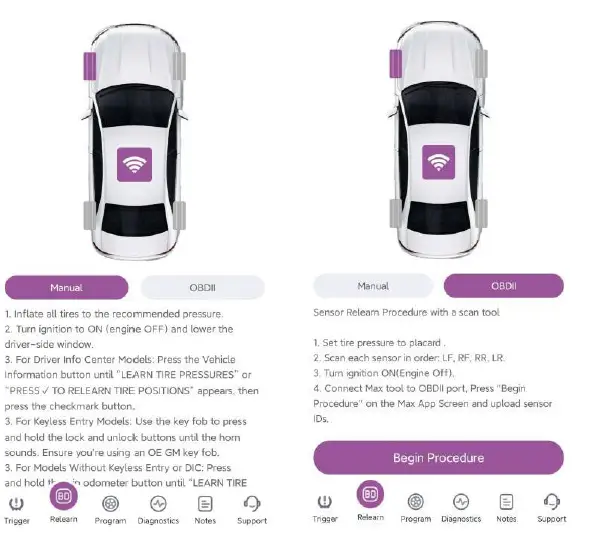
- Programa
If you need to program the sensor, you can choose automatic programming, copy sensor ID programming, manual programming, and programming a set of sensors.
Seleccioneu la marca del sensor amb què esteu treballant i, a continuació, seleccioneu "Crea".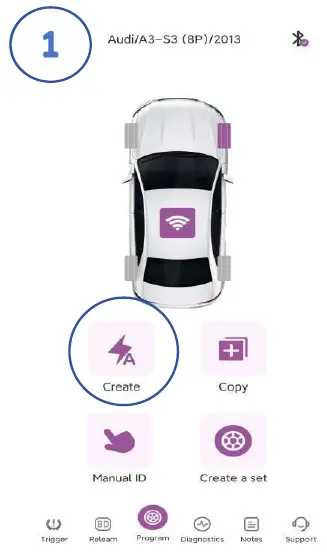
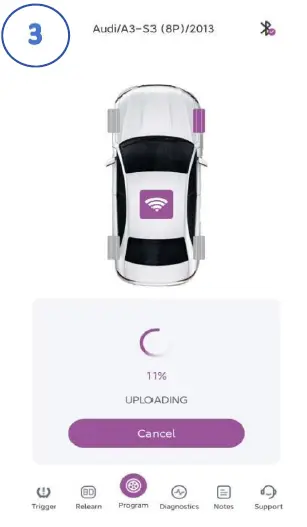
- Col·loca el sensor a sobre de l'antena de l'eina i toca programa.

- The tool will begin programming the sensor. This process may take a few seconds.
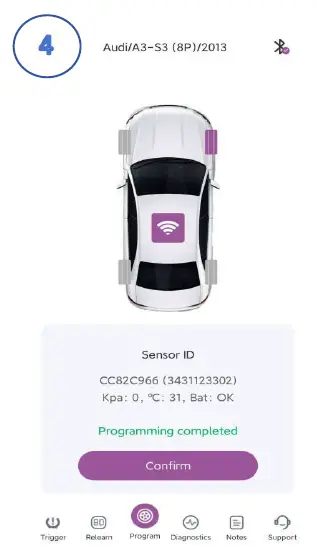
- Once successfully programmed, the tool will display the sensor’s ID, pressure ,temperature and battery status.
- Col·loca el sensor a sobre de l'antena de l'eina i toca programa.
Declaració de la FCC
Aquest equip s'ha provat i s'ha comprovat que compleix els límits per a un dispositiu digital de classe B, d'acord amb la part 15 de les normes de la FCC. Aquests límits estan dissenyats per proporcionar una protecció raonable contra interferències nocives en una instal·lació residencial. Aquest equip genera, utilitza i pot irradiar energia de radiofreqüència i, si no s'instal·la i s'utilitza d'acord amb les instruccions, pot causar interferències perjudicials a les comunicacions de ràdio. Tanmateix, no hi ha cap garantia que no es produeixin interferències en una instal·lació concreta. Si aquest equip provoca interferències perjudicials a la recepció de ràdio o televisió, cosa que es pot determinar apagant i encenent l'equip, es recomana a l'usuari que intenti corregir la interferència mitjançant una o més de les mesures següents:
- Reorienta o reubica l'antena receptora.
- Augmentar la separació entre l'equip i el receptor.
- Connecteu l'equip a una presa d'un circuit diferent d'aquell al qual està connectat el receptor.
- Consulteu el distribuïdor o un tècnic de ràdio/TV amb experiència per obtenir ajuda.
Precaució: Qualsevol canvi o modificació a aquest dispositiu no aprovat explícitament pel fabricant podria anul·lar la vostra autoritat per fer servir aquest equip.
Aquest dispositiu compleix la part 15 de les normes de la FCC. El funcionament està subjecte a les dues condicions següents:
- Aquest dispositiu no pot causar interferències perjudicials i
- Aquest dispositiu ha d'acceptar qualsevol interferència rebuda, incloses les interferències que puguin provocar un funcionament no desitjat.
Informació d'exposició a RF
S'ha avaluat que el dispositiu compleix els requisits generals d'exposició a RF. El dispositiu es pot utilitzar en condicions d'exposició portàtil, complint amb els requisits d'exposició.
Preguntes freqüents
- Q: How do I connect the MX-51 to my mobile device?
A: Scan the QR code provided in the manual to download the MAX SENSOR TPMS app. Install the app on your mobile device and follow the prompts to complete registration and login. Once registered, connect your MX-51 via Bluetooth by following the steps outlined in the manual. - Q: What is Sensor ID in TPMS Info?
A: Sensor ID is a unique identifier assigned to each TPMS sensor for tracking and monitoring purposes. - Q: How do I check the sensor battery status?
A: The MAX SENSOR TPMS displays sensor battery status as OK if sufficient or NOK if low. Monitor this information to ensure proper functioning of the sensors.
Documents/Recursos
 |
max sensor MX-51 TPMS Diagnostic Tool Monitoring Sensors [pdfManual d'instruccions MX-51, MX-51 TPMS Diagnostic Tool Monitoring Sensors, TPMS Diagnostic Tool Monitoring Sensors, Diagnostic Tool Monitoring Sensors, Tool Monitoring Sensors, Monitoring Sensors |