1. Acabatview
The Cooler Master ELITE Gold 850W Power Supply Unit (PSU) is a high-efficiency component designed to meet the ATX3.1 standard and PCIe5.1 specifications. It features a quiet and durable rifle bearing fan, making it an optimal choice for daily gaming and demanding PC environments. This fully modular power supply ensures stable power delivery for high-performance systems.

Figura 1: superior view of the Cooler Master ELITE Gold 850W Power Supply Unit, showcasinel seu disseny i la seva marca.
2. Configuració i instal·lació
Before installation, ensure your system is powered off and unplugged from the wall outlet. Handle the PSU with care to avoid damage.
2.1. Instal·lació física
- Mount the PSU into your PC case using the provided screws. Ensure it is securely fastened.
- Connect the main 24-pin ATX power cable to your motherboard.
- Connect the CPU power cables (EPS 4+4-pin or 8-pin) to your motherboard.

Figure 2: The power supply unit integrated into a computer system, demonstrating a typical installation scenario.
2.2. Connexions de cable
This PSU features a full modular design, allowing you to connect only the cables necessary for your components. This helps improve airflow and cable management within your PC case.
- PCIe Cables: Connect the PCIe 6+2-pin cables to your graphics card(s). Ensure all required power connectors on your GPU are utilized.
- Cables SATA: Connect SATA power cables to storage devices such as SSDs, HDDs, and optical drives.
- Peripheral Cables: Use peripheral 4-pin (Molex) cables for other components as needed.

Figure 3: Close-up of the modular cable connection ports on the power supply unit, showing clearly labeled connections for various components.
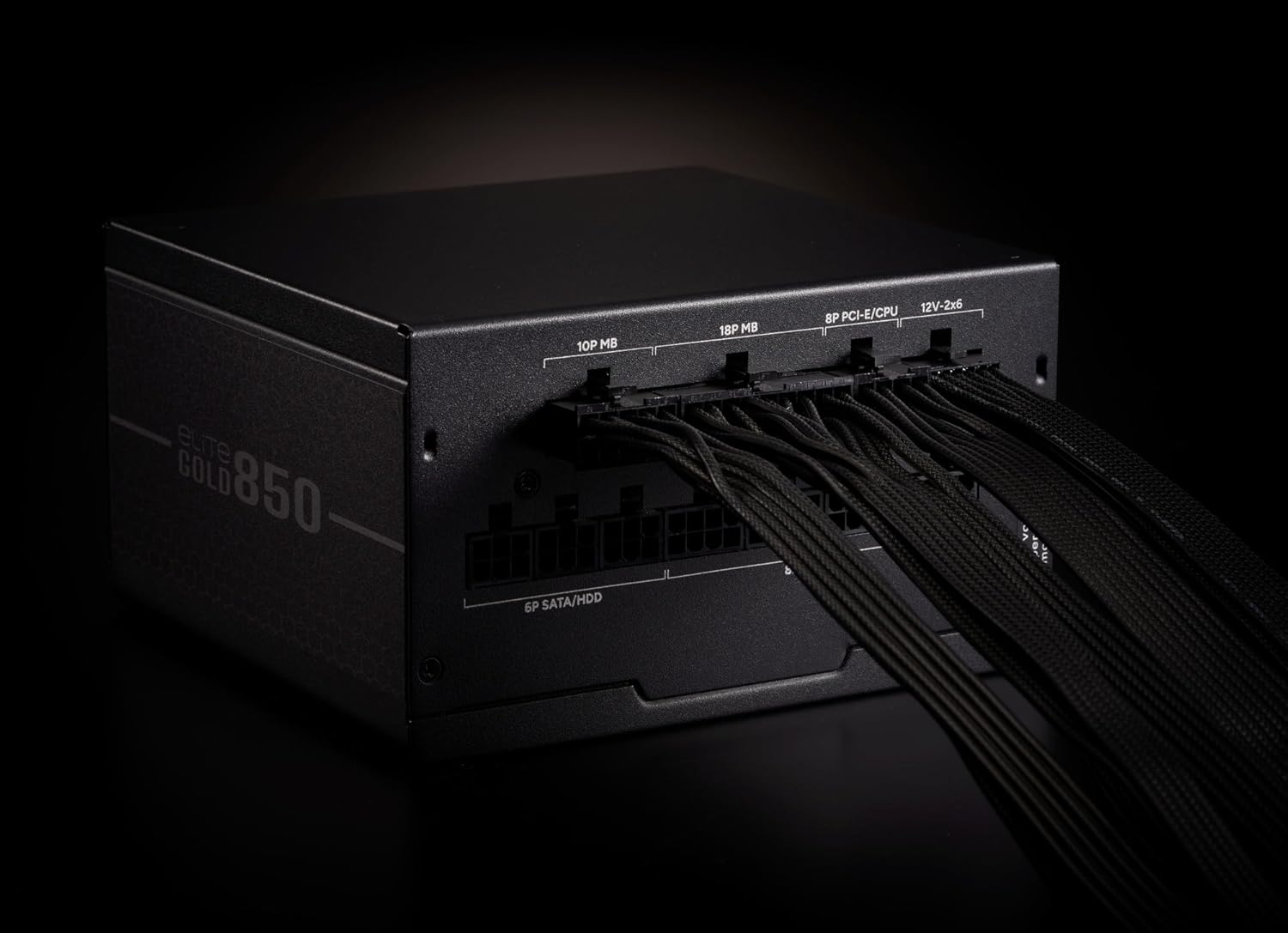
Figure 4: The power supply unit with various modular cables connected, illustrating proper cable management and connection points.
3. Instruccions de funcionament
After all components are securely connected and the PSU is mounted, ensure the power switch on the back of the PSU is in the 'OFF' position. Plug the AC power cord into the PSU and then into a wall outlet. Flip the power switch to the 'ON' position. You can now power on your computer system.
3.1. Funcionament del ventilador
The 120mm rifle bearing fan is designed for quiet operation and efficient cooling. It features intelligent fan control, adjusting its speed based on the system's load and temperature to maintain optimal performance and minimize noise.
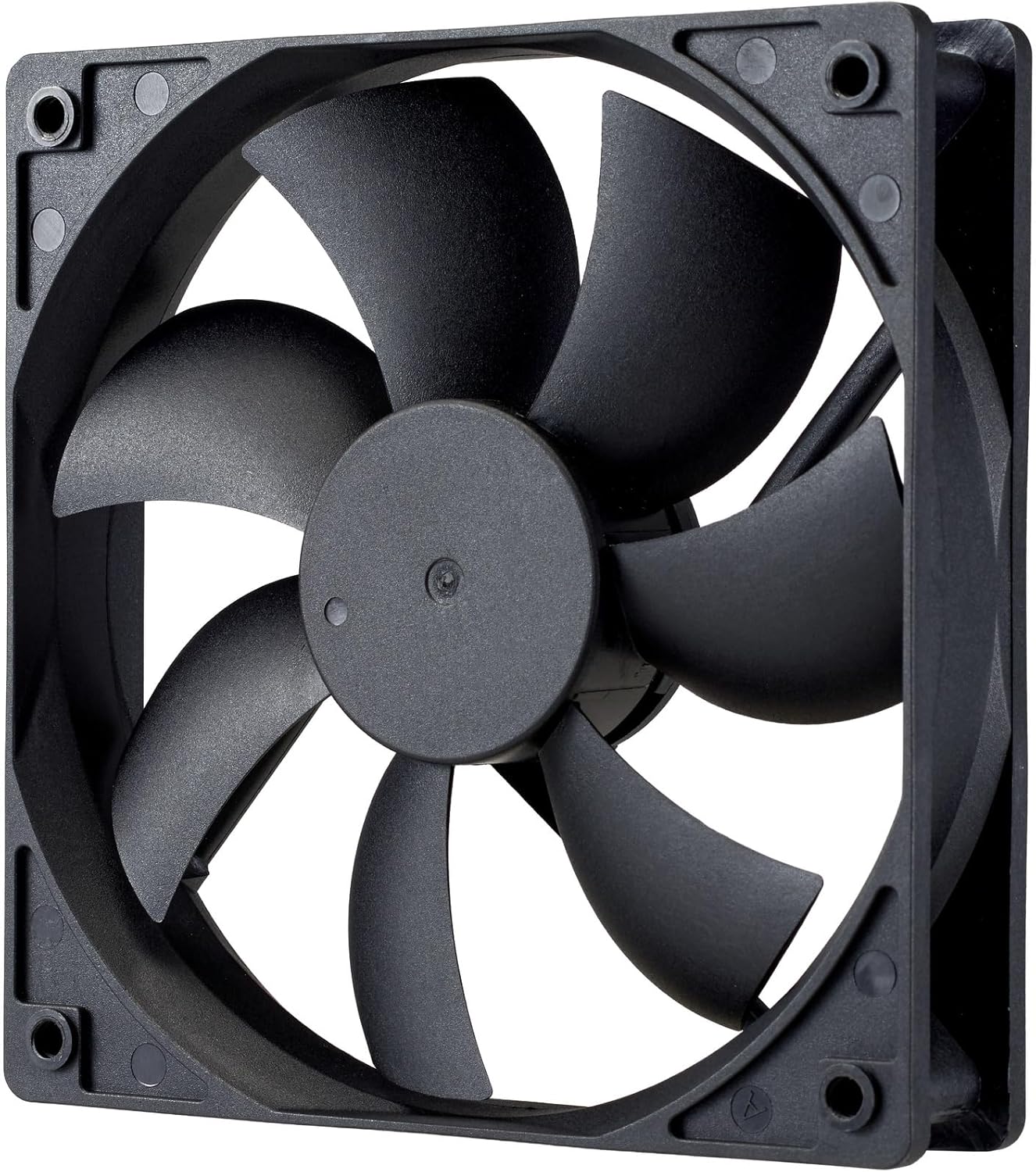
Figura 5: Detall view of the 120mm rifle bearing cooling fan, highlighting its design for efficient heat dissipation.
4. Manteniment
To ensure the longevity and optimal performance of your Cooler Master ELITE Gold 850W PSU, periodic maintenance is recommended.
- Neteja: Regularly clean the exterior of the PSU and the fan grille to prevent dust buildup. Use compressed air to gently clear dust from the fan blades and internal components. Always unplug the PSU from the wall outlet before cleaning.
- Ventilació: Ensure your PC case has adequate ventilation. Do not obstruct the PSU's intake or exhaust vents.
- Gestió de cables: Proper cable management not only improves aesthetics but also enhances airflow, contributing to better cooling for the PSU and other components.
5. Solució De Problemes
If you encounter issues with your PSU, refer to the following common troubleshooting steps:
- Sense energia:
- Check if the AC power cord is securely plugged into both the PSU and the wall outlet.
- Assegureu-vos que l'interruptor d'alimentació de la font d'alimentació estigui en la posició "ON".
- Verify that all modular cables are correctly and firmly connected to the PSU and the respective components.
- Proveu la presa de corrent amb un altre dispositiu per confirmar que subministra corrent.
- Inestabilitat del sistema/aturades aleatòries:
- This could indicate insufficient power or a faulty component. Ensure your system's power requirements do not exceed the PSU's 850W capacity.
- Comproveu que la ventilació sigui adequada i assegureu-vos que el ventilador de la font d'alimentació estigui girant. El sobreescalfament pot provocar aturades.
- If possible, test the PSU with a different system or components to isolate the issue.
- Soroll excessiu del ventilador:
- Clean the fan and fan grille to remove any dust buildup that might be causing obstruction or imbalance.
- Ensure the PSU is not operating under extreme load for extended periods, which can cause the fan to spin at higher RPMs.
Si aquests passos no resolen el problema, poseu-vos en contacte amb el servei d'atenció al client de Cooler Master per obtenir més ajuda.
6. Especificacions
| Característica | Descripció |
|---|---|
| Marca | Cooler Master |
| Número de model | MPX-8505-AFAG-BJP |
| Sèrie | ELITE Gold |
| Product Size (W×L×H) | 150 x 140 x 86 mm |
| Pes del producte | 2.0 kg |
| Factor de forma | ATX 12V Ver3.1 |
| Capacitat de potència | 850 W |
| Certificació 80 PLUS | OR |
| Tipus de cable | Completament Modular |
| Entrada de CA | 100~240V / 6~12A / 50~60Hz |
| Mida del ventilador de refrigeració | 120mm Rifle Bearing Fan |
| Connectors | ATX 24-pin×1, EPS 4+4-pin×1, EPS 8-pin×1, SATA×4 + Peripheral 4-pin×2, PCIe 6+2-pin×3, 12+4-pin×1 |
| Circuits de protecció | OPP (Protecció contra sobrepotència), OVP (Sobrevol.)tage Protecció), UVP (Under Voltage Protection), SCP (Short Circuit Protection), OTP (Over Temperature Protection) |
| MTTF (temps mitjà fins a la fallada) | 100,000 hores |
7. Garantia i Suport
This Cooler Master ELITE Gold 850W PSU comes with a 5-year warranty from the date of purchase through authorized distributors. For warranty claims, technical support, or service inquiries, please contact your local Cooler Master representative or visit the official Cooler Master weblloc web. Conserveu el comprovant de compra per validar la garantia.
Oficial Weblloc: www.coolermaster.com


