1. Introducció
This manual provides essential information for setting up, operating, and maintaining your Samsung Galaxy A17 5G smartphone. Please read this guide thoroughly to ensure proper use and to maximize your device's capabilities. The Samsung Galaxy A17 5G is an international version designed for global connectivity, featuring an immersive AMOLED display, a powerful camera system, and a long-lasting battery.
2. Què hi ha a la caixa
En desembalar el Samsung Galaxy A17 5G, comproveu que hi hagi tots els components:
- Smartphone Samsung Galaxy A17 5G
- Power Adapter (25W Fast Charger)
- Cable USB (tipus C)
- Guia d'inici ràpid (pot variar segons la regió)

Image: Contents of the Samsung Galaxy A17 5G retail package, including the smartphone, USB Type-C cable, and 25W power adapter.
3. Configuració
3.1. Disseny del dispositiu
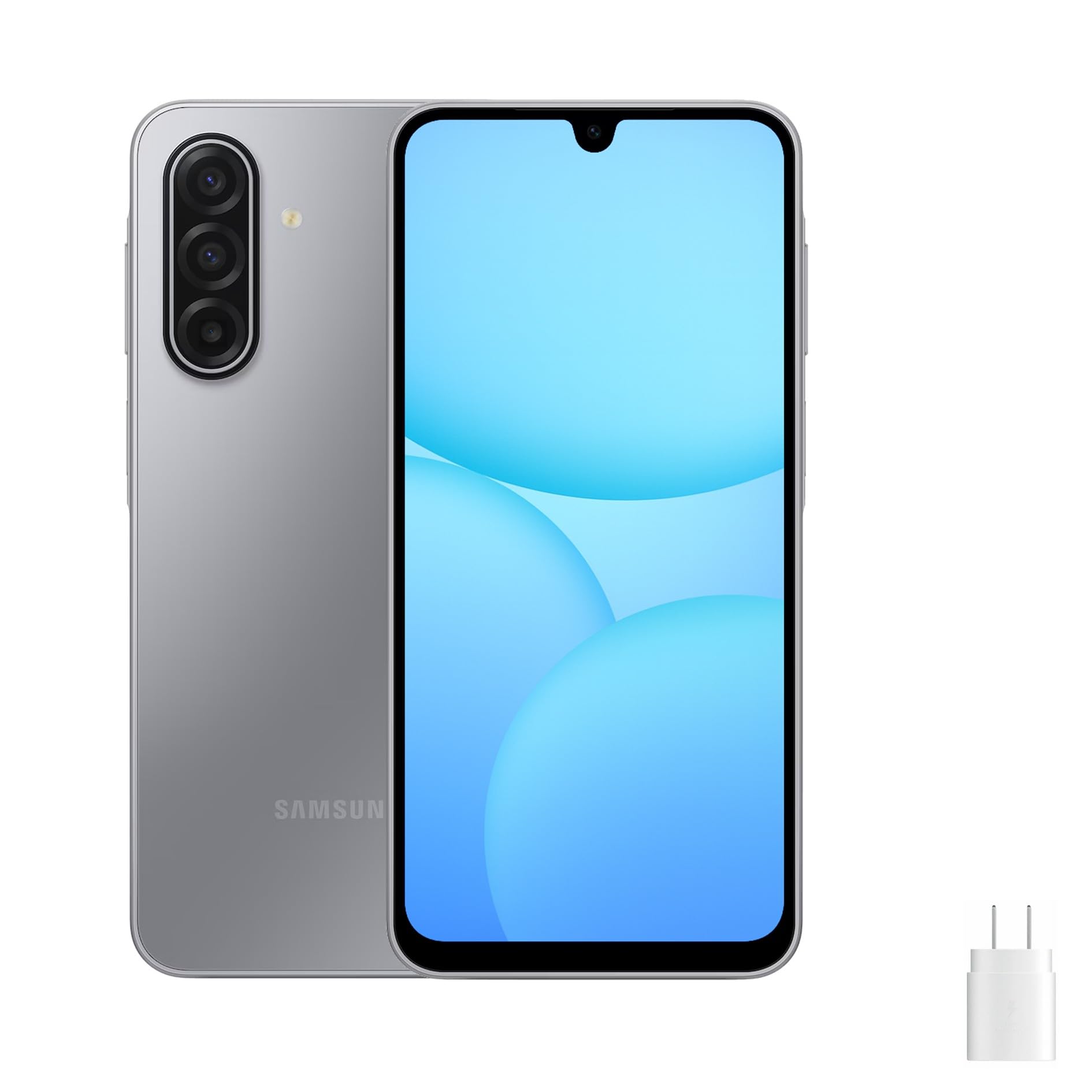
Image: Front, left, and right side views of the Samsung Galaxy A17 5G, illustrating the display, camera, volume buttons, power button, and SIM tray location.
3.2. Inserció de la targeta SIM i la targeta MicroSD
- Localitza la safata de la targeta SIM al lateral del dispositiu.
- Insert the ejection pin (not included) into the small hole on the SIM tray to open it.
- Place your Nano-SIM card(s) and/or microSD card into the tray with the gold contacts facing down. The Galaxy A17 5G supports Dual SIM or one SIM with a microSD card.
- Empenyeu suaument la safata cap enrere a la ranura fins que encaixi al seu lloc.
3.3. Engegada i configuració inicials
- Premeu i manteniu premut el botó d'engegada fins que aparegui el logotip de Samsung.
- Segueix les instruccions que apareixen a la pantalla per seleccionar l'idioma, connectar-te a una xarxa Wi-Fi i configurar el teu compte de Google.
- Transfer data from an old device if desired, using Samsung Smart Switch or Google's data transfer tools.
- Set up security features such as a PIN, pattern, password, or fingerprint recognition.
4. Funcionament del vostre dispositiu
4.1. Pantalla i navegació
The Galaxy A17 5G features a 6.7-inch FHD+ Super AMOLED display with a 90Hz refresh rate. This provides vibrant colors, deep blacks, and smooth scrolling. Navigate your device using touch gestures:
- Toca: Selecciona un element o obre una aplicació.
- Llisca: Desplaçar-se per pantalles o llistes.
- Pessigar: Apropa o allunya les fotos i web pàgines.
- Premsa llarga: Accediu als menús contextuals o moveu les icones de les aplicacions.
4.2. Característiques de seguretat
Protect your device and data using the following security options:
- Sensor d’empremta digital: Located on the side power button for quick and secure unlocking.
- Reconeixement facial: Unlock your device using your face.
- PIN, Patró, Contrasenya: Mètodes de seguretat estàndard per a l'accés a dispositius.
5. Característiques de la càmera
El Galaxy A17 5G està equipat amb un sistema de càmeres versàtil:
- 50MP Triple Rear Camera: Capture high-resolution photos with optical image stabilization (OIS) for steady shots. Includes wide-angle and depth sensors for various photographic effects.
- Càmera frontal de 13MP: Ideal for clear selfies and high-quality video calls.
To access the camera, tap the Camera app icon. You can switch between photo, video, portrait, and other modes by swiping across the screen. Tap the shutter button to take a photo or start/stop video recording.
6. Connectivitat
Your Galaxy A17 5G supports various connectivity options:
- 5G & 4G LTE: Enjoy fast mobile data speeds. This is an international version, compatible with most major U.S. GSM carriers like T-Mobile, Metro, and Mint Mobile. It is not compatible with Verizon or CDMA networks.
- Doble SIM: Use two SIM cards simultaneously for separate personal and work numbers, or for international travel.
- Wi-Fi: Connecteu-vos a xarxes sense fil per accedir a Internet.
- Bluetooth: Emparella-ho amb auriculars sense fil, altaveus i altres dispositius compatibles amb Bluetooth.
- USB tipus C: Per a càrrega i transferència de dades.
7. Gestió de la bateria
The device is powered by a 5000mAh battery, providing extended usage time. To charge your device:
- Connect the included USB Type-C cable to the phone's charging port.
- Connect the other end of the cable to the 25W fast charger power adapter.
- Connecteu l'adaptador de corrent a una presa de corrent.
To optimize battery life, consider these tips:
- Redueix la brillantor de la pantalla.
- Desactiva el Wi-Fi, el Bluetooth i el GPS quan no els utilitzis.
- Tanca les aplicacions no utilitzades que s'executen en segon pla.
- Enable power-saving modes in Settings.
8. Manteniment
Una cura adequada garanteix la longevitat del dispositiu:
- Neteja: Feu servir un drap suau i sense borrissol per netejar la pantalla i la carcassa. Eviteu productes químics agressius.
- Actualitzacions de programari: Comproveu i instal·leu regularment si hi ha actualitzacions de programari per garantir un rendiment i una seguretat òptims. Aneu a Configuració > Actualització de programari.
- Gestió d'emmagatzematge: Netegeu periòdicament els innecessaris files i aplicacions per alliberar espai d'emmagatzematge.
- Condicions ambientals: Eviteu exposar el dispositiu a temperatures extremes, llum solar directa o humitat excessiva.
9. Solució De Problemes
Si teniu problemes amb el dispositiu, proveu les solucions habituals següents:
9.1. El dispositiu no s'encén
- Assegureu-vos que la bateria estigui carregada. Connecteu el carregador i espereu uns minuts abans d'intentar engegar-lo.
- Press and hold the Power button for at least 10 seconds to perform a forced restart.
9.2. Problemes de connectivitat de xarxa
- Comproveu si la targeta SIM està inserida correctament.
- Verify that your device is within network coverage.
- Reinicieu el vostre dispositiu.
- Vés a Settings > Connections > Mobile networks > Network operators and select your network manually.
- Confirm compatibility with your carrier. This international model is primarily compatible with GSM carriers like T-Mobile in the U.S.
9.3. Les aplicacions es bloquegen o es bloquegen
- Tanca i torna a obrir l'aplicació.
- Esborra la memòria cau i les dades de l'aplicació (Configuració > Aplicacions > [Nom de l'aplicació] > Emmagatzematge).
- Assegureu-vos que l'aplicació estigui actualitzada a la seva darrera versió.
- Reinicieu el vostre dispositiu.
9.4. La bateria s'esgota ràpidament
- Review ús de la bateria en Configuració > Cura de la bateria i del dispositiu > Bateria per identificar aplicacions que consumeixen molta energia.
- Reduir la brillantor de la pantalla i el temps d'espera de la pantalla.
- Desactiva l'actualització d'aplicacions en segon pla per a les aplicacions no essencials.
10. Especificacions
| Nom del model | Samsung Galaxy A17 5G |
| Número de model | SM-A176B/DS |
| Mostra | 6.7-inch FHD+ Super AMOLED, 90Hz Refresh Rate |
| Processador | Samsung Exynos 1330 |
| RAM | 8 GB |
| Emmagatzematge intern | 256 GB (ampliable amb microSD) |
| Càmera posterior | 50MP Triple Camera with OIS |
| Càmera frontal | 13MP |
| Bateria | 5000 mAh, càrrega ràpida de 25 W |
| Sistema operatiu | Android 14 |
| Connectivitat | 5G, 4G LTE, Wi-Fi, Bluetooth, Dual SIM |
| Dimensions | 20 x 10 x 8 polzades (paquet) |
| Pes | 15 lliures (pes de l'article) |
11. Garantia i Suport
This Samsung Galaxy A17 5G is an international version. Please note the following regarding warranty and support:
- No U.S. Manufacturer Warranty: This device does not come with a U.S. manufacturer warranty.
- Seller Return Policy: Any warranty or return claims will be subject to the seller's return policy. Please refer to the purchase platform for details on the applicable return and refund policies.
For technical assistance or further information, you may visit the official Samsung support website for your region or contact the seller directly.