Introducció
This manual provides essential information for setting up, operating, and maintaining your HP 327pf 27-inch Full HD LCD Monitor. Please read these instructions carefully before using your monitor to ensure optimal performance and safety.
The HP 327pf monitor offers a 27-inch Full HD display with IPS technology, providing wide viewing angles and consistent image accuracy. Key features include a 100 Hz refresh rate for smooth visuals, HP Eye Ease for reduced blue light emission without color shift, and multiple connectivity options.
Què hi ha a la caixa
Verifiqueu que tots els components siguin presents al paquet:
- HP 327pf 27-inch Full HD Monitor
- Cable DisplayPort
- Cable HDMI
- Cable d'alimentació de CA.
- Suport de monitor (base i coll)
- Pòster de configuració ràpida
- Targeta de garantia
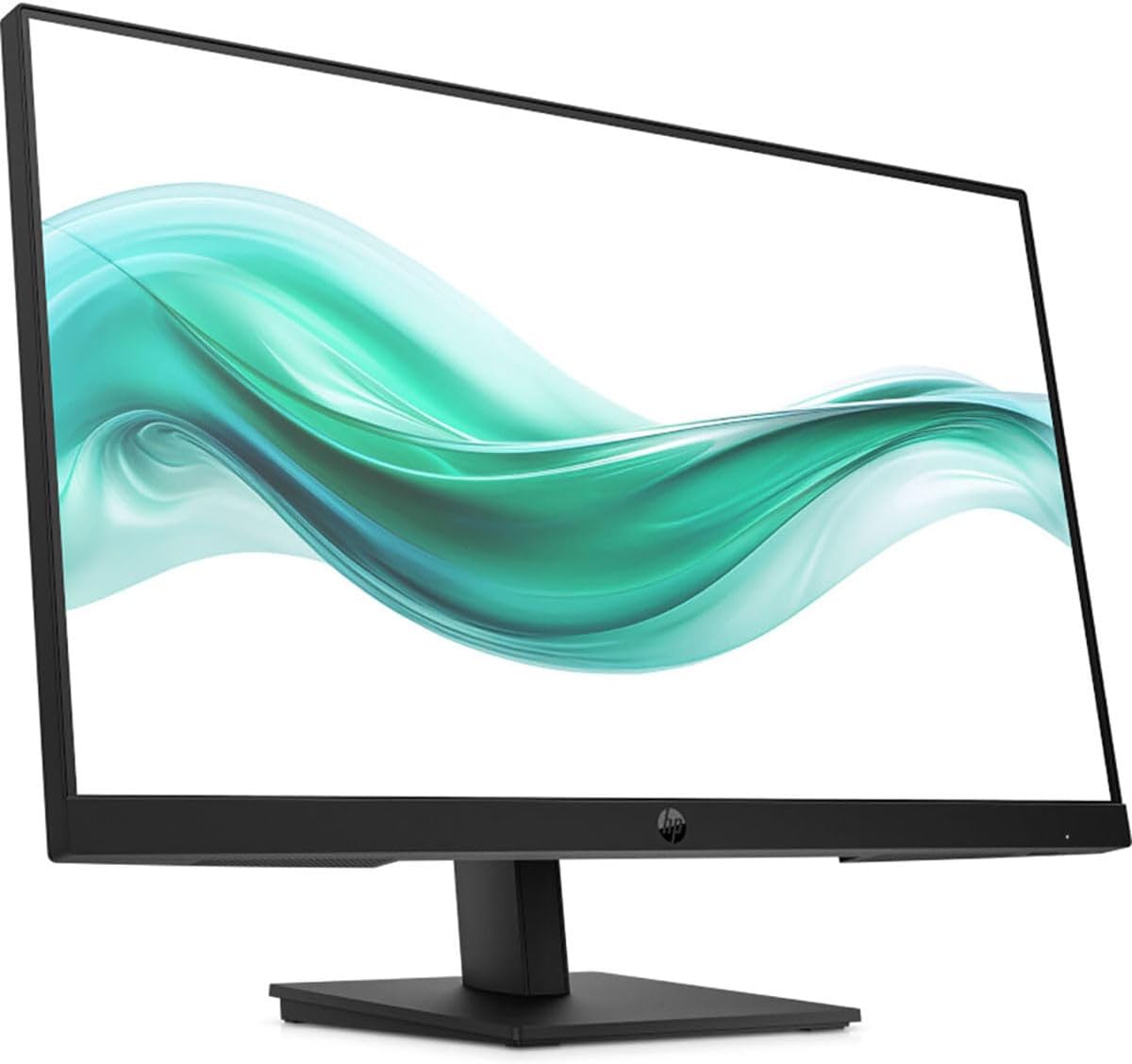
Imatge: Frontal view of the HP 327pf monitor, showcasing els seus bisells prims i el suport.
Instruccions de configuració
1. Muntatge del suport del monitor
- Traieu amb cura els components del monitor i del suport de l'embalatge.
- Fixeu el coll del suport al panell del monitor. Assegureu-vos que encaixi correctament al seu lloc amb un clic.
- Fixeu la base del suport al coll del suport. Estrenyeu els cargols si n'hi ha, normalment a mà o amb una moneda.
- Col·loqueu el monitor muntat sobre una superfície plana i estable.

Imatge: Lateral view of the HP 327pf monitor, illustrating the slim profile and how the stand connects to the display panel.
2. Cables de connexió
The monitor supports HDMI, DisplayPort, and VGA connections.
- Cable de corrent: Connect the AC power cable to the monitor's power input and then to a wall outlet.
- Cable de vídeo:
- For optimal performance, use the provided HDMI or DisplayPort cable. Connect one end to the corresponding port on the monitor and the other end to your computer's video output port.
- Alternatively, connect a VGA cable from the monitor to your computer's VGA port.

Imatge: Part posterior view of the HP 327pf monitor, highlighting the various input ports including HDMI, DisplayPort, and VGA, along with the power input.
3. Encès
Press the power button located on the monitor to turn it on. Ensure your computer is also powered on.
Funcionament del monitor
Menú de visualització en pantalla (OSD).
The monitor features an intuitive joypad OSD button for navigating and adjusting settings. This button is typically located on the bottom or back of the monitor.
- Accessing the OSD: Press the joypad button to open the OSD menu.
- Navegació: Use the joypad to move through menu options (up, down, left, right).
- Selecció: Press the joypad button to select an option or confirm a setting.
- Sortida: Navigate to the 'Exit' option or press the joypad button repeatedly to go back through menus and eventually exit.
Característiques clau
- Tecnologia IPS: Provides wide 178-degree viewing angles, ensuring consistent image accuracy from almost any perspective.
- Freqüència de refresc de 100 Hz: Delivers smoother motion and clearer detail, beneficial for general use and casual gaming.
- HP Eye Ease: An always-on hardware low-blue light filter designed to reduce eye strain without affecting color accuracy. This feature is active by default and does not require manual adjustment.
- Inclinació ajustable: The monitor stand allows for tilt adjustments to help you find a comfortable viewing angle. Gently tilt the monitor panel forward or backward to your desired position.
Manteniment i cura
- Neteja de la pantalla:
- Apagueu el monitor i desconnecteu el cable d'alimentació.
- Netegeu suaument la pantalla amb un drap suau i sense pelusa.
- Per a marques difícils, esbandiu lleugeramentampNetegeu el drap amb aigua o un netejador de pantalles no abrasiu. No ruixeu líquid directament sobre la pantalla.
- Neteja de la Casing: Feu servir un drap suau i sec per netejar el monitor casing. Avoid using harsh chemicals or abrasive cleaners.
- Ventilació: Assegureu-vos que les obertures de ventilació del monitor no estiguin bloquejades per evitar el sobreescalfament.
- Emmagatzematge: Quan no l'utilitzeu durant períodes prolongats, guardeu el monitor en un lloc fresc i sec, preferiblement en el seu embalatge original.
Resolució de problemes
| Problema | Possible solució |
|---|---|
| No hi ha imatge a la pantalla |
|
| La imatge és borrosa o distorsionada |
|
| Els colors apareixen incorrectes |
|
| Parpelleig del monitor |
|
Especificacions
| Nom del model | HP 327pf |
| Número de model | B0CG3UT#ABA |
| Mida de la pantalla | 27 polzades |
| Tecnologia de panells | Commutat en el pla (IPS) |
| Resolució | 1920 x 1080 (Full HD) |
| Relació d'aspecte | 16:9 |
| Freqüència d'actualització | Fins a 100 Hz |
| Temps de resposta | 5 ms |
| Brillantor | 250 nits |
| Suport de color | 16.7 milions de colors |
| Viewangle ing | 178 ° horitzontal, 178 ° vertical |
| Connectivitat | 1x HDMI 1.4, 1x VGA, 1x DisplayPort 1.2 |
| Compatible amb muntatge VESA | Sí |
| Dimensions (LxWxH) | 2.3 x 24.1 x 14.4 polzades (sense suport) |
| Pes | 9.77 lliures |
| Color | Negre |
Garantia i Suport
Your HP 327pf monitor comes with a standard limited warranty. Please refer to the included Warranty Card for detailed terms and conditions, including warranty period and coverage.
For technical support, service, or additional product information, please visit the official HP support website or contact HP customer service. You can typically find support resources by searching for "HP Support" online and entering your product model number (327pf or B0CG3UT).
Assistència en línia: support.hp.com