1. Informació de seguretat
Please read all safety instructions carefully before using your iFFALCON TV. Retain this manual for future reference.
- Seguretat elèctrica: Do not expose the TV to rain or moisture. Ensure the power cord is securely plugged into a grounded outlet. Do not overload electrical outlets.
- Col·locació: Place the TV on a stable, level surface or mount it securely to a wall. Ensure adequate ventilation around the TV to prevent overheating. Do not block ventilation openings.
- Neteja: Desendolleu el televisor abans de netejar-lo. Feu servir un drap suau i sec. No utilitzeu netejadors líquids ni aerosols.
- Nens: Superviseu els nens per evitar que s'enfilin al televisor o al suport. Les peces petites poden ser un perill d'asfíxia.
- Manteniment: No intenteu fer la reparació del televisor vosaltres mateixos. Envieu totes les tasques de manteniment a personal de servei qualificat.
2. Què hi ha a la caixa
Verifiqueu que tots els components siguin presents en desembalar-lo:
- iFFALCON 85-Inch U85 Series QD-Mini LED 4K UHD Google Smart TV
- Cable d'alimentació
- 2 x piles AAA per a comandament a distància
- 6 x cargols de suport
- Table stands (2 pieces)
- 5 clips de cable
- Guia d'inici ràpid
- Comandament de TV
3. Configuració
3.1 Configuració física
Before powering on, ensure the TV is securely placed or mounted.
- Instal·lació de l'estand: If using the table stands, carefully attach them to the designated slots at the bottom of the TV using the provided stand screws. Ensure they are tightened securely.
- Muntatge a la paret: If wall mounting, follow the instructions provided with your wall mount kit. Ensure the mount is compatible with VESA standards for the 85U85 model.
- Connexió d'alimentació: Connecteu el cable d'alimentació a l'entrada d'alimentació del televisor i després a una presa de corrent.
- Dispositius externs: Connect any external devices (e.g., cable box, gaming console, Blu-ray player) to the appropriate HDMI or other input ports on the TV.

Image: The iFFALCON 85-Inch U85 Series TV, showcasinel seu disseny prim i la seva pantalla vibrant.
3.2 Engegada inicial i configuració de Google TV
After connecting power, press the power button on the remote control or TV to turn it on.
- Vinculació de control remot: If the remote does not respond, insert the AAA batteries and follow on-screen instructions to pair it via Bluetooth.
- Selecció d'idioma: Trieu el vostre idioma preferit.
- Connexió de xarxa: Select your Wi-Fi network and enter the password. A stable internet connection is required for Google TV features.
- Inici de sessió al compte de Google: Inicia la sessió amb el teu compte de Google per accedir a les funcions de Google TV, recomanacions personalitzades i descàrregues d'aplicacions.
- Google Assistant Setup: Follow prompts to set up Google Assistant for voice control.

Image: A user interacting with the iFFALCON TV using hands-free voice control, demonstrating the integrated Google TV interface.
4. Funcionament del televisor
4.1 Funcions de control remot
The provided remote control allows full navigation and control of your iFFALCON TV.
- Botó d'encesa: Encén o apaga el televisor.
- Bloc de navegació: Use the directional buttons to move through menus and the OK button to select.
- Volum +/-: Ajusta el nivell de volum.
- Canal +/-: Canvia els canals de televisió.
- Entrada: Selecciona la font d'entrada (HDMI 1, HDMI 2, etc.).
- Botó de l'Assistent de Google: Activates voice control. Press and speak your command.
- Botó d'inici: Torna a la pantalla d'inici de Google TV.
- Botons de drecera d'aplicacions: Accés ràpid als serveis de streaming més populars.
4.2 Funcions intel·ligents i Google TV
Your iFFALCON U85 Series TV runs on Google TV, offering a personalized and integrated smart experience.
- Google TV Home Screen: Provides access to movies, shows, and apps from all your subscriptions, organized for easy discovery.
- Control de veu: Use Google Assistant or Alexa (via compatible devices) to search for content, control smart home devices, and manage TV settings hands-free.
- App Library: Baixeu i instal·leu una àmplia gamma d'aplicacions des de Google Play Store.
- Chromecast integrat: Emet contingut des del teu telèfon intel·ligent, tauleta o ordinador compatible directament al televisor.
4.3 Configuració d'imatge i so
Personalitza el teu viewexperiència d'audició i so a través del menú de configuració del televisor.
- Modes d'imatge: Select from various preset picture modes (e.g., Standard, Vivid, Movie, Game) or customize settings like brightness, contrast, color, and sharpness.
- Mini LED Precision: The TV features 352 local dimming zones and 1000 nits peak brightness for enhanced contrast and detail.
- Dolby Vision IQ: Automatically adjusts HDR brightness based on the room's ambient light for optimal viewing.
- Modes de so: Choose from sound presets (e.g., Standard, Music, Movie, Speech) or adjust equalizer settings.
- Dolby Atmos i DTS Virtual X: Experience immersive spatial audio with the integrated 2.1-channel 50W sound system.

Image: Visual comparison illustrating the superior contrast and detail of Mini LED technology compared to conventional TVs.

Image: Depiction of the immersive audio experience with the TV's 2.1 speaker system and Dolby Atmos technology.
4.4 Característiques del joc
The iFFALCON U85 Series TV is equipped with features designed for an enhanced gaming experience.
- Mode de joc Pro de 144 Hz: Provides a high refresh rate for smooth, responsive gameplay.
- 288Hz DLG Acceleration: Further enhances motion clarity for competitive gaming.
- FreeSync Premium Pro: Reduces screen tearing and stuttering for fluid visuals.
- Mode de baixa latència automàtica (ALLM): Automatically switches to a low-latency mode when a gaming console is detected.
- Barra de jocs: Access and adjust key gaming settings quickly during gameplay.
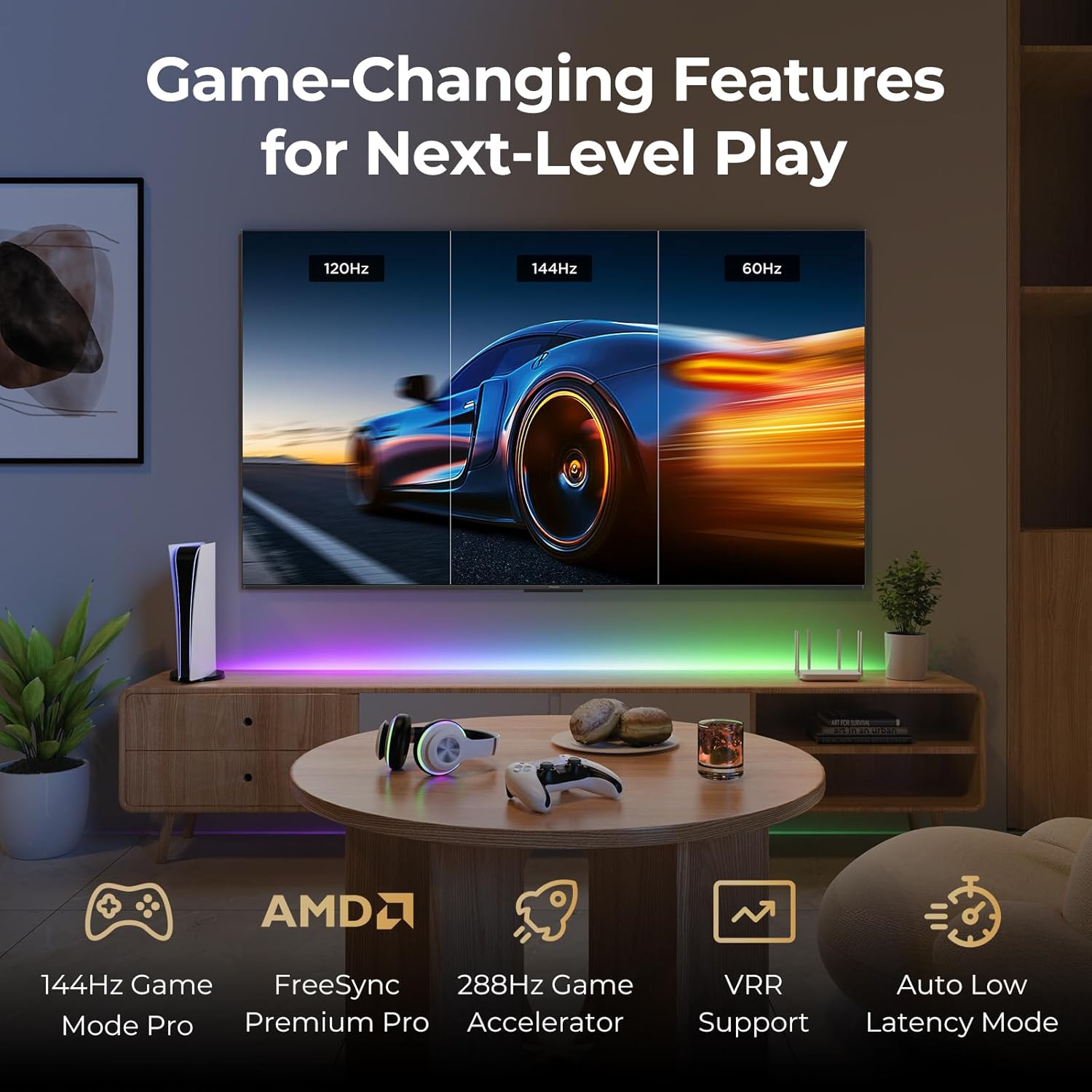
Image: A gaming setup featuring the iFFALCON TV, illustrating its high refresh rate and gaming-specific features for an optimized experience.
5. Manteniment
5.1 Neteja del televisor
Regular cleaning helps maintain the TV's appearance and performance.
- Pantalla: Netegeu suaument la pantalla amb un drap suau i sense borrissol. Per a marques difícils, netegeu suaument.ampNetegeu el drap amb aigua o una solució de neteja específica per a pantalles (no ruixeu directament sobre la pantalla).
- Cos: Use a soft, dry cloth to wipe the TV's frame and back panel. Avoid abrasive materials or harsh chemicals.
- Ports: Ensure ports are free of dust. Use compressed air if necessary, holding the can upright.
5.2 Actualitzacions de programari
Your TV may receive automatic software updates to improve performance and add new features. Ensure your TV is connected to the internet for these updates.
- You can check for updates manually in the TV's settings menu under System > About > System update.
6. Solució De Problemes
If you encounter issues, try these common solutions before contacting support.
- Sense energia: Assegureu-vos que el cable d'alimentació estigui ben connectat tant al televisor com a la presa de corrent. Proveu la presa de corrent amb un altre dispositiu.
- Sense imatge/so: Check the selected input source. Ensure all cables to external devices are connected correctly. Restart the TV and connected devices.
- El comandament a distància no funciona: Replace the batteries. Ensure there are no obstructions between the remote and the TV. Re-pair the remote if it uses Bluetooth.
- Problemes de connexió de xarxa: Restart your Wi-Fi router. Check TV network settings to ensure correct Wi-Fi password and connection.
- Problemes de qualitat d'imatge: Ajusta la configuració de la imatge (brillantor, contrast, color). Assegura't que la font del contingut sigui d'alta qualitat.
- Restabliment de fàbrica: If problems persist, a factory reset can resolve many software-related issues. Navigate to Settings > System > About > Reset. Avís: Això esborrarà totes les dades personals i la configuració.
7. Especificacions
| Característica | Descripció |
|---|---|
| Marca | iFFALCON |
| Número de model | 85U85 |
| Mida de la pantalla | 85 polzades |
| Tecnologia de visualització | QD-Mini LED |
| Resolució | 4K UHD (3840 x 2160) |
| Freqüència d'actualització | 144 Hz (Native), 288Hz DLG |
| Lluminositat màxima | Fins a 1000 nits |
| Relació de contrast | Fins a 6500:1 |
| Zones d'atenuació local | 352 |
| Processador | Processador AiPQ Pro |
| Sistema operatiu | Google TV |
| Assistent de veu | Compatible amb l'Assistent de Google i Alexa |
| Sistema d'àudio | 2.1-channel 50W, Dolby Atmos, DTS Virtual X |
| Suport HDR | HDR10+, Dolby Vision IQ |
| Característiques de joc | 144Hz VRR, FreeSync Premium Pro, ALLM, Game Bar |
| Connectivitat | Bluetooth, WiFi |
| Dimensions del producte (P x A x A) | 15.2 x 74.4 x 45.5 polzades |
| Pes de l'article | 76.7 lliures |
8. Garantia i Suport
Your iFFALCON U85 Series TV is covered by a manufacturer's warranty. Please refer to the warranty card included with your product for specific terms and conditions.
For technical support, service inquiries, or additional information, please visit the official iFFALCON support website or contact their customer service. Keep your purchase receipt and product serial number handy for warranty claims.
Podeu trobar més informació i recursos de suport visitant la iFFALCON Store on Amazon.


