1. Introducció
The ZEBRONICS Pixigo A16 is a 15.6-inch portable monitor designed for enhanced productivity and entertainment on the go. Featuring a Full HD 1080p resolution, anti-glare screen, and versatile connectivity options, it serves as an ideal secondary display for laptops, smartphones, and gaming consoles. Its lightweight design and 180° adjustable stand ensure flexibility and ease of use in various environments.
2. Contingut del paquet
Verifiqueu que tots els elements que s'enumeren a continuació s'inclouen al vostre paquet:
- Monitor - 1 unit
- Mini HDMI Cable - 1 unit
- Type C DP Cable - 1 unit
- Adaptador de corrent - 1 unitat
- User Manual - 1 unit
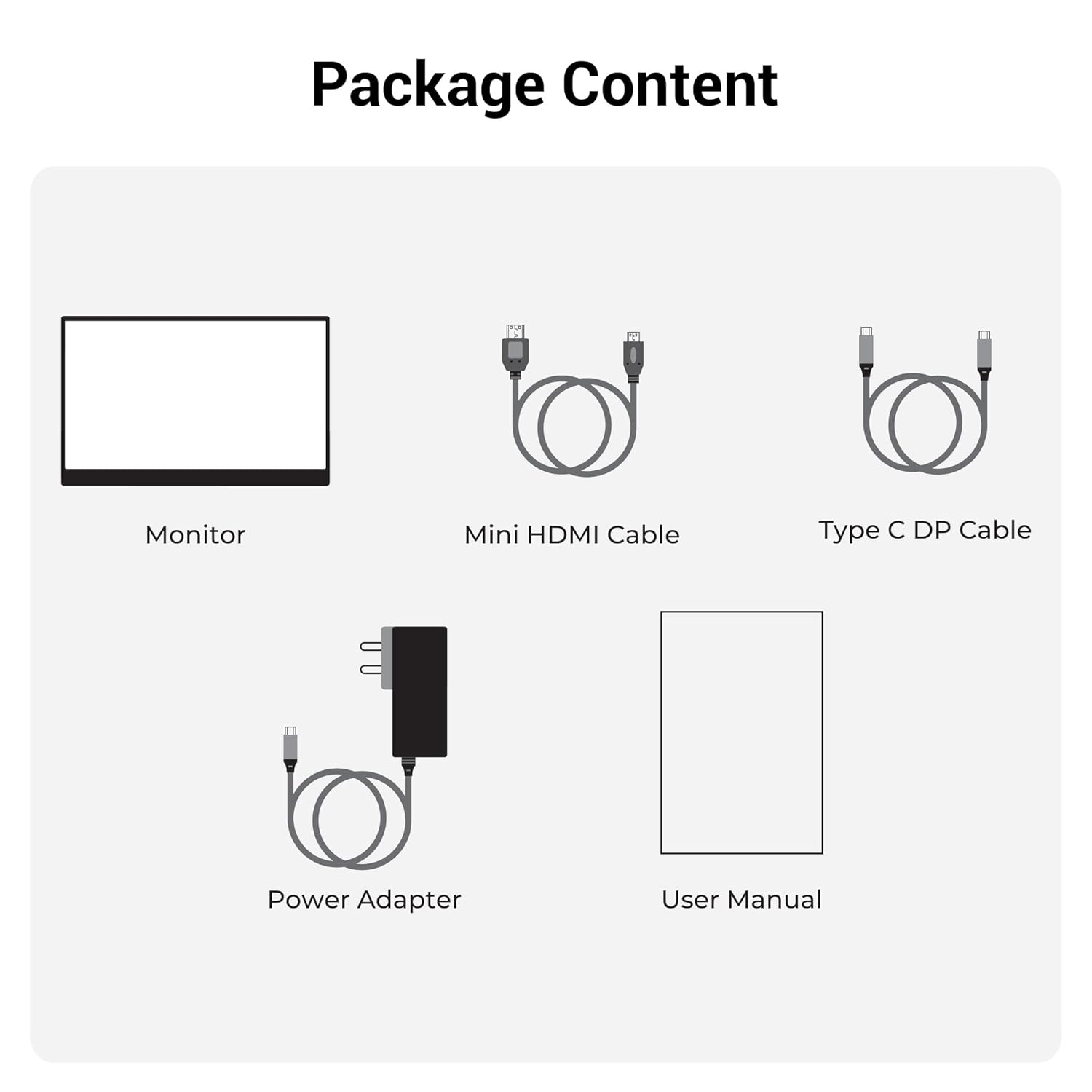
Figura 2.1: Contingut del paquet
3. Producte acabatview
3.1 Ports i controls
Familiarize yourself with the various ports and control buttons on your Pixigo A16 monitor:
- Port mini HDMI: For video input from devices with HDMI output.
- Type C Port 2 (Power + Display): Supports both power delivery and display signal via a single Type-C cable.
- Type C Port 1 (Only Power): Dedicated for power input to the monitor.
- Power / Return Button: Used to power the monitor on/off and navigate back in the OSD menu.
- Indicador LED: Shows the power status of the monitor.
- Roller Key / Menu: Used to access and navigate the On-Screen Display (OSD) menu and adjust settings.
- Auriculars Jack: Per connectar dispositius d'àudio externs.

Figure 3.1: Monitor Ports and Controls
3.2 Característiques clau
- 15.6-inch FHD 1080p Display: Delivers sharp and vivid visuals with a resolution of 1920x1080.
- Anti-glare Screen: Minimizes reflections and eye strain for comfortable viewing.
- Suport ajustable a 180°: Offers flexible positioning to achieve the optimal viewangle de ing.
- Entrada dual: Features 1x Type-C DP port and 1x Mini HDMI port for broad compatibility.
- Altaveus integrats: Proporciona una sortida d'àudio integrada.
- Lleuger i portàtil: Compact design for easy transport and use in various locations.
- Brillantor de 300 nits: Ensures a bright and vibrant screen, even in well-lit environments.
- 16.7 milions de colors: Supports accurate color reproduction.
- 16:9 Aspect Ratio: Ideal for media consumption and multitasking.
- Muntable a la paret: Supports wall mounting for a clutter-free setup.

Figura 3.2: Característiques de la pantalla
4. Configuració
Follow these steps to set up your ZEBRONICS Pixigo A16 portable monitor:
- Desempaquetar el monitor: Traieu amb cura el monitor i tots els accessoris de l'embalatge.
- Col·loca el suport: Adjust the integrated 180° stand to your desired viewangle de ing.
- Connectar l'alimentació: Connect the provided Power Adapter to the Type C Port 1 (Power Only) on the monitor and plug it into a power outlet.
- Connecta't al dispositiu:
- For Type-C Devices (with DisplayPort Alt Mode): Use the Type C DP Cable to connect your device (laptop, smartphone) to Type C Port 2 (Power + Display) on the monitor. This single cable can provide both power and display signal.
- For HDMI Devices: Use the Mini HDMI Cable to connect your device (laptop, gaming console) to the Mini HDMI Port on the monitor. Ensure the monitor is also powered via Type C Port 1.
- Encès: Press the Power / Return Button to turn on the monitor.

Figure 4.1: Wide Compatibility with PC, Laptop, Mobile, and Gaming Console
5. Instruccions de funcionament
5.1 Funcionament bàsic
- Encès/apagat: Press and hold the Power / Return Button for a few seconds.
- Selecció de la font d'entrada: The monitor should automatically detect the input source. If not, access the OSD menu using the Roller Key and manually select the input.
- Ajust de volum: Use the Roller Key to adjust the volume of the built-in speakers or connected headphones.
5.2 Menú de visualització en pantalla (OSD)
El menú OSD permet personalitzar diversos paràmetres de la pantalla:
- Press the Roller Key to open the OSD menu.
- Roll the Roller Key up or down to navigate through menu options.
- Press the Roller Key to select an option or confirm a setting.
- Press the Power / Return Button to go back to the previous menu or exit the OSD.
5.3 Ajust del suport
The integrated stand can be adjusted up to 180 degrees to find the most comfortable viewing angle for your needs. Simply pivot the monitor on its stand to tilt it forward or backward.

Figure 5.1: 180° Adjustable Stand
6. Manteniment
Per garantir la longevitat i el rendiment òptim del monitor, seguiu aquestes pautes de manteniment:
- Neteja de la pantalla: Utilitzeu un drap suau i sense pelusa lleugerament dampNetegeu amb aigua o un netejador de pantalles no abrasiu. Eviteu productes químics agressius o materials abrasius.
- Neteja de la Casing: Netegeu el monitor casinamb un drap suau i sec.
- Emmagatzematge: Quan no l'utilitzeu, guardeu el monitor en un lloc fresc i sec, allunyat de la llum solar directa i de temperatures extremes.
- Manipulació: Handle the monitor with care, especially when transporting it. Its lightweight design makes it portable, but it should still be protected from impacts.
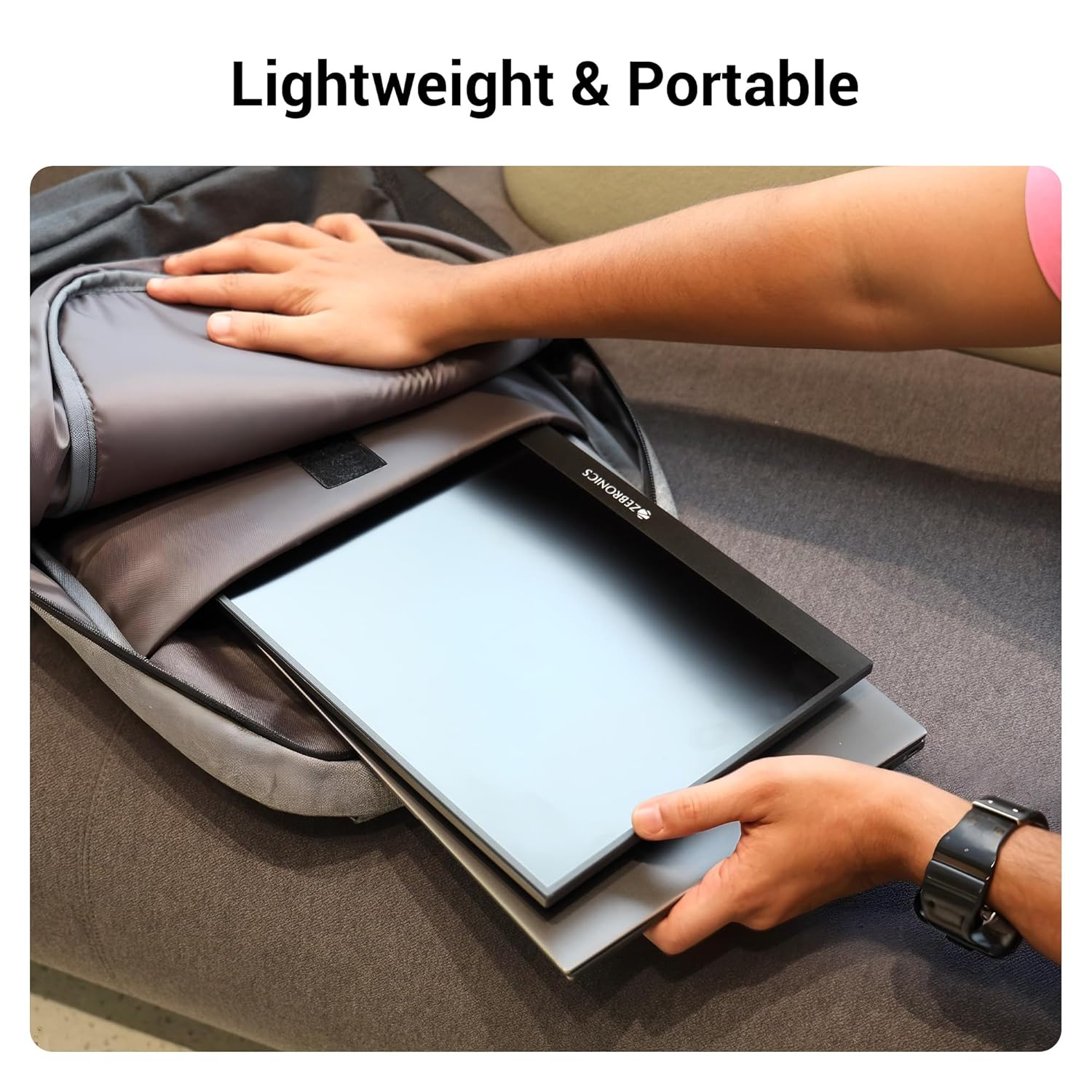
Figura 6.1: Disseny lleuger i portàtil
7. Solució De Problemes
Si teniu problemes amb el monitor, consulteu els problemes i solucions més comuns següents:
| Problema | Causa possible | Solució |
|---|---|---|
| Sense pantalla/Sense senyal | Incorrect input source selected; Loose cable connection; Insufficient power. | Check cable connections (HDMI/Type-C). Ensure the monitor is powered. Select the correct input source via the OSD menu. For Type-C, ensure your device supports DisplayPort Alt Mode. |
| Pantalla parpellejant | Faulty cable; Incompatible resolution/refresh rate; Power fluctuations. | Try a different cable. Adjust the resolution or refresh rate on your connected device. Ensure stable power supply. |
| Sense àudio | Volume too low/muted; Incorrect audio output selected on device. | Increase monitor volume using the Roller Key. Check audio settings on your connected device to ensure audio is routed to the monitor. |
| El monitor no s'encén | No power; Power adapter issue. | Ensure the power adapter is securely connected to the monitor (Type C Port 1) and a working power outlet. |
8. Especificacions
Detailed technical specifications for the ZEBRONICS Pixigo A16 portable monitor:
- Marca: ZEBRONNICA
- Model: Zeb-Pixigo A16
- Mida de la pantalla: 15.6 polzades (39.6 cm)
- Resolució de pantalla: 1920 x 1080 píxels (FHD 1080p)
- Relació d'aspecte: 16:9
- Brillantor: 300 Nit
- Suport de colors: 16.7 milions de colors
- Descripció de la superfície de la pantalla: Matte (Anti-glare)
- Connectivitat: 1x Mini HDMI Port, 2x Type C Ports (1x Power + Display, 1x Power Only), Headphone Jack
- Altaveus integrats: Sí
- Pes de l'article: 804 g
- Dimensions del producte (LxWxH): 1.7 x 35.5 x 22.2 cm
9. Garantia i Suport
For warranty information, technical support, or service inquiries, please refer to the warranty card included in your package or visit the official ZEBRONICS weblloc web. Conserveu el rebut de compra com a comprovant de compra per a reclamacions de garantia.


