Introducció
Thank you for choosing the Grundig Wireless Bluetooth Open-Ear Earbuds. These earbuds are designed to provide a comfortable listening experience with an open-ear design, allowing you to stay aware of your surroundings while enjoying your audio. This manual provides essential information on how to set up, operate, and maintain your earbuds.
Què hi ha a la caixa
- Grundig Wireless Bluetooth Open-Ear Earbuds
- Cable de càrrega USB-C
- Manual d'usuari
Producte acabatview
Familiarize yourself with the components of your earbuds:
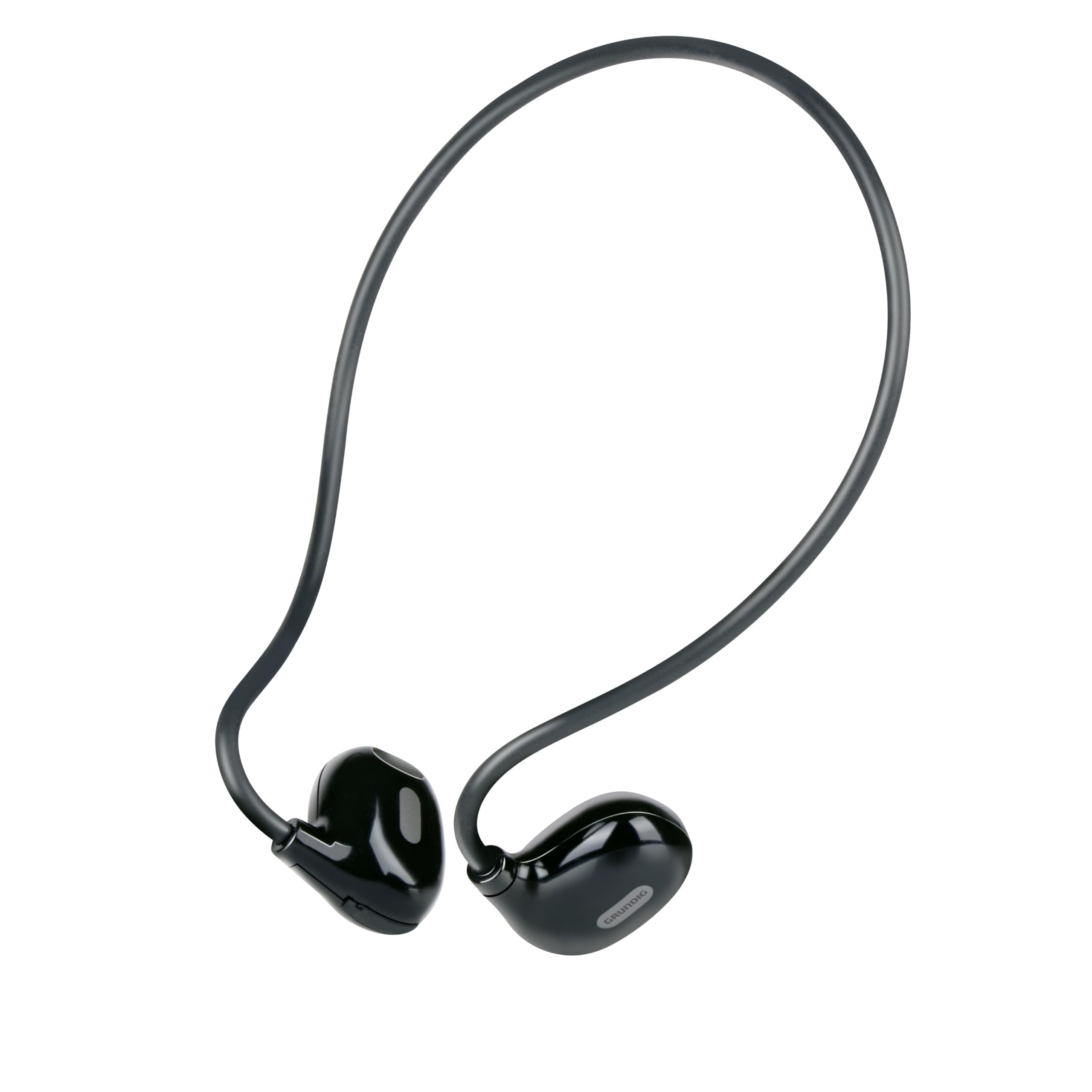
Figure 1: Close-up of a single earbud, highlighting the speaker and flexible ear hook.
- Earbud Unit: Contains the speaker and internal electronics.
- Ganxo flexible per a l'orella: Designed to fit securely around your ear.
- Micròfon: Per trucades mans lliures.
- Àrea de control tàctil: For managing music and calls.
- Port de càrrega USB-C: Located on one of the earbuds for power input.
Configuració
1. Càrrega dels auriculars
- Connect the supplied USB-C charging cable to the charging port on the earbuds.
- Connecteu l'altre extrem del cable USB-C a una font d'alimentació USB compatible (per exemple, un adaptador de paret, un port USB de l'ordinador).
- The indicator light on the earbuds will show the charging status. A full charge takes approximately 1.5 hours.
- Un cop estigui completament carregat, desconnecteu el cable de càrrega.
2. Vinculació amb un dispositiu
To connect your earbuds to a Bluetooth-enabled device:
- Ensure the earbuds are charged and powered off.
- Press and hold the touch control area on one earbud until the indicator light flashes, indicating pairing mode.
- On your device (phone, tablet, laptop), enable Bluetooth and search for available devices.
- Select "Grundig Earbuds" (or similar name) from the list of found devices.
- Once connected, the indicator light on the earbuds will change, usually to a slow flash or off, and you will hear an audible confirmation.
- The earbuds will automatically attempt to reconnect to the last paired device when powered on.
3. Posar-se els auriculars
For optimal comfort and sound, wear the earbuds as shown:

Figure 2: Proper placement of the earbuds with the ear hook.
- Place the earbud unit near your ear canal, ensuring the speaker is positioned to direct sound into your ear.
- Gently hook the flexible ear hook behind your ear to secure the earbud in place.
- Adjust for a comfortable and stable fit.
Funcionament dels auriculars
Encès/Apagat
- Encès: Press and hold the touch control area for a few seconds until you hear a power-on prompt.
- Apagar: Press and hold the touch control area for a few seconds until you hear a power-off prompt.
Reproducció de música
- Reproduir/pausa: Toqueu l'àrea de control tàctil una vegada.
- Pista següent: Double-tap the right earbud's touch control area.
- Pista anterior: Double-tap the left earbud's touch control area.
Gestió de trucades
- Respondre/Finalitzar la trucada: Tap the touch control area once during an incoming call or an active call.
- Rebutja la trucada: Mantingueu premuda la zona de control tàctil durant 2 segons durant una trucada entrant.
Control de volum
Volume control is typically managed directly from your connected device. The earbuds support media control functions for play/pause and track skipping.
Manteniment
- Neteja: Use a soft, dry cloth to clean the earbuds. Do not use abrasive cleaners or immerse them in water.
- Emmagatzematge: Guardeu els auriculars en un lloc fresc i sec, allunyat de la llum solar directa i de temperatures extremes.
- Cura de la bateria: To prolong battery life, charge the earbuds regularly, even if not in frequent use. Avoid fully discharging the battery for extended periods.
Resolució de problemes
| Problema | Solució |
|---|---|
| Els auriculars no s'encenen. | Ensure the earbuds are fully charged. Connect them to the USB-C charging cable and allow 1.5 hours for a full charge. |
| No es pot emparellar amb el dispositiu. | Make sure Bluetooth is enabled on your device. Ensure the earbuds are in pairing mode (indicator light flashing). Move the earbuds closer to your device. Forget previous pairings on your device and try again. |
| Sense so o amb un volum baix. | Check the volume level on both your connected device and the earbuds. Ensure the earbuds are properly seated on your ears. Reconnect the earbuds to your device. |
| Calls are unclear. | Ensure the microphone is not obstructed. Move to an area with less background noise. Check your device's call settings. |
| Els auriculars es desconnecten sovint. | Ensure the earbuds are within the Bluetooth range of your device. Avoid obstacles between the earbuds and your device. Charge the earbuds if the battery is low. |
Especificacions
| Número de model | 8711252259871 |
| Marca | Grundig |
| Tecnologia de connectivitat | Sense fil (Bluetooth 5.3) |
| Col·locació de l'orella | Orella oberta |
| Mètode de control | Control tàctil |
| Durada de la bateria | Fins a 5 hores |
| Temps de càrrega | Aproximadament 1.5 hores |
| Port de càrrega | USB-C |
| Material | Plàstic i silicona |
| Nivell de resistència a l'aigua | No impermeable |
| Dispositius compatibles | Mobile phones, tablets, laptops, game consoles, desktop computers, smart speakers |
| Característiques especials | Fast charging, Hands-free calls |
Informació de seguretat
- No utilitzeu els auriculars a un volum alt durant períodes prolongats per evitar danys auditius.
- No utilitzeu els auriculars en situacions on la impossibilitat d'escoltar els sons ambientals pugui ser perillosa (per exemple, conduir, anar en bicicleta o caminar pel trànsit).
- Keep the earbuds away from water and moisture.
- No intenteu desmuntar ni modificar els auriculars.
- Mantenir fora de l'abast dels nens.
- Eliminar el producte de manera responsable segons la normativa local.
Garantia i Suport
Grundig products are designed for reliability and performance. For warranty information and customer support, please refer to the documentation provided with your purchase or visit the official Grundig weblloc web. Si us plau, conserveu el comprovant de compra per a qualsevol reclamació de garantia.


