Introducció
This manual provides essential information for using your new Samsung Galaxy M55 5G smartphone. Please read this manual carefully to ensure proper and safe use of your device. Keep this manual for future reference.
The Samsung Galaxy M55 5G features a 6.7-inch FHD+ Super AMOLED+ display with a 120Hz refresh rate, powered by the Snapdragon 7 Gen 1 processor. It includes a versatile triple-camera system and a 5000mAh battery.
Informació de seguretat
Before using the device, read all safety information to ensure safe and proper use. Follow warnings and regulations to prevent injury to yourself or others and to prevent damage to your device.
- No exposeu el dispositiu a temperatures extremes ni a la llum solar directa durant períodes prolongats.
- Feu servir només bateries, carregadors i accessoris aprovats per Samsung.
- Eviteu deixar caure el dispositiu ni sotmetre'l a impactes forts.
- Keep the device dry. Do not use it in wet environments.
- Maintain a safe distance from medical devices to avoid interference.
Contingut del paquet
Marqueu la casella del producte per als elements següents:
- Samsung Galaxy M55 5G Smartphone
- Cable USB-Type C
- Pin d'expulsió de la SIM
- Guia d'inici ràpid
- 25W Fast Charger (if bundled)
The actual components may vary depending on the region and service provider.
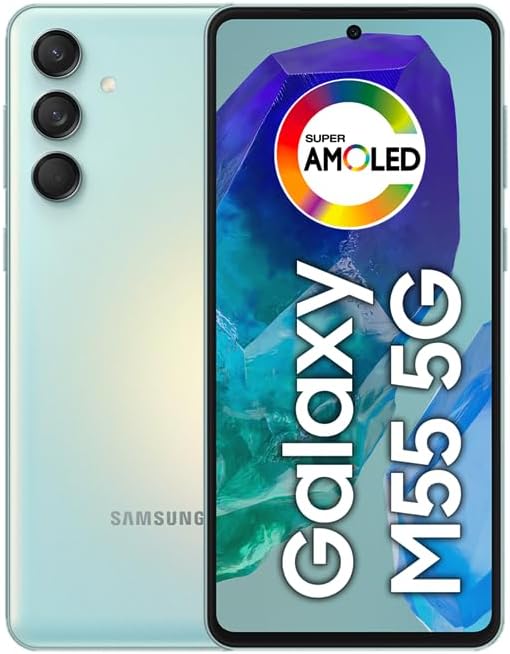
Imatge: Anvers i revers view del telèfon intel·ligent Samsung Galaxy M55 5G, mostraasing the camera module and display.
Disseny del dispositiu
Familiarize yourself with the main components of your device.
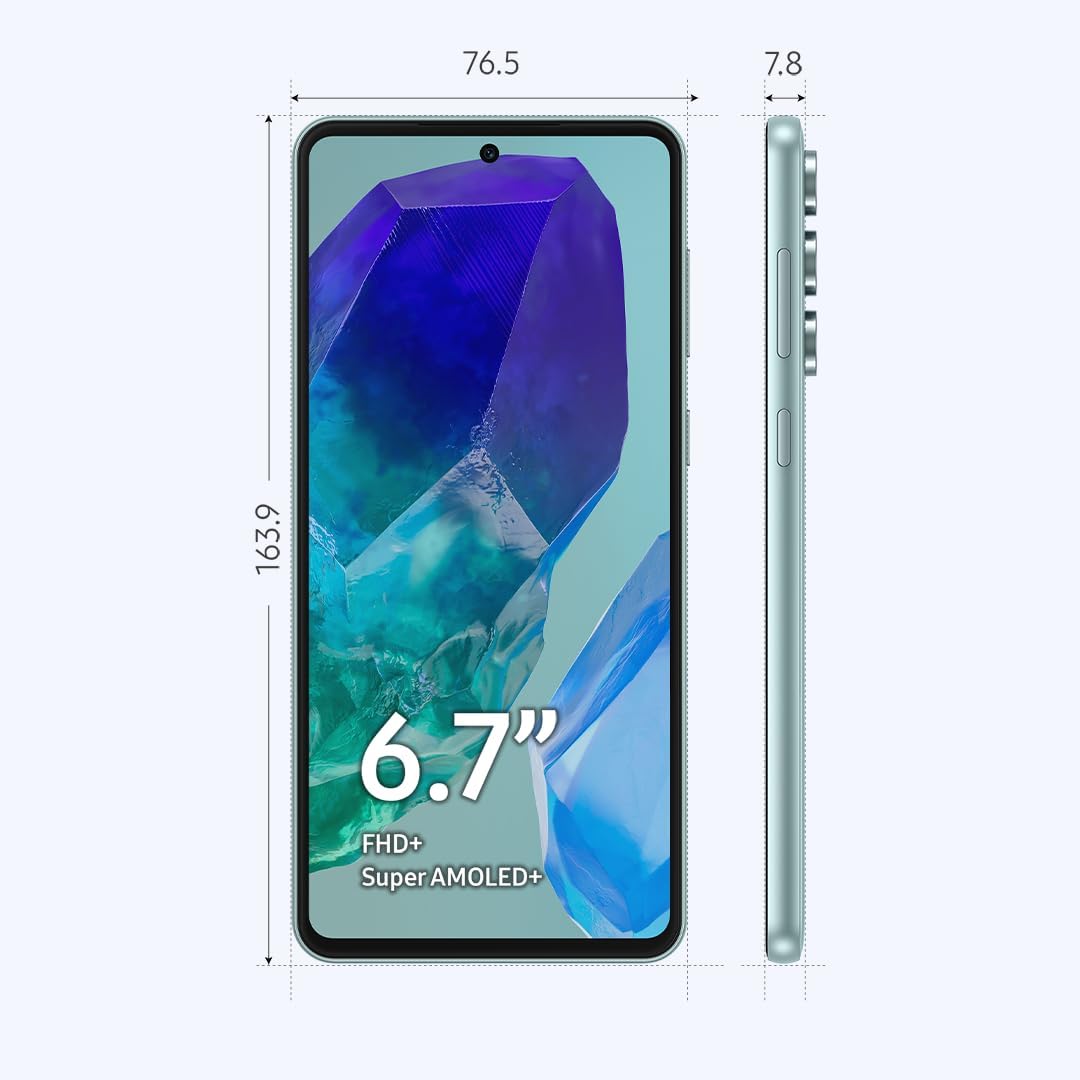
Image: Diagram showing the dimensions (163.9mm height, 76.5mm width, 7.8mm thickness) and key physical features of the Samsung Galaxy M55 5G, including the 6.7-inch Super AMOLED+ display, power button, and volume buttons.
- Càmera frontal: Per a selfies i videotrucades.
- Visualització: 6.7-inch FHD+ Super AMOLED+ screen.
- Tecles de volum: Ajusteu el volum amunt o avall.
- Tecla lateral (Engegada/Bixby): Power on/off, wake/sleep, or activate Bixby.
- Port USB tipus C: Per a càrrega i transferència de dades.
- Ponent: Sortida d'àudio.
- Micròfon: Per a trucades i ordres de veu.
- Safata de targeta SIM/SD: Insert SIM cards and a microSD card.
- Càmeres posteriors: Main, Ultrawide, and Macro lenses.
- Flash: For photos in low light.
Configuració
1. Insert SIM or SD Card
- Locate the SIM/SD card tray on the side of your device.
- Insert the provided SIM ejection pin into the small hole next to the tray to open it.
- Col·loqueu la targeta (o targetes) nano-SIM i/o la targeta microSD a la safata amb els contactes daurats cap avall. Assegureu-vos que estiguin correctament col·locades.
- Empenyeu amb cura la safata cap a dins de la ranura fins que encaixi al seu lloc.
Nota: The device supports Dual SIM functionality, allowing two SIM cards or one SIM card and one microSD card. You cannot use two SIM cards and a microSD card simultaneously.
2. Carregueu la bateria
- Connecteu el cable USB tipus C al port de càrrega del dispositiu.
- Connecteu l'altre extrem del cable a l'adaptador de corrent i, a continuació, endolleu l'adaptador a una presa de corrent.
- Allow the device to charge until the battery is full before initial use.
3. Engegada i configuració inicial
- Premeu i manteniu premuda la tecla lateral fins que aparegui el logotip de Samsung.
- Follow the on-screen prompts to complete the initial setup, including language selection, Wi-Fi connection, Google account setup, and fingerprint/face recognition.
Funcionament del vostre dispositiu
Visualització i navegació
- Gestos de la pantalla tàctil: Toca, toca dues vegades, llisca, pessiga per fer zoom.
- Pantalla d'inici: Accedeix a aplicacions, widgets i notificacions.
- Barra de navegació: Use gestures or traditional buttons (Back, Home, Recents) to navigate.
- Sensor d’empremta digital: The optical fingerprint sensor is located under the display for secure unlocking.
Ús de la càmera
Your device features a versatile camera system:
- Càmera principal (50MP): Per a fotos d'alta resolució.
- Càmera ultra gran angular (8MP): For capturing broader scenes.
- Macro Camera (2MP): Per a primers plans d'objectes petits.
- Càmera frontal (50MP): Per a selfies i videotrucades.
To open the camera, tap the Camera app icon. Select your desired mode (Photo, Video, Portrait, Pro, etc.) and tap the shutter button to capture.
Connectivitat
- Xarxa 5G: El dispositiu admet connectivitat 5G per a velocitats de dades més ràpides on estigui disponible.
- Wi-Fi: Connecteu-vos a xarxes sense fil mitjançant Configuració > Connexions > Wi-Fi.
- Bluetooth: Emparella amb altres dispositius Bluetooth a través de Configuració > Connexions > Bluetooth.
- NFC: Per a pagaments sense contacte i intercanvi de dades.
Gestió de la bateria
La bateria de 5000 mAh proporciona un ús prolongat. Per optimitzar la durada de la bateria:
- Ajusteu la brillantor de la pantalla.
- Enable Power saving mode in Settings > Battery and device care.
- Tanca les aplicacions no utilitzades que s'executen en segon pla.
- Desactiva el Wi-Fi, el Bluetooth i el GPS quan no els utilitzis.
Manteniment
Actualitzacions de programari
Regularly check for software updates to ensure your device has the latest features and security enhancements. Go to Settings > Software update > Download and install.
Neteja del teu dispositiu
- Feu servir un drap suau i sense borrissol per netejar la pantalla i la carcassa.
- Eviteu utilitzar productes químics o materials abrasius.
- Gently wipe ports to remove dust, but avoid inserting objects.
Gestió d'emmagatzematge
Your device comes with 256GB of internal storage. You can expand this using a microSD card. To manage storage, go to Settings > Battery and device care > Storage. Here you can view ús i alliberar espai.
Resolució de problemes
Si teniu problemes amb el dispositiu, proveu les solucions següents:
Problemes comuns
- El dispositiu no s'encén: Ensure the battery is charged. Press and hold the Side Key for an extended period (up to 10 seconds).
- Les aplicacions es bloquegen o es bloquegen: Close the app and reopen it. Clear the app's cache (Settings > Apps > [App Name] > Storage > Clear cache).
- Connexió de xarxa deficient: Check your SIM card insertion. Restart the device. Verify network settings.
- La bateria s'esgota ràpidament: Refer to the Battery Management section for tips.
- La pantalla no respon: Force restart the device by pressing and holding the Side Key and Volume Down button simultaneously for about 7 seconds.
Restabliment de dades de fàbrica
If problems persist, you may need to perform a factory data reset. This will erase all data from your device. Fes una còpia de seguretat de les teves dades abans de continuar.
- Aneu a Configuració > Gestió general > Restablir > Restablir dades de fàbrica.
- Review the information and tap "Reset".
- Enter your screen lock credentials if prompted.
- Tap "Delete all" to confirm.
Especificacions
| Nom del model | Samsung Galaxy M55 5G |
| Número de model | SM-M556B/DS |
| Mostra | 6.7-inch FHD+ Super AMOLED+, 120Hz Refresh Rate (1080 x 2400 pixels) |
| Processador | Qualcomm Snapdragon 7 Gen 1 (4nm) Octa-nucli |
| RAM | 8 GB |
| Emmagatzematge intern | 256 GB (ampliable amb microSD) |
| Càmera posterior | 50MP (gran angular) + 8MP (ultra gran angular) + 2MP (macro) |
| Càmera frontal | 50MP (gran angular) |
| Bateria | 5000 mAh |
| Sistema operatiu | Android 14, One UI 6.1 |
| Connectivitat | 5G, 4G LTE, Wi-Fi, Bluetooth 5.2, GPS, NFC |
| Tipus de SIM | Dual Nano-SIM (Hybrid slot) |
| Dimensions (A x A x P) | 163.9 x 76.5 x 7.8 mm (6.45 x 3.01 x 0.31 polzades) |
| Pes | 180 grams (6.3 unces) |
Garantia i Suport
This device is an International Model. Please note that there is no warranty coverage in the United States for this specific model.
For support and further information, please visit the official Samsung support website for your region or contact your local service provider.
- Assistència en línia: www.samsung.com/support/
- Atenció al client: Consulteu el Samsung de la vostra regió weblloc web per a números de contacte.