Introducció
This manual provides essential instructions for the safe and effective operation of your FLIR E5 Pro Thermal Imaging Camera. The FLIR E5 Pro is a handheld infrared camera designed for professional use, offering high-resolution thermal imaging and cloud connectivity for various inspection and diagnostic applications.

Image: The FLIR E5 Pro thermal imaging camera, showing its ergonomic design and display with a thermal image.
1. Configuració i ús inicial
1.1 Desembalatge i contingut
Carefully unpack all items from the product packaging. Verify that all components are present:
- FLIR E5 Pro Infrared Camera
- Maleta dura de transport
- Rechargeable Lithium-ion battery (one included, pre-installed or separate)
- USB power supply/charger with international adapters (EU, UK, US, AU)
- cable USB
- FLIR Thermal Studio Starter software information
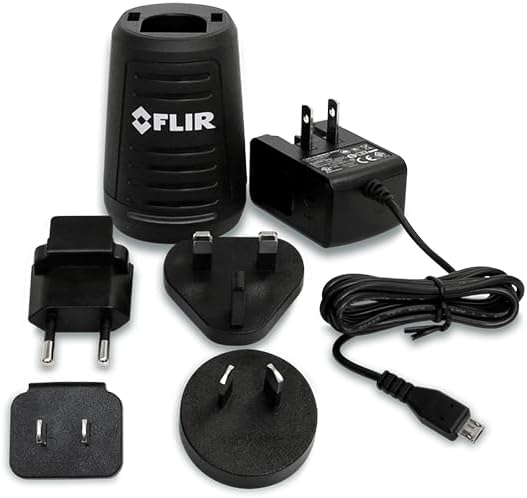
Image: The included USB power supply, charger, and various international plug adapters.
1.2 Càrrega i instal·lació de la bateria
The camera uses a rechargeable Lithium-ion battery. Ensure the battery is fully charged before first use.
- Connect the USB cable to the camera and the power supply.
- Plug the power supply into an appropriate electrical outlet using the correct regional adapter.
- The charging indicator on the camera will show charging status.
- For battery installation, refer to the compartment on the camera handle.
1.3 Engegada/apagada
Press and hold the power button located on the camera to turn it on or off. The camera will perform a brief startup sequence.
2. Funcionament de la càmera
2.1 Basic Operation and Image Capture
The FLIR E5 Pro is designed for intuitive point-and-shoot operation. The lens is always in focus, simplifying use.
- One-button image capture: Press the trigger button to capture a thermal image.
- Visualització: View images and navigate menus on the 3.5-inch, 640 x 480 pixel color LCD touchscreen.

Imatge: Lateral view of the FLIR E5 Pro highlighting key physical features like the lens, flashlight, and trigger button.
2.2 Thermal Imaging Features
- Thermal Resolution: 160 × 120 pixels (19,200 pixels) for detailed thermal images.
- Interval de temperatura: Measures temperatures from -20°C to 400°C (-4°F to 752°F).
- MSX Technology: Patented Multi-Spectral Dynamic Imaging (MSX) embosses visual details onto the thermal image, enhancing clarity and making it easier to identify components.
- Modes d'imatge: Select from Thermal MSX, Thermal, Picture-in-Picture, or Digital camera modes.
- Paletes de colors: Choose from various palettes including Iron, White hot, Black hot, Arctic, Lava, and Rainbow HC to visualize temperature differences effectively.
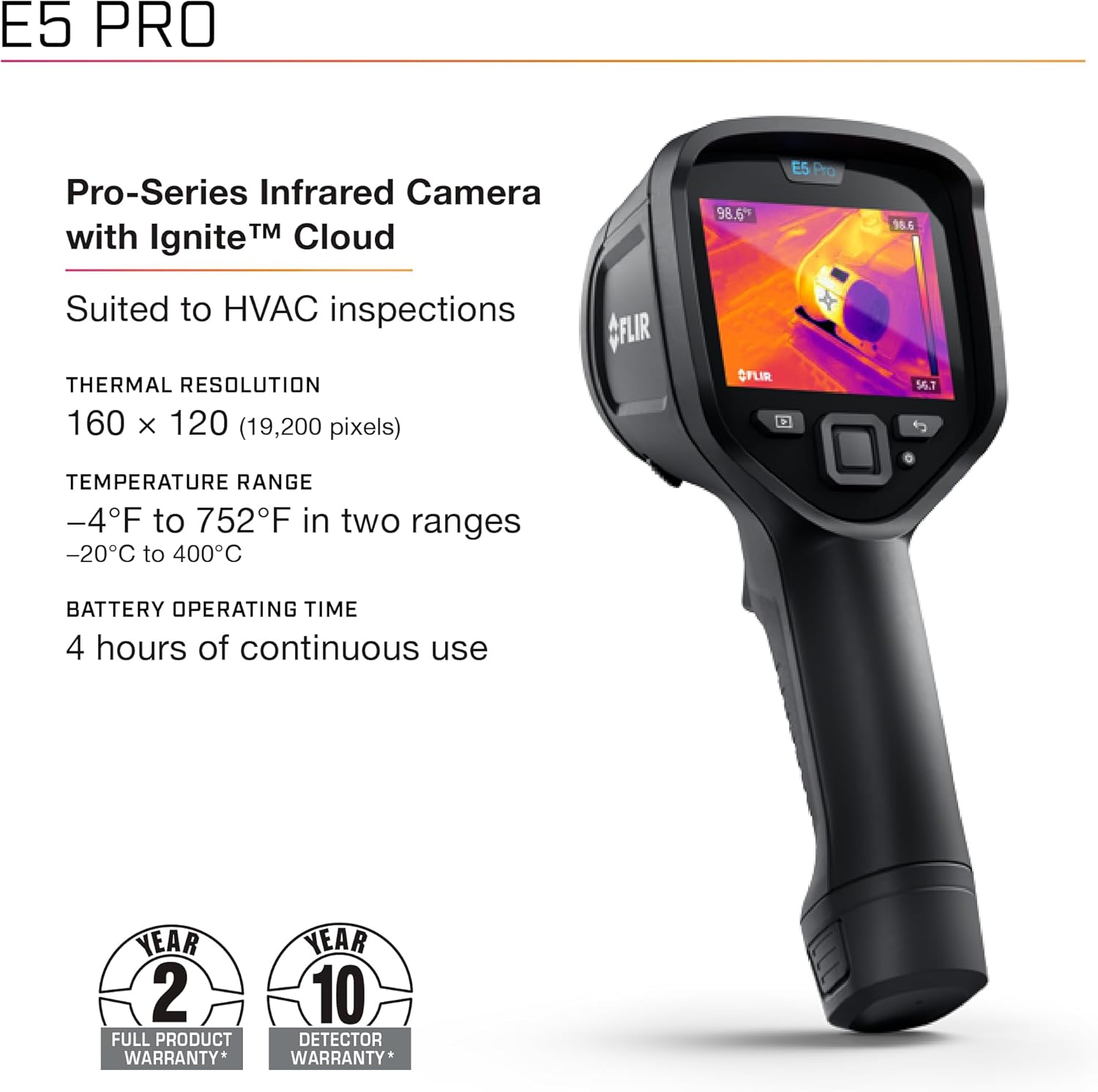
Imatge: Més deview of the FLIR E5 Pro's core specifications including thermal resolution and temperature range.

Image: Details on the FLIR E5 Pro's Wi-Fi capabilities, display specifications, and available imaging options.
2.3 Image Management and Connectivity
- File Format: Records standard JPEG images with embedded temperature data.
- FLIR Ignite Cloud: Connect to the FLIR Ignite App via Wi-Fi for automatic storage, editing, and sharing of images in the cloud. This facilitates rapid image transfer and collaboration.
- Touchscreen Annotations: Utilize the 3.5-inch touchscreen for quick on-screen setting changes, adding annotations to images, and saving files directly to the FLIR Ignite cloud.

Image: A hand interacting with the FLIR E5 Pro's touchscreen to add annotations to a thermal image.
2.4 Optimització de la imatge
The 1-Touch Level/Span feature allows for quick image contrast improvement. By touching an area on the screen, the camera automatically adjusts the level and span to optimize contrast for that specific spot, reducing diagnostic time.

Image: A user adjusting the thermal image contrast on the FLIR E5 Pro using the 1-Touch Level/Span function.
3. Manteniment
3.1 Neteja de la càmera
- Utilitzeu un suau, damp cloth to clean the camera body.
- For the lens, use a lens cleaning cloth and solution specifically designed for optics. Avoid abrasive materials.
- Do not immerse the camera in water or use harsh chemicals.
3.2 Cura de la bateria
- Charge the battery regularly, even if the camera is not in frequent use, to maintain battery health.
- Store the camera and battery in a cool, dry place.
- The battery provides approximately 4 hours of continuous operating time.
3.3 Actualitzacions de programari
The FLIR E5 Pro supports Over-The-Air (OTA) updates, ensuring your camera is always equipped with the latest features and improvements. Connect to Wi-Fi and check for available updates through the camera's menu or the FLIR Ignite App.
4. Solució De Problemes
If you encounter issues with your FLIR E5 Pro, consider the following basic troubleshooting steps:
- La càmera no s'encén: Ensure the battery is charged and correctly installed. Try charging the camera for at least 30 minutes.
- Problemes de qualitat d'imatge: Clean the lens. Ensure proper focus (though the lens is always in focus, debris can affect clarity). Adjust color palettes or use the 1-Touch Level/Span feature.
- Problemes de connectivitat: Verify Wi-Fi settings and network connection. Ensure the FLIR Ignite App is updated on your device.
- Problemes de programari: Check for and install any available OTA software updates.
For more complex issues or persistent problems, refer to the official FLIR support resources or contact customer service.
5. Especificacions
| Característica | Detall |
|---|---|
| Model | FLIR E5 Pro |
| Número de part | 13301-0101 |
| Resolució tèrmica | 160 × 120 pixels (19,200 pixels) |
| Interval de temperatura | -20 °C a 400 °C (-4 °F a 752 °F) |
| Mostra | 3.5 inch, 640 × 480 pixel Color LCD touchscreen |
| Connectivitat | Wi-Fi, USB |
| Tipus de bateria | Ió de liti |
| Temps de funcionament de la bateria | Aproximadament 4 hores d'ús continu |
| Pes de l'article | 1.27 lliures |
| Dimensions del producte | 9.6 x 3.7 x 5.5 polzades (244 x 94 x 140 mm) |
| Font d'alimentació | Battery Powered (220 Volts charger compatible) |
| Components inclosos | Camera, Case, Battery, USB Supply/Charger (EU, UK, US, AU), Software |
6. Informació de la garantia
The FLIR E5 Pro Thermal Imaging Camera comes with a comprehensive warranty:
- 2-Year Full Product Warranty: Covers parts and labor for the camera.
- 10-Year Detector Warranty: Covers the thermal detector, which is a critical component of the camera.
For detailed terms and conditions, please refer to the warranty documentation included with your product or visit the official FLIR weblloc.
7. Suport i contacte
For further assistance, technical support, or to access additional resources, please visit the official FLIR weblloc:
You can also find product registration, software downloads, and frequently asked questions on their support pages.


