1. Introducció
Thank you for choosing the ACT AC5101 Wireless Ergonomic Vertical Mouse. This manual provides detailed instructions for setting up, operating, and maintaining your new mouse. Designed for right-handed users, this ergonomic mouse aims to reduce hand and wrist strain during extended computer use, promoting a more natural and comfortable posture.
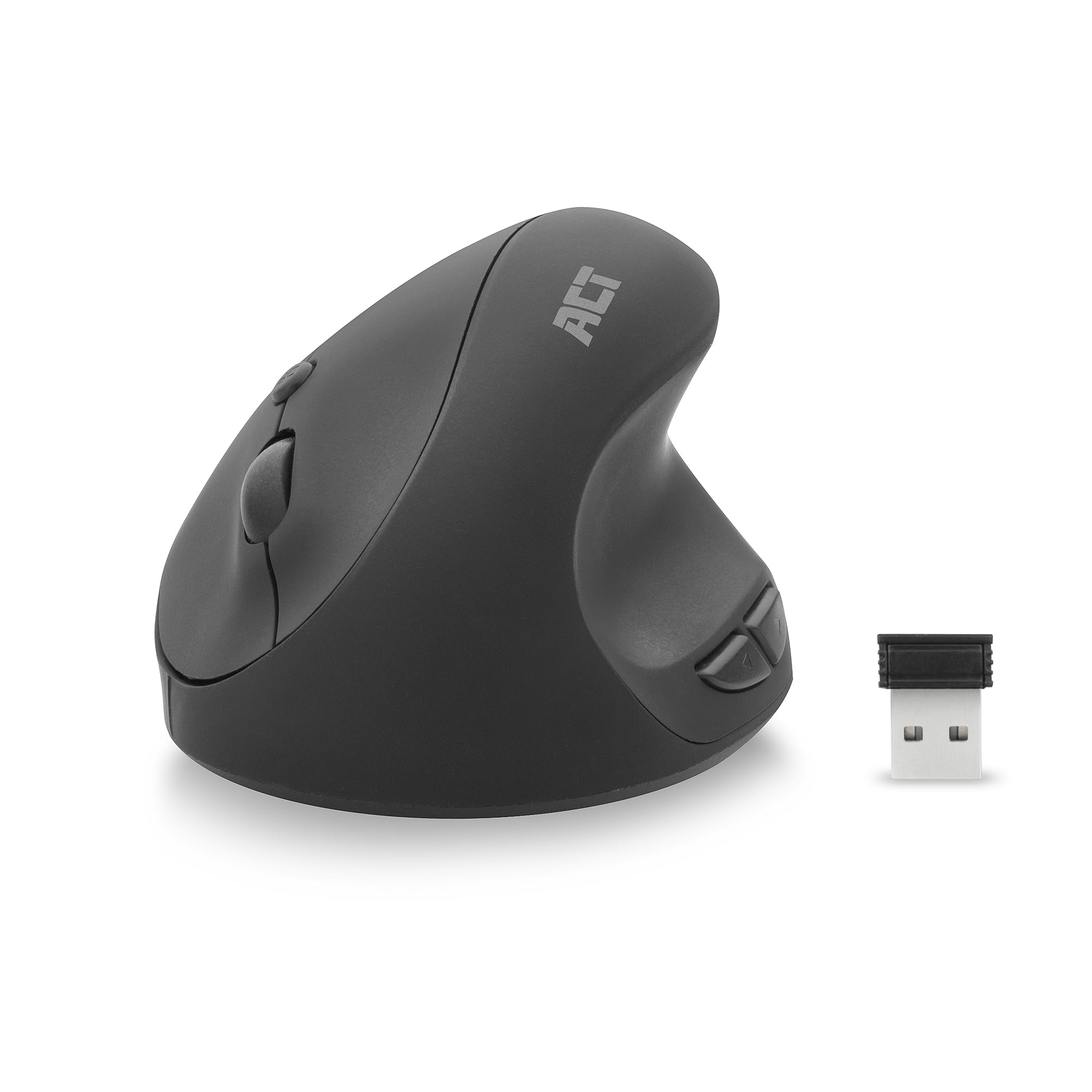
Image 1.1: The ACT AC5101 Wireless Ergonomic Vertical Mouse with its USB receiver.
2. Contingut del paquet
Si us plau, comproveu el paquet per veure si hi ha els elements següents:
- 1 x ACT AC5101 Wireless Ergonomic Vertical Mouse
- 1 x USB-A Nano Receiver (stored in the mouse battery compartment)
- 1 bateries AA (incloses)
- 1 x Manual d'usuari (aquest document)
3. Producte acabatview
The ACT AC5101 mouse features a vertical design for improved ergonomics and includes multiple buttons for enhanced functionality.

Image 3.1: Diagram showing the buttons on the ACT AC5101 mouse. These include the Left Key, Right Key, Scroll Wheel, DPI Button, Forward Button, and Back Button.
- Tecla esquerra: Funció estàndard del clic esquerre.
- Clau dreta: Funció estàndard del clic dret.
- Roda de desplaçament: Per a la funció de desplaçament vertical i clic amb el botó central.
- Botó DPI: Canvia ciclísticament pels paràmetres de DPI (800/1200/1600).
- Botó Endavant: Navega cap endavant web navegadors o file exploradors.
- Botó enrere: Navega cap enrere web navegadors o file exploradors.
- Interruptor d'encesa/apagada: Located on the bottom of the mouse to conserve battery life.
4. Instruccions de configuració
Follow these steps to set up your ACT AC5101 Wireless Ergonomic Vertical Mouse:
- Insereix la bateria:
Locate the battery compartment on the bottom of the mouse. Open the cover and insert the included AA battery, ensuring correct polarity (+/-). Close the battery compartment cover securely.

Image 4.1: The bottom of the mouse showing the battery compartment and the USB-A Nano Receiver storage slot.
- Connecteu el receptor USB:
Remove the USB-A Nano Receiver from its storage slot next to the battery compartment. Plug the receiver into an available USB-A port on your computer.

Image 4.2: The USB-A Nano Receiver.
- Encès:
Flip the On/Off switch, located on the bottom of the mouse, to the "On" position. Your computer should automatically detect and install the necessary drivers. The mouse is now ready for use.
5. Instruccions de funcionament
5.1 Empunyadura ergonòmica
The vertical design of the ACT AC5101 mouse promotes a natural handshake position, reducing pronation of the forearm and wrist strain. Place your hand over the mouse so your thumb rests comfortably on the thumb rest, and your fingers align with the main buttons.

Image 5.1: Comparison illustrating how a traditional mouse twists the arm and wrist, while the ACT ergonomic mouse allows for a relaxed shoulder and neutral wrist position.
5.2 Ajust de la sensibilitat dels DPI
The DPI (Dots Per Inch) button allows you to adjust the mouse cursor speed. Press the Botó DPI (refer to Image 3.1) to cycle through the available sensitivity settings: 800 DPI, 1200 DPI, and 1600 DPI. Select the setting that best suits your preference and task.
5.3 Ús dels botons laterals
El Botó Endavant i Botó enrere are conveniently located for thumb access. These buttons are typically used for navigation in web browsers (e.g., going back or forward a page) or file exploradors.
6. Manteniment
To ensure the longevity and optimal performance of your ACT AC5101 mouse, follow these maintenance guidelines:
- Neteja: Feu servir un drap suau i sec per netejar la superfície del ratolí. Per a la brutícia persistent, netegeu lleugerament.ampNetegeu el drap amb aigua o una solució de neteja suau. Eviteu utilitzar productes químics agressius o materials abrasius.
- Substitució de la bateria: When the mouse performance degrades or it stops responding, replace the AA battery. Ensure the On/Off switch is in the "Off" position before replacing the battery.
- Emmagatzematge: When not in use for extended periods, turn off the mouse using the On/Off switch to conserve battery life. Store the USB receiver in its dedicated slot on the bottom of the mouse to prevent loss.
7. Solució De Problemes
If you encounter issues with your ACT AC5101 mouse, refer to the following common problems and solutions:
| Problema | Causa possible | Solució |
|---|---|---|
| El ratolí no respon |
|
|
| Moviment erràtic del cursor |
|
|
| Els botons laterals no funcionen |
|
|
8. Especificacions
Technical details for the ACT AC5101 Wireless Ergonomic Vertical Mouse:
- Nom del model: AC5101
- Marca: ACTUAR
- Tecnologia de connectivitat: 2.4 GHz Wireless (Radio-frequency)
- Receptor: USB-A Nano Receiver
- Tecnologia de detecció de moviment: Òptic
- Configuració de DPI: 800 / 1200 / 1600 DPI (adjustable via DPI button)
- Nombre de botons: 6 (Esquerra, Dreta, Roda de desplaçament, DPI, Endavant, Enrere)
- Orientació de la mà: Destra
- Font d'alimentació: 1 bateries AA (incloses)
- Color: Negre
- Dispositius compatibles: Ordinador personal
- Dimensions: Approximately 105mm (Length) x 77mm (Height) x 60mm (Width)

Image 8.1: Approximate dimensions of the ACT AC5101 mouse.
9. Garantia i Suport
Garantia: The ACT AC5101 Wireless Ergonomic Vertical Mouse comes with a manufacturer's warranty of 2 years. This warranty covers defects in materials and workmanship under normal use.
Suport: For technical assistance, troubleshooting beyond this manual, or warranty claims, please contact your retailer or visit the official ACT website for support information. Please have your product model number (AC5101) and proof of purchase ready when contacting support.