1. Introducció
This manual provides detailed instructions for setting up, operating, maintaining, and troubleshooting your Dell Pro Wireless Keyboard and Mouse KM5221W. This wireless combo offers a seamless and efficient computing experience with its 2.4 GHz interface and USB wireless receiver.
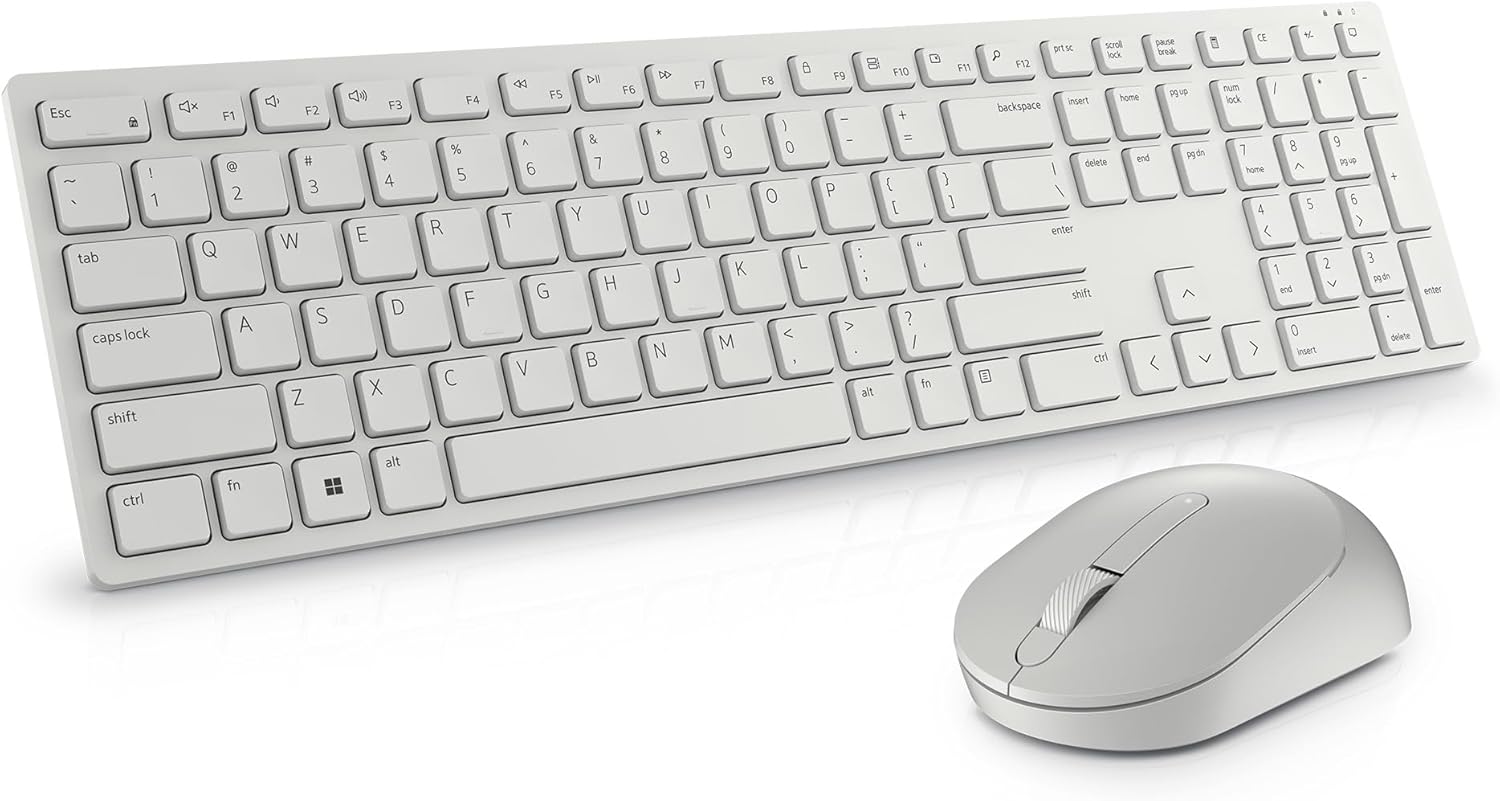
Image: The Dell Pro Wireless Keyboard and Mouse KM5221W in white, showcasing el seu disseny elegant.
2. Què hi ha a la caixa
Your Dell Pro Wireless Keyboard and Mouse KM5221W package should contain the following items:
- Teclat sense fil Dell Pro
- Dell Pro Wireless Mouse
- Receptor sense fil USB
- 1 pila AA (per al ratolí)
- 2 piles AAA (per al teclat)
- Documentació (Guia d'inici ràpid, Informació de seguretat)
3. Instruccions de configuració
Follow these steps to set up your Dell Pro Wireless Keyboard and Mouse:
- Insereix les piles:
- For the mouse: Open the battery compartment cover on the underside of the mouse and insert one AA battery.
- For the keyboard: Open the battery compartment cover on the underside of the keyboard and insert two AAA batteries.
- Connecteu el receptor USB: Plug the USB wireless receiver into an available USB-A port on your computer.
- Encès: Turn on the keyboard and mouse using their respective On/Off switches. The devices should automatically connect to your computer.
- Install Dell Peripheral Manager (Optional): For advanced customization of programmable keys and DPI settings, download and install the Dell Peripheral Manager software from the official Dell support weblloc.

Image: Labeled diagram of the Dell Pro Wireless Keyboard and Mouse, showing key features like battery indicators and programmable keys.
4. Instruccions de funcionament
Característiques del teclat:
- Escriptura silenciosa: The keyboard features plunger key switch technology for a quiet typing experience.
- Tecles programables: Utilize 12 programmable keys for quick access to frequently used applications, folders, and functions. Customize these using Dell Peripheral Manager.
- Inclinació ajustable: The keyboard includes tilt legs on the underside, offering two adjustable angles for a preferred typing position.
- Spill-Resistant: Designed with spill-resistant keys for added protection against accidental liquid spills.
- Connexió segura: Features 128-bit AES (Advanced Encryption Standard) encryption to protect data transmission.

Image: Hands typing on the Dell Pro Wireless Keyboard, illustrating the ease of use for productivity.
Característiques del ratolí:
- Seguiment òptic: The mouse uses optical LED technology for precise and smooth movements.
- DPI ajustable: Customize the mouse sensitivity (DPI) to 1000, 1600, 2400, or 4000 using Dell Peripheral Manager.
- Programmable Scroll Wheel: The scroll wheel includes a programmable middle click function.
- Disseny ergonòmic: The mouse is designed to fit comfortably in hand for extended use.

Image: Close-up of the Dell Pro Wireless Mouse next to the keyboard's numeric keypad, highlighting its design.
5. Manteniment
Substitució de la bateria:
When the battery indicator light on your keyboard or mouse signals low power, replace the batteries:
- Ratolí: Replace with one AA battery.
- Teclat: Replace with two AAA batteries.
Neteja:
To clean your keyboard and mouse, use a soft, lint-free cloth lightly dampEsbandiu amb aigua o una solució de neteja suau. Eviteu productes químics agressius o materials abrasius.
6. Solució De Problemes
If you encounter issues with your Dell Pro Wireless Keyboard and Mouse, try the following solutions:
- Sense connectivitat: Ensure the USB wireless receiver is securely plugged into a working USB port. Check that both the keyboard and mouse are powered on.
- Retard o desconnexió: Move the keyboard and mouse closer to the USB receiver. Ensure there are no large metal objects or other wireless devices interfering with the 2.4 GHz signal.
- Keys/Mouse Not Responding: Replace the batteries in both the keyboard and mouse.
- No Indicator Lights (Num Lock, Caps Lock): Please note that this model does not feature dedicated indicator lights for Num Lock or Caps Lock on the keyboard itself.
- Mouse Movement Issues: Netegeu el sensor òptic de la part inferior del ratolí. Assegureu-vos que feu servir el ratolí sobre una superfície adequada.
7. Especificacions
| Característica | Detall |
|---|---|
| Marca | Dell |
| Número de model | KM5221W |
| Tecnologia de connectivitat | Sense fil (2.4 GHz) |
| Interfície | Receptor sense fil USB |
| Tipus de teclat | Plunger Key Switch |
| Tipus de ratolí | Optical (LED) |
| DPI del ratolí | Adjustable (1000, 1600, 2400, 4000) |
| Bateries del teclat | 2 x AAA (incloses) |
| Bateries de ratolí | 1 x AA (inclosos) |
| Compatibilitat de sistemes operatius | Windows |
| Color | Blanc |
| Pes de l'article | 1.59 lliures |
| Dimensions del producte | 17.8 x 5.4 x 2.9 polzades |
| Característica especial | Ergonomic, Spill-resistant keys, 128-bit AES Encryption |
8. Garantia i Suport
Your Dell Pro Wireless Keyboard and Mouse KM5221W comes with a 3-Year Advanced Exchange Service. For warranty claims, technical support, or additional product information, please visit the official Dell support website or contact Dell customer service.
Suport de Dell Weblloc: www.dell.com/support


